Tom Roche
Shared posts
Civ 1919: Treaty of Versailles 9 – Carving up the Ottoman Empire
Tom RocheJustin and (mostly) Dave excellent as usual, though still just prepwork for the 1919-1922 Anatolian wars aka Turkish War of Independence
Some AI tools don’t understand biology yet
Tom Rochepullquote:
> the trained foundation models weren't very good at predicting when the alterations of pairs of genes would produce complex patterns of changes—when the alteration of one gene synergized with the alteration of a second. "The deep learning models rarely predicted synergistic interactions, and it was even rarer that those predictions were correct," the researchers concluded. In a separate test that looked specifically at these synergies between genes, it turned out that none of the models were better than the simplified system that always predicted no changes.
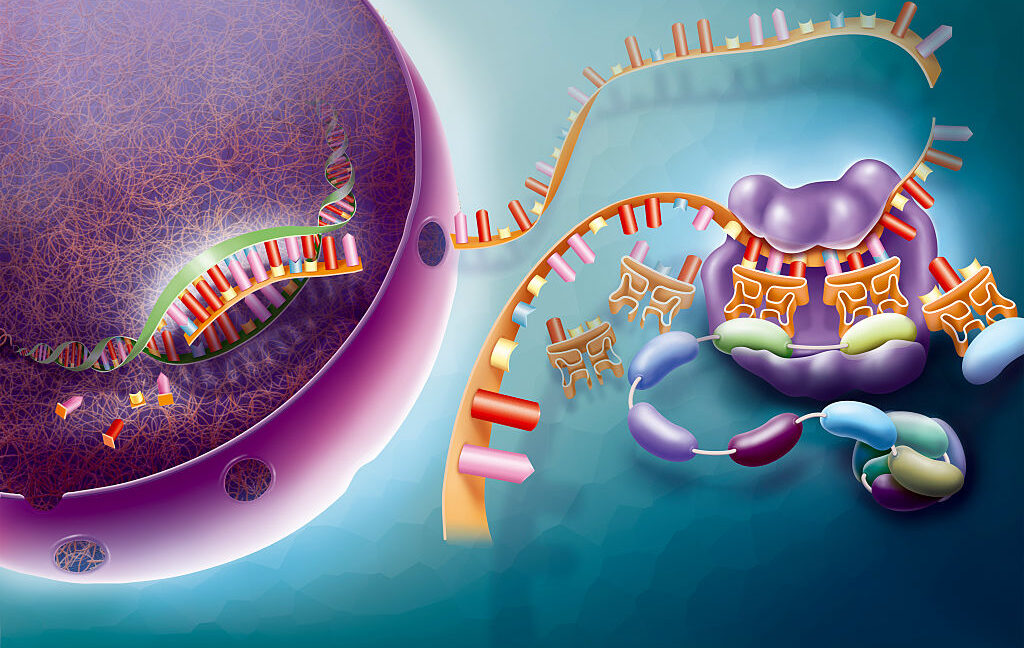
Biology is an area of science where AI and machine-learning approaches have seen some spectacular successes, such as designing enzymes to digest plastics and proteins to block snake venom. But in an era of seemingly endless AI hype, it might be easy to think that we could just set AI loose on the mounds of data we've already generated and end up with a good understanding of most areas of biology, allowing us to skip a lot of messy experiments and the unpleasantness of research on animals.
But biology involves a whole lot more than just protein structures. And it's extremely premature to suggest that AI can be equally effective at handling all aspects of biology. So we were intrigued to see a study comparing a set of AI software packages designed to predict how active genes will be in cells exposed to different conditions. As it turns out, the AI systems couldn't manage to do any better than a deliberately simplified method of predicting.
The results serve as a useful caution that biology is incredibly complex, and developing AI systems that work for one aspect of it is not an indication that they can work for biology generally.
957 - Democracy Soon! feat. Osita Nwanevu (8/4/25)
Tom RocheNot much yux (and not much Felix, who we don't hear until ~36 min into the audio), but VERY EXCELLENT analysis and history of US democracy. Seriously, if you want a high-level analysis of the dynamics affecting the past and future of the US polity, you will find this Chapo ep 62 min well-spent.
Real Python: Exploring Python T-Strings
Tom Roche[full article](https://realpython.com/courses/exploring-t-strings/) archived [here](https://archive.today/V6Ktw)
Python 3.14’s t-strings allow you to intercept and transform input values before assembling them into a final representation. Unlike f-strings, which produce a str object, t-strings resolve to a Template instance, allowing you to safely process and customize dynamic content.
One of the key benefits of t-strings is their ability to help prevent security vulnerabilities like SQL injection and XSS attacks. They’re also valuable in other fields that rely on string templates, such as structured logging.
By the end of this video course, you’ll understand that:
- Python t-strings are a generalization of f-strings, designed to safely handle and process input values.
- The main components of a t-string include static string parts and interpolations, which are accessible through the
Templateclass. - You process t-strings by iterating over their components, using attributes such as
.strings,.interpolations, and.valuesfor safe and customized handling.
[ Improve Your Python With 🐍 Python Tricks 💌 – Get a short & sweet Python Trick delivered to your inbox every couple of days. >> Click here to learn more and see examples ]
Trump attacks Brazil to weaken BRICS. Lula pushes back: We don't want US 'emperor' or 'world police'
Tom RocheEXCELLENT
News - Israel Continues Starving Gaza, Thailand and Cambodia Ceasefire, Global Fresh Water Supply Dwindles
Tom RocheBessner and (mostly) Davison deliver another EXCELLENT week-in-review (minus the pre- and inter-audio ads)
Subscribe now to skip the ads!
Don’t forget to purchase our “Welcome to the Crusades” special series!
Danny and Derek are monitoring the Liam Neeson-Pamela Anderson situation. Otherwise, in this week’s news: a new study says most countries are exploiting groundwater aquifers at an unsustainable rate (2:26); in Israel-Palestine, another Gaza ceasefire breaks down (4:56), Israel’s “humanitarian pause” has little effect on the starvation in Gaza (7:22), the Gaza Humanitarian Foundation is under scrutiny (10:13), West Bank violence is once again on the rise (12:23), and several European leaders float the idea of recognizing a Palestinian state (14:11); Trump threatens to bomb Iran again (17:45); POTUS relaxes sanctions on Myanmar while considering a mineral deal (20:12), plus that country’s military junta lifts the state of emergency (23:55); Thailand and Cambodia agree to a ceasefire for the moment (25:32); the Trump administration cancels interactions with Taiwan (28:32); the Sudan “quartet” meeting is cancelled after a dispute between Egypt and the United Arab Emirates (31:56); Trump shortens the deadline for Russia to end its war in Ukraine (35:01); and this week’s trade news includes the US reaching deals with the EU and South Korea (38:09), imposing a 25% tariff plus “penalties” on India (41:16), hitting Brazil with a 50% tariff (43:14), plus Trump suggesting no future deal with Canada (46:01), and a deal with China remaining in limbo (47:32).
Learn more about your ad choices. Visit megaphone.fm/adchoices
News - Thai-Cambodian Border Clash, Gaza Starvation, ICJ Climate Ruling
Tom RocheBessner and (mostly) Davison deliver another EXCELLENT week-in-review (minus the pre- and inter-audio ads)
Subscribe now to skip the ads.
Don’t forget to buy our “Welcome to the Crusades” miniseries!
Danny and Derek also rail against the war pigs, but lack the heavy riffs. This week: the International Court of Justice rules that wealthy nations must take action on climate change or bear responsibility (1:20); clashes escalate on the Thai-Cambodian border (4:08); a ceasefire holds in Syria’s Suwayda province after clashes between Druze and Bedouin groups (9:06); in Israel-Palestine, Gaza’s starvation reaches catastrophic levels (13:19) as ceasefire talks barely limp along (16:23); Iran is reengaging with the International Atomic Energy Agency (20:49); the Democratic Republic of the Congo and M23 militant group sign a declaration of intent (23:05); in Ukraine, a new round of peace talks achieves little (25:24) while Zelensky responds to protests over corruption (28:27); Venezuela, the US, and El Salvador carry out a prisoner exchange amid accusations of torture (31:38); the Japan House of Councillors holds an election while PM Ishiba looks likely to resign (33:32); and Japan, the Philippines, and Indonesia make trade deals (36:10).
News - Houthis Resume Red Sea Attacks, New IDF Strikes in Lebanon, Deadly Kenya Protests
Tom RocheBessner and (mostly) Davison deliver another EXCELLENT week-in-review (minus the pre- and inter-audio ads)
Remember that today is the last day to order our limited edition “Robo Washington Crossing the Delaware” poster! Paid subscribers get a 50% discount!
AP’s retirement account is entirely tied to copper, so we’re not sure how long we have to do this. In this week’s news: Yemen’s Houthi/Ansar Allah fighters have resumed attacks on commercial ships in the Red Sea, sinking two (1:47); in Israel-Palestine news, Benjamin Netanyahu (on a visit to the White House) rules out a Palestinian state (4:50), ceasefire talks resume (7:56), and Israel has revealed a plan to “relocate” Gaza’s population (12:34); the IDF resumes attacks on Lebanon despite a ceasefire (15:54); the ICC issues warrants for the leaders of the Taliban (18:28); Trump revisits a “burden sharing” debate with South Korea (19:59); Trump invites a group of leaders from African countries to the White House (22:54); widespread protests in Kenya leave many dead (27:03); Trump reverses course on withholding military aid to Ukraine (29:01); the UK and France discuss a “coordinated nuclear deterrent” (32:41); the US and Colombia recall envoys in an intensifying diplomatic row (35:10); Trump sets a new date for reciprocal tariffs (37:35), threatens additional tariffs on BRICS countries (39:49), and threatens a 50% tariff on Brazil for putting Jair Bolsonaro on trial (42:04); and the US traffics 8 people to South Sudan (44:55).
News - DRC-Rwanda Peace Deal, PKK Disarmament, US Airstrikes in Somalia
Tom RocheBessner and (mostly) Davison deliver another EXCELLENT week-in-review (minus the pre- and inter-audio ads)
Subscribe now to skip the ads and get more content.
Order our limited edition "Robo Washington Crossing the Delaware" poster now. Paid subscribers get a 50% discount!
Our news roundups are sometimes big, but never beautiful. This week: the PKK to begin its disarmament in Turkey (1:17); Iran suspends its cooperation with the IAEA (4:30), but remains open to negotiations with the US (6:53); the debate continues on how far the war set back Iran’s nuclear program (9:18); in Gaza, a new ceasefire push (12:24) while journalists investigate the massacres at “humanitarian aid” sites (16:15); Russia recognizes the Talbian-led government in Afghanistan (20:20); the Constitutional Court of Thailand suspends PM Paetongtarn Shinawatra (21:57); Malaysia bans US plastic waste (23:55); Trump ramps up US airstrikes in Somalia (26:07); the DRC and Rwanda sign a peace deal (28:48); Russia makes advances in Ukraine (33:31) plus the US freezes military aid (35:46); the UN says the security situation in Haiti is worsening (37:51); and the US and China make another trade deal (39:29).
News - Iran Strikes and Ceasefire, Nato Ups Defense Budgets, Supreme Court Okays Government Trafficking Migrants
Tom RocheBessner and (mostly) Davison deliver another EXCELLENT week-in-review (minus the pre- and inter-audio ads)
Don’t forget to purchase our “Welcome to the Crusades” series before the price increases next week. Paid AP subscribers get a 20% discount, so subscribe today!
Danny and Derek broadcast from an undisclosed resort location. This week: an update on the conflict with Iran, including the ceasefire (2:34), Trump’s disagreement with US intelligence assessments (5:25), the status of the Islamic Republic’s nuclear facilities and material (10:15), and the potential for new US-Iran talks (15:46); with the latest conflict with Iran on hold, there are now questions whether Netanyahu will finally come to the negotiating table over Gaza (18:22); the 2025 NATO summit was held and addressed topics like a 5% defense spending minimum, while members states ingratiated themselves with Donald Trump, and the latter held a meeting with Volodymyr Zelenskyy (22:09); China is taking new steps on curbing fentanyl (32:37); and the Supreme Court gives the Trump administration the green light to send migrants to unaffiliated third countries (34:58).
News - Israel-Iran War, Russia Strikes Kyiv, Trump Expands Travel Ban
Tom RocheBessner and (mostly) Davison deliver another EXCELLENT week-in-review (minus the pre- and inter-audio ads)
Subscribe now to skip the ads and get more content.
No ChatGPT here—our em dashes are organic. This week: in the Iran-Israel war, an update on the casualties and targets (1:52), US involvement remains in question (7:45), Ayatollah Khamenei refuses to surrender (14:47), and US and Israeli intelligence agencies disagree over “evidence” of Iran pursuing a nuclear weapon (18:14); Trump quits the G7 summit early, possibly due to Israel-Iran, and later insults French president Emmanuel Macron (20:59); the IDF is still killing dozens per day in Gaza, mostly near aid sites (24:23); the US military is withdrawing from most of its bases in Syria (27:11); the Thai government might be on the verge of a collapse (29:56); the DRC and Rwanda approve a “draft” peace agreement (33:57); in Russia-Ukraine, Trump cancels a normalization meeting while shutting down a sanctions working group (36:39), and Russia carries out its deadliest strike of the year on Kyiv (37:55); Trump decides to expand his travel ban (40:14); and in a New Cold War update, a new trade détente with China does not include critical minerals for military use (42:43).
Listen to Derek’s special with Akbar Shahid Ahmed on US involvement in the Israel-Iran war.
Also be sure to download our miniseries with the crew from We’re Not So Different, Welcome to the Crusades. We have posted E1 and E2 on our feed as a free preview.
News - Tensions Rise with Iran, Sudan-Libya Border Clashes, Trump Creating Office of Remigration
Tom RocheBessner and (mostly) Davison deliver another EXCELLENT week-in-review (minus the pre- and inter-audio ads)
Subscribe now for an ad-free experience and more content.
"Top Secret" subscribers get a complimentary one-year digital subscription to The Nation!
Danny and Derek are everyday people who still believe in you. This week: the AUKUS security partnership is under review at the Pentagon (1:47); the IAEA rebukes Iran, nuclear negotiations are going nowhere, and Trump is evacuating nonessential personnel from the Middle East (5:14); in Israel-Palestine, Israeli soldiers continue to gun down people at Gaza Humanitarian Foundation sites as Hamas kills several GHF workers (10:24), the IDF appears to be shielding at least one ISIS-linked gang in the Strip (13:21), the IDF intercepts the “Freedom Flotilla” (15:39), and US ambassador to Israel Mike Huckabee declares the “two-state solution” dead (17:43); the UK and several states sanction far-right Israeli politicians Ben-Gvir and Smotrich (19:00); South Korea ceases propaganda broadcasts across the DMZ with North Korea (21:06); Sudan’s military loses border outposts after an alleged attack by Libyan forces (22:55); the Russian military advances into another Ukrainian province (25:15); the Polish government survives a no-confidence vote (26:40); member states of NATO strive to hit Trump’s 5% defense spending demand (27:28); the Trump administration is creating an “Office of Remigration” at the State Department (29:08); and in a New Cold War update, the US and China appear to have reached a trade deal (31:30).
News - Ukraine Drone Attack, Gaza Aid Center Massacres, IAEA Suggests “Secret Nuclear Activities” in Iran
Tom RocheBessner and (mostly) Davison deliver another EXCELLENT week-in-review (minus the pre- and inter-audio ads)
Subscribe now for an ad-free experience and much more content.
The "Top Secret" tier gets you the show plus a one-year digital subscription to The Nation!
We’re sorry to say that we’re professionals, and Danny and Derek’s falling-out will be behind closed doors. In this week’s news: in Russia-Ukraine, Ukraine launches a massive drone strike and bombs several bridges (0:41), peace talks in Istanbul make little progress (5:43), and Donald Trump speaks to Vladimir Putin (7:51); in Israel-Palestine, more massacres are carried out at aid centers as the Gaza Humanitarian Foundation suspends operations (13:04), the US vetoes another UN ceasefire resolution (16:49), and ceasefire talks remain frozen (18:31); a new IAEA report suggests Iran pursued undisclosed nuclear experimentation (21:11), and Khamenei trashes the United States’ proposed response (24:30); Trump lashes out at China and has a phone call with Xi (27:37); left-leaning Lee Jae-myung wins South Korea’s presidential election (30:01); meanwhile, right-wing historian Karol Nawrocki is Poland’s new president (31:44); the Dutch government collapses (33:36); the UN discovers bodies at militia sites in Tripoli, Libya (36:16); the UK recognizes Morocco’s sovereignty over Western Sahara (38:02); and Donald Trump announces a new travel ban (40:46).
News - US-Houthi Ceasefire, Israel's Gaza Plans, and Global Trade Tensions
Tom RocheBessner and (mostly) Davison deliver another EXCELLENT week-in-review (minus the pre- and inter-audio ads)
Though Jake is absent for the week, Danny and Derek remain steadfast in their dedication to bring you news. They discuss the U.S.-Houthi ceasefire (2:04); the Israeli government's plans for Gaza (6:49); Trump’s push for a Gaza ceasefire and Saudi deal on his upcoming Middle East trip (12:54); new clashes between India and Pakistan as well as more details from Wednesday morning's strikes (16:41); the possibility of U.S.-China trade talks (20:28); the reality of a U.S.-U.K. trade deal (22:30); drone strikes on Port Sudan (25:41); peace talks in the DRC (27:49); Vladimir Putin's V-E Day ceasefire (30:41); Friedrich Merz’s chaotic chancellor election (32:48) and the AfD’s potential classification as an extremist group (34:33); the European Union’s effort to poach U.S. academics (36:36); and finally, the Trump administration’s push for countries to adopt Elon Musk’s Starlink satellite internet service (39:13).
Then, after the show, Danny and Derek speak with Trevor Beaulieu and Josh Olson about their new podcast, "White Canon."
Learn more about your ad choices. Visit megaphone.fm/adchoices
What are CBS News' Billionaire Heirs Doing with Bari Weiss? With Ryan Grim on the Funding Behind It; Europe Capitulates to Trump Again
Tom RocheGreenwald (and Grim) VERY EXCELLENT as usual
As support for Israel declines among every age group, corporate media outlets scramble to spread their pro-Israel narrative. Plus: Drop Site News co-founder and journalist Ryan Grim discusses the Skydance/Paramount merger, Bari Weiss's potential role at CBS, and the pro-Israel nonprofit pushing news content through The Free Press.
---------------------------------------------------------------------------
Watch full episodes on Rumble, streamed LIVE 7pm ET.
Become part of our Locals community
Follow System Update:
BONUS - The Bitter Buddha feat. Eddie Pepitone
Tom Rochejust bant, but excellent
#200 Don’t Buy the AI Hype
Tom RocheEXCELLENT
Trump’s New Merger Scandal Is Swampier Than Watergate
Tom RocheEXCELLENT on antitrust politics esp HPE-Juniper merger, Trump corruption, and the nattional-security scam used for coverup
In a stunning reversal, the Trump administration just gave the green light to a major tech merger — and then fired two Justice Department lawyers who opposed it. Was corruption at play in the merger decision?
Today on Lever Time, David Sirota sits down with The Lever’s Luke Goldstein and UnHerd Magazine’s Sohrab Ahmari, who first exposed the “mergers over martinis” story behind the reversal. They dive into the MAGA power struggle inside the Justice Department and tackle the big questions: What triggered the reversal? Could a Watergate-era anti-corruption law bring the truth to light? And if Trump is now opening the floodgates to corporate mergers, what will that mean for your wallet?
To check out Sohrab Ahmari’s reporting, as referenced in this episode, click here.
Get ad-free episodes, bonus content and extended interviews by becoming a member at levernews.com/join.
To leave a tip for The Lever, click here. It helps us do this kind of independent journalism.
Learn more about your ad choices. Visit megaphone.fm/adchoices
Why Pompeii keeps revealing new secrets
Tom Rochesurprisingly cliché and low-information--skip
The largest excavation in a lifetime is underway at the famous archaeological site of Pompeii - the Roman city buried in ash when Mount Vesuvius erupted in 79AD. Remarkable new discoveries continue to be unearthed.
TAONAW - Emacs and Org Mode: Denote with a different root directory on Linux only
Tom Roche(ending) pullquote (after lots code+explanation):
> Now I have the Denote org file creation process dependent on a condition that I am running on Linux: (eq system-type 'gnu/linux). In case I’m running on Mac, (eq system-type 'darwin), I will only get a reminder that I’m using my Mac, and that’s it, nothing further will happen.
As some of you may be aware, I prefer to keep certain things private, which means I don’t use cloud services for those. So, I wanted to have a dedicated folder for private notes on my Linux desktop, which doesn’t sync to my Mac. This sounds simple enough, but my setup makes it a bit more complicated.
For my technical documentations and blog posts, I use Denote, an excellent org-mode note-taking package from Protesilaos Stavrou (AKA Prot). By design, Denote is set up to have one root folder to work from with an option for subfolders under that folder for organization, which is what I have: ~/Sync/Notes/ is the main folder, and under it I have ~/Sync/Notes/Info and ~/Sync/Notes/Blog/, which should make sense if you’re follwing along.
~/Sync/Notes/ is under my Sync folder which is synced between my devices with Syncthing. Usually this is a good idea, since I want to have my technical notes and blog posts available to me both on Linux and on the Mac - and for that matter also on the iPhone and Android, but that’s a different story.
You’re probably starting to see the problem here. Denote is using a synced folder for its root folder, so I can’t have a “just for Linux” folder under normal circumstances. I wanted that private Linux-only folder to be at ~/Documents/private on my Linux desktop, and here we have yet another problem: the Mac has a ~/Documents/ folder as well, which I’m syncing to iCloud. Again, usually this is good: some of my work files are there, and I have a few settings saved. But if this folder was synced between my Linux and the Mac, these files will quickly be uploaded to Apple’s servers. Not good.
While Denote’s documentation notes that the upcoming release will have the option to define several folders as a list for denote-directory, this is not in production yet. So my first attempt took me through Syncthing documentation.
I knew I could ask Syncthing to ignore files using ignore patterns, and these are robust enough to work on folders as well. After a few attempts, I managed to have a ~/Sync/Notes/private folder on my Linux desktop that did not sync to my other devices.
While this works, it’s a weird workaround to have an isolated folder inside a folder meant for syncing; it’s kind of counterintuitive. Another concern: if the .stignore file with the ignore pattern was to be deleted by mistake, Sycnthing would sync that folder and its contents everywhere.
Digging deeper into my old Denote configurations, I found the solution in a Denote function that could solve it:
    (defun jr-private-denote ()
         (interactive)
         (let ((denote-directory (expand-file-name "~/Documents/private/"))
               (denote-excluded-directories-regexp "data")
               (denote-prompts '(title keywords))
               (denote-org-front-matter "
    #+title:      %s
    #+creator: JTR
    #+date:       %s
    #+filetags:   %s
    #+identifier: %s
    #+STARTUP: inlineimages
    #+OPTIONS: num:nil
    \n"))
           (call-interactively 'denote)))
This function bypasses the regular denoate creation process (M-x denote) and changes the denote root folder to ~/Documents/private just for the purpose of this function. As well, I’ve included a few more options in the Denote front-matter, like the creator and the option to load images when the file loads. This function also excludes the /data subfolder under ~/Documents/private, which contains attachments, so I don’t create a note there by mistake.
This worked well, but it still leaves me with the problem I mentioned earlier. My configurations are stored in an org file synced inside my sync folder (so Emacs on my Linux desktop will run the same way as Emacs on my Mac, as much as possible), which means I could still run this function on the Mac, creating a private note in my Documentation folder there, and I don’t want a chance of that to happen. Besides, tweaking stuff is fun.
To fix that, I included a condition to help out:
    (defun jr-private-denote ()
      (interactive)
      (cond
       ((eq system-type 'gnu/linux)
        (let ((denote-directory (expand-file-name "~/Documents/private/"))
              (denote-excluded-directories-regexp "data")
              (denote-prompts '(title keywords))
              (denote-org-front-matter "
    #+title:      %s
    #+creator: JTR
    #+date:       %s
    #+filetags:   %s
    #+identifier: %s
    #+STARTUP: inlineimages
    #+OPTIONS: num:nil
    \n"))
          (call-interactively 'denote)))
       ((eq system-type 'darwin)
        (message "You're using your Mac"))))
Now I have the Denote org file creation process dependent on a condition that I am running on Linux: (eq system-type 'gnu/linux). In case I’m running on Mac, (eq system-type 'darwin), I will only get a reminder that I’m using my Mac, and that’s it, nothing further will happen.
7/30/25: Mayor Pete Refuses To Accept Zohran Win, Crypto Dire Warning, Sydney Sweeney Jeans Ad
Tom Roche/mostly/ EXCELLENT BP (this time KB+EJ),
+ especially the middle segment(s) with Peter Ryan @ Ryan Research on how cryptocurrencies, combined with Trump's corrupt deregulation, pose an increasing structural threat to the US economy à la the 2007 {housing crash, global financial crisis}
- but very-much-excepting the very-wasted final segment(s) on the {American Eagle, Sydney Sweeney} genes/jeans ad
... so bail @ 40:30 (and of course fast-forward through the pre- and inter-audio ads)
Krystal and Emily discuss Mayor Pete refuses to accept Zohran win, crypto whistleblower dire warning on crash, Sydney Sweeney 'jeans' ad.
To become a Breaking Points Premium Member and watch/listen to the show AD FREE, uncut and 1 hour early visit: www.breakingpoints.com
Merch Store: https://shop.breakingpoints.com/
See omnystudio.com/listener for privacy information.
Aaron Maté on More Russiagate Fallout, Protests in Ukraine, and Israel's Strikes on Syria With Special Guests John Solomon, Marta Havryshko, and Joshua Landis
Tom RocheAaron Maté hosts a mostly-excellent SUGG (and with no inter-audio ads, just pre- and post-). 3 egments:
1. VERY EXCELLENT 1st seg: [John Solomon @ Just the News](https://justthenews.com/john-solomon) and AM go deep on the most-recent Russiagate revelations; how they add to what we already knew about the HRC-Obama-Biden hoax, but also how they fail to divert from Trump's Epstein hoax (i.e., that "there's nothing to see" in the Epstein files).
2. weaker but still informative 2nd seg (with Marta Havryshko @ Clark U) on recent Ukraine antiregime/anti-corruption protests.
3. somewhat stronger but still-not-great 3rd seg (with Joshua Landis @ U Oklahoma) on the very-shaky US-Israel-HTS (surprisingly little about Turkiye, Azerbaijan, etc) alliance in Syria and how the HTS regime is attacking Syrian minorities.
Journalist Aaron Maté discusses the latest Russiagate revelations, protests in Ukraine, and Israel's strikes on Syria with special guests John Solomon, Marta Havryshko, and Joshua Landis.
-------------------------
Watch full episodes on Rumble, streamed LIVE 7pm ET.
Become part of our Locals community
Follow System Update:
7/30/25: Trump Says Epstein 'Stole' Girls From Him, Publisher Of Black Book Speaks Out, Jon Stewart Rips Israel Gaslighting
Tom RocheVERY EXCELLENT, esp informative segment(s) from Nick Bryant @ EpsteinJustice.com
Krystal and Emily discuss Trump says Epstein stole women from Mar a Lago, publisher of Epstein black book reveals coverup, Jon Stewart loses it on Gaza gaslighting.
To become a Breaking Points Premium Member and watch/listen to the show AD FREE, uncut and 1 hour early visit: www.breakingpoints.com
Merch Store: https://shop.breakingpoints.com/
See omnystudio.com/listener for privacy information.
Radio War Nerd EP 538 — Battles of Nomonhan Pt. 1: Background, feat. Annibale
Tom RocheAnnibale EXCELLENT as usual, this time on Japan 1854-1937
Trump Bombarded by Epstein Q's in Scotland, MAGA “Caddies” Provide Cover Back Home | Peter Beinart
Tom RocheSubpar DSEE, esp for a Jon Stewart ep: pretty-good-not-bad monolog followed by an actually-just-not-funny bit with Jessica Williams and a surprisingly-bad interview with Peter Beinart (who has been /much/ better elsewhere, but here is just him and Jon being liberal Zionists together). So delete everything exc 1:28-18:42 and save 26 min of your time.
Jon Stewart dives into Trump's golf shenanigans in Scotland, the Republican “caddies” providing him cover on the Epstein scandal back home, and the possibility of a pardon for Ghislaine Maxwell. Plus, Jessica Williams will NOT allow Beyoncé to be roped into Trump’s use of exceptional Black people as a distraction.
Editor-at-large of "Jewish Currents," who writes "The Beinart Notebook" on Substack, Peter Beinart sits down with Jon Stewart to discuss his book, "Being Jewish After the Destruction of Gaza: A Reckoning," and speaking out against Israel. They talk about learning from Jewish history to be the saviors rather than the oppressors, America and the UN’s failure to hold Benjamin Netanyahu accountable, the urgency of engaging in critical discourse with other Jews, and how listening to Palestinian stories can illuminate the dehumanizing conditions.
Learn more about your ad choices. Visit podcastchoices.com/adchoices
Russia's 1993 Constitutional Crisis
Tom RocheAs is so often the case with Eurasian Knot (formerly "Sean's Russia Blog"), this episode mixes some truly-excellent bits into lotsa very-skippable non-content. If you want only the (IMHO) best bit, skip to 22:40 for a brief (22:40-37:57) history of the leadup (from c1989) to the 1993 October Coup, and then an even-briefer (37:57-43:06) capsule history of the coup itself (from Yeltsin's illegal dissolving the Congress of People's Deputies (CPD) 21 Sep to the 4 Oct White House defenders' surrender, plus a bit of aftermath). ~20 min solid content. For a more-detailed rundown of the audio:
1. 0-7:11 : totally-skippable bant. Why do so many podcasters believe this kinda dreck is a genre-requirement?
2. 7:11-11:40: the EuraKnot "sound submission," and a bit of useful discussion/compare/contrast between capitalist (esp West German) and communist (esp USSR) Cold War youth culture
3. 11:40-22:40: interview setup: who the guest (Jeff Hawn, currently @ LSE) is, how he got on this topic
4. 22:40-37:57: solid but brief summary of Soviet-Russian history from c1989 (Glaznost-Perestroika) to 1991 (Belovezha Accords) to 1993 attack on CPD
5. 37:57-43:06: even-briefer-and-less-solid summary of 21 Sep--4 Oct Yeltsin coup against CPD (plus some aftermath)
Following are interesting but increasingly {lib, Yeltsin-and-empire-sympathetic):
6. 43:06-47:21: focus on coup as foreign intervention (esp role of US Clinton regime)--better discussion than I expected, not nearly as damning as it should be.
7. 47:21-53:09: focus on Yeltsin's role/blame--ditto.
8. 53:09 to end of audio (58:25): rather unfocused and un-valuable (but still interesting) discussion of supposed "Russian autocracy" and "who's to blame" for it
In early October 1993, tanks pummeled the Russian Duma in central Moscow. It was a dark mirror of just two years prior when Boris Yeltsin definitely climbed atop a tank and made history. Now, tanks were again Yeltsin’s historical instrument. Only this time, they were his. The 1993 Russian Constitutional Crisis was a turning point in the country’s post-Soviet transformation. The popular narrative was Russian Democrats repelling Russian nationalists and communists. The future vs. the past. And the future prevailed! It was a tight, clean story fit for the utopianism of the 1990s. In retrospect, however, it was the past that really won. Yeltsin’s constitutional power grab through the gun barrel set the first stones of Putinism. How should we understand this turning point? What was really going on? And how have these baby steps of Russian authoritarianism become a full-blown sprint? The Eurasian Knot turns to Jeff Hawn for some answers.
Guest:
Jeff Hawn is a graduate of American University School of International Service and is completing his PhD at London School of Economics. His dissertation addresses the history and consequences of the 1993 Constitutional Crisis and the emergence of modern Russia.
Hosted on Acast. See acast.com/privacy for more information.
The Lively Life of Lindsey Santoro
Tom Rocheskip!
Today Lindsey is dragged to a rock climbing centre by her athletic friend Jenny which results in a life changing discovery about her over-zealous anatomy. She helps her mum rescue a missing rat and, with the help of Elton John, hosts an intimate funeral.
Welcome to the life of the most beautiful princess in all of Birmingham and its surrounding areas. This week Lindsey Santoro has started a diary. But she’s not 13 years old daydreaming about her latest crush and sleepover plans. She’s a 37-year-old no-nonsense Brummy whose days are more likely to involve thrush cream and a bargy with a bus driver. You are cordially invited to step into her world and learn lessons from her lively life.
Producer: Sasha Bobak Production Coordinator: Katie Baum Script Editor: Ruth Husko Executive Producer: Pete Strauss
A BBC Studios Audio Production for Radio 4.
Long Reads: The Crypto Scam Goes Mainstream w/ Ramaa Vasudevan
Tom RocheEXCELLENT survey of the corruption at the rotting heart of global capitalism
Back in 2023, Long Reads spoke with Ramaa Vasudevan of Colorado State University for an episode about the development of crypto capitalism. Since then, the crypto industry has launched a concerted effort to establish itself at the heart of the global economic system. Just a few days ago, Donald Trump gave his approval for a major bill designed to boost the sector.
Ramaa Vasudevan spoke to Long Reads again about the mainstreaming of crypto and the threat it poses to global economic stability. This conversation was recorded at the end of March.
Read a transcript of the interview here: https://jacobin.com/2025/06/the-crypto-state
And find Ramaa’s essays for Catalyst here: https://catalyst-journal.com/author/ramaa-vasudevan
Long Reads is a Jacobin podcast looking in-depth at political topics and thinkers, both contemporary and historical, with the magazine’s longform writers. Hosted by features editor Daniel Finn. Produced by Conor Gillies with music by Knxwledge.
The Psytrance Episode (feat. COEXIST Inc.)
Tom Rocheafter a brief Labubu lecture, EXCELLENT exploration of some of the global shadows cast by global Zionist evil and Israelis particularly
We have on Isaac on from COEXIST Inc to talk about Tommorrowland and the need for IDF soldiers to experience a psytrance DJ set.
FIND OUR GUEST:
https://www.instagram.com/coexist.inc
HOW TO SUPPORT US:
https://www.patreon.com/cornerspaeti
HOW TO REACH US:
Bluesky https://bsky.app/profile/cornerspaeti.operationglad.io
Twitter https://twitter.com/cornerspaeti
Instagram https://www.instagram.com/cornerspaeti/
Julia https://twitter.com/KMarxiana
Rob https://twitter.com/leninkraft
Nick https://bsky.app/profile/lilouzovert.bsky.social
Uma https://bsky.app/profile/umawrnkl.bsky.social
Ciarán https://bsky.app/profile/ciaran.operationglad.io
127: Flip Flop Mode Squad, with Narcy
Tom RocheVERY EXCELLENT
Matt and Daniel are joined by Canadian rapper and professor Narcy to award AOC supporters the prestigious Fell For It Again Award, to call for an end to rapper-style abbreviations of politicians' names, and to consider the plight of Canadian IDF soldiers too scared to order their usual Teen Burger at root beer-branded meat sandwich purveyor A&W.
Please donate to Gaza City Flour Fund: http://bit.ly/gazaflourfund
Get All Narcy's links at his bio here: https://www.instagram.com/narcynarce/
Get your tickets for Bad Hasbara Live in NYC, they're almost sold out!
October 10: https://bhnyc1.eventbrite.com
October 11: https://bhnyc2.eventbrite.com
Standup Comedy October 13 with Matt Lieb, Francesca Fiorentini and Daniel Maté: https://www.ticketmaster.com/francesca-fiorentini-and-matt-lieb-brooklyn-new-york-10-13-2025/event/300062E2C3694548
See Francesca Fiorentini and Matt Lieb!
August 1 in Seattle, WA: https://www.eventbrite.com/e/comedians-francesca-fiorentini-and-matt-lieb-tickets-1354093864199
August 28 in Houston, TX: https://bit.ly/mattfranhtx
Subscribe to the Patreon https://www.patreon.com/badhasbara
What’s The Spin playlist: https://spoti.fi/4kjO9tL
Subscribe/listen to Bad Hasbara wherever you get your podcasts.
Spotify https://spoti.fi/3HgpxDm
Apple Podcasts https://apple.co/4kizajt
Support this podcast at — https://redcircle.com/bad-hasbara/donations
Privacy & Opt-Out: https://redcircle.com/privacy