In the police station, a 40-foot mural-adorned wall towers over the two-story set. The coffee shop, also two stories, has metal columns along the bar as giant lighting fixtures hang above in the room that could host a party of 50. The set of S.T.A.R. Labs is so cavernous, that your footsteps echo slightly upon entrance
Yeah, it's cool and quite clear no expense was spared on the set — and this was before the show delivered recording ratings for the network, becoming the most-watched series premiere in its history, with 6.1 million viewers in Live+3 Day Nielsen ratings. (No surprise, it seems, that it was on Tuesday given a full season order.) Read more...
Following an appearance at the Elle Women in Hollywood Awards in Beverly Hills, California, on Monday, the Internet collectively freaked out about Zellweger's new appearance, questioning whether the actress had undergone extensive plastic surgery.
We can't say we're bored with standard time-lapse videos, but layer-lapse videos are an extremely impressive form of the craft.
Using Einstein's theory of relativity as inspiration, photographer Julian Tryba created a stunning time-lapse of the beautiful city of Boston by assigning different regions and objects to separate points in time
"Each of these clocks may start at any point in time, and tick at any rate," he writes on Vimeo. "The result is a visual time dilation effect known as layer-lapse."
The layer-lapse captures iconic views of the city as night and day are mashed into one scene, creating an amazing effect we hope more photographers replicate in the future Read more...
The Oakland Raiders have a popularity problem. Denver Broncos fans have a perplexing stronghold right in the Seattle Seahawks' backyard. Florida's football loyalties are more divided than those of any other state
We know all of this because Twitter released on Wednesday an interactive map that breaks down National Football League fandom by team and county. It's fascinating to play around with — which you can do right here
The map, embedded below, gives us a look at where NFL teams' Twitter followers come from geographically, as well as which teams dominate fan loyalty in which counties. You can also isolate data by county or team Read more...
Apple Pay's introduction on Monday went off without a hitch — until now.
About 1,000 Bank of America customers using Apple Pay were mistakenly charged twice, according to Bloomberg. A processing glitch between BofA and at least one payments network caused the snafu. The issue will be resolved on Wednesday, according to the report.
Tara Burke, a Bank of America spokeswoman, told Mashable that "we apologize for this inconvenience and are correcting this issue immediately." She added that all duplicates will be refunded.
BofA is one of several banks, including Chase, CapitalOne, Wells Fargo and Citi that are backing Apple Pay. Visa, MasterCard and American Express are also on board. Burke could not be reached for further comment. Read more...
Google finally made the oft-rumored Nexus 6 official. This device will go head-to-head against successful tablets like the Samsung Galaxy Note 4 and iPhone 6 Plus. There has been a lot of discussion about the size and price of the Nexus 6, which makes it a very interesting device. Later this month the “Nex-six” will go up for pre-order and ship out in early November. Before you grab that credit card, this is everything you need to know about the Nexus 6.
Nexus 6 Specs
Android fans love specs, and the Nexus line attracts the most passionate Android fans. That makes the specs of the Nexus 6 all the more important. Motorola has absolutely decked out the Nexus 6 with every high-end spec you could want. It has a big, beautiful high-resolution display, the newest and most powerful processor on the market, a big camera, and a juicy battery. Here’s a quick rundown of the important specs.
5.9-inch 2560×1440 QHD AMOLED display (493 ppi)
2.7GHz Qualcomm Snapdragon 805
Adreno 420 GPU
3GB RAM
32/64 GB of storage
13MP rear, 2MP front-facing cameras
Dual front-facing speakers
3220mAh battery
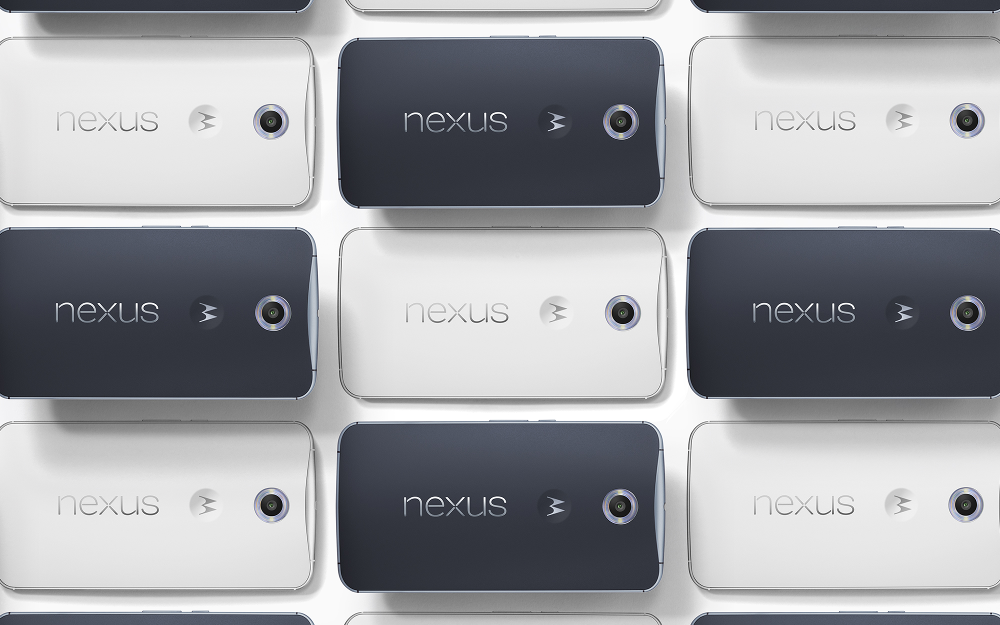
The other hardware to consider is the overall design of the device. If you liked the look of the new Moto X you will like the look of the Nexus 6, and vice versa. Around the edges of the phone is a metal band, while the back is a dark blue or white plastic. Yes, it only comes in blue or white, but the blue is very dark. It’s a fairly boring design, like most of the Nexus devices.
Lollipop, lollipop, oh lolli lolli lolli
The Nexus 6 and Nexus 9 are the first two devices to come with Android 5.0 Lollipop. The biggest feature of Lollipop is the brand new Material Design language. This is the first time since Ice Cream Sandwich that Android has received a major face-lift. All the last remnants of the Tron-esque design have been removed in favor of a flatter “material” look. Lollipop also introduces tons of gorgeous new animations.
Material Design is the most easily noticeable feature of Lollipop, but there is a lot more going on. Other big changes include a brand new way to deal with notifications, redesigned multi-tasking, battery saver mode, Android Smart Lock for connected devices, user profiles, guest mode, new quick settings, and much more. Check out the full changelog here.
The other thing to consider about Lollipop and the Nexus 6 is timely updates. Since this is a Nexus device you can expect to get the latest and greatest from Google before anyone else. Nexus devices get the latest version of Android immediately. No waiting around for carrier approval (hopefully) or OEM tinkering. If being on the latest version of Android is important to you the Nexus 6 is a must-have device.
Size Matters
The Nexus 6 is a large phone. I don’t need to tell you that. The size of the Nexus 6 has been a topic of much debate, and for good reason. Everything I’ve mentioned up to this point in the article doesn’t mean much if the phone is too big for you. The only way for you to know that is to hold it in your hands, but since you can’t get one right now we have to explore other options.
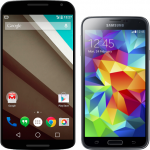
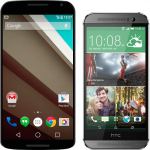
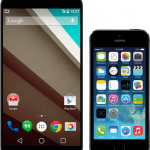
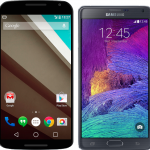
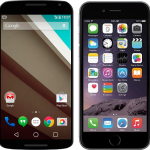
Here is the Nexus 6 compared to some devices that you may have at your disposal. Is it too big for you? See for yourself.
Configuration Options & Pricing
Now that you know everything about the Nexus 6 it’s time to decide if you should buy one. The Nexus 6 will be available to pre-order on October 29th for $650 or $700 from the Google Play Store. It will also be available from AT&T, Sprint, T-Mobile, US Cellular, and Verizon. Carrier pricing is unknown at this point, but we expect something around $200 with a new contract. The Nexus 6 comes in two colors: Midnight Blue and Cloud White. You’ll be able to choose 32 or 64GB storage options.
That’s the story for Google’s latest Nexus device. It has nearly everything that Nexus fans have wished for in a device: powerful specs, big display, a good camera, and carrier availability. Will that be enough to make the Nexus 6 a mainstream device? Only time will tell. Will you be buying a Nexus 6? What are your thoughts on the size? Be sure to hit up the Nexus 6 forums to chat about this new device with fellow Phandroids!
App developers will want to get their hands on the latest collection of icons Google just open-sourced. Below is a download link to a pack of 750 different icons for use in apps, the mobile web and, well, whatever else you can think of. Many of the icons are featured throughout Android 5.0 Lollipop as part of Google’s Material Design makeover so your apps won’t look out of place when trying to keep up with the Joneses.
Here’s a quick list of what to expect from this huge pack of icons:
SVG versions of all icons in both 24px and 48px flavours
SVG and CSS sprites of all icons
1x, 2x icons targeted at the Web (PNG)
1x, 2x, 3x icons targeted at iOS (PNG)
Hi-dpi versions of all icons (hdpi, mdpi, xhdpi, xxhdpi, xxxhdpi) (PNG)
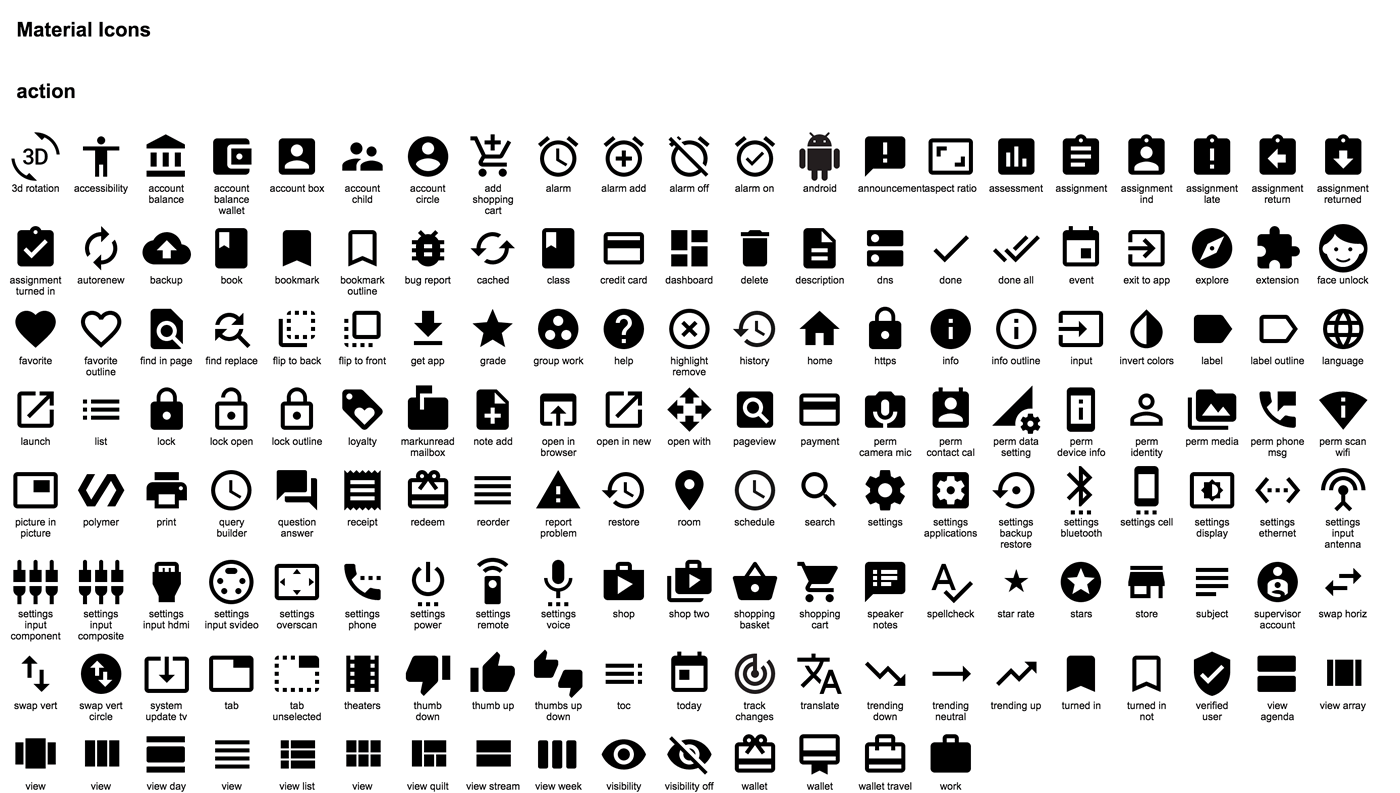
And below you’ll find a quick preview of some of the many icons available for use:
Looking quite good to me. Be sure to give it a download and use them in your apps and websites as soon as you can, because it won’t be long before the first Android 5.0 devices hit the market.
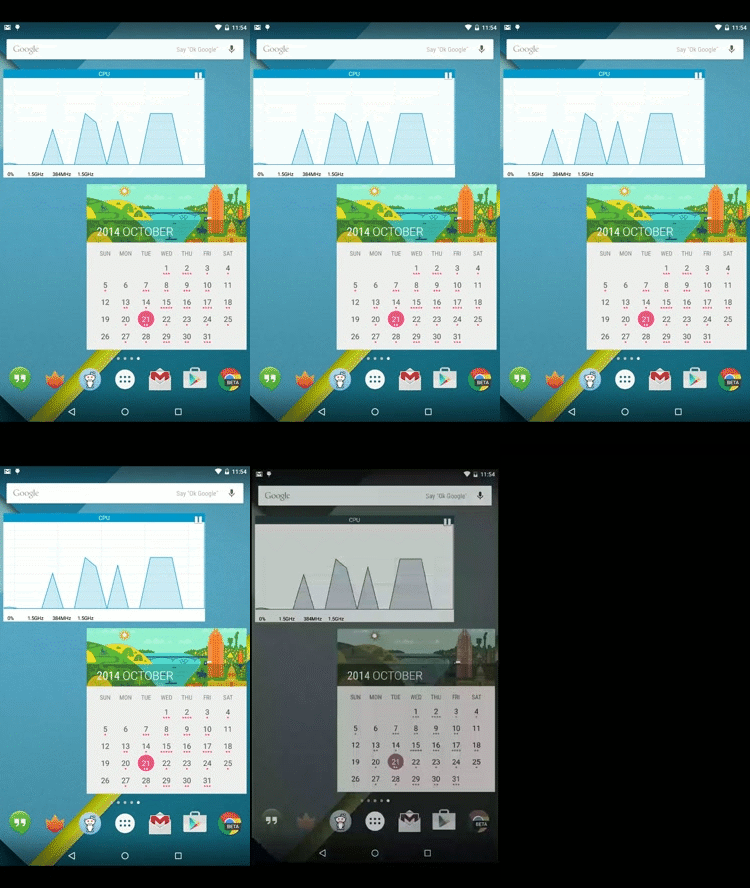
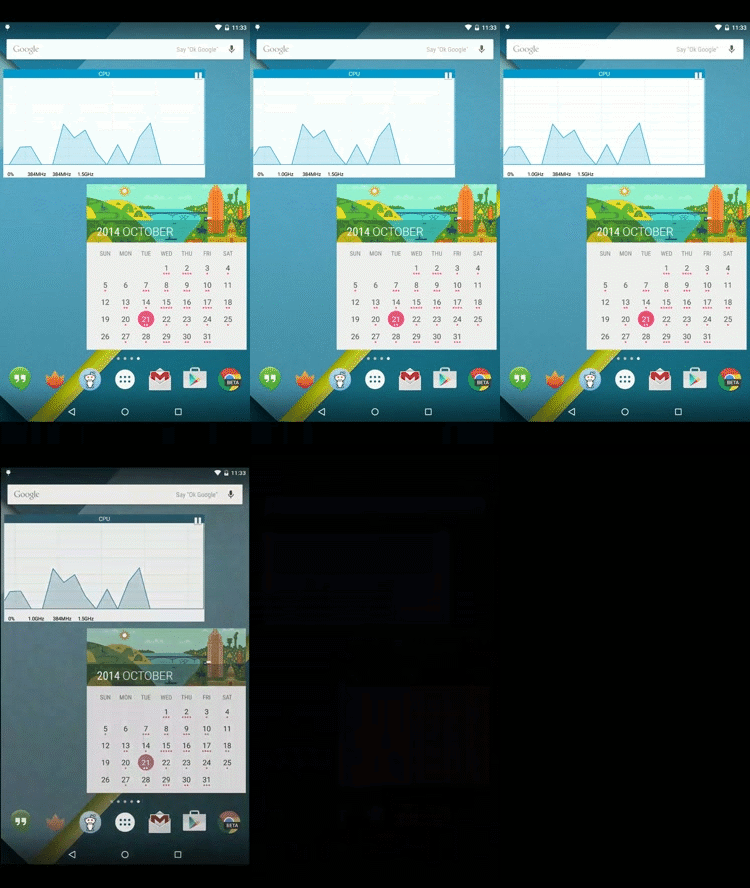
Google has used the CRT-style screen-off animation since Gingerbread. That animation is gone in Lollipop, replaced with a gentle fade out. Frankly, I'm surprised the CRT stuck around this long. However, the new animation isn't just a fade to black. It actually fades to black and white—observe.
Left: normal speed, Right: slowed by 5 times
The screen actually desaturates over the course of a fraction of a second. It's a subtle effect, but I think it looks neat.
Despite Drake's claim that "a href="http://rap.genius.com/Drake-thank-me-now-lyrics#note-18332" target="_blank">music and sports are so synonymous," his basketball skills aren't quite on par with his musical talents
At the University of Kentucky's Midnight Madness event on Friday, Drake airballed a three-point shot during his turn in the layup line. To be fair, the rapper did nearly make the shot on his second attempt, but it was too late for a comeback by then. Drake brushed it off and busied himself with retying his sneakers
Weird and wonderful, one of the very first things that comes to mind when you think of Austin, Texas, is the city’s vibrant music scene. In fact, Austin describes itself as the “Live Music Capital of the World,” and all signs point to the accuracy of that statement.
The city’s penchant for performance is evident in the prevalence of festivals, like Austin City Limits, SXSW and Fun Fun Fun Fest. The dozens of venues that line Sixth Street and beyond have played host to thousands of artists throughout the years. Legends have played these stages; Janis Joplin and Stevie Ray Vaughan’s careers grew and flourished in Austin. Read more...
Apple Pay, Apple’s take on the digital wallet, is finally here. If you have an iPhone 6 or iPhone 6 Plus, you can officially start buying things with the touch of a finger and by waving your phone over an enabled Point of Sale (POS) system.
But for all the excitement, what do we really know about Apple Pay? Why is it different from other systems, like Google Wallet and tap-to-pay credit cards?
Credit card support
Apple launched Apple Pay with the support of three major credit card companies: Visa, MasterCard and American Express. Discover is notably absent, but those three networks cover more than 90% of the market, based on 2012 data from CardHub. Read more...
It's finally here: Apple Pay arrived on Monday as part of iOS 8.1, which turns the iPhone 6 and iPhone 6 Plus into mobile payment machines. Just install the update, add a credit card to Passbook, and you're good to start buying stuff with your iPhone.
At least that's the theory, but is it really that convenient? We decided to check out how Apple Pay works in the real world by adding cards from various banks and using it at a few retailers and services in New York City. The result: it's definitely more convenient than a credit card, but there's room for improvement. Read more...
The future technology from Robert Zemeckis' legendary film Back to the Future seemed impossible in 1989. But a new Kickstarter campaign wants to make at least part of it a reality.
The Hendo Hoverboard was created by Jill and Greg Henderson, a California couple, who hope to put their hover technology in the hands of developers by July 2015. It will come in the form of a white box with hoverboards following a few months later.
A writer for GigaOM took the hoverboard for a spin. She says the experience was like “standing on a giant air hockey puck hovering three quarters of an inch above the ground.” Read more...
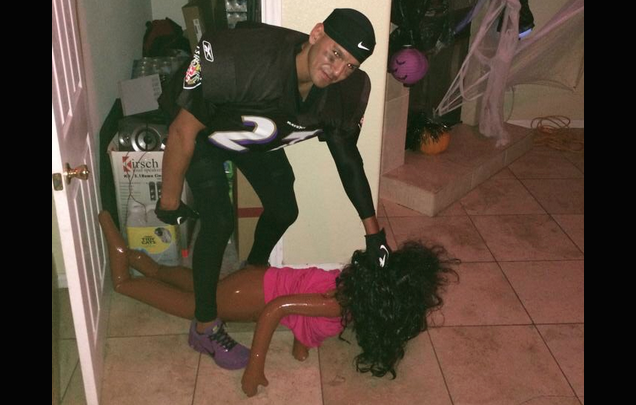
I get it; it's cheap and easy. You get an old jersey, some pads, a blow-up doll, and bam: you're the public face of domestic violence. But maybe the recognition you'll inspire isn't worth it? Just a thought.
Derrick Rose played in a preseason game against the Cavaliers last night, and he looked decidedly not-dead, which is encouraging. What is not encouraging is how his teammates reacted when Rose hit the ground at the end of the first half and spent an extra beat or two on the floor.
Earlier today a leaked — and much more closer to final — Android 5.0 Lollipop system dump has been making the rounds, popping up all over the net. It seems this build had a few additional Google apps that didn’t make it to the 2nd Developer Preview (which we gave you a look at on Saturday), with updated Material versions of Google Play Music, Calendar, Messenger (formerly Messaging), Gmail, and more locked inside.
It didn’t take long for someone to extract all these apps, and while most wont work by simple sideloading, we did find 2 — Messenger, Google Play Music — installed just fine on our Nexus 5 running Android 5.0 Lollipop Developer Preview (although we’ve heard others having luck on KitKat ROMs). Just make sure you uninstall the originals before giving these new apps a try.
The rest? Well, most will require root access and you placing them inside the /system/lib folder on your device. Might wanna perform a backup just in case.
Messenger
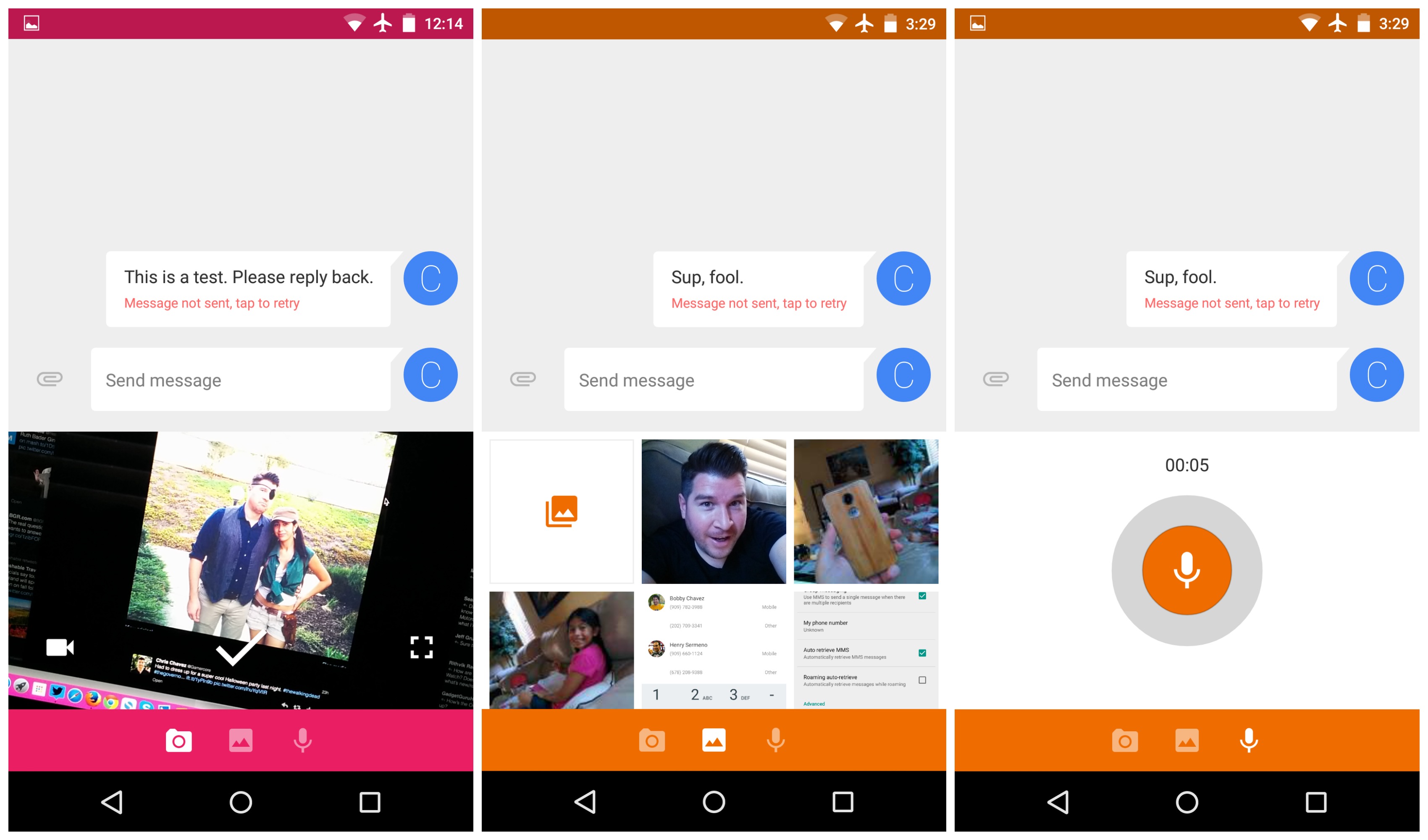
Say hello to Messenger, Google’s new SMS/MMS app replacing the aging stock Messages app. As you can see, the app has a fresh new Material design and doesn’t really weigh too heavy with the features. It’s pretty much your standard SMS affair. The familiar “+” button is always present in list view, with the ability to long press to select or swipe-to-archive conversations.
When in conversation view, adding attachments is straight forward. You simply snap a photo using the in-app viewfinder (you can make it bigger by swiping up), add photos from your gallery, or record a (very low quality) voice message. Each conversation view has its own color which we admit, will take a little getting used to.
Google Play Music
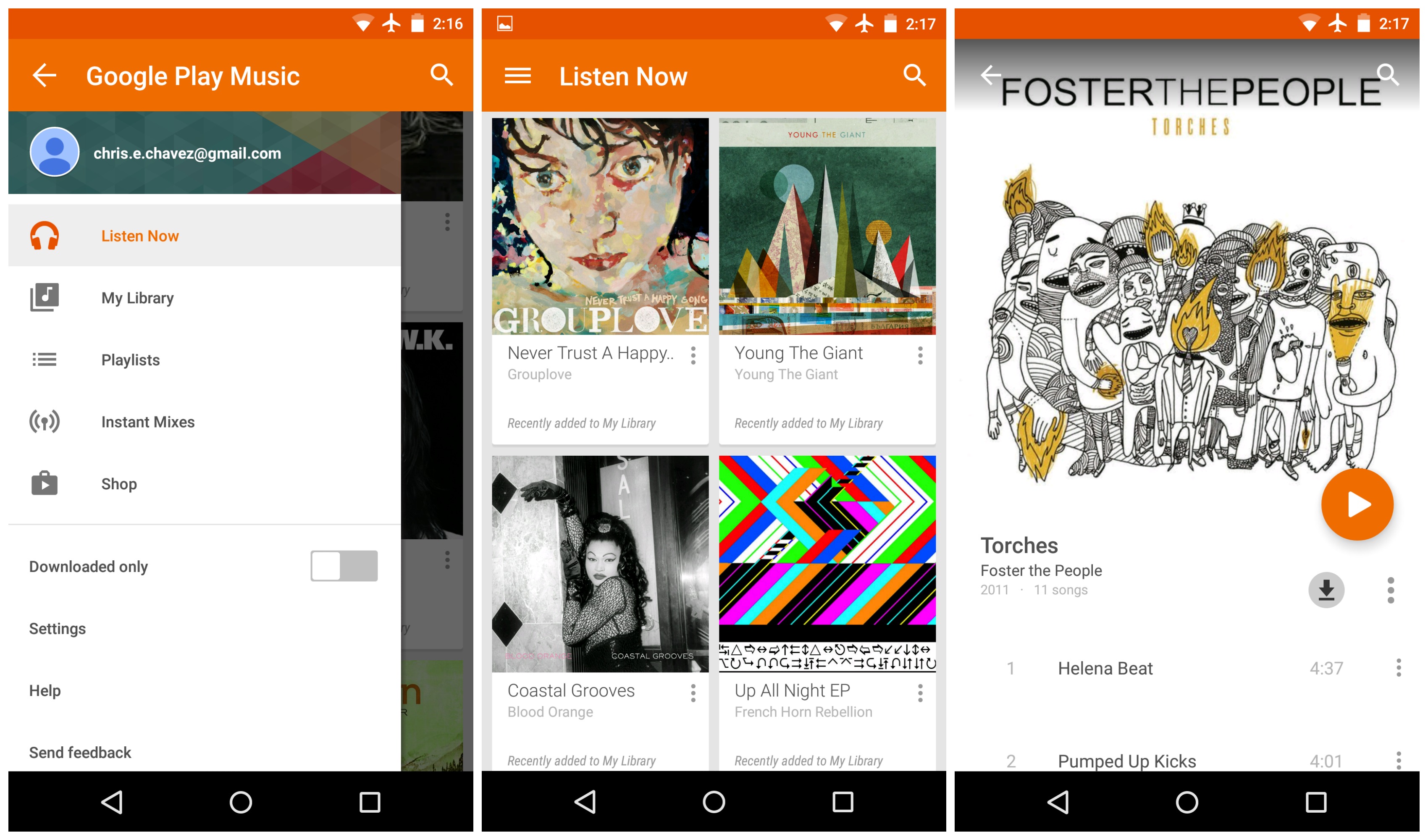
Google Play Music was another app we got up and running on our Nexus 5 and although it’s not the drastically overhauled version we saw from Google’s Material Design page back in June, the UI has been updated enough that it can scrape by with calling itself “Material.”
Really, it’s not too different from the version you’re probably looking at on your device but don’t get too upset. We’re sure this is only an early version (it was leaked after all) and the final will have all those wonderful animations Google is already previewing on their Android.com page.
Google Fit
While we couldn’t get Fit installed on our device, Prashant Gahlot on Google+ didn’t have much trouble getting it up and running on his Nexus 4. Judging from the screenshots, it seems Fit will be geared more to the casual fitness enthusiast, tracking your goals and allowing the user to setup timed activities and goals.
Should you guys get any more of these leaked apps up and running on your device, feel free to post a screenshot or let us know how they’re working for you.
After giving us the world’s first underwater unboxing, the folks at UK’s Carphone Warehouse are back again, this time with an early hands-on with the phone everyone’s talking about: Motorola and Google’s Nexus 6. More of a quick comparison video, Carphone Warehouse pits the device against the Samsung Galaxy Note 4 in a quick spec roundup, another Android phablet looking to give Motorola a run for their money.
This actually marks one of the few times we’ve gotten to see the Nexus 6 outside of blurry photo leaks and press renders. What we found interesting was how much noticeably larger the Nexus 6 was in comparison to the Galaxy Note 4. If you’re a phablet lover looking to challenge the constrains of your pockets, then this will be the device for you.
While it can be argued that having a stock Android experience is more “beneficial” than a manufacturer UI like TouchWiz, keep in mind that often times stock Android trails behind OEM skins in terms of features. And anyone who’s ever experienced a Samsung device knows there’s certainly no shortage of features (overkill even). Check out the comparison video down below for an early look at the Nexus 6.
Google Fit is something Google has been working diligently on since before its announcement at Google I/O. The service itself doesn't seem to be very well-rounded yet, but with a preview SDK available to developers for a few months and an app in the works, it seems like things are headed in the right direction.
We've seen only glimpses of the Fit app so far from leaked product reviews and comparison videos, but now that the whole app has been made available in a leaked Nexus 6 dump that's floating around (we're not going to distribute test-keys signed APKs), we can finally take a quick look at the app itself.
When recruiters look through a stack of resumes for candidate screening, what is the vital information they focus upon?
Answer by Ambra Benjamin, engineering recruiter at Facebook, previously LivingSocial, Google and Expedia.
I think this varies from recruiter to recruiter and also depends on the role for which you're applying. For one, I don't look through stacks of resumes anymore. I hate paper. I do everything online. But I'll highlight briefly how I personally absorb a resume
I should preface this by saying that I primarily recruit for senior-level individuals. In my past life, I was a campus recruiter and you read resumes of new grads a bit differently, since experience is less of a factor Read more...
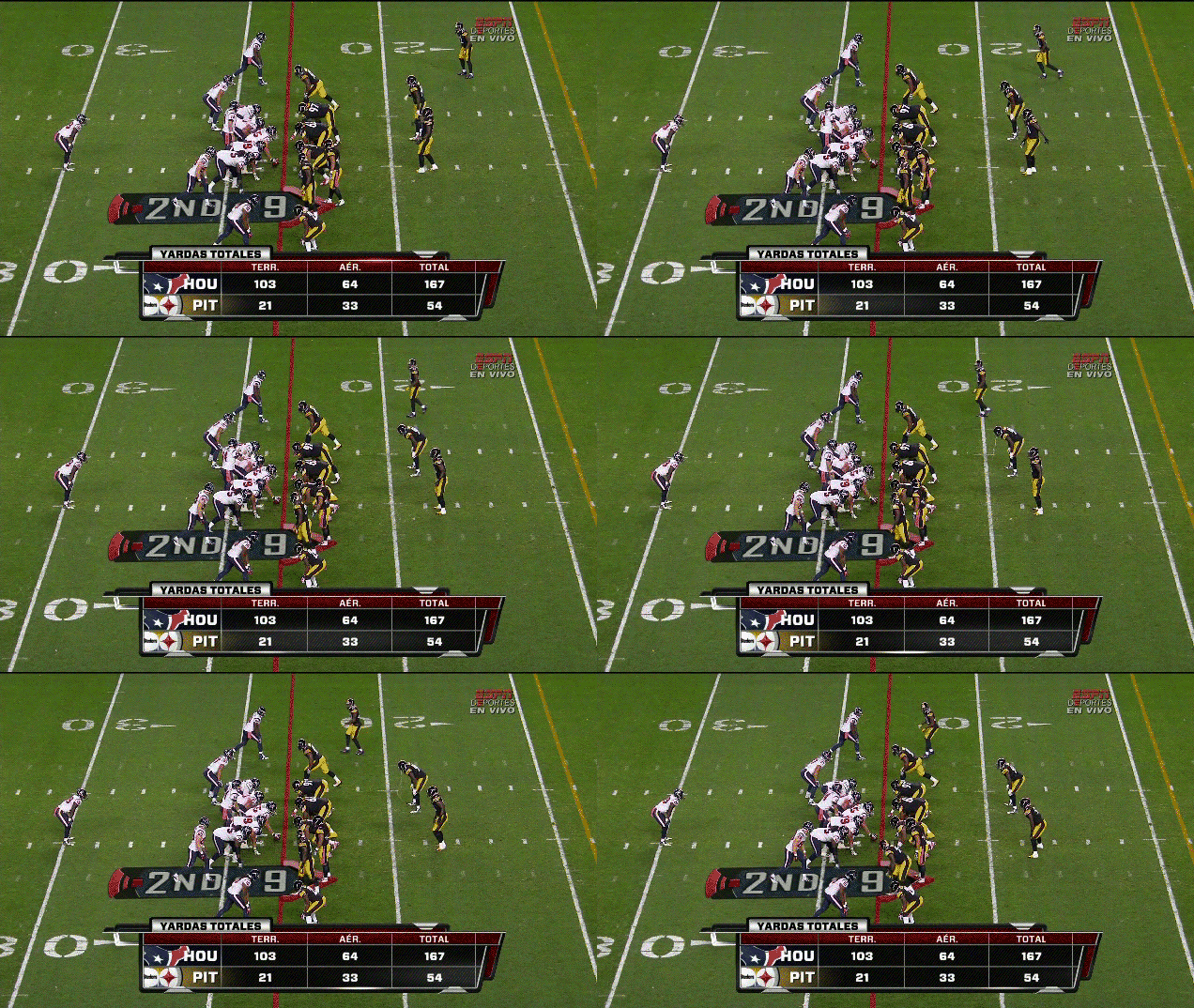
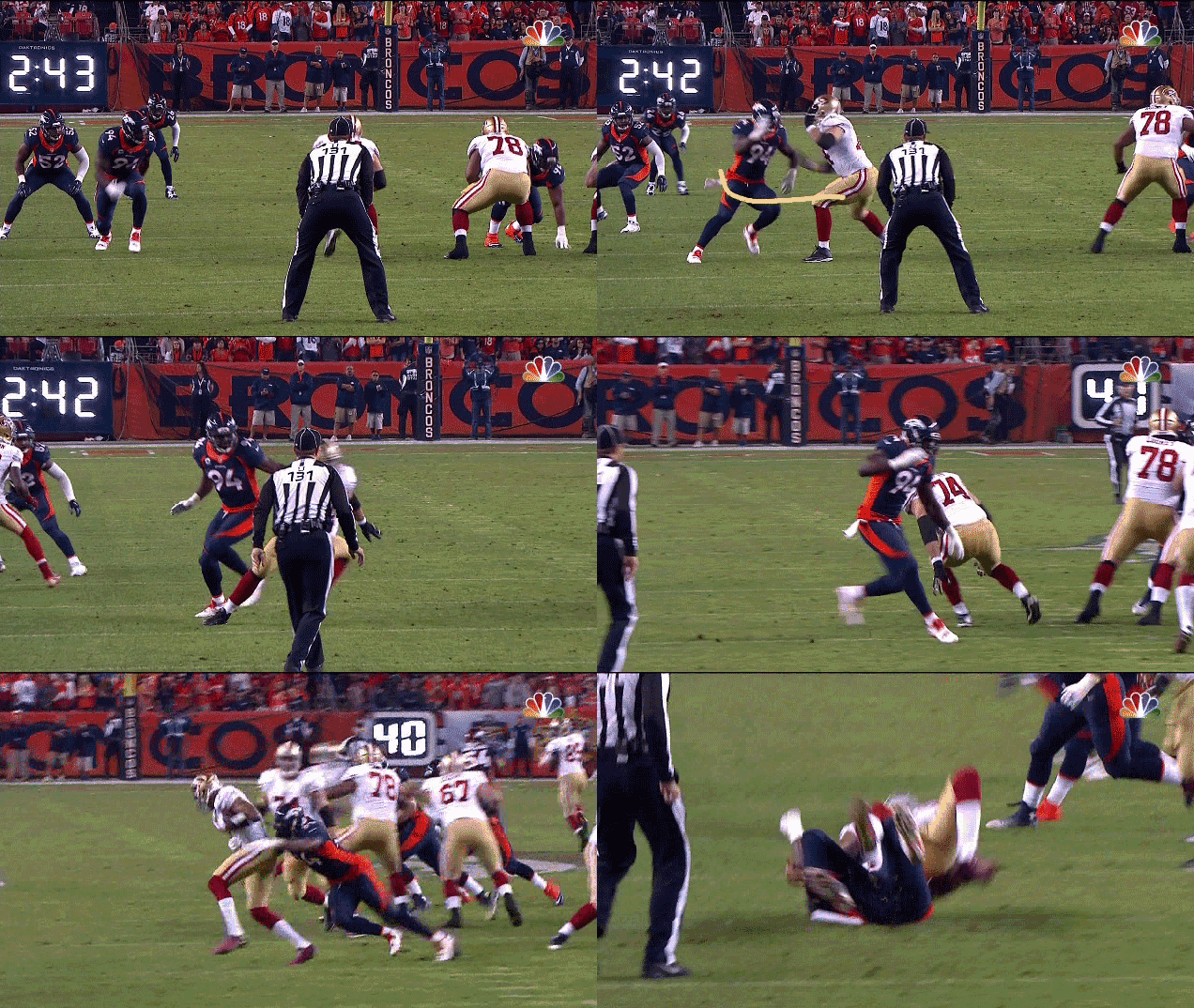
Line play has always featured some of the best bits of skill an athleticism to be found on a football field, and if you aren't convinced that statement is true, just watch this play from last night's game between the 49ers and Broncos.
Spotify has today announced a new plan for the entire family. If you've been wanting to have a single billing account for the household but keep individual playlists, it's now possible for up to five family members to share a single Spotify subscription, starting from $14.99 a month.
For Järn Harry, his BlackBerry Z10 has one killer feature that iPhones just can't match: a blinking red light.
"I look at the iPhone, and I don't know if there's a message or not," Harry says. As the head of new business ventures for Comptel, a Helsinki-based software firm, Harry finds BlackBarry unmatched for running business apps. He is also a fan of BlackBerry 10's Hub, which centralizes his messages. Harry also owns an iPhone 6, which he likes, but hates the HTC One
"For my use, it's perfect," he says of the Z10. "It's tailored for business use."
Vanity Fair was among the first to welcome Lewinsky to the Twittersphere, emphasizing that the account did in fact belong to the famous former Clinton mistress.
Please join us in welcoming Monica Lewinsky to Twitter. Seriously! RT @MonicaLewinsky: #HereWeGo
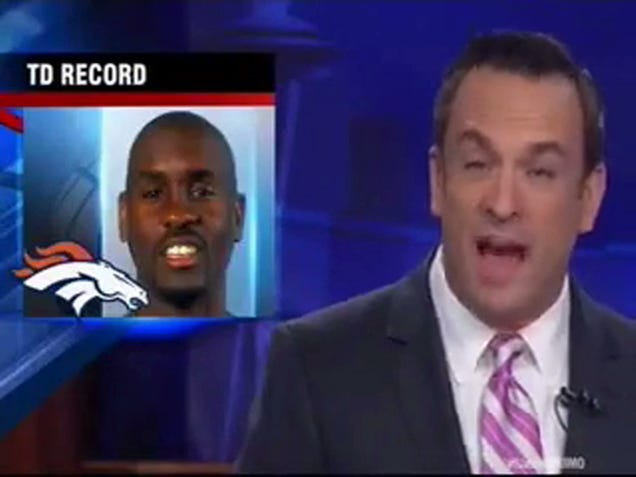
After Peyton Manning tossed his record-breaking 509th career touchdown last night, the Broncos' receiving corps took the newly historic ball and razzed their quarterback with a seemingly impromptu game of keep-away. It was fun to see the stoic and anal-retentive Manning hopping around like a kid on a playground, for once not in complete control of everything that was happening on the field. Until we found out the whole thing was choreographed.
Earlier this afternoon, Google released the final Android L Developer and although it’s not the “final” stable version we’ll see rolling out to Nexus devices in the coming weeks, it does give us a pretty damn good idea of what to expect. Of course, we couldn’t resist the lure of Lollipop and the Material Design therein, so once again, we flashed the system image onto our trusty old Nexus 5.
We were surprised to find a while lot has changed from the previous L Preview, with loads more polish and features than last time around. To understand exactly what we’re talking about you’re going to have to see for yourself. Check out our fairly lengthy hands on video above or full written portion down below.
New Setup Wizard app
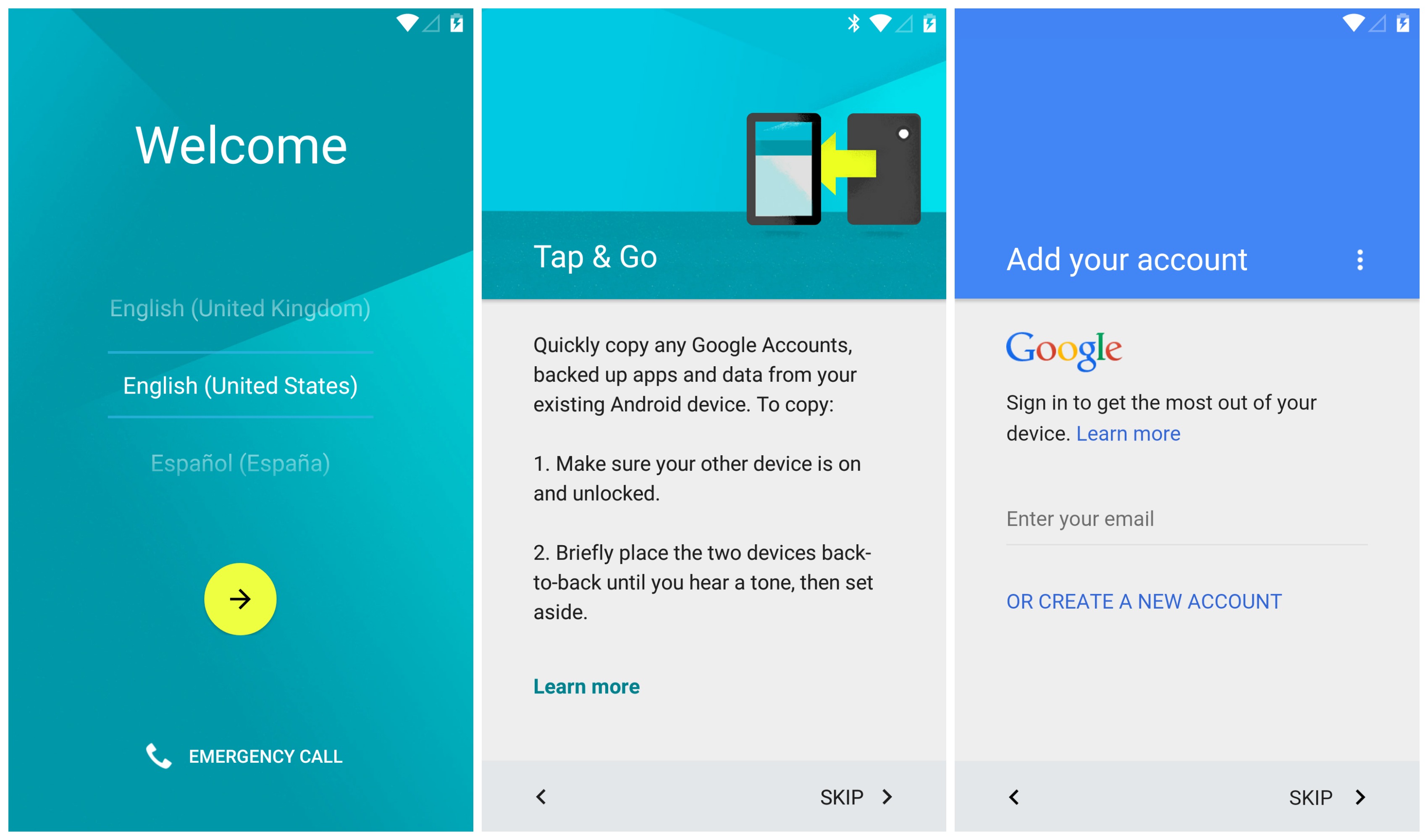
Android’s Setup Wizard app is usually one of the more tedious parts about the OS. You’ll simply sign into your Google account, opt in or out for a few things and you’re on your way to pure mobile bliss. If you happened to be using the same device (whether or a replacement or coming off a fresh factory reset), sometimes all your previously downloaded apps will begin downloading from Google Play Store — other times they wont. It’s always been a hit or miss and there was no real way to actually manage what was being restored. You just signed in and hoped for the best. Well, Android 5.0 Lollipop looks to change all that with the new and improved Setup Wizard.
Setting up a new phone is a lot easier thanks to the new Tap & Go feature which will import your account information from one device to another over Bluetooth connection. Simple tap the two NFC enabled Android devices together and you’re on your way (see video). Of course, the old method of simply typing in your Google user name and password manually still exists, but it’s not nearly as fun.
Also new is a real-life restore utility that allows you to choose a device you’d like to restore from (any device still linked to your Play Store account) and the ability to select all or individual apps from that device as well. It’s been a long time coming and whether you upgrade once in a blue moon or you’re constantly flashing new ROMs, just about everyone can appreciate Lollipop’s latest feature. Thank you, Google. Thank you.
76% more polish, animations, and Material
Whereas the last Android L Developer Preview was a barebones Android L experience, this newest Android 5.0 Lollipop Developer Preview is now much more polished, bringing 76% more Material animations (we calculated it). The lock screen now has some sleek new animations when accessing the phone and camera shortcuts, the notification area finally has a “dismiss all” button, the launcher folders and app drawer have Google Search like circular animations when opening, and even the recent apps area has gotten some sprucing up with a now persistent Google Search widget. Oh, and recent apps are no longer wiped after a reboot, which is pretty darn nice.
New Settings: Battery saver, Screen pinning, Trusted devices, Priority notifications
In the new Lollipop Preview, the Settings app is also getting a little bit of love, sectioned off with a more card-like UI for 4 categories: wireless & networks, device, personal, and system. There’s also a host of incredibly useful new settings. Let’s take a look.
In a setting called “Interruptions,” Google has added the ability to assign which type of notifications you would like to interrupt you — all, priority, or none — and for how long (also accessible in the volume slider). You can even set specific days and times when you’d like to turn off notifications (during the work day, or evening hours), allowing only priority interruptions and/or calls from starred contacts, or anyone in your contacts.
While alarms and event reminders are by default “priority” notifications, keep in mind Android 5.0 allows other 3rd party apps to set their own priority level and you can even do this yourself in the new “App notifications” setting.
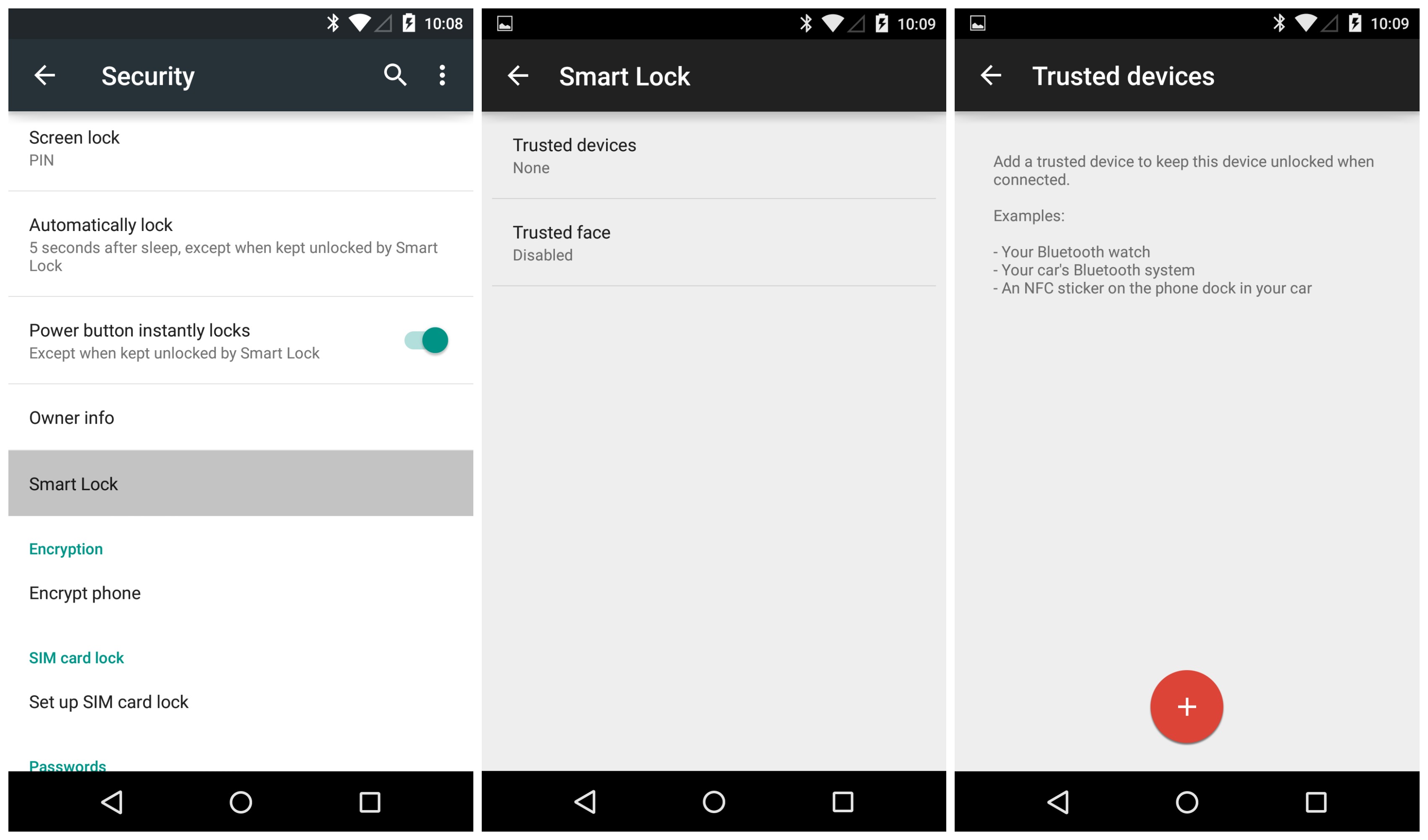
Lollipop gets even better with “trusted devices,” a feature we’ve seen OEMs implement in their own versions of Android (like Motorola). Essentially this allows users to bypass lock screen security when connected to specific “trusted” Bluetooth devices like a smartwatch, Bluetooth speakers, or car stereo. When no longer connected to these trusted devices, your phone will activate it’s lock screen security again.
Google actually ups the ante in Lollipop by not only allowing trusted Bluetooth devices, but trusted faces (face unlock) and trusted NFC tags as well. This could prove useful if you stick an NFC tag in a vehicle dock for easy access The provides an NFC tag example Google provides for trusted NFC tags is perhaps one you stuck onto a vehicle dock or whatnot. Whether you use it or not, there’s nothing wrong with extra options and the fact that this will come standard in all devices running Android 5.0 Lollipop — love it.
We already saw the battery saving feature in the previous L Preview, but for this new build, the notification and navigation bars now turn orange when activated. This lets the user know that 1. it’s not meant to be used all the time, 2. performance may suffer as a result of slower CPU, and 3. you should probably charge the phone soon.
When enabled, it can be turned off easily via the notification tray so you wont have to go fumbling around in the settings app again.
One of our favorite new features comes by way of Screen pinning, which can lock someone to a specific app in the event they need to borrow your phone to make a call or shoot off a text message. In order to get it up and running, it will first need to be enabled in the Settings app by selecting Security > Screen pinning.
Once enabled, you can “pin” the most recently used app from your recents screen in which case the app can only be exited by pressing both the back and recents button at the same time. While that would only keep a child locked into an app, if you have a password or PIN set on your lock screen, you can lock down Screen pinning by either of those methods as well. Genius.
Hidden Easter Egg
Every major Android release, Google “hides” an fun little Easter Egg inside the Settings app (About phone > Android version). For Android 5.0 Lollipop, Google went all out, including a full on Flappy Bird clone inside the OS. Pressing the version number 5 times activates phase 1 of the Easter Egg, while tapping on the lollipop image then long pressing it fires up the game. We have to say, it’s pretty much spot on with equal pull-your-hair-out difficulty as the original. It’s not something Google had to do, but we more than appreciate the gesture.
This was just a quick list of some of the new stuff we’ve noticed since diving into the new Android 5.0 Developer Preview and is by no means exhaustive. We’ll continue digging up new stuff in the coming days but in the meantime, if you’ve noticed anything new or have a favorite new feature of your own, feel free to shout it out down below. Cheers.
This is from last night's Mercedes (Tex.) vs Edcouch-Elsa game. Mercedes holder Roel Garcia drops the PAT snap, then manages to score the two-point with an awesome hurdle. This will not make you shit your dick , but it's impressive.