Shared posts

16 Oct 12:40

The Hoont Indoor Pest Repeller Drives Pests Out of Your Home (and Keeps Them Out)

by Melanie Pinola

The Hoont Indoor Pest Repeller Drives Pests Out of Your Home (and Keeps Them Out)

It doesn’t matter if you live in the country, the city, or the suburbs, chances are you’ve had to battle pests of all stripes over your living space. I’ve tried just about every pest control trick in the book, and so far the easiest and simplest tool to keep mice away has been this electromagnetic and ultrasonic plug-in device.

This is the first post in a new series entitled Lifehacker Reviews Anything. We asked you what you wanted us to review, and you came back with lots of ideas—including a product I’ve already been trying out myself: the Hoont Indoor Pest Repeller.

http://lifehacker.com/the-lifehacker...

I’ve had pigeons make their love nests in my gutters, squirrels dig behind my siding, and ants make their annual invasion into my kitchen. For me, though, no pest has been as wily, resilient, and as disgusting as mice. Exterminators set out traps and patched up holes around my home with steel wool. I tried humane traps that let you capture and release mice somewhere else, sprayed peppermint oil (a supposed natural mouse deterrent) around my kitchen, and even, in desperation, resorted to creating “pee-rimeters” around my house with coyote urine and bobcat urine (my dog was not a big fan of that. Great way to start a pissing contest, by the way). Somehow the mice evaded all these tricks—even taking the peanut butter and cheese bits off of the traps—and continued to gnaw through our pantry goods.

http://www.thekitchn.com/does-peppermin...

Three months ago, I decided to try the Hoont Indoor Pest Repeller and we haven’t had a problem with mice since—no more droppings to clean up, dead mice to dispose of, or need to hide all food in mouse-proof glass containers. It’s been an enormous relief.

I wish I hadn’t waited so long, but I had had bad experiences with a similar product in the past. In my old apartment years ago, I had tried one of these gadgets and it was almost laughable to see mice actually hanging around the device. But since every other option wasn’t working, I decided to give this another try.

I chose the Hoont repeller because of the combination of low price ($30), good reviews (4.2 stars on Amazon), and features. Unlike similar devices (including category bestseller Rid Tech repeller, the one suggested by a Lifehacker commenter), the Hoont uses both ultrasonic sound to deter pests and electromagnetic technology that sends electronic pulse signals through in-wall wiring, supposedly disturbing existing nests and stopping pests from passing through walls. It also has blinking lights that lets you know it’s working, and the option to vary frequency waves so pests don’t get used to the high frequency sounds. That’s probably its most important feature, since one of the biggest criticisms of these devices is that they only work for a short time (a few days) before the pests get accustomed to the noise. The multiple frequencies make this more of a permanent, cruelty-free, and invisible barrier between my family and these pests.

The Hoont Indoor Pest Repeller Drives Pests Out of Your Home (and Keeps Them Out)

I set up three of these devices in the areas we had seen mice the most: the kitchen, dining room, and basement. According to the manufacturer, the repeller is effective for up to 5,000 square feet, but the ultrasonic sound doesn’t penetrate hard surfaces like furniture, cabinets, and ceilings, so you’ll need one for each room.

The instructions that come with the device are short on details, but basically you just have to plug the thing in and wait for it to work, which could take up to a week. (The instructions do warn that you might notice more pest activity at first as the pests start to get disturbed and scramble to get out of your home. For us, the mice were gone in about four days after plugging the Hoont Pest Repellers in.)

So far, we’re three months into mice-free living! A couple of weeks ago, however, I was afraid the repeller had stopped working. We found the dreaded mice droppings again in our kitchen. There had been a big storm that week and we were having construction done on our house, so I think perhaps those two factors drove new mice (or a lone mouse) in. My faith in the device was revived, though: After that one day, we’ve had no signs of mice since. I think the new mice (or mouse) came in, got irritated by the ultrasonic waves, and promptly left. That, to me, is how a pest repellent should work: Not only drive out existing pests but keep new ones from settling in.

The Hoont Pest Repeller is supposed to also work against rats, ants, roaches, fleas, bats, and other pests. I thankfully haven’t had to test those out, although it doesn’t seem like it works against fruit flies, since those buggers still occasionally show up uninvited to my house. I’ll take fruit flies, which are easy to get rid of, over mice any day, though.

http://lifehacker.com/5635971/lifeha...

While the Hoont Pest Repeller is a success story for me, I have to warn you that your mileage might vary. Studies and others’ personal experiences with electronic pest control devices have mixed results and none of these devices can claim 100% effectiveness (although the Hoont does have a satisfaction guarantee). In particular, when it comes to deterring bugs, like mosquitos, studies on the electronic repellents show they don’t work (perhaps because there are over a million species of insects and some might respond to ultrasound but others are oblivious to it, Sonic Technology points out).

http://lifehacker.com/5934137/stop-w...

It doesn’t help that the short range of these devices and their inability to work around corners or furniture are limiting. Today’s Homeowner offers this test to see if you have a good location for one of these:

To test out the location of your device, place a lamp next to the device, turn off all the other lights, and note the beams and shadows from the lamp. The repellent sound waves will pretty much only be active where the light reaches.

Most of the negative reviews on Amazon for this involve insects, although some reviewers do say it worked for their bug problems. For $30 a room, it’s really worth a try if you’re tired of dealing with pests (especially mice) and just want to drive them out of your home the cleanest and most humane way possible. It’s a lot more pleasant to use than coyote urine, at least.

http://www.amazon.com/Hoont-Indoor-P...
16 Oct 12:36

This is how it feels to drive in an Autonomous car

by Staff

So what's it like to drive in a car being controlled by autopilot? Creepy and wonderful at the same time apparently. The great folks from the automotive journalism site Jalopnik took a Tesla for a boot around the streets while autopilot mode was engaged. You can see the drivers (or are you now a passenger) reaction as the Tesla maneuvers, changes lanes, and stops on its own. His face paints the perfect picture of a man shifting between fearful and ecstatic joy. Is this the future? Will we all just patiently sit in our cars while they transport us around.

Video Source: Jalopnik

16 Oct 12:32

BBC iPlayer Blocks UK VPN Servers Over Piracy Concerns

by Ernesto

iplayerlogoThe BBC’s online catchup service iPlayer has been a great success, both in the UK and abroad.

While the service is intended for UK viewers, who have to pay a mandatory TV license, it’s also commonly used overseas. Recent research suggests that 60 million people outside the UK access iPlayer through VPNs and other circumvention tools.

However, over the past several days TF has received several reports from VPN users who can no longer access iPlayer from UK-based VPN servers.

“BBC iPlayer TV programmes are available to play in the UK only,” is the notice they receive instead.

This effectively stops foreigners and expats from accessing the service, but it also affects license paying UK citizens who use a VPN to browse the Internet securely. They will now have to disconnect their VPN if they want to access iPlayer.


iplayer

The BBC informs TF that the VPN ban was implemented to keep iPlayer ‘pirates’ at bay. The company is doing its best to keep company and school VPNs open but advises regular users to disconnect their VPN service in advance if they want to access iPlayer.

“We regularly make updates to our technology to help prevent access to BBC iPlayer from outside the UK which breaks our terms of use,” a BBC spokesperson tells us.

“BBC iPlayer is freely available to users across the UK without a VPN, and we also seek to ensure users of private VPNs such as those used by schools and companies in the UK have access.”

The BBC admits that this may affect privacy conscious UK license payers as well, but says it doesn’t have the ability to discriminate between legal and unauthorized VPN users.

Several VPN users are not happy with the change and have voiced their complaints. The issue is also causing concern among VPN service providers, which are looking for options to circumvent the blockade.

IPVanish informs us that it has applied a ‘fix’ which has solved the problem for now. Similarly, TorGuard offers customers a new UK IP-address upon request, which helps, at least temporarily.

“Let the game of whack-an-IP begin,” TorGuard’s Ben van der Pelt tells TF.

TorGuard is hugely disappointed with BBC’s broad blockade, and the fact that the broadcaster is willingly throwing many legitimate consumers under the bus.

“It amazes me that an increasing number of streaming services are willing to sacrifice hundreds of thousands of legitimate members over VPN usage. One can only assume this will hurt BBC iPlayer subscriber numbers as most people will simply look elsewhere,” Van der Pelt says.

In part the VPN blockade is being implemented to appease foreign broadcasters who buy programming from the BBC. If this content is easily available online foreign TV companies may lose part of their audience.

Earlier this year the BBC shut down its international version of iPlayer. This allowed people from oversees to access it for a small fee, but also caused concern among local rightsholders.

Update: In a follow-up a BBC spokesperson informed us that the 60 million figure mentioned in the BBC article is not realistic.

“These figures simply aren’t plausible. All our evidence shows the vast majority of BBC iPlayer usage is in the UK. BBC iPlayer and the content on it is paid for by UK licence fee payers in the UK and we take appropriate steps to protect access to this content.”

Update: BBC is also responding to customer complaints with the following email.

“You have reported that your IP address is incorrectly being recognised as outside of the UK when using BBC iPlayer. However we cannot support users using VPN networks as we cannot be confident of the location of the end user. This is because our database will give us the location of the associated VPN or proxy server, rather than of the actual end user. For this reason our Geo IP database will block access to UK-restricted content.”

Source: TorrentFreak, for the latest info on copyright, file-sharing, torrent sites and ANONYMOUS VPN services.

16 Oct 12:28

A first look at the Google Play store redesign

by James Vincent

There's a redesign coming soon for the Google Play store, if images posted by one Google software engineer are to be believed. Kirill Grouchnikov, who has worked on the app for almost six years and is moving on to another team in the company, uploaded the pictures above and below to his Google+ account. It doesn't look like a total overhaul of the Play store's design, but it's certainly fresher, with smooth animations and a new layout.

Continue reading…

16 Oct 12:28

Uber wins London legal battle over taxi app

by James Vincent

Uber has a won a significant legal victory in the UK today, with London's high court ruling in the company's favor. The challenge against Uber was brought by London's transport agency Transport for London (TfL), following pressure from the city's black cab and taxi drivers. The case centered around whether or not the app used by Uber's drivers constituted a taximeter — a device used to record distance travelled and calculate fares that is only legally allowed to be installed in licensed taxis. London's  Licensed Taxi Drivers Association (LTDA) reports that the court ruled that this was not the case.

Even if Uber had lost the case, it says it would have been able to adapt to the ruling, simply by asking users to enter their destination...

Continue reading…

15 Oct 22:15

Every terrible thing Canada's Stephen Harper government has done in the past four years

by Cory Doctorow

Prime Minister Stephen Harper was happy to present Justin Bieber with a Diamond Jubilee Medal on Friday, November 23, 2012 (PM Stephen Harper's Photostream/Flickr)

Dave writes: "Boing Boing has been nice enough to post my past yearly round-ups of terrible deeds done by Canada's Conservative Government. Here is the round-up of the round-ups. My summary of all of the bad things that have happened over the last four years. (more…)

15 Oct 20:50

Google Play Store's next major refresh will separate apps from entertainment

by Joseph Keller

Google UI engineer Kirill Grouchnikov has offered a sneak peek at some upcoming changes to the Google Play Store on Android. Currently, the store puts apps and games on the same front page as movies, TV, music, and books. The refreshed store will feature two primary tabs, one for apps and games, the other for entertainment content.

15 Oct 20:33

Mast Raises $7 Million For A Phone Featuring Separate Work and Personal Numbers

by Connie Loizos
native-messages-phone Sales organizations have a new, business communications platform over which to get very excited. It’s less clear how employees will feel about it. The company, New York-based Mast Mobile, was founded in 2013 by several Virgin Mobile execs, along with DFJ partner and former Facebook product manager Bubba Murarka. It has a novel proposition, too, which is to provide each employee at at… Read More
15 Oct 20:27

Dropbox announces Paper, its take on collaborative document editing

by Casey Newton

Dropbox today announced the upcoming release of Paper, a collaborative document editor to take on similar offerings from Google, Microsoft, and smaller players like Quip. It's the next generation of Notes, an app it began quietly testing earlier this year. The company gave a preview of the app to our old colleague Nathan Ingraham, and for now it's a web-only tool for writing and editing documents. As you'd expect, multiple people can edit the documents at once, but it also adds to-do lists that lets managers delegate tasks and track them. (In this it's like a much less robust version of Asana.)

Continue reading…

15 Oct 20:26

A new kind of printed 'artificial skin' turns pressure into nerve pulses

by Adi Robertson

A new type of sensor could help pave the way for "artificial skin" that can accurately and efficiently mimic a real sense of touch. In a study published today in Science, a group of Stanford University engineers successfully created a stretchable circuit that can sense pressure and transmit the information directly to mouse brain tissue. With more research, it could be used in prosthetic limbs that are more sensitive to their surroundings — and better at navigating them.

In prosthetics, touch can be the difference between simply interacting the world and actually sensing that interaction. Over the past several years, we've gotten closer and closer to mimicking at least some of the abilities of real skin. One of the most promising...

Continue reading…

15 Oct 20:26

Tennessee city that fought Comcast and won announces 10Gbps internet

by Micah Singleton

If you live in Chattanooga, Tennessee, you may be in for a treat. EPB Fiber Optics is bringing 10Gbps internet speeds to the southern city, for "$299 per month with free installation, no contracts and no cancellation fees," which it says is the fastest residential internet connection in the world.

Chattanooga already offers gigabit connections to every home and business in the city, a fact that caused major ISPs like Comcast and Time Warner Cable to ask the FCC to kill proposals that would allow the expansion of Chattanooga's public broadband networks. After failing, Comcast began offering its own 2Gbps service in the city. The disparity between smaller ISPs and giant corporations like Comcast is growing starker by the day. While EPB...

Continue reading…

15 Oct 14:41

Yahoo Mail eliminates passwords as part of a major redesign

by Casey Newton

Seven months after replacing traditional passwords with single-use SMS codes, Yahoo is taking the next step toward blowing up the password altogether. The company today announced Yahoo Account Key, which links your account to a mobile device and then asks you to approve new logins through push notifications. It's part of a broad redesign of Yahoo Mail designed to make the service faster and easier to search, and also lets you use the app with accounts from Outlook, Hotmail, and AOL for the first time. (No Gmail, though, at least not yet.)

Continue reading…

15 Oct 14:36

The best Dismaland video, for posterity

by Rob Beschizza
15 Oct 13:06

Pre-order the Nexus 6P at Vodafone in the UK and get a free Huawei tablet

by Rich Edmonds

Vodafone today confirmed the Nexus 6P is available for pre-order in the UK. You can pre-order the new smartphone on the network and bag a free Huawei 7-inch T1 tablet in the process. You'll be able to walk away with both the phone and tablet on plans starting from £35 (with an upfront fee of £9) on a configuration of bundles.

15 Oct 13:03

Experts Object to Russia’s Banning of JW.ORG

On July 21, 2015, the Russian Federation became the only country in the world to ban jw.org, the official website of Jehovah’s Witnesses.

15 Oct 13:00

LG begins rolling out Android 6.0 Marshmallow to the G4 next week

by Sam Byford

6.0 Marshmallow, the latest version of Android, hit Google's own Nexus devices last week, and LG is planning to get the update out to its own phones as soon as possible. The company just announced that G4 owners — in Poland, at least — will get the OS upgrade from next week, with the Americas, Asia, and Europe to follow. LG says its Polish G4 customers will be the first in the world to get Marshmallow.

"By working closely with Google, LG has been able to bring Android 6.0 to the G4 ahead of any of our competitors," says LG marketing VP Chris Yie in a statement. LG is also collaborating with Google on the Marshmallow-equipped Nexus 5X smartphone, set to be released later this month alongside Huawei's bigger Nexus 6P.

BESbswyBESbswyB...

Continue reading…

15 Oct 12:59

Watch This Self-Steering Tesla Model S Drive Itself (And Us) Down The Highway

by Greg Kumparak
reverse For months now, Tesla has been saying that their cars would soon pick up a whole new trick: autopilot. Later this week, the first of those features will hit Tesla’s fleet — but we’ve already taken them for a spin. We went hands-on (hands-off?) with a pre-release version of the autopilot software, letting the car steer itself down the highway at 70 miles per hour. One big thing… Read More
15 Oct 12:57

Deezer Is Losing Subscribers But Growing Revenue

by Romain Dillet
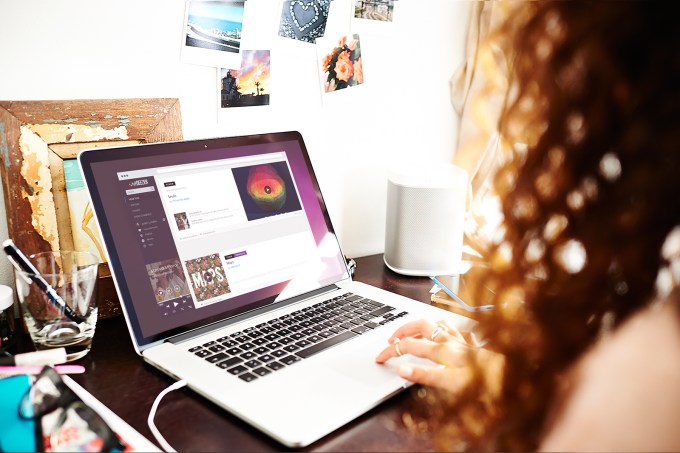
laptop_feed_V2 After filing for an IPO on Euronext, music streaming service Deezer released its IPO documents in preparation of its public listing. The company plans to raise at least $343 million (€300 million). And yet, it is currently losing subscribers. Read More
14 Oct 22:33

Perch Can Use Existing Devices To Make Any Home Smart

by David Nield

Fresh out of the Samsung Accelerator startup program is Perch, an innovative app and back-end system for monitoring homes through existing hardware. It launches in open beta today as an Android app, but more integrations and iOS support are promised soon.

See also: Smart Homes: How To Keep From Missing The Greatest Tech Opportunity Of Our Time

At the heart of Perch is a simple home monitoring solution. Once installed on a spare Android (4.1+) phone or tablet, it lets users tap into a live stream from their property, with push alerts enabled if motion is detected. So far so Nest Cam, you might think.

But Perch doesn't actually have a physical camera—it uses the hardware you already have. It can also be run from webcam-enabled laptops and desktops as of today, with support for more devices (such as smart TVs) promised soon. You can in effect build up a home security network without buying any new devices at all.

"The average family has six Internet-connected devices," said Andrew Cohen, Perch's CEO, in a press statement. "So we built an open solution that lets you get started with the hardware you already have."

There's a commitment to a free and open approach here that's bound to make the likes of Google and Apple sit up and take note: the startup eventually has ambitions to integrate Perch with smart lighting and power systems, effectively giving you access to all of your home automation needs through one app.

The Perch Dashboard And Features

Perch video streams are accessed over the web.

The software already includes two-way audio and advanced video technologies that Perch says reduces lag time to virtually nothing. It's also possible to set up activity zones within particular rooms and manage cameras individually from a central web dashboard.

That dashboard is reminiscent of Nest Aware, the cloud subscription service that Google charges $10 per month for. How Perch plans to fund all of this functionality once the open beta period is over remains to be seen, but right now it's making today's home security cameras look a little overpriced.

To quote the app's FAQ: "Perch is a free service. We haven’t finalized our plans for premium products just yet. We're planning for it to include at least 7 days of historical video storage. We're currently making that feature available to all beta-testers."

And it's worth emphasizing again that Perch is in open beta at this stage—in our brief time playing around with the online portal and Android apps we noticed occasional stuttering and freezing, though the various interfaces themselves were clean and intuitive. It's just about at the point where you'd expect a product in open beta to be, in other words.

It's an intriguing approach to the Internet of Things (IoT) phenomenon, which often involves setting up various Internet-connected devices, home appliances and sensors for automation and control. In this scenario, homeowners would make use of the devices they already own, introducing them to IoT in a straightforward way that (for now) costs nothing. What's more, by pushing out software rather than successive generations of cameras, Perch can keep its updates small and frequent.

Integrations and Developer Access 

Perch has plans for an API too.

Out of the gate, Perch includes compatibility with SmartThings and Wink, and Cohen told us via email that the company is "planning to include several additional home automation systems in the near future." There's good news for developers interested in what Perch has to offer too.

"While our immediate focus is on Perch’s home monitoring product, we designed the underlying technology with developers in mind, essentially as a scalable, Twilio-style platform for low-latency video," Cohen told ReadWrite. "There are a host of applications that we'd love to see built on this platform, including live-streaming services and citizen-journalism apps, and more accurate motion-detection systems for security companies. 

Cohen also sees potential to improve the "Internet of Things ecosystem," he added. Smart home products, like smart light bulbs and doorknobs, are attached to physical devices, like Z-Wave power switches or battery-powered magnetic sensors, which can detect the status of the item—like an open door or lights that are turned on. "[But] IoT still hasn't come to grips with everyday objects," he said. 

Perch aims to change that. Instead of peddling yet more hardware, the company uses vision and motion algorithms to detect the state of an object, whether it's a sofa, a chair, a driveway, or a pool gate. Since it connects to IoT systems, it then allows users to take action. "Imagine having a secure API for your sofa, which broadcast its state," said Cohen. "Is it empty? Is the dog sleeping on it? Are there ten people in front of the TV?" 

He promises that a Perch API (Application Programming Interface) is coming at some point, but for the time being, the company wants to get feedback from users as it developers the core product. In other words, turning connecting dumb furniture and fixtures is just the beginning. Extending their reach, so they can be truly smart, seems like the real perch the company's aiming for. 

Images and video courtesy of Perch

14 Oct 21:01

Is this music streaming Electric Jukebox worth its price?

by Staff

If navigating Apple Music or Spotify is too overwhelming or time-consuming for you, there is a new music streaming devices coming out that may interest you. It's called the Electric Jukebox, and it promises to bring tunes to your living room with an easy plug-in and play setup.

The Electric Jukebox comes with an HDMI dongle that plugs into your standard HDMI equipped TV. It also comes with a microphone equipped remote that looks similar to the Wii Wand and allows you to control the menus with your voice or hand motions with the built-in motion sensor. It's aimed to be simple, and that's why the remote only has four buttons on it. An OK button for making selections, a pause button to stop your music, a microphone button to talk to your device, and a back button to scroll back through the menus. Setup requires you only to plug the device to your TV and connect it to your WiFi network. After that, the Electric Jukebox gives you access to millions of songs and albums and different curated channels that can recommend music based on your tastes. The purchase of the Electric Jukebox comes with a one-year subscription to the Premium Music Pass, which offers ad-free listening. After that, a $60 annual membership due is required.

The Electric Jukebox is available for preorder in the US and the UK and will retail for a not so modest $229. The device release date is unknown but promises to arrive by Christmas 2016.

PreOrder your Electric Jukebox / $ 229

14 Oct 20:54

Google Now On Tap Is Cool, But It's Not That Useful Yet

by Eric Ravenscraft

Google Now On Tap Is Cool, But It's Not That Useful Yet

Google’s new Now On Tap feature was easily one of the coolest new features of Android Marshmallow. Now that it’s out, we decided to give it a whirl and see how it worked. The result: Google still has a long way to go.

Now On Tap was first announced at Google I/O earlier this year. The idea is pretty awesome: with the press of a button, you can summon Google to your screen to intelligently figure out what information you need or what you want to do. After using it for a little over a week, however, it seems like it could still use some fine-tuning.

The Promise of Now On Tap

Google Now On Tap Is Cool, But It's Not That Useful Yet

When you activate Now On Tap by long-pressing the home button, Google will take a quick snapshot of what’s on your screen and scan it for any text it thinks you might want to know more about. Then, it will offer up a list of cards with any relevant results. The idea is that instead of closing your app and searching for something, you can just say “What’s that?” and get an answer.

For example, this week my girlfriend sent me a Facebook message inviting me to see an early screening of Crimson Peak. I opened up Now On Tap and it recognized that Crimson Peak is a movie, and offered me links to the movie’s IMDb page, a trailer on YouTube, and offered a few suggestions for Google searches I could perform, including news, cast, or images. I could also perform a regular Google search.

Now On Tap also tries to make smart suggestions for based on the context of your conversation. For example, if you receive an email that says “Would you like to have dinner next Thursday?” Now On Tap might suggest creating a calendar event for that date.

Finally, when you use Now On Tap, you can use the familiar “Ok, Google” command to perform a more in-depth search. In some cases, Now On Tap can even recognize what was scanned and take that into consideration for your search. For example, if you’re playing a song in Spotify and use Now On Tap, you can ask Google “Who is the lead singer?” Now On Tap will infer that you’re asking who the lead singer of the band you were listening to is and show you relevant results.

The Reality of Now On Tap

Google Now On Tap Is Cool, But It's Not That Useful Yet

On paper, Now On Tap sounds amazing. In practice it only seems to be useful in a few, rare circumstances. It was pretty good about recognizing anything that you could get typical Knowledge Graph cards for. This includes (but isn’t limited to) movies, bands, politicians, diseases, locations, or companies. Once Now On Tap recognizes the proper name of something, you can jump to several searches or apps immediately.

The big problem I found is that you don’t really know what information you’re getting by jumping to different apps. If you check Now On Tap for a movie and tap YouTube, you’ll be directed to a trailer, but if you want to search for a different video related to that movie, you have to do it manually. Tapping IMDb would take you to the movie’s page, but you can’t choose to go to the showtimes section of the IMDb app. Performing a Google search would display showtimes, but you have to remember that Google will do this. The shortcut just says “Google.” Despite having IMDb, Flixster, and the AMC app installed on my device, none of the Now On Tap links indicated where or even if I could find showtimes.

This would be less annoying if Now On Tap had some of the awesome intelligent mojo that Google Now has. Unfortunately, there’s very little beyond searching for the names of things that you can do. If you or the person you’re talking to proposes doing an event at a specific time, you can sometimes get a card that suggests adding a calendar event. I was also once able to trigger a card that asked if I wanted to add a reminder when I received a message that said “Don’t forget to go to the post office tomorrow!” However, reminder cards seemed very inconsistent.

It’s also hard to know exactly when a particular phrase or context will trigger a card from Now On Tap. I copied the exact same message about the post office into Google Keep and tried activating Now On Tap. In this context, Google did not interpret this as something that I might need a reminder about and ignored it. So, clearly something beyond mere text analysis is happening.

This might sound like nitpicking, but if Now On Tap doesn’t reliably offer certain cards, it starts to feel like a waste of time to use it. On one occasion, I received the following message:

PS, the crimson peak advance showing is tonight at 7 at atlantic station

This included the name of a movie, a date and time, and a location. Naturally, when I activated Now On Tap, I expected that I might be able to set a calendar event (though a reminder would have been preferable). Instead, activating Now On Tap only showed me information about Crimson Peak, and directions to Atlantic Station. Neither was helpful at that time. Directions might have been helpful later, but by that point it was easier to just go straight to Google Maps, rather than scroll through my message history just to reach the Now On Tap shortcut.

Google also hasn’t done a great job of detailing what kind of tasks you can do with Now On Tap. A brief tutorial one of the first times you use it shows that you can get directions to places, create calendar events, see restaurant reviews if a person names a restaurant, or look up information about a musician. Setting reminders isn’t even mentioned and I only accidentally discovered it while writing this article.

Now On Tap is a Decent Start, But It’s Not There Yet

Google Now On Tap Is Cool, But It's Not That Useful Yet

I feel like if this feature were called Google On Tap, it might feel a bit more appropriate. Google Now has a ton of features that bring you information and do things for you before you even ask. The “Now” in Google Now has come to mean intelligent tasks done by a virtual assistant. When I first started using Now On Tap, I expected it to be similarly intelligent about discerning what I was doing.

Instead, Now On Tap is only really good at detecting a few keywords here and there. That’s nice for saving you a couple taps when you want to see the trailer for The Martian again, but if you want to find showtimes and add it to your calendar, Now On Tap can’t really help you much. Even adding a persistent “Remind me about this later” or “Add this to my calendar” button would make it more useful, but the unpredictable cards make using it pure guesswork.

Ultimately, that’s the major flaw with Now On Tap right now. Since you can’t know what kinds of cards you’ll get when you use it (assuming you get any at all), or what the shortcuts do when you get them, you’re taking a gamble. Maybe it will be a useful shortcut, or it might be a waste of your time. If Now On Tap resulted in useful information or actions more often, it might be more compelling, but right now you’re essentially flipping a coin to decide whether you’re going to waste time.

14 Oct 20:54

Improve Your Posture and Mobility by Training Yourself to Breathe Properly

by Melanie Pinola

Improve Your Posture and Mobility by Training Yourself to Breathe Properly

Breathing isn’t something we often think about, yet how we breathe can deeply affect how we feel and move. Proper breathing, a trainer of pro athletes tells us, takes practice.

CNN offers six exercises you can do to learn how to breathe more effectively, designed by Dana Santas, a yoga trainer for pro athletes for the Atlanta Braves, Tampa Bay Rays, Orlando Magic, and others in the NFL, NHL, NBA, and MLB. Proper breathing allows these athletes to move better and also focus more.

Most of the suggested breathing exercises are built into yoga moves (naturally, since Santas is a yoga trainer), but there’s a simple seated exercise you can do, which involves holding your hands at the center of your chest, pulling the muscles below your shoulder blades down, and inhaling, pausing, and exhaling for five counts each. It’s all about the diaphragm:

With your hands together at the center of your chest, close your eyes and activate the muscles below your shoulder blades (lower trapezius) to pull them downward. You should feel the uppermost back muscles that run into your neck (upper trapezius) relax. When you inhale, gently push the pads of your fingers into each other in sequence, starting at your pinkies, for a count of five. Repeat on exhale. Pause after exhaling without taking another breath for another five count. Focus your attention on the movement of your ribcage as you breathe. Inhale and expand your ribcage, especially at its base. Exhale as you internally rotate your low ribs and drop your ribcage toward your waist. During the pause, keep your side waist muscles (obliques) and low, deep core (transverse abdominus) engaged to keep the ribcage down. Avoid vertical movement as you inhale — no shoulder shrugging or collarbones lifting. Repeat for 10 breaths. Note: If you find you can continue exhaling after a five count, increase your exhalation time as much as necessary to completely empty your lungs before pausing.

Though it might seem silly to train yourself to breathe, even if you’re not a pro athlete more effective breathing could mean less stress, less tension, and better posture—things we could all probably use.

Breathe better to move better: Train to breathe like a pro athlete | CNN

Photo by Hernan Pinera.

14 Oct 20:44

Motorola and Verizon announce their next Droids are coming October 27th

by Chris Welch

Motorola and Verizon Wireless are preparing to unveil their 2015 line of Droid smartphones. The companies have just sent out press invites for a joint event scheduled for October 27th in New York City. "Everything you expect from a phone will change," is the invite's bold tagline — just what you'd expect for a Droid. Recent rumors have suggested we'll see a Droid Turbo 2 and perhaps a Droid Maxx 2 to go along with it. We'll definitely be seeing more than one smartphone, as the invite specifically says "the newest Droids."

Continue reading…

14 Oct 20:44

Square is becoming a public company

by Jacob Kastrenakes

After months — if not years — of waiting, Square has filed paperwork to go public. The move comes just over a week after Square's founder and CEO, Jack Dorsey, was reinstated as the CEO of Twitter as well. That'll certainly impact what investors think of Square, given that it'll now be working with a leader juggling two notable tech companies, but Twitter investors' response to Dorsey has largely been positive. Square will list on the New York Stock Exchange under the symbol "SQ." An initial price range and the number of shares to be offered has not yet been determined.

Continue reading…

14 Oct 16:40

How to Get Some Rest When Stress Is Keeping You Up at Night

by Alan Henry

How to Get Some Rest When Stress Is Keeping You Up at Night

It’s the middle of the night and you know you should be sleeping, but you can’t. Something is keeping you up: Maybe a coworker tried to throw you under the bus, or your friend said something rude. Whatever it is, you can’t get it out of your head, and you need to sleep for work tomorrow. It sucks.

I’ve had my share of those nights, and they’re the worst. It doesn’t even have to be something serious that’s keeping you awake, either. Sometimes it’s small; a snide comment or the assertion that you’re not doing your job well. Other times it can be serious, like hearing through the grapevine that someone important said something off-color about you. Combine this with even a little stress and anxiety, and your brain is off to the races at the worst of times—the middle of the night. I’m willing to bet you’ve been there too.

Get Up, Shake It Off

This kind of “in the moment” stress is called acute stress, and the last thing you want when you’re dealing with it (or its cousin, stress-related anxiety,) is to dwell on it in a futile attempt to sort it out in your head. The more you follow your thoughts around in circles, the deeper that feedback loop of stress and anxiety goes. The end result is a dangerous cycle: You get more stressed, more tired, and the night continues to slip away from you. Knowing you have to get up soon stresses you out even more, which keeps you from sleeping...lather, rinse, repeat.

http://lifehacker.com/5836879/what-s...

Of course, if getting back to sleep were as easy as “just put it out of your mind and relax,” there wouldn’t be a problem. Lying there isn’t going to help, so when you find yourself stressing out, stop and get out of bed. Doing something else for a little while will help you shake it off.

http://lifehacker.com/what-anxiety-a...

This is more important than it sounds. The longer you stay in bed, the more you risk tossing and turning all night. When this happens, your body stops recognizing your bed as a restful space. Let your bed air out and cool down, and give your body a chance to actually want to return to its blissfully blanketed comfort. Walk around a bit. Make a cup of tea or pour a glass of water. Do something refreshing that shakes the funk you were in while you were replaying the events of the day. It’s no panacea, but it breaks the cycle, and that’s a critical starting point.

Do Something Meditative, but Distracting

The next thing you need to do is get away from the clock. Do something meditative that isn’t (necessarily) meditation. For some people, meditation is a great way to clear your mind and focus on something that isn’t stressing you out. If that works for you, great: now’s a good time to meditate. If not, now’s not the time to try and learn.

http://lifehacker.com/5591576/a-guid...

Here’s the problem. When you’re in the moment and all of these anxious, angry thoughts are swirling around your head in the wee, quiet hours of the morning, the last place you probably want to be is in your own head. If you’re a pro at meditating, you can overcome the silence of your environment, the creaks of your house settling, the sirens outside your apartment window, and your spinning thoughts—and actually relax. On the other hand, if you’re up at 2am reading blog articles about stress and have never meditated before, you need something without the learning curve.

http://lifehacker.com/why-meditation...

If you have some busywork around the house to do, now’s a good time to do it. Light cleaning (if it won’t wake the neighbors, kids, or your spouse, of course), organizing, or even reading under a low light are all good candidates. Fire up your backlog of podcasts or audiobooks and let the dulcet tones of This American Life lull you to sleep. Try a podcast like Sleep With Me, which is specifically designed to help you relax and get some rest. You can even try meditative coloring, which can be great for relieving anxiety and stress in the moment. Try to choose something that’s interesting and thoughtful, but not too stimulating.

Ultimately, your goal is to get your mind moving on to something else, not related to the thing that stressed you out. You may not be able to completely take your mind off of it, but hopefully you can chill out enough by doing something else that you’re able to relax, your fight-or-flight response deactivates, and you’re calm enough to go back to bed.

Try to Avoid Screen Time, If You Can

Try to avoid picking up your phone or sitting down at your computer. It’s common advice for healthy sleep, but it’s important here too. The light from your devices confuses your brain into thinking it’s time to wake and stay awake, and the things you’ll likely wind up looking at (email, social media, and so on) are stimulating enough that they’ll only serve to keep you up even longer. In general, it’s a bad idea.

http://lifehacker.com/5971884/the-sc...

If you can, try to stick to an e-ink tablet like a Kindle or a Nook. They’re designed specifically for reading, don’t emit any light, and they don’t confuse your brain the same way your phone or tablet will.

If you absolutely must pick up your phone or open your laptop no matter what we say, turn the brightness down, or install an app like f.lux (available for Windows, OS X, iOS, and Linux) or Twilight (for Android.) Both tweak your display’s color temperature to be easy on the eyes depending on the time of day.

http://lifehacker.com/5934993/is-e-i...

None of these are perfect solutions, but we’ll be realistic here. For many of us, the first thing we do when we can’t sleep is reach for our phones and while away a few minutes reading Twitter, liking photos on Instagram, or watching funny YouTube videos to relax. It’s okay—just make sure you give yourself the best possible chance at restful sleep once you’ve calmed back down.

Use Sleep Aids Cautiously

If you’re having a really tough time sleeping, you can always turn to an over-the-counter sleep aid, but you should do so cautiously. Many come with their own array of risks and side effects, and what works for some people may not work for you. We’d suggest waiting until you’ve tried more traditional methods to see if you can de-stress on your own. This is especially important if you’re tossing and turning at 3am and you need to be up by 8am. You don’t want a sleep aid to push you into a deep slumber so you oversleep—or still be in your system when you’re awake and going to work. You’ll feel awful and lethargic for a good portion of the day.

If you have the time, taking over-the-counter sleep aids like Diphenhydramine (Benadryl, ZZZQuil) or Doxylamine (NyQuil, Unisom, and others) are fine once in a while. They’ll help you sleep, but they won’t do much about your stress. They will, however, make you logey when you wake, so make sure you take them with plenty of time to get them out of your system before you have to be awake again. Check the label, it should tell you how long you’ll probably need (it’s usually about eight hours.) Make sure you read the ingredients thoroughly too, many brand names have similar labels but different active ingredients.

http://lifehacker.com/whats-the-diff...

More than a few people swear by Melatonin for a good night’s sleep, and as an over-the-counter sleep aid without the grogginess and lethargic side effects that come with the ones mentioned above. It may work for you (for me, it leads to extremely vivid dreams and shallow sleep) so if you’re looking for rest without weariness the next morning, it’s worth a try. In every case though, use these options wisely and sparingly, and if your sleeplessness persists, talk to your doctor.

Whatever You Do, Don’t Work

If you do pick up your phone or open your laptop, don’t start working. Whatever you do, don’t try to “be productive,” or address whatever stressed you out in the first place. Don’t reply to that irritating email, or fire a text to your friend asking about whatever you heard they said. Don’t engage. Trying to “solve” the problem amps up your stress levels, which, of course, delays you getting back to sleep. Worse, it may put you even more on edge as you worry about how your message will be received, when it’ll be received, and what the inevitable response will look like.

Then you have to worry about what it looks like to your friends and colleagues that you were up at three in the morning firing off email or posting to Facebook. Some coworkers might think you’re an overachiever. Your friends might think you’re mental. I’ve been there: I’ve walked into the office the following morning to praise that I was up working in the middle of the night because I was stressed about a project that couldn’t sleep. It sounds great, but being an overachiever comes with risks, and people eventually start to expect you to work around the clock. Your friends probably won’t praise you for those late-night texts or emails trying to clear the air, but they’d likely appreciate a face-to-face talk, or at least texting when they have time to respond, instead of waking up to you being unhappy with them. Sleepless nights suck, but you can’t solve everything at 3am. Doing so comes with real sacrifices in sanity, and even more sleepless nights.

http://lifehacker.com/the-surprising...

If you absolutely have to, maybe write that email and schedule it for the morning, or save it to your drafts folder so you can review it later. Better yet, write down how you plan to talk to your friend in person. In most situations, if you feel like you don’t have control, doing whatever’s actually in your control is usually a good thing. In this case though, trying to fix it at 3am might make you feel in-control, but it comes at the cost of your sleep and sanity. Avoid it if at all possible and do something else—anything else.

If It Comes Down to It, Take a Day Off

Finally, if push comes to shove, fire up your work email and just let your boss know you won’t be in the next morning. Play it off like you need a mental health day, or you’re feeling sick overnight and can’t get the sleep you need to function the next day. Set an alarm not to wake up for work, but to call in and tell your boss you can’t make it today (or better yet, leave a message on their office phone before they get in!) Many a sleepless night I’ve found just emailing my boss at 3am and saying “hey, I’m having a rough night and I’ll need to take tomorrow off/come in late for a half-day tomorrow, I’m not feeling well,” is enough to settle my mind enough that I can go right off to sleep. The break the next morning is nice, too.

Of course, not all of us have the flexibility to just take the day off because we’re suffering a little stress-related insomnia, but if you have the luxury of taking a little time off or a sick day, take it. Your sanity is worth it.

Illustration by Jim Cooke.

14 Oct 16:37

Get your daily fix of webcomics with Comic Chameleon

by Jared DiPane

Following a successful Kickstarter campaign, the popular webcomics app Comic Chameleon is now officially available on Android. Comic Chameleon will give you access to full archives of various comics, and doesn't charge on a per issue basis. Navigation of the app is all done with taps and swipes, moving you around with ease. You are able to share your favorite comics via email, to Twitter or Facebook, and the app also has a store tab for merchandise to purchase. The free app will give you access to over 130 different webcomic sources, some of which include:

  • The Perry Bible Fellowship
  • Poorly Drawn Lines
  • Questionable Content
  • Saturday Morning Breakfast Cereal
  • Scenes from a Multiverse
  • Wondermark
  • XKCD

And if you're worried about the artists' end in all this, don't. Says Questionable Content's Jeph Jacques:

This one is official and we get paid for it https://t.co/zdX2r1HhkC

— Mask of the Red Jeph (@jephjacques) October 14, 2015

You can download Comic Chameleon from Google Play now.

Source: Chefs of the Future

14 Oct 16:35

Google Drops Notification Center From Chrome, Cites Low Usage

by Frederic Lardinois
Chrome lapel pin Google is making a change to how Chrome pushes notifications to users. Google’s Chrome browser started supporting push notifications from web apps to the desktop five years ago and a few years later, it introduced a consolidated notification center for messages from web apps and extensions. Turns out, very few people actually use the notification center, so Google is dropping it from… Read More
14 Oct 12:57

Next Month You Can Use Windows 7, 8 Product Keys to Activate Windows 10

by Eric Ravenscraft

Next Month You Can Use Windows 7, 8 Product Keys to Activate Windows 10

Upgrading to Windows 10 is easy if you’re already on Windows 7 or 8. However, if you want a clean install, you have to install an older version first. Next month, the first big update to Windows 10 will fix this.

According to a post on the Windows Insider blog, Microsoft is currently rolling out a new activation method that will allow Windows 10 users to enter a product key from Windows 7, 8, or 8.1 to activate Windows. This should be much easier than the current method which essentially requires you to install Windows twice.

If you’re currently running a non-activated version of Windows, or you’re waiting to decide whether you should install it, this info is handy to keep in mind. Next month it will be a lot easier to activate Windows on a clean install. If you’re currently a Windows Insider, you can check out the new activation in Preview build 10565.

Announcing Windows 10 Insider Preview Build 10565 | Windows Insider Blog

14 Oct 12:57

CloudReady Installs Chromium OS On Nearly Any Computer

by Eric Ravenscraft

CloudReady Installs Chromium OS On Nearly Any Computer

Chrome OS isn’t quite as bad as it used to be. If you’ve got an old computer lying around that could use a refresh, CloudReady lets you install Chromium OS (the open-source variant of Chrome OS) on most computers.

To use it, simply copy CloudReady to a USB stick and use it to install Chromium OS on an old machine. The company’s site says that the installer should work on computers up to 8 years old. Anything older than that probably wouldn’t meet the basic system requirements to run Chromium OS anyway.

CloudReady via Liliputing

14 Oct 12:54

Apple Faces $862M In Damages After Patent Lawsuit Loss To University Of Wisconsin

by Jordan Crook
Apple_Headquarters_in_Cupertino Apple is no stranger to patent lawsuits, but a more recent suit filed by the University of Wisconsin-Madison’s licensing branch may prove a costly loss for the iPhone maker. A United States jury found that Apple’s A7, A8, and A8X chips, which are present in the iPhone 5S, iPhone 6 and the new iPhone 6S (plus some models of the iPad), contain technology covered by a 1998 patent… Read More