Shared posts

05 Nov 17:17

U.S. Asks Judge to Rule Kim Dotcom’s Evidence Inadmissible

by Andy

This week is an extremely important one for Kim Dotcom and former Megaupload colleagues Mathias Ortmann, Finn Batato and Bram van der Kolk.

They’re attending a crucial extradition hearing in the Auckland District Court that could determine whether the four are sent to the United States to face charges including conspiracy to commit copyright infringement, conspiracy to commit money laundering, and conspiracy to commit racketeering.

Much of the developments this week have centered on argument from Dotcom’s lawyer Ron Mansfield that the alleged offenses don’t meet the criteria for the men to be sent to the United States. While fraud is an extraditable offense, copyright infringement is not, and U.S. case law backs that up, he argued.

But while Mansfield argues the technicalities, including whether the defendants should have protection from liability due to their former position operating as service providers, the United States has other ideas about whether Dotcom should have his say.

Earlier today the U.S. government asked Judge Nevin Dawson to rule that the evidence of the defense is inadmissible, meaning that Dotcom would be left without a defense at all.

TorrentFreak approached Dotcom for comment on this bold move. Fortunately for him the Judge quickly dismissed the U.S. attempt at having a one-sided battle.

“The Judge just ruled that our evidence is admissible,” Dotcom told TF.

“The US Govt seriously asked the Judge to rule that all of our evidence is inadmissible because in their submission it was not relevant. The Judge has said that he wants a fair extradition hearing and has therefore rejected the US Govt position.”

The decision will come as a relief to Dotcom whose defense is set to wind up this week. While a final decision is not expected for some time, it’s unlikely that having come this far either side will accept a defeat. Both are expected to take their case to appeal in the event of a negative ruling.

In the meantime, Dotcom remains upbeat. After the entire court was cleared today after a false alarm, the Megaupload founder took the time to pose for photographs with fans – and take another shot at the U.S.


Fire Alarm at the Court House. Entire building evacuated. I guess the US case is blowing too much smoke ;-) pic.twitter.com/ZgyjSp6Med

— Kim Dotcom (@KimDotcom) November 4, 2015

Source: TorrentFreak, for the latest info on copyright, file-sharing, torrent sites and ANONYMOUS VPN services.

04 Nov 21:33

How to Turn an Old Laptop Into a Chromebook with CloudReady

by Eric Ravenscraft

How to Turn an Old Laptop Into a Chromebook with CloudReady

If you haven’t used a Chromebook in a while, they’ve come a long way. But you don’t need to shell out cash for a new laptop just to run Chrome OS. You can install it on nearly any laptop with an application called CloudReady.

Google’s version of Chrome OS isn’t available for users to install, but its open source base, Chromium OS, is—and CloudReady, from developer Neverware, makes it dead simple to install it on your laptop. No need to fiddle with drivers or find compatible hardware—just click to install.

First: A Few Disclaimers

CloudReady will walk you through the process of installing Chromium OS and handles most of the technical stuff behind the scenes. This makes it as easy as installing any other operating systems. However, there are still a few disclaimers you should keep in mind:

  • This won’t work on all computers. While CloudReady should work on most Windows and Mac laptops and desktops made since 2007, it’s impossible to guarantee it will work on everything. You can check out a list of tested hardware, as well as basic system requirements here. Chromium OS is generally designed to run on light hardware, so even if you have an old machine with dull specs, this may breathe new life into older hardware.
  • This will wipe your system. At the moment, there is no way to dual-boot CloudReady’s Chromium OS with another operating system, like Windows. Make sure you’re installing this on a device that you can fully erase. Don’t install this on your primary machine. Be sure to back up any data you want to keep before continuing.
  • This isn’t perfect Chrome OS. While Chromium OS is mostly identical to Chrome OS, there are still a couple key differences. Most importantly, you won’t get regular, automatic updates or any official support. It also doesn’t come with Flash built in, but CloudReady will give you instructions on how to install it manually the first time you boot.

As long as you can handle all that, you should be good. At the very least, this should give you a decent sense of whether or not you can live and work with a computer running Chrome OS.

What You’ll Need

How to Turn an Old Laptop Into a Chromebook with CloudReady

Once you’ve found a laptop that you’re willing to experiment on, you’ll need to gather a few things. Here’s what you’ll need:

  • An 8GB or 16GB USB stick: Yes, only those two. According to CloudReady, any size larger or smaller than this could cause problems. The company doesn’t say exactly why any other sized may cause problems, but if you’re going to use something else, do so at your own risk.
  • The CloudReady .bin file: You’ll (quite obviously) need to download CloudReady before you begin. You can find the free application here. Click “Download CloudReady” at the top of the screen and save it to your computer.
  • Chromebook Recovery Utility: This tool allows you to create a USB install stick using the CloudReady software. You can find it here and install it on any computer.

Ideally, you should download the CloudReady software and Chromebook Recovery Utility to a second computer, so you have something to work with in case the installation goes awry. However, you can technically download everything directly to the computer you want to install Chromium OS on and overwrite it when you reach the installation step. You’ll just lose the operating system you had in the process.

How to Install CloudReady

Once you have everything you need and you’ve downloaded all the necessary software, you’re ready to get started. First, you’ll need to create a CloudReady USB installation stick. This is a non-destructive process, so you can do this on any computer that can run Chrome. It will wipe your USB stick, though, so make sure there isn’t anything on there that you need.

To create the USB installation stick, follow these steps:

  1. Launch the Chromebook Recovery Utility.
  2. Click the Settings gear icon in the top-right corner of the app once it opens.
  3. Select “Use local image.”
  4. Choose the CloudReady .bin file you downloaded from Neverware.
  5. Insert the USB stick into your computer.
  6. Select your USB stick on the left side of the Chrome Recovery Utility app screen.
  7. Click “Continue” and “Create Now” to create your USB installation stick.

Once this process has finished, you’ll have a USB stick you can use to install Chromium OS on as many devices as you need. You use this to boot into the CloudReady installer, but you can also use it to try out Chromium OS before you install. If you want to just take a peek without erasing your whole computer, follow these steps:

  1. Make sure USB booting is enabled in your computer’s BIOS. If you’re not sure, check with your hardware manufacturer. You can also check out our guide on USB booting here.
  2. Insert the CloudReady installation USB stick.
  3. If presented with a boot menu, choose the USB stick connected to your computer. Some computers may require you to press a special boot key like F12.

At this point, you can play around with Chromium OS if you so desire. If you decide you want to install, you can do so from the same interface. Remember, installing CloudReady will wipe your computer. Don’t begin this part of the process until you’ve backed up everything on the machine and you’re sure you won’t need this computer in its current state again.

To install CloudReady, follow these steps:

  1. Click the clock in the bottom-right corner of the CloudReady live interface.
  2. In the menu that appears, click “Install CloudReady”.
  3. The window that appears will ask if you’re sure you want to install. This will erase your hard drive. If you’re sure, click “Erase Hard Drive & Install CloudReady.”
  4. CloudReady will ask you one last time if you’re super sure. Seriously, guys. Don’t do this unless you’re ready to have your hard drive wiped. If you are, click “Erase & Install.”
  5. Wait for the installation process to finish.

Once the installation process has completed, you can set up your device like a normal Chromebook. Since this is a CloudReady variant of Chromium OS, you may get some prompts guiding you through how to manually install things like Adobe Flash, but other than that, you should be left with a standard Chromium OS computer. Now that your Chromebook is ready to go, be sure to check out all the cool stuff you can do with it:

04 Nov 21:32

Which Cloud Storage service is the best?

by Richard Devine

Cloud Storage Options

Cloud storage is back in the headlines of late with Microsoft making sweeping changes to its OneDrive pricing structure. As such you might be thinking of looking elsewhere, and wondering what you can get for your money. And what you can get for no money.

Fortunately, most also have free trials, and any storage provider worth its salt is going to give you a few gigabytes of space for free anyway to try to get you to stick around.

Let's take a look at a few of the major cloud storage providers and see how pricing stacks up. We'll leave it up to you to pick your favorite, but this should give a good idea of what you'll pay, as of today.

It's worth noting, of course, that most cloud storage providers also give the opportunity to earn free space, either by spamming your friends with referral requests, or as part of a promotion with another company. Dropbox, for example, will give you up to 16GB free through various activities, including getting your buddies to sign up. It's very much possible still to get enough cloud storage to suit your needs without spending a penny. So long as your needs are within certain boundaries.

Also, there are usually corporate pricing options, which may get you a buttload of space at your boss' expense, so it's worth asking about that, too. And services like Copy and (especially) Box have options for multiple users.

What follows here, however, is a breakdown of what it costs across each of the big players to get yourself a personal account.

iCloud

Apple has its own cloud offering so if you're on a Mac, iPhone or iPad why wouldn't you consider it? Everyone gets 5GB for free which, frankly, doesn't go far at all. Especially if you're backing things up regularly. But the latest price plans are competitive with the rest of the market and you can of course now actually use it as a proper cloud locker.

All with the added bonus of being able to keep various app content in sync across all your devices.

  • 5GB - Free
  • 50GB - $0.99/month
  • 200GB - $2.99/month
  • 1TB - $9.99/month

Google Drive

Your Google Drive storage is actually split across three different Google products so it's important to take that into consideration. Gmail, Photos and Drive stored files all go towards whatever your limit may be. But, if you're a user of Google Docs, Sheets or Slides, anything you create in these apps won't count towards your limit.

Part of the strength of Google Drive is that it doesn't promise "unlimited" storage, instead offering some massive tiers to satisfy the hardest of users. However high you go, the price per TB remains the same.

  • 15 GB - Free
  • 100 GB - $1.99/month
  • 1 TB - $9.99/month
  • 10 TB - $99.99/month
  • 20 TB - $199.99/month
  • 30 TB - $299.99/month

Dropbox

Dropbox is one of the staples of the cloud storage game and a name that most will be familiar with. Sadly it has one of the poorest free tiers you'll find anywhere, but you can bump that without charge by referring other people to sign up. One of the added bonuses to Dropbox is that many apps hook into it, meaning it's more than just your files that can live there. But be prepared for the fact you'll probably have to pay to get the most from it. But at 1TB for $9.99 it's no more expensive than Google Drive and you're getting decent value from it.

  • 2GB - Free
  • 1TB - $9.99/month

Copy

Copy is a cloud service that rewards you with free storage for referring your friends, family, Twitter followers, Tennis Coach, basically anyone, to the service. This means you can easily build a handsome allowance on top of that already top of the tree 15GB free storage. Copy also doesn't judge what you can upload in terms of file size. If it'll fit within your allowance you can upload it to Copy.

The 250GB plan is probably worth skipping unless you really know for sure you aren't going to want more. The 1TB tier at $9.99 represents far better value on a GB per $ basis.

  • 15GB - Free
  • 250GB - $4.99/month ($49 per year)
  • 1TB - $9.99/month ($99 per year)

Microsoft OneDrive

Microsoft may have just announced a host of unpopular changes to OneDrive, but it still offers a compelling product at a decent price. In paying for 1TB you also get an Office 365 personal subscription. This allows you one install of Microsoft Office on a Mac or PC, use on a tablet or phone and some bundled Skype minutes. Not everyone will want or need this, but it does offer something the competition does not. And at a very reasonable price.

Note: new pricing not displaying on the OneDrive site at the time of writing. Details below are from the Microsoft announcement.

  • 5GB - Free
  • 50GB - $1.99/month (from early 2016)
  • 1TB - $6.99/month (Office 365 personal, includes Office apps)

Box

Box is probably more of a business tool than something you'll entrust your personal cloud files to, but it does offer a reasonable free tier along with mobile apps available across platforms. But when you start paying the value for money goes down substantially. 10 bucks a month for 100GB just isn't good enough.

  • 10GB - Free
  • 100GB - $10/month

Amazon Cloud Drive

Of course Amazon has a cloud storage service. It's got just about everything else, right? The neat thing about Cloud Drive is that you get a three month free trial up front, which is ample time to decide if you like it or not. After that you've got two options, neither free. You can go for an unlimited photos only plan that actually included 5GB for non-photography related files, or you can go for an "unlimited everything" plan. There's that word again.

So, yes, treat with a little caution. Unlimited has a habit of becoming limited.

  • Unlimited photos - $11.99/year
  • Unlimited everything - $59.99/year

Mega

If ever there was a red headed step child of the cloud storage world, Mega would be it. What it promises is ultimate security with end-to-end encryption for your files and a whopping 50GB of free space to fill up when you set up an account.

It also offers a range of "Pro" paid up accounts with varying levels of storage and bandwidth allowances. But when it comes to free storage, nothing else comes close in terms of quantity.

  • 50GB - Free
  • 200GB - €4.99/month
  • 500GB - €9.99/month
  • 2TB - €19.99/month
  • 4TB - €29.99/month

The bottom line

There's more to consider than just pricing. But, how much you get for how little is probably the first thing you're going to consider. And this should at least help you down that road.

So, what would we recommend? If you're looking at spending absolutely no money then you get more than most for that none-outlay with Copy and Google Drive right out of the gate. Google Drive doesn't offer a referral program though, so there's no set way to earn more free storage like there is on Copy. Promotions aren't uncommon though, but you also have to be eligible. You also can't ignore Mega. It won't suit everyone, but if you want the most you can get for absolutely nothing, it's currently untouchable.

When it comes to paying up for more, Microsoft is still offering the best all round value proposition. 1TB for $6.99 a month is as cheap as you can get from these choices. But throw in the Microsoft Office apps as well to use on your Mac, iPhone and iPad and you've got a superb package. But you're also likely to have at least some iCloud storage going on, right?

Aside from that, Box is really the only one we can't recommend. The price per GB just isn't competitive enough.

04 Nov 21:31

Slickwraps Is Now Offering Skins For The Nexus 5X And 6P, Also Throwing In Free Stickers

by Bertel King, Jr.

Screenshot 2015-11-04 at 2.00.49 PM

Google offers this year's Nexus phones in a variety of colors, but if you want sparkly pink, you're out of luck. The company figures there isn't enough of a market for that sort of style. Most other manufacturers would agree.

But that's okay. Let your disappointment steer you toward Slickwraps. The site now offers skins for the Nexus 5X and Nexus 6P. And yes, sparkly pink is raring to go.

Read More

Slickwraps Is Now Offering Skins For The Nexus 5X And 6P, Also Throwing In Free Stickers was written by the awesome team at Android Police.


04 Nov 21:31

Camera showdown: iPhone 6s vs. Nexus 5X vs. Galaxy S6 vs. LG G4

by Derek Kessler

LG vs. iPhone, Samsung vs. Nexus. Four cameras enter — how many will leave?

We've recently had some new entrants in the venue of "excellent smartphone cameras", so it's fitting that we take a few minutes to do a proper camera showdown between them. So here we go: the Apple iPhone 6s versus the LG Nexus 5X versus the Samsung Galaxy S6 versus the LG G4.

04 Nov 16:30

Opera Mini review

by Richard Devine

Compressing your incoming data isn't without consequence but Opera Mini can save you a bundle of it.

In a world where many of us take for granted high limit or unlimited mobile data plans, it's easy to forget that it's not the same for everyone the world over. Truth is, metered plans are more common that truly unlimited ones. And that can mean being frugal with your data in places.

When it comes to saving data, Opera is a name right at the forefront. We've previously looked at Opera Max, an all encompassing solution, but now it's time to focus on web browsing. You might not need to compress all your data, but if you spend a lot of time browsing the web on your smartphone then Opera Mini is something you should look at.

04 Nov 16:29

5 cool things you may not know about your tape measure

by Mark Frauenfelder
tapeMeasuring_4

Have you ever wondered why the riveted metal tab that holds the end hook on a tape measure has slop in it? It's not because it was manufactured by a shoddy company. Gareth Branwyn at Make explains the reason:

If you’ll notice, the inch marks on the tape actually start 1/16″ short. That’s because the thickness of the hook itself is 1/16″. So, if you take an inside measurement (pressing the hook end against the work piece you’re measuring), you will get an accurate measurement. But also, if you hook the end onto a work piece, the play in the rivets will move the hook out to compensate for hooking onto the material, creating a 1/16″ gap between the hook and the tape, allowing for an accurate measurement.

This is just one of five wonderful things about tape measures you may not know. If you already knew all five things, please crow about it in the comments and remark how surprised you are that not everyone is aware of this information.

04 Nov 14:05

UK surveillance laws will keep citizens' internet history on file for 12 months

by James Vincent

British politicians will dramatically expand the UK's powers of mass surveillance under a draft bill demanding that ISPs store records of every website visited by internet users for up to a year. This level of surveillance has been banned in the US, Canada, and every other European nation, and has even previously been rejected in the UK. Supporters of the legislation (known as the Investigatory Powers Bill) are presenting it and other security measures as a compromise, but privacy campaigners say it is in fact more intrusive.

Records of citizens' internet activity would only include the basic URL of websites they visit (e.g. www.google.com or www.theverge.com) and not any specific pages (e.g. http://www.theverge.com/tag/surveillance)....

Continue reading…

03 Nov 21:27

Buyable Pins On Pinterest Coming To Android Starting Today

by Jeff Beck

android-buyable-pins-lifestylePinterest, the social media platform of choice for aichmophiliacs, is a great place to look at ideas for home decorating, fashion, crafts, and a thousand other things. I'm not much pinterested in the site, but my wife sure loves it. Some days she spends hours poring over the app, searching for inspiration for her latest project.

Now, with the introduction of buyable pins, she, and all other Android users, can buy many of the products they see with just a couple of clicks.

Read More

Buyable Pins On Pinterest Coming To Android Starting Today was written by the awesome team at Android Police.


03 Nov 21:27

Wireless charging groups A4WP and PMA come under one banner as AirFuel Alliance

by Dan Thorp-Lancaster

After announcing plans to merge earlier this year, the Alliance For Wireless Power (A4WP) and Power Matters Alliance (PMA) have come together under one name: AirFuel Alliance.

03 Nov 21:17

Ask an Expert: All About Dealing with Anxiety and Depression

by Andy Orin

Ask an Expert: All About Dealing with Anxiety and Depression

We all feel down sometimes, and it can be difficult to know what differentiates a few bad days from something that might require more serious attention. A what point should you seek help and where can you get it?

Here to offer some advice is Dr. Ken Carter, a professor of psychology at Oxford College, Emory University. He’s a psychotherapist and researcher who can offer some guidance on the common maladies that plague many of us (though he can’t offer specific medical advice or diagnoses here). He’ll be here for the next hour so leave a question in the comments and Dr. Carter will get back to you.

This Q&A is now over. Thanks to Dr. Carter and thank you for your questions.

Have an expert you’d like to see participate? Email us. Image by Osk1533 (Shutterstock).

03 Nov 21:17

Earbud.fm Is a Curated List of the Best Podcasts Episodes On a Variety of Topics

by Thorin Klosowski

Earbud.fm Is a Curated List of the Best Podcasts Episodes On a Variety of Topics

NPR launched Earbud.fm, a new web site that catalogs the best podcasts as handpicked by celebrities, listeners, and radio hosts.

Despite the name, this isn’t just a collection of shows from NPR, though many NPR shows are included. Instead, it’s a pretty massive spectrum of shows and features not only a variety of programs, but also a variety of topics. What’s interesting is it’s not a collection of shows, per se, but episodes, which means you can jump around to a variety of topics. However you decide to use the site, if you’re a podcast fanatic, this is a great place to start finding new programs to listen to.

Earbud.fm | via NPR

03 Nov 17:45

This animated music video is like a massage for your brain

by Lizzie Plaugic

"Slowly Rising" is a song by Beatsofreen, a relatively unknown producer from the Netherlands. The song itself — a wandering parade of string instruments and blurred atmospherics — is pleasant enough, but when paired with this new video it starts to feel much more stimulating. It's like a brain massage; a gentle tongue running its tip along the grooves in your cranium.

The clip, created by Tokyo-based artist Hideki Inaba, feels like a kaleidoscopic cross between Fantasia and Alice in Wonderland. It takes place in a land where talkative mushrooms interact with overly relaxed jellyfish and the always-shining sun beams down on them like a joyful monarch. Even the giant squids are magical. If you're looking for a midday pick-me-up, it's...

Continue reading…

03 Nov 17:44

Pushbullet adds Direct Share support and new permission controls for Marshmallow users

by Jared DiPane

Pushbullet, the popular files transfer app, has updated its Android client with support for several new Marshmallow features. The app now utilizes the new runtime permissions, meaning you can selectively grant or deny access to various requests from it.

Additionally, Pushbullet has added Direct Share support, and reduced the size of the APK by 25 percent.

03 Nov 17:42

Firefox Adds Tracking Protection, Tab Audio Indicators, and More

by Melanie Pinola

Firefox Adds Tracking Protection, Tab Audio Indicators, and More

Mozilla has added tracking protection to Firefox’s private browsing mode, so in addition to not saving your browsing history, Firefox will also block ads and other content on websites that are trying to track your every move.

Private browsing mode prevents your browsing history from being saved, but it doesn’t completely let you browse without a trace. Sites you visit even in private browsing mode can still try to collect data about you through ads, analytics trackers, social share buttons, and other web elements.

Firefox’s tracking protection is automatic when you go into private browsing mode on Windows, Mac, Android, or Linux. If a site doesn’t seem to work without those tracking elements, you can unblock them by turning off tracking protection for that particular site. In essence, this works like an ad-blocker for your private browsing sessions.

On the desktop, Firefox also now has tab audio indicators, so you can find which sites are being noisy and mute them in one click, without leaving your current tab. And on Android, you can now open links from apps in the background.

Learn more about the new tracking protection in the Mozilla blog post below. Venture Beat also offers a rundown of the changes in Firefox 42.

Firefox Now Offers a More Private Browsing Experience | The Mozilla Blog

03 Nov 15:50

Twitter replaces favorites with likes, changes icon from star to heart

by Jared DiPane

Twitter has changed the way things work, switching from favorites to likes and changing the shape from a star to a heart. The company states that a heart is a more universal symbol, one that is recognized and resonates across various languages, cultures and time zones.

03 Nov 13:22

Luxury smartphone manufacturer Vertu sold to Chinese investors

by Harish Jonnalagadda

Luxury smartphone manufacturer Vertu is now owned by Godin Holdings, a Hong Kong-based fund, along with "international private investors." Vertu's phones are handmade in England, offering premium materials combined with expert craftsmanship and a round-the-clock Concierge service for last-minute travel arrangements, hotel bookings, and much more.

03 Nov 13:17

Raspberry Pi Foundation And U.K.’s Code Club Merge For Global Push To Get Kids Coding

by Natasha Lomas
Code Club The not-for-profit Raspberry Pi Foundation, makers of the wildly popular $35 Raspberry Pi microprocessor, and the U.K.-based volunteer-led charitable organization Code Club, which runs after school programs to get kids coding, are merging — with the grand aim of getting a coding club in every community in the world. Read More
03 Nov 13:16

Microsoft reduces free OneDrive storage and removes unlimited option

by Rich McCormick

Just over a year after it started offering unlimited OneDrive cloud storage for Office 365 subscribers, Microsoft is going back on the deal. Complaining that too many users were taking advantage of the unlimited space to store entire movie collections, hours of recorded video, and entire PC backups, Microsoft has introduced a new limit of 1 TB on OneDrive storage. At the same time, the company has reducing its free OneDrive storage from 15 GB to 5 GB, and removed its 100 GB and 200 GB plans, to be replaced by a new 50 GB plan for $1.99 a month.

Continue reading…

02 Nov 21:33

Google: Chrome OS Is Here To Stay

by Frederic Lardinois
Chromebook2_015_Detail2_Titanium Gray By now you have probably seen the WSJ report that says Google plans to fold its Chrome operating system into Android and phase it (and the “Chromebook” name) out over time. Google today published a story on virtually every blog it owns that denies this. “While we’ve been working on ways to bring together the best of both operating systems, there’s no plan to phase… Read More
02 Nov 21:25

The HIBR Pillow Keeps You Cool, May Be the Last Pillow You Ever Buy

by Alan Henry

The HIBR Pillow Keeps You Cool, May Be the Last Pillow You Ever Buy

Finding the right pillow has been a bit of a mythic quest for me. I want something firm and supportive, but with just enough give. I also want it to keep my head cool. For a long time, I assumed I’d never find it—then I tried the HIBR Pillow and it’s been a game changer. It’s not perfect...but it’s pretty close.

First, some details. The goal of HIBR, and its pillow, is to offer a new kind of memory foam that’s a world apart from what you get today: A type of foam that supports your head and neck, but also solves the big problem with memory foam: temperature and breathability.

The HIBR Pillow is a Kickstarter success story (formerly called the Fohm Pillow,) comes in three shapes, and will set you back $80. Now, that’s a lot for a pillow, even a foam one—so when the folks at HIBR sent me one to try out, I was skeptical it could be good enough to justify the price. After sleeping on one for several months, I can say that while it’s not for everyone, it’s good enough I’m considering buying another one.

http://lifehacker.com/5857142/the-co...

All This Fuss Over a Pillow?

The HIBR Pillow Keeps You Cool, May Be the Last Pillow You Ever Buy

You spend (hopefully) about eight hours every day in bed. That’s a lot of time—and a huge percentage of your life. Considering how much time you spend in bed and how important sleep is to your health, it’s worthwhile to invest in the best gear for a good night’s sleep. Don’t be afraid find your perfect pillow, or your perfect mattress. You also shouldn’t be afraid to put a little money into it. One of the best things you can do for your health is to upgrade from a crappy, uncomfortable mattress or an unsupportive pillow to one that suits you better.

http://lifehacker.com/this-graphic-e...

That said, the HIBR pillow is definitely one of those upgrades—both in comfort and in cost. It’s available in three flavors:

  • The “Simple” Pillow: A standard rectangular pillow, tapered on all sides, and oval-shaped from the sides. It’s about 24.5” wide and 15” long, and 5” deep. It’s $79 direct from HIBR, or from Amazon.
  • The “Side” Pillow: Designed for side-sleepers, this wing-shaped pillow is tapered on the edges, but has a curve in the bottom that’s perfect for resting against your neck without compressing your shoulder. Just shy of 23” wide and 16” long (at the edges, not in the center), and 5” deep. It’s $79 direct, or at Amazon. This is the version I tested.
  • The “Silhouette” Pillow: This shape is more like the memory foam pillows you’ve seen. It’s designed for back sleepers (or people who want to be back sleepers,) with twin “humps,” one for your neck and the other to cushion the top of your head, and it’s flat on the sides. It’s 21.5” wide, just shy of 16” long, and 5.1” deep at the top, and 4.1” deep at the bottom, where your neck would rest. Like the others, it’s $79 direct from HIBR, or at Amazon.

If you’re worried by the words “memory foam,” don’t be. HIBR’s foam is less “squishy” than memory foam pillows you may be familiar with. What you will notice right away is how cool the HIBR is to the touch, and how springy it is. You can push your hand into it, but instead of watching your handprint slowly vanish while the foam expands again, it rebounds quickly. That speaks to the HIBR’s firmness, something memory foam pillows traditionally don’t offer.

HIBR credits this firmness and coolness to its unique combination of materials. Instead of just layering in a firm layer between two soft foam layers (like other memory foam pillows,) they incorporate a cooling, gel-like material throughout the foam. This leaves the pillow firm and supportive while still being comfortable to rest your head on for long periods. Similarly, HIBR says their foam material includes solid gel capsules in the core that, when heat is applied, liquify to soften the pillow even more—meaning when you put your head down the pillow is firm, but as you rest and sleep, it softens over time to keep you comfortable.

http://lifehacker.com/5971884/the-sc...

Where It Excels

A lot of tech, thought, and design went into the HIBR Pillow, but it’d all be for nothing if it weren’t comfortable to sleep on, and after sleeping on it for several months, it’s really comfortable to sleep on. It definitely keeps its promises. It’s firm without being unyielding, so once my head is down for the night I can rest comfortably on it without feeling like I’m sleeping on a rock. It has just enough give to remind me that it’s foam, but not so much give that I feel like my face is buried in it. It’s also small enough to stash in a suitcase or day bag if you want to get a little travel use out of it (if you, like me, hate hotel pillows.)

The HIBR is also one of the physically coolest pillows I’ve slept on. It can get warm, but it definitely dissipates heat well, and I never had one of those moments where I flipped it over looking for a cool spot for my head only to find the other side was warm too. While HIBR claims to have a “firm” side and a “cool” side, I found little difference between sides, and that’s a good thing. Both were firm and cool, even in the middle of the night after I’d been sleeping on it for hours. Once you have a pillowcase on the HIBR, you probably won’t know which side is which, and that’s okay.

http://lifehacker.com/5824376/how-do...

I mentioned that I tested the Side Pillow, since—at least at the beginning of the night—I’m a side sleeper. The curve cut out of the bottom is perfect for my shoulder, and lets me get the center of the pillow right against the middle of my head without feeling like it’s too high or too low. In fact, I wasn’t the only person in my household who liked it—to the point where not too long after I started testing it, the HIBR moved over to the other side of the bed, where it is today. That’s why I’m considering another one.

Where It Falls Short

The HIBR is great, but it’s not for everyone, and it’s not a lottery ticket for a good night’s sleep. Sleep is highly individual, and super important. People who like soft pillows like down, feather, or those hotel pillows I can’t stand (seriously, they’re so soft I feel like I’m inhaling the pillow), will probably think the HIBR Pillow is like sleeping on a slab of granite. If you prefer super soft and fluffy pillows, this isn’t for you. We should also note that it’s spot-clean only. This isn’t a pillow you can toss in the laundry.

Similarly, all HIBR pillows are only five inches deep. If you’re a bigger person (like me) or just need your head elevated a little higher, you’ll probably put the HIBR on top of another pillow. This is less of a con than just a point to remember. If you already sleep with multiple pillows, this will probably replace the one on top. If you don’t, it’s a non-issue, but don’t expect this to replace all of your pillows.

Finally, the HIBR Simple Pillow is the largest they offer, and while my Side Pillow is a touch smaller, it’s still noticeably small. When you compare it against other queen-sized pillows, it feels tiny, and it’s not the kind of pillow you’ll be able to sleep in the corner of, roll over, and still feel like there’s plenty of pillow left. Toss this into a standard queen-sized pillowcase, and you’re going to have a lot of fabric left over on the sides. Of course, you don’t have to put it in a case—HIBR even says their fabric is the pillow cover, but odds are you’ll want a pillowcase for it anyway.

The Bottom Line: Pricey, but You Won’t Regret It If You Spend It

So does the HIBR live up to its price tag? That depends on how much you’re willing to spend on a pillow. I say yes, it is, but I also say a good night’s sleep is priceless. I’d rather go broke making sure the sleep I get is restful than save a few bucks and feel awful every morning when I get up.

Plus, if you’re wary that the HIBR will be right for you, the company offers a “100 night sleep guarantee,” meaning if you try it, you have 100 nights to return it for a full and complete refund. Similarly, if you get a Side Pillow and realize you want a Simple Pillow, or a Silhouette, they’ll even swap them for you for free as well. They even handle shipping for returns and exchanges. All of their pillows are made in the United States, and we should note, HIBR ships to US addresses only.

At the end of the day, I don’t mind spending 80 bucks on a pillow if it’s a great pillow, and the HIBR is a great pillow—one that kind of sets every other pillow I have to shame. That said, it’s not the only pillow on my bed, and I don’t think the HIBR will replace all of yours either, since odds are you’ll only buy one (maybe two, if you want to avoid the aforementioned partner-theft.) I know a lot of people aren’t willing, or just can’t drop that kind of cash. Even so, if you do spend the money, you won’t regret it—and a good night’s sleep is worth it.

http://www.amazon.com/HIBR-side14-Si...

02 Nov 21:22

Bizarre brutalist and experimental Soviet bus stops

by David Pescovitz

1*0P1FCD6rCsdEWnKPPuVFTQ

Over the course of 12 years, photographer Christopher Herwig traveled more than 18,000 miles around Eastern Europe to photograph the incredible, brutalist, experimental, and downright bizarre bus stops built during the Communist era. He compiled the results into a new book titled Soviet Bus Stops.

“I’d never seen such a variety of creative expression applied to a public structures before,” Herwig told Vantage. “The designers pushed the limits of their imaginations. They did not hold back and sometimes, maybe, even they went too far...These bus stops are less about the Soviet Union as a whole and more about the local regions and individual artists … people who were often creatively oppressed.”

Soviet Bus Stops (Amazon)

1*XREGyOFEScO_MGeZNyjXwg

1*ZJd2f5LL7epPQ-CbwP-ZMw

1*ocyd-qEXm7ovi5dZ5Vxm9w

02 Nov 18:04

The new Star Trek will be available exclusively on CBS’s streaming service

by Lizzie Plaugic

A new Star Trek television series has just been confirmed for 2017, and its CBS debut will mark an important first for the television network. The show's first episode will premiere with a "special preview broadcast" on network television before moving exclusively to CBS's paid streaming platform, CBS All Access.

Continue reading…

02 Nov 14:18

21 Signs That Definitely Weren't Proofread

by Bill Crider
02 Nov 14:12

Google's DoubleClick billboards bring web ads to the streets of London

by Rich McCormick

Google has taken its DoubleClick online advertising from the internet to the streets of London. The company started testing the technology, which automatically chooses and provides ads on millions of websites, on billboards at multiple locations in the English capital. The DoubleClick technology uses data collected in real-time — including weather, audience, travel information, and local events — to select which ads to run, when they should be shown, and which billboards to play them on. The billboards, which started showing the DoubleClick ads in October, are placed in some of London's most highly trafficked areas, including Waterloo Station and Euston Road.

Continue reading…

01 Nov 23:20

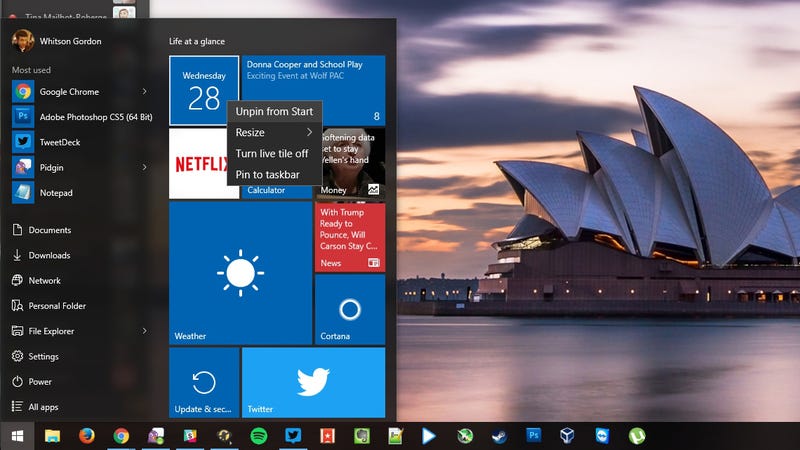
Uninstall Built-In Windows 10 Apps with CCleaner (or a PowerShell Command)

by Whitson Gordon

Uninstall Built-In Windows 10 Apps with CCleaner (or a PowerShell Command)

Windows 10 comes bundled with a number of tiled apps built-in, like Calendar, Mail, Maps, and others. You can’t get rid of them the usual way, so here are two ways to uninstall them.

If you right-click on some of these apps, you won’t see an “Uninstall” option. Microsoft may have taken it out for good reason, so tread with care—you’re probably fine leaving these apps installed, though sometimes uninstalling (and re-installing) can help solve problems, so it’s good to know how to do it.

The easiest way to remove them is with the latest version of CCleaner, which recently updated to include them in its Uninstall menu. CCleaner is one of those apps we recommend everyone have installed anyway, so it’s definitely your best option here.

http://lifehacker.com/what-should-i-...

If, for some reason, you don’t like CCleaner, you can remove most Windows 10 apps with a PowerShell command. Click the Start menu and type “Powershell” to bring up a prompt, then run your command. For example, to uninstall Calendar and Mail, you’d run:

Get-AppxPackage *windowscommunicationsapps* | Remove-AppxPackage

The How-To Geek has a full list of commands for every app at the link below.

How to Uninstall Windows 10’s Built-in Apps (and How to Reinstall Them) | How-To Geek

CCleaner v5.11 | Piriform News

31 Oct 18:58

Weekend reading: The Microsoft Band 2 review

by Richard Devine

Whether you're a fan of Microsoft or not, the company's support of more than just it's own operating systems is something we can all benefit from. This much remains true with the new Microsoft Band, with most functionality still being made available to folks who prefer Android in their pockets over Windows.

With that in mind, our pals over at Windows Central have just posted their full, detailed review on Microsoft's latest fitness oriented wearable.

31 Oct 18:56

How To Survive An Office Meeting

by Adequate Man on Adequate Man, shared by Andy Orin to Lifehacker

How To Survive An Office Meeting

Office meetings suck, and it’s inevitable that you’ll have to suffer through more of them than you’d like in your lifetime. But you’ll survive, as long as you simply show up, try not to fall asleep, and try to follow the rest of the tips in this video.

31 Oct 18:30

Amazon shutters its daily deals website Amazon Local

by Dante D'Orazio

It's time to add another service to the list of Amazon's shuttered projects. The company is pulling the plug on Amazon Local, its Groupon-style daily deals site. A notice on the site's homepage says that the service will be gone for good come December 18th; until then, it will continue selling off its remaining inventory of vouchers and deals. If you happened to purchase one such deal, fret not, as Amazon says that all existing vouchers will be honored despite the shutdown.

The move does not come as a surprise: daily deals appear to have been a fad. Groupon, which made its name in the business, has collapsed in the last few years, and has tried pivoting a couple of times to keep itself alive. LivingSocial, too, has found itself in...

Continue reading…

31 Oct 18:30

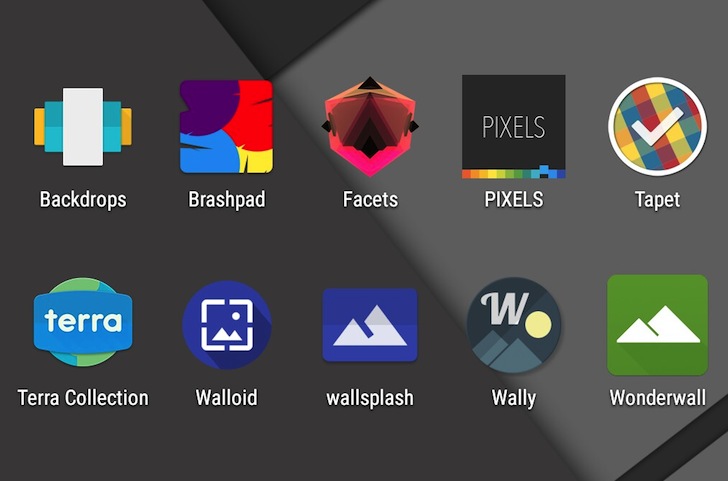
10 Beautiful, Cool, And Original Wallpaper Apps To Dress Up Your Android Device

by Rita El Khoury

roundup-wallpapers-hero

Even though they're technically "backgrounds," wallpapers are an intricate part of our smartphone and a unique way for us to show our personality. They adorn our homescreens, greet us each time we unlock our phones, and try to stay hidden while still being enjoyable. Some of us like nothing but a black screen full of widgets and apps, others prefer a gradient or pattern to add a touch of color, and some like simple graphics while others use photographs.

Read More

10 Beautiful, Cool, And Original Wallpaper Apps To Dress Up Your Android Device was written by the awesome team at Android Police.