Shared posts

24 Dec 15:02

How to get that perfect blurry Christmas light look from your Android camera

by Russell Holly

Have fun with the camera on your phone, especially during the holidays.

We've all seen those incredible photos where the background is a series of soft, blurry lights that come together to form the iconic Christmas tree. The truly great versions of these photos are usually taken with very nice professional cameras, but you can also get this effect with the camera in your Android phone. With all of the great cameras on phones running Android this year, there's more than a couple of you out there looking to take these photos whenever the opportunity arises.

Here's a quick tutorial on capturing these photos with your phone, and the apps that will help make it easy.

24 Dec 15:01

EFF's roundup of internettish TV, movies and books from 2015

by Cory Doctorow

cover

What Is EFF Reading? Books, Movies, and TV Shows of 2015 : a media diet for Internet freedom activists.

24 Dec 00:20

Get People to Do You Tiny Favors by Giving Them a Reason—Any Reason

by Patrick Allan

Get People to Do You Tiny Favors by Giving Them a Reason—Any Reason

For the most part, people don’t mind helping out one another. If you’re asking for a favor, however, it never hurts to explain why. In fact, according to a classic study, your reason doesn’t even need to be a good one.

The study, led by Ellen J. Langer, and published in the Journal of Personality and Social Psychology in 1978, is an “oldie but a goodie.” It suggests that people are more likely to do you small favors if you provide some sort of reason why, no matter how obvious the reason is. For example, participants in the study were more likely to let someone cut in line to use the office copier 90% of the time if the cutter had a reason why. Even if the reason was “...because I have to make copies.” There are a couple reasons this may work. First, it’s likely that people aren’t really listening to you. They hear the word “because” and automatically assume you have a good reason, otherwise you wouldn’t be asking. Second, it could be out of pity or because they don’t feel like arguing about how ridiculous your reason is. Either way, you might as well give a reason when you ask for a favor, no matter what it is.

http://lifehacker.com/5911280/how-to...

The mindlessness of ostensibly thoughtful action: The role of “placebic” information in interpersonal interaction. | Journal of Personality and Social Psychology via Science of Us

Photo by me and the sysop.

23 Dec 21:38

Save big with these Google Play deals on movies, games, books and more

by Jared DiPane

Google Play is currently hosting a sale on a number of different categories, which can save you some big money on various apps, games, movies and more. From games marked down to as low as $0.10, to 80 percent savings on books, you will likely find some great new content for your Android phone or tablet at a steep discount.

23 Dec 17:47

$10 "bean to bar" chocolates were made from melted down Valrhona

by Cory Doctorow

056c026d-1c66-4d42-9fae-a8e96df290c5-1020x907

The Mast Brothers, a pair of bearded chocolatiers in Brooklyn, have built an empire on beautifully packaged "artisanal" chocolates that run $10/bar, billed as "bean to bar" confections. (more…)

23 Dec 17:44

UK police rely heavily on cyberweapons but won't answer any questions about them

by Cory Doctorow

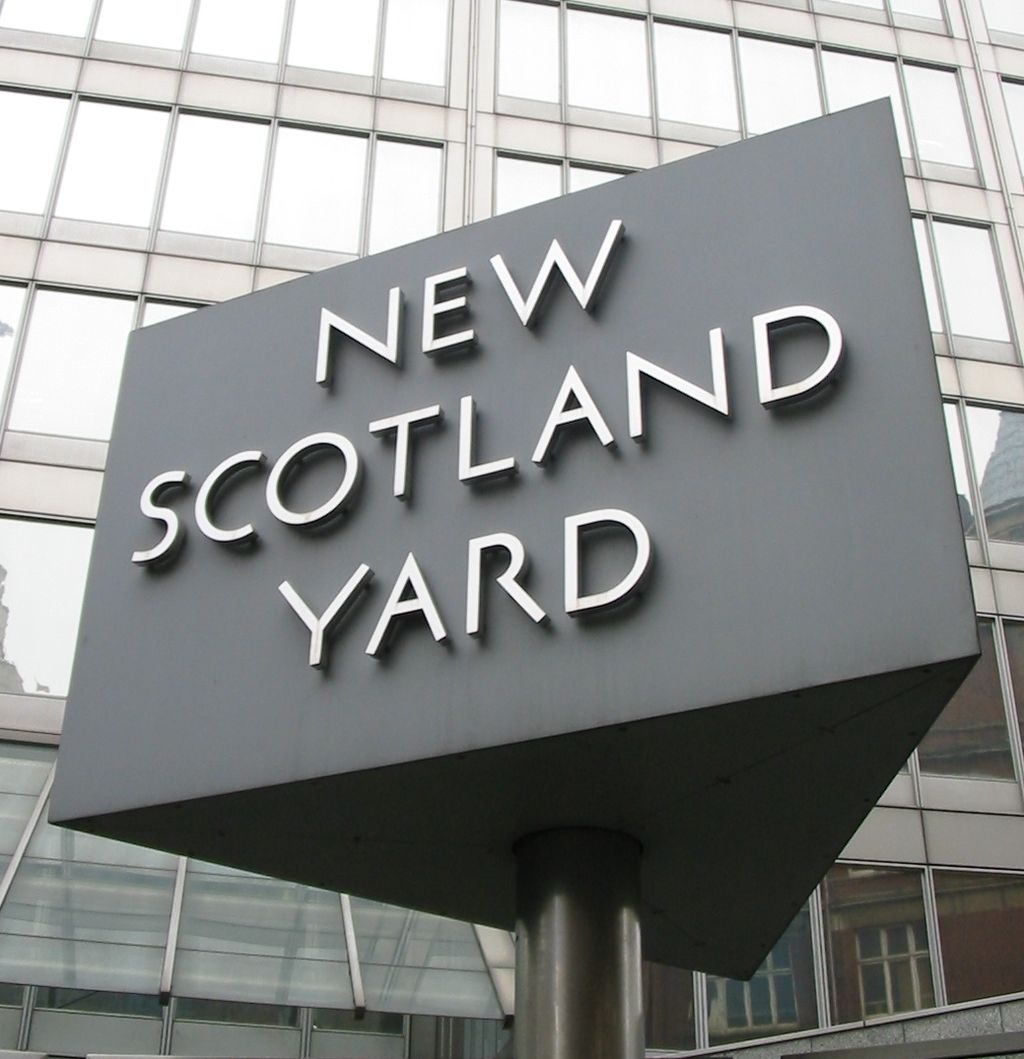
1024px-New_Scotland_Yard_sign_3

The UK police and security services have frequently touted the necessity of "equipment interference" techniques -- cyberweapons used to infect suspects' computers -- in their investigations, but they have refused to release any information about their use in response to 40 Freedom of Information requests from Motherboard. (more…)

23 Dec 17:42

We read the news today, oh boy: It’s The Beatles, on Google Play Music

by noreply@blogger.com (Google Blogs)
No need for fussing or fighting, my friend. Now you can live on a Yellow Submarine, march in Sgt. Pepper’s Lonely Hearts Band or go to Strawberry Fields Forever. Starting on December 24, all 13 of The Beatles’ iconic original albums, plus four essential Beatles collections, will be available to stream on Google Play Music—enough music to fill up eight days a week.

The best-selling band in history, with 20 number one Billboard Hot 100 hits, The Beatles continue to be one of the world’s most beloved bands decades after their last original album. So, what lyrics take a sad song and make it better? What albums get you through a hard day’s night? Come together, right now, to take a look at some of the top Beatles searches, according to Google Trends.
1. Abbey Road 2. Sgt. Pepper's Lonely Hearts Club Band 3. Help! 4. Let It Be 5. Magical Mystery Tour

1. Hey Jude 2. Yesterday 3. Come Together 4. Help! 5. Let It Be
Bonus: If you open up the Google app on your Android phone and say “Ok Google, play the Beatles,” There will be an answer. Let it stream.

In the words of Ed Sullivan: “Ladies and Gentlemen, The Beatles!”

Posted by Gwen Shen, Music Partnerships, Google Play

http://2.bp.blogspot.com/-lAaDf35rKZo/Vo8GMQnf3-I/AAAAAAAARrk/KDMg871KKHc/s1600/Beatles_2.png Gwen Shen Music Partnerships Google Play
23 Dec 17:39

India temporarily bans Facebook's controversial free internet service

by Jacob Kastrenakes

Facebook's plan to bring limited, free internet access to India has hit a hurdle: a regulator in the country wants it blocked. India's telecom regulator has asked that the service be disabled while investigating whether it poses a threat to net neutrality. In particular, the regulator is concerned about whether phone carriers should be allowed to charge different prices for different content; in this case, free for certain websites — like Facebook — and the cost of data for almost everything else. "Unless that question is answered, it will not be appropriate for us to continue to make that happen," an unnamed government official told The Times of India, which first reported the news.

Continue reading…

23 Dec 17:38

Yahoo joins Google and Facebook in warning users about state-sponsored attacks

by Chris Welch

Tech giants are increasingly doing more to notify users who are the victims of state-sponsored attacks. Google and Facebook will both notify you if they detect your account has been targeted or compromised, and now Yahoo is joining in as well. "We’ll provide these specific notifications so that our users can take appropriate measures to protect their accounts and devices in light of these sophisticated attacks," Bob Lord, Yahoo's chief information security officer, wrote in a blog post.

That echoes Facebook's reasoning; since these attacks are often more advanced and dangerous than everyday risks, they deserve a dedicated alert so that users can take immediate action to keep their account secure. Yahoo says it will only serve these...

Continue reading…

23 Dec 13:17

The Beatles are now streaming from your favorite music service

by Tom Warren

The world's most famous band will be available on a variety of streaming services at midnight. Timed perfectly for Christmas Day, The Beatles' catalog will be available to stream on Spotify, Apple Music, Slacker, Tidal, Groove, Rhapsody, Deezer, Google Play, and Amazon Prime. Beatles fans will be able to stream all 13 remastered studio albums, and four of the band's special collection albums at 12:01AM local time on December 24th (it’s already Christmas Eve in New Zealand).

Spotify has confirmed that both free and premium users will be able to access all of The Beatles' tracks, making them available to a wide range of people alongside various streaming services. This is the first time the entire Beatles catalog will be available to...

Continue reading…

23 Dec 13:16

A year at the White House as seen through an iPhone's lens

by Vlad Savov

Pete Souza has been Barack Obama's chief White House photographer throughout the US president's two terms in office, having previously done the same job for Ronald Reagan. He's also an avid iPhone user. In advance of his official year-in-review curated gallery showcasing the best White House photos of 2015 (see the 2014 edition here), Souza has posted some of his iPhone-powered highlights, drawn directly from his Instagram feed. Now that Instagram supports higher-resolution and rectangular photos, Souza is increasingly uploading photos taken from professional DSLR cameras, though he continues to only shoot square photos with his smartphone.

Continue reading…

22 Dec 21:11

The Biggest Company In Tech Fears Britain's "Snooper Charter"—And Startups Should, Too

by Gregory Ferenstein

This post appears courtesy of the Ferenstein Wire, a syndicated news service. Publishing partners may edit posts. For inquiries, please email author and publisher Gregory Ferenstein.

Apple is formally opposing a proposed UK law that requires tech companies to provide a way for authorities to access encrypted messages. 

CEO Tim Cook has spoken frequently about the company's commitment to make customers' communications so secure that not even the iPhone maker can read their messages. Under so-called "end-to-end encryption," only sender and receiver have the capacity to unscramble a message. That stands in contrast to other setups, where an Internet company storing messages in the cloud necessarily has a key to decrypt the messages.

British leaders, including Prime Minister David Cameron, argue that ultratight encryption prevents intelligence agencies from tracking down terrorists. 

“Do we want to allow a means of communication between people which we cannot read?" Cameron asked earlier this year.

In its formal response to Britain's Investigatory Powers Bill—called a "snooper charter" by critics—Apple claimed that there is no way to allow a message to be read by the government without opening it up to malicious hackers as well:

The best minds in the world cannot rewrite the laws of mathematics. Any process that weakens the mathematical models that protect user data will by extension weaken the protection.

Apple is doubly worried that the UK law would apply globally (what they call "extra-territoriality"). Britain wants companies to comply with search warrants, whether they are based domestically or abroad.

A Dangerous Precedent

This could set a dangerous precedent, whereby any state, including China or Russia, could demand the same access to user data. While Britain may have noble intentions, authoritarian regimes may want to spy on Apple's vast user base for other, less-liberal reasons.

Finally, the bill could cause all kinds of complications from overlapping and contradicting rules. In the ever-shifting landscape of privacy laws, one country may consider a British spy warrant "hacking," and Apple would be forbidden by law to confirm whether they had to give authorities access to the data.

There is a growing industry of startups that are based on difficult-to-crack encryption. Some design their wares to prevent spying by hackers or governments, while others simply want to ensure the safety of their users' data in a world of ever-changing threats. This would put startups in a very difficult situation—caught between laws that demand they protect users' data and laws that demand they hand it over.

The British government will take up the bill next year. 

Photo by Valery Marchive

22 Dec 17:35

Alan Tudyk is getting married.

https://twitter.com/alan_tudyk/status/679325789163253760

Alan is engaged to performing artist Charissa Barton.

22 Dec 17:32

I'm Sure You'll All Agree

by Bill Crider
22 Dec 14:52

[Update: Google Confirms] Google Appears To Be Testing A New Way To Log Into Your Account On Other Devices With Just Your Phone (No Password Needed)

by Rita El Khoury

google-login-no-password

Rohit Paul, also known as user rp1226 on Reddit, is lucky enough to be invited to test a new feature on Google. It's all about signing in to your Google account without having to bother with passwords and two-step authentication.

Read More

[Update: Google Confirms] Google Appears To Be Testing A New Way To Log Into Your Account On Other Devices With Just Your Phone (No Password Needed) was written by the awesome team at Android Police.


22 Dec 14:14

41 New And Notable Android Games From The Last 2 Weeks (12/8/15 - 12/21/15)

by Michael Crider
multi-page article Page 1 Page 2

nexus2cee_gamethumbWelcome to the roundup of the best new Android applications, games, and live wallpapers that went live in the Play Store or were spotted by us in the previous 2 weeks or so.

Please wait for this page to load in full in order to see the widgets, which include ratings and pricing info.

Looking for the previous roundup editions? Find them here.

Games

Peter Moorhead's Murder

Android Police coverage: Peter Moorhead's Murder Is A Cyberpunk Short Story Told As A Point-And-Click Adventure, Now In The Play Store For $1.49

Peter Moorhead's Murder (that's "Murder" by Peter Moorhead, it's not a game about killing a guy named Peter) is a point-and-click adventure game that mixes sensibilities from stories like Blade Runner and The Matrix with some stylish pixelated graphics.

Read More

41 New And Notable Android Games From The Last 2 Weeks (12/8/15 - 12/21/15) was written by the awesome team at Android Police.


22 Dec 14:14

Google Play holiday promo lets you snag any one album at half price

by Dan Thorp-Lancaster

If you fancy some new music as we head into the holidays, Google Play is currently offering a 50 percent discount on any one album of your choice. There's really nothing to speak of as far as catches are concerned. The deal is wide open to any one album you'd like, so you can score the discount on anything ranging from Bette Midler to Dimmu Borgir.

Thankfully, this isn't limited to just U.S. users either. Users in Australia, Brazil, Canada, Germany, France, Japan, Mexico, Russia, the UK and the U.S. can all get in on the action. In addition, you'll have until just through the new year on January 4 to take advantage of the deal, so be sure to hit up the Google Play link below to snag any album for half off.

Get 50% off any one album on Google Play

22 Dec 14:08

Google And Ford Will Reportedly Team Up To Build Self-Driving Cars

by Catherine Shu
google-self-driving-car Google and Ford are planning to develop and build self-driving vehicles together in a joint venture and will announce the deal at next month’s Consumer Electronics Show in Las Vegas, says a report in Yahoo Autos. The partnership would represent a major collaboration between two of the biggest names in the tech and automotive industries. Read More
22 Dec 14:07

#SpecialDelivery: Google Spotlight Stories come to YouTube with interactive 360-degree storytelling

by noreply@blogger.com (Google Blogs)
A humble caretaker is surprised when a mysterious stranger causes mischief on the roof. He investigates, but can’t seem to catch even a glimpse of the troublemaker. And so the chase goes... room to room… up and down… The stranger remains just out of sight, leaving behind only a trail of gifts…

Meanwhile, you’re following the action at your own pace, from whatever angle you please—behind you, to your left, to your right, or in front of you. All on your mobile phone.

Today we’re bringing Google Spotlight Stories to YouTube with “Special Delivery,” an original short film made by Academy Award-winning animation studio Aardman Animations (Wallace and Gromit fans, take note), viewable on the YouTube app on many Android devices.
“Special Delivery” is the latest of several Spotlight Stories to come out of Google ATAP (our Advanced Technology and Projects group). With Google Spotlight Stories, your phone becomes a window to a story happening all around you. The sensors on your phone allow the story to be interactive, so when you move your phone to various scenes, you unlock mini-stories within the story.

We didn’t want anyone to miss Aardman’s “Pink Panther”-style holiday caper! So we also made a YouTube 360 version for other Android devices, iOS devices, and the web. You can find both versions of “Special Delivery” on the Spotlight Stories YouTube channel, and you can also watch with Google Cardboard. Next year, we’ll bring Google Spotlight Stories to more Android devices and the YouTube iOS app.

You’ll want to watch “Special Delivery” a few times to find all the surprises within the story. In the full interactive experience, you’ll encounter 10 subplots, three potential ways to view the ending, and 60+ moments where you can decide to follow the story in different ways. Each viewing is unique. We don’t want to spoil the ending, so that’s all we’ll say for now…

Posted by Rachid El Guerrab, Technical Project Lead, Spotlight Stories, Google ATAP

http://3.bp.blogspot.com/-mbUAzRH7Bao/VnjmzqSrsjI/AAAAAAAARm8/Sj0CZl2NS3g/s1600/SLS_SpecialDelivery_Twitter_1.gif Rachid El Guerrab Technical Project Lead, Spotlight Stories Google ATAP
22 Dec 14:06

What it means that both Blue Origin and SpaceX have landed rockets

by Elizabeth Lopatto

Now that both Blue Origin and Space X have landed rockets upright after launch, it looks like the one-off era of rockets is coming to a close. Before the two landings, rockets were regarded essentially as trash after take-off, if they weren't totally destroyed on their missions. By landing its first phase of the Falcon 9 rocket, SpaceX has preserved at least part of the main engines to use another day.

Not one but two companies have now landed rockets It's not clear what state all the components are in, yet. But what's notable is that not one but two companies have now accomplished this feat. (Blue Origin was first, but its rocket wasn't going as high and or fast as SpaceX's). SpaceX deployed 11 satellites for ORBCOMM with the rest of...

Continue reading…

21 Dec 23:30

Apple announces formal opposition to UK surveillance bill

by Russell Brandom

Apple is speaking out against the UK's Investigatory Powers Bill, the new web surveillance proposal that privacy groups have dubbed the "Snooper's Charter." Today was the deadline for written statements to be submitted to the committee considering the bill, and Apple CEO Tim Cook took the opportunity to submit a detailed objection to various aspects of the new law. Cook had first signalled his opposition to the bill in November, saying, "If you halt or weaken encryption, the people that you hurt are not the folks that want to do bad things. It’s the good people. The other people know where to go."

This new statement provides a more formal and detailed objection to the bill, specifically addressing the bill's stance on encryption. "Apple...

Continue reading…

21 Dec 21:16

Voice activation removed from Cortana for Android because it might break your phone

by John Callaham

Earlier this month, Microsoft officially launched its Cortana digital assistant for Android devices, but apparently one feature of the app is causing lots of issues, at least for U.S. users. The company has now updated Cortana for Android, which among other things removes the "Hey Cortana" feature for the U.S. market.

21 Dec 21:16

How to personalize your Android phone with themes, launchers, and more!

by Ara Wagoner

Every Android user has a theme on their phone. They just don't know it yet.

Updated March 2017: Links were added to newer content and images were refreshed.

Even if you don't know what icon packs or launchers are, if your phone has a home screen on it, it's got a theme. Android users don't have to live in their app drawers; they can choose how their phone looks and functions. They can use widgets to interact with apps without opening them. They can use custom icons to theme or obscure the apps on their phone from prying eyes. They can even use gestures and contextual data to help their phone adapt to where they are and what they're doing.

So, what are Android themes and how can you get started with one?

What's in a theme?

There are many types of themes within Android, but the kinds we're going to refer to throughout this article are home screen themes or launcher themes. A theme is the visual styling of your home screen, through the choice and use of launchers, wallpapers, widgets, icon packs, sounds, and other elements.

When most users think of themes, they imagine complex elements and high-maintenance setups. They imagine custom KWGT widgets and elaborate icon packs. And while there are many people who do completely overhaul their launchers regularly, for most of us, a theme does not mean changing the way your phone is set up, only how that setup looks.

Even if you're not interested in making your home screen look pretty, there are some other uses for launcher themes and customization that you may be interested in:

  • Hiding apps: Most launchers have the option of hiding an app from the app drawer, but for apps that you want easily accessible but away from prying eyes, many launchers also allow you to rename apps and give them icons less likely to draw the eye. Or make them invisible all together.
  • Transferring themes and setups: Your mother just got a new phone, but she just wants everything where it was on her old one. Well, with theme backups, you can make all her Android devices look like her old one.
  • Efficiency: The less time you spend fumbling around your app drawer looking for the app you need, the quicker you can get back to doing something with your life besides staring at your phone. Many launchers will re-order your apps based on your location, and through the use of your launcher's folders, you can cut down on the clutter, both in your app drawer and on your home screen.
  • Choice: Don't like the way your app drawer is alphabetized? Don't like only having a 4x4 grid on your home screen and not being able to resize your widgets? A third-party launcher can let you choose just about everything about your launcher experience.

Launchers and how to use them

All phones come with a launcher, which is the interface through which users interact with their phone's apps and customize their home screens. [Samsung](/samsung] phones come with the TouchWiz launcher, HTC phones come with Sense Home, LG simply calls its launcher the Home launcher, and Pixel phones use the Pixel Launcher, and so on. Some of these launchers have more options than others.

Samsung's TouchWiz launcher allows you to resize the home screen grid. Both TouchWiz and Sense allow custom system themes, with theme galleries for users to select from, and the benefit of these themes go beyond the home screen. These themes also reach the notification shade, and system apps like Settings, Messages, and the Phone dialer. So, even if you're looking into getting a third-party launcher, if you phone has these themes, you might want to browse through them.

If you're ready to jump into the wonderful world of third-party launchers, there's a lot out there to choose from, but here are three launchers that should help you get your feet wet.

  • Nova Launcher: Nova is one of the most popular launchers out there that doesn't ship on a phone. While being highly customizable, it's still a launcher that is easy for most beginners to ease into. Nova is also has a free version for you to cut your teeth on before you invest in Nova Prime.
  • Action Launcher 3: Action Launcher 3 is a fan favorite — and an editor favorite, too — and if you're looking for a launcher with a new twist on efficiency, AL3 may be just the ticket. Quickdrawer can replace the app drawer with a fast-scrolling app list on the left side of the screen, and features like Shutters and Covers help conserve space using folders and widgets in new ways.
  • Yahoo Aviate: If you want to let your launcher do the organizational work for you, perhaps try Aviate, the launcher that Yahoo acquired. Aviate adapts to your schedule and your locations to arrange the apps and widgets it thinks you need right now.

If you're looking for more launchers to try, see our favorite launchers!

It all begins with a wallpaper...

No matter what launcher you use, you need something to put up behind your widgets and apps. Wallpapers come from all corners of the internet and beyond. If you're not using a picture of your kids or your dog or that lovely little cabin up in Denver that you're gonna own just as soon as the stock market improves, you may want to consider replacing the wallpaper that came on your phone with pictures from one of these sources:

  • Muzei: If you're looking for beautiful wallpapers that will rotate out on a regular basis, Muzei and its many, many extensions are here for you. Muzei is a live wallpaper, meaning it's a program rather than a single static image. Muzei will pull pictures from one or more gallery sources and set a new one as your wallpaper every few hours.
  • Android Central's Wallpaper Weekly: We showcase five new wallpapers every week to help give you some topical, top-notch wallpapers for your home screen
  • Zedge: Zedge is kinda like the Walmart of wallpapers, ringtones and other theme elements. Zedge hosts tens of thousands of wallpapers for you to download and apply, from dozens of categories.
  • DeviantArt: If you're looking for some more artistic fare for your wall? Go to the venue tens of millions of artists use to share their art with the world. DeviantArt has it all, from nouveau tableaus to digital renderings to classic paintings.
  • Icon Packs: If you're intending to use an icon pack, many packs come with wallpapers to compliment the icons they've worked so hard on.

Widgets, widgets everywhere

Widgets are basically miniature apps that run on your homescreen. There are several types of widgets, from toggle widgets to control your Hue Lights to forecast widgets for your local weather to playback widgets to control your music. Most of your apps probably came with some kind of widget, and in addition there are third party widgets you can download if you don't like those.

They allow us to access and interact with data from our apps without having to open the full app every time. I can go to the next track in Play Music without having to go into my current queue. I can mute my phone and turn off my mobile data without going into Settings. I can turn on my Hue lights without ever leaving my home screen.

Widgets also serve as shortcuts into apps, or better yet into specific functions of an app. The Google Keep widget lets me access my most recent notes or start a new one without keeping the icon in my dock. The Netflix widget can take me to the next episode of my current shows. My weather widget can take me to current conditions of one of my forecasts, depending on what I click.

Also falling under the category of widgets are Shortcuts, which are lumped into Widgets with many launchers including Nova. The icon for your app drawer is a shortcut. Other popular shortcuts are contact shortcuts, to call your spouse or text your kids, and setting shortcuts, such as Tethering, Location, and Power. In addition, shortcuts can take you into certain playlists, albums, or activities within an app.

Make your apps pop — or blend in — with icon packs
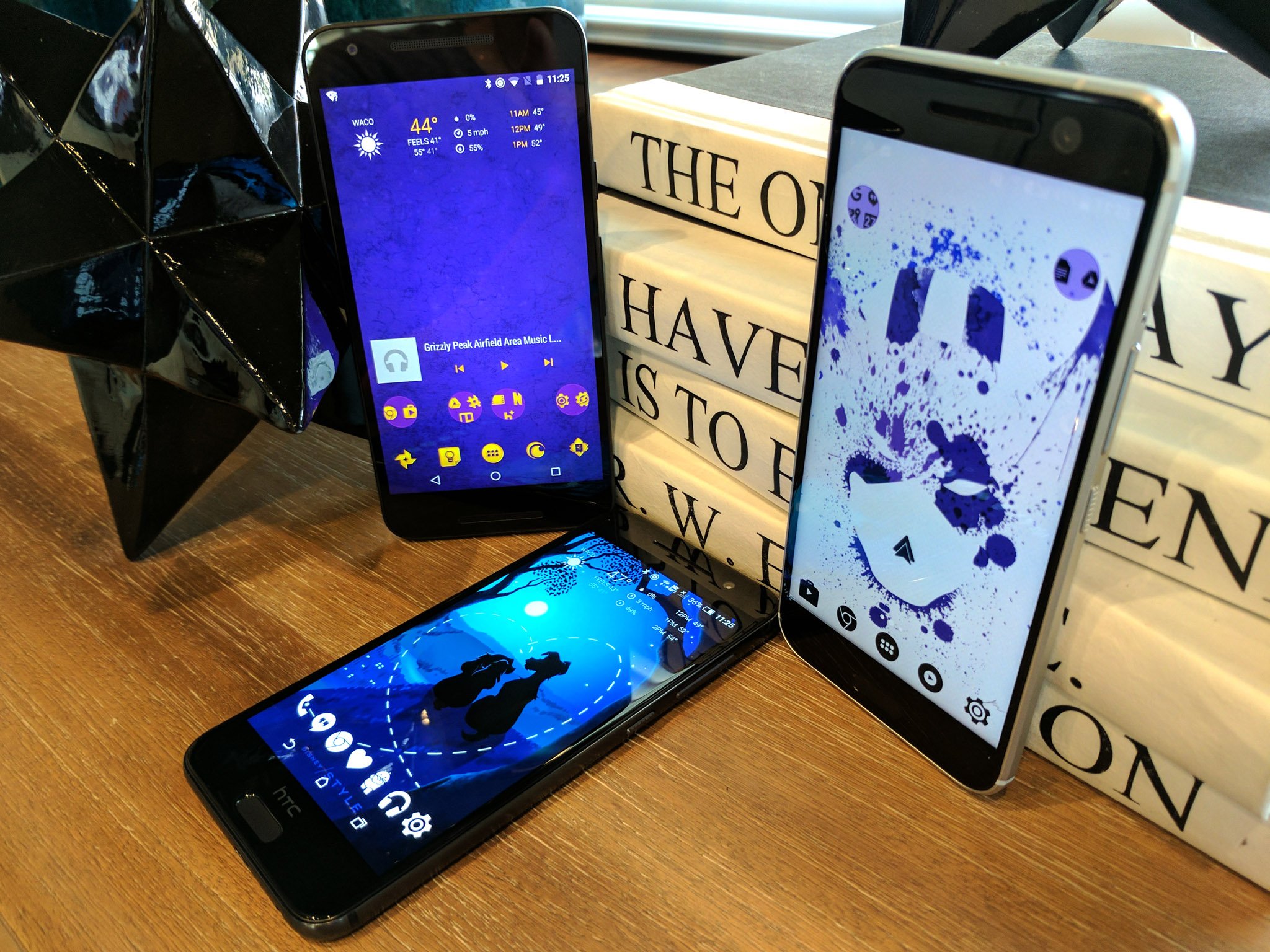
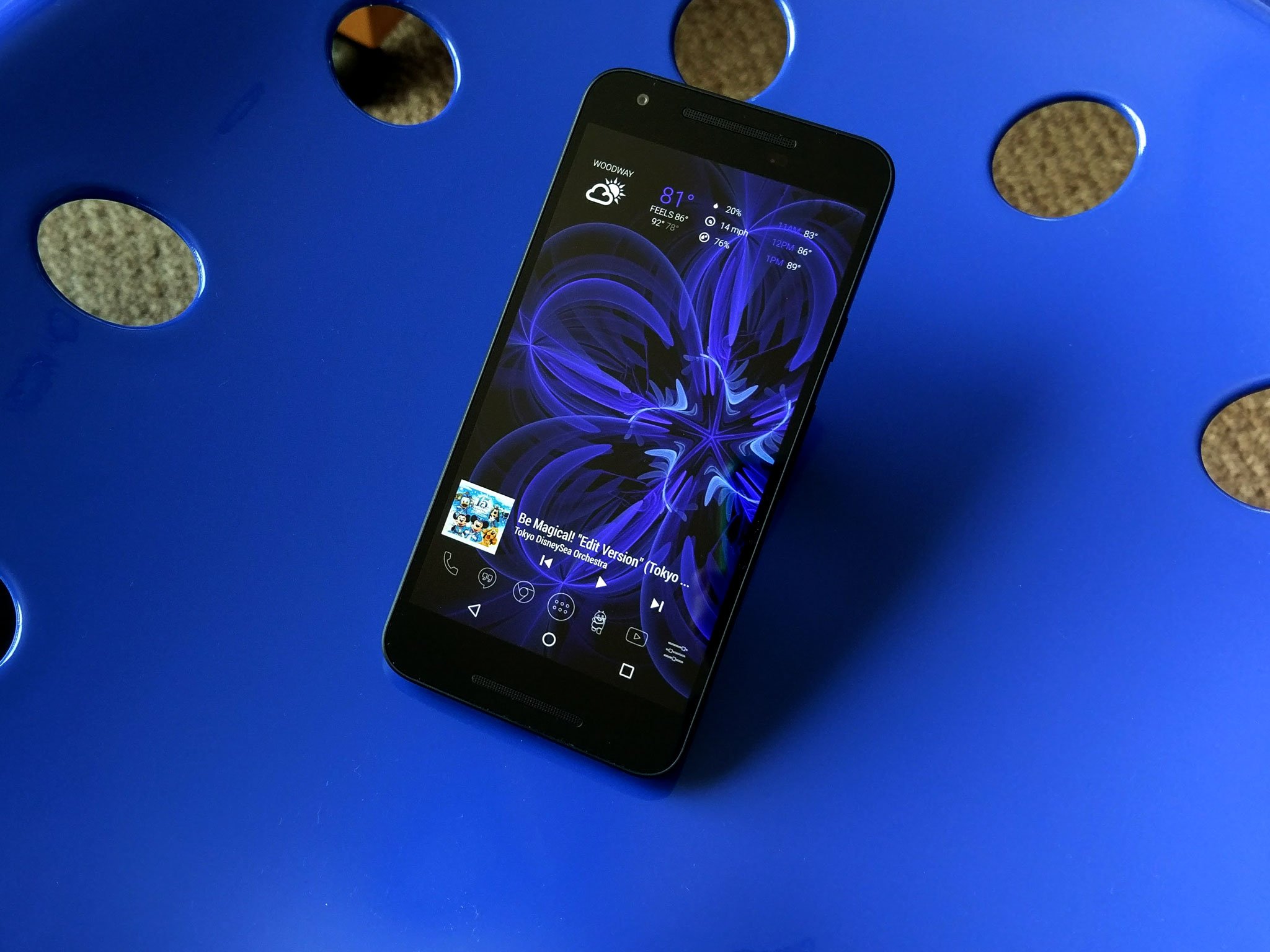
Much as we wish it weren't so, not all icons are created equal. Google has guidelines for app icons, but Samsung and HTC and LG do, too. And each developer may have their own ideas about how their icon should or shouldn't fit with those guidelines. As a result, our app drawers often look like a melting pot of icon styles. Well, never fear! Icon packs are here to make our apps look uniform again... at least in the launcher.

Now, most launchers that come preloaded on your phone do not allow you to use icon packs from the Google Play Store. Even the themes on HTC and Samsung phones don't allow you to apply icon packs from the Play Store, only from their proprietary stores. So, if you're interested in theming your icons without doing it one at a time, you'll need to seek out a third-party launcher with custom icon support, such as Nova Launcher or Action Launcher 3.

As mentioned before, custom icons can help make your app drawer look uniform, but it can also help apps fly under the radar, as it were. Using a false icon or a blank icon can help turn a curiosity into an innocuous calculator or word processor. We're not here to judge, we're just here to help.

Check out some of our favorite icon packs

Can you hear the smartphones ring?

There's a broadway adage that goes "Nobody leaves the theater humming the scenery". No matter how beautiful your theme may be, the portion of your theme that those around you will notice most isn't something they'll see on their screen. It's what they'll hear from your phone every time you get a call, text, or notification. And while you can get sounds for your theme nearly anywhere, here are a few resources for finding sounds that suit your themes, your personality, and your environment.

  • Zedge: Zedge has just about every ringtone you can imagine and some more that you can't. They even have that ungodly Samsung Whistle that my mother just has to have... Anyways, Zedge is a great resource, and you can set the sounds directly in the app instead of having to download them and copy them into the proper system folder.
  • Reddit: Even if you're not much of redditor, Reddit is a wonderful place to look for ringtones and other theme elements. There are threads in r/Android every few months, if not every few weeks, where users will swap ringtones and ringtone ideas, and ringtone/wallpaper threads pop up in fandom reddits all the time.
  • Audacity: Okay, this isn't actually an Android app, it's a desktop program. I've made plenty of themes in my day, and I have to say that my best themes' sounds usually come from me sampling something from a YouTube video or a track in my music library. So if you're not finding what you want elsewhere, clip it yourself!

And remember: sounds can be magical, nostalgic, or downright annoying. A co-worker had an Eric Cartman notification tone for two months. Every time he got a text, I wanted to throw his phone through the wall.

Be memorable, not maddening.

For adding sounds to your Android device, check out our guide to custom ringtones!

This is only the beginning...

Once you get used to your new launcher and some new widgets, we'll be ready to dive into gesture controls, Kustom widgets, Tasker shortcuts, and much, much more... the world of Android customization is out there, just waiting to be explored. But for now, show us your screen and what you're using on it! Have a launcher you'll use forever? Which widget never leaves your home screen? Swear by your icon pack? Share them below! And stay tuned for more Android theming goodness!

21 Dec 17:54

IETF approves HTTP error code 451 for Internet censorship

by Cory Doctorow

056c026d-1c66-4d42-9fae-a8e96df290c5-1020x910

The 451 HTTP error code, first proposed in 2012 as a tribute to Ray Bradbury's classic novel is now an IETF standard and is the preferred error message for a server to send to a browser when content is blocked for legal reasons. (more…)

21 Dec 17:52

Blaze Laser Projection Bike Light Comes To All 11,500 Santander Bikes In London

by Romain Dillet
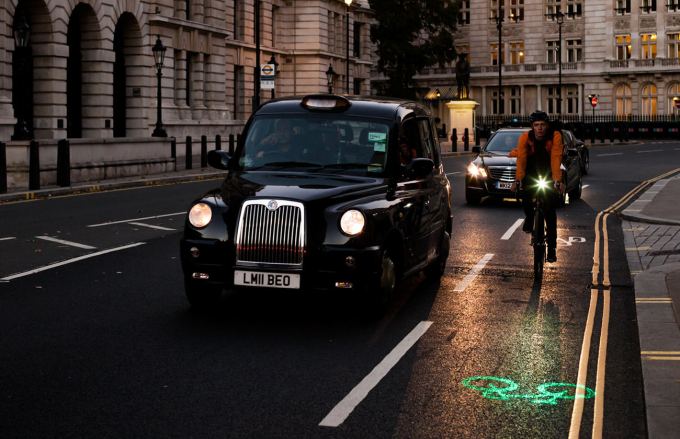
gallery-slider_1 Blaze has come a long way. After participating in our Hardware Battlefield competition two years ago, the company signed a deal with a big client, London’s bike-sharing program. Read More
21 Dec 17:51

Is Facebook’s photo-tagging system violating privacy law?

by Russell Brandom

If you were building a system to catalog and study the human face, it would be hard to do better than Facebook. Just 12 years after its creation, the network is not just the largest photo-storage service but the largest single collection of images that human beings have ever had access to. The total number of photos is hard to gauge, but it passed 250 billion pictures in 2013, and by now is likely closing in on 1 trillion, spread across 1.2 billion users worldwide.

That much data is a powerful thing, and Facebook has made good use of it. Since 2010, the company has been using those photos to fuel a powerful facial recognition engine. When you upload a photo of someone, Facebook will almost always know who that person is, encouraging you...

Continue reading…

21 Dec 15:46

A database for the Hello Kitty community Sanriotown.com containing 3.3 million accounts has been dis

by Andy Orin

A database for the Hello Kitty community Sanriotown.com containing 3.3 million accounts has been discovered online in an apparent breach.[Gizmodo]

http://gizmodo.com/3-3-million-he...

21 Dec 15:37

Fractal jigsaw puzzle

by Rob Beschizza
fractal-jigsaw

It has only nine pieces, but each is a sprawling, intersecting fractal nightmare: "you can provide people with the solution and they still can't solve it."

The creations of Oscar van Deventer (check his youtube channel for all his puzzle designs) you can buy them at Laser Exact for fifty euros.

It's weirdy satisfying watching the pieces disappear into the pattern:

drop

21 Dec 15:35

Juniper Networks backdoor confirmed, password revealed, NSA suspected

by Cory Doctorow

056c026d-1c66-4d42-9fae-a8e96df290c5-1020x906

Juniper Networks makes a popular line of enterprise firewalls whose operating system is called Screen OS. The company raised alarm bells with a late-day-on-a-Friday advisory announcing that they'd discovered "unauthorized code" in some versions of Screen OS, a strange occurrence that hinted at a security agency or criminal enterprise had managed to tamper with the product before it shipped. (more…)

21 Dec 15:34

The Best Video Editor for Android

by Eric Ravenscraft

The Best Video Editor for Android

Oh, finally we can write this post. Video editors have sucked on Android for a long time. Too long. But now, Adobe Premiere Clip brings basic, easy-to-use video editing to Android. You can trim clips, mix multiple clips together, and add your own soundtrack. It’s not perfect, but it’s a good start.

Adobe Premiere Clip

Platform: Android
Price: Free
Download Page

Features

  • Automatic editor creates compilations from clips and soundtracks
  • Manually trim video clips
  • Add multiple video clips together
  • Add custom soundtrack to your project
  • Add title slides
  • Smart Volume automatically adjusts multiple audio tracks to consistent volume
  • Make video adjustments including exposure, highlights, and shadows
  • Apply filters to clips for a variety of looks
  • Add photos with zoom effects to create slideshows

Where It Excels

Given that Android has struggled to get many decent video editors, Adobe Premiere Clip’s primary selling point is “It exists.” Still, it’s pretty great on its own merits! Adobe knows you may not want to do much hardcore editing on your phone, so you can use the automatic editing mode to let Adobe make cut and add a soundtrack for you. It’s not much, and it’s pretty similar to Google’s auto-awesome feature, but it’s handy to have.

If you want to get a little more control, you can switch to Freeform mode. Here, you can split clips, add multiple clips together, crossfade between them, and add your own soundtrack. If you’re used to a proper non-linear editor on desktop computers, you’ll probably find it lacking, but for quick edits on your phone, it’s very easy. This approach makes much more sense than trying to shoehorn an entire desktop editor interface onto a tiny screen that your thumbs already struggle with.

You can also use the app to do basic color correction, which is a very welcome addition. You can adjust exposure, highlights, and shadow levels in a given clip. Most editors tend to either neglect or bury this feature, but it’s an underrated adjustment that can make your clips look way better with minimal effort.

Where It Falls Short

While the app is simple to use, it’s not very flexible. You can edit multiple clips together, but you can only add one soundtrack file. That audio file will always start at the beginning of your project, as well. If you want to start playing a song or a sound effect halfway through your video, you can’t really do that.

You can also add title slides, but they really suck. Unless you like plain white text on a black background, of course. You can change the color of the text or the background, but you can’t move the position of the text, nor can you overlay text onto a video. It works for end credits, but otherwise it’s pretty inflexible. That being said, if you need that type of title slide, it’s super easy to create.

The Competition

In case I haven’t made it obvious enough, there’s not a lot of competition for good Android video editors, but there are a couple. Cyberlink’s PowerDirector is the closest contender. You can edit multiple clips together, add music or sound effects in arbitrary locations, add title overlays and apply effects to your videos. If you need something a bit more powerful than Premiere Clip, this is the one to get. The downside is that it costs $5 to unlock the full version, or else you’re stuck with a watermark. Also, the interface is a little more complicated as it crams a normal non-linear editor onto a phone screen. If you need the extra features, though, it’s a worthwhile upgrade.

Kinemaster is the next step up, with support for multiple video layers, frame-by-frame splicing, transition effects, and more. However, it costs $5 per month to use after a 30-day free trial. Alternatively, you can pay $40 to use it for a year. If you’re editing videos regularly and you like Kinemaster’s interface, that may be okay, but for the average user who just needs to edit a clip here or there, that price can be a difficult pill to swallow.

Finally, there’s Magisto. This app has been around for a while, but it’s almost misleading to call it a video “editor.” Instead, this app allows you to choose a few clips, pick an editing style, and the app will put everything together for you. Google Photos has a similar automatic editing tool if you want a neat package without much work. Both are low-effort options that will get the job done, but you don’t have much control over either one.