Twitter today reported its fourth-quarter earnings — one of the most important quarters of the company’s history — and basically fell flat on its face. Twitter’s monthly active user growth, on a quarterly basis, was flat, compared to a slight jump that what analysts were expecting. Last quarter, the company had 320 million monthly active users, and this quarter was… Read More
Clever hardware elevates an already great phone line even higher, but the execution stumbles a bit.
The quick take
ASUS has taken the the already impressive ZenFone 2 and turned it into something fun for anyone who enjoys the control of a DSLR camera but isn't planning on walking around with one every day. That means you get a solid, snappy phone with a decent display and some clever camera hardware with matching visual styling to support the experience. Unfortunately that clever hardware experience is coupled with the kind of camera sensor you expect to find in a $400 camera, and when you combine that with the outdated software on the phone the end result is decidedly mediocre.
The Good
Amazing performance
Great battery life
Leather back feels nice
Shutter buttons rock
The Bad
Camera bump adds bulk
Camera sensor is mediocre
Software is filled with bloat
Android 5.0 in 2016 is unacceptable
Clever hardware with a software problem
ASUS ZenFone Zoom Full Review
Anyone who has touched the ZenFone 2 knows that ASUS is doing a couple of things amazingly well when it comes to building an Android phone. That excitement grew exponentially as the year progressed and the company showed they weren't afraid to play with unusual hardware designs in order to create new and interesting experiences. If you look at the ZenFone 2 as a starting point, the addition of laser autofocus and better build materials in subsequent models quickly revealed fascinating progress in hardware development, but their latest phone takes all of that cleverness and points it all at the camera.
The ASUS ZenFone Zoom is much more than a ZenFone 2 with a weird camera strapped to the back.
The ASUS ZenFone Zoom is much more than a ZenFone 2 with a weird camera strapped to the back, though there aren't many who would fault you for thinking that at first glance. It's a phone designed entirely around people who want to have fun with their camera, especially those who know their way around the more complicated settings of a DSLR. While a great deal of that experience can be — and is — expressed in software, the addition of a 3X optical zoom lens and a custom backplate with a single hand grip and buttons for zoom control and shutter activation complete this look in a way no other company has ever done quite so completely.
Making a phone look like a camera isn't the same thing as making a phone that takes great photos, and while this past year has been incredible for pushing the envelope when it comes to what a smartphone camera sensor is capable of we've yet to see anything quite that impressive from ASUS. Whether the ZenFone Zoom is the phone that pulls ASUS from average to exceptional when it comes to camera quality seems to be the whole point of this phone, and putting that to the test is exactly what we set out to do in our ZenFone Zoom review.
About this review
We're publishing this review after nine days with the ZenFone Zoom model ASUS_Z00XS with 4GB of RAM and 64GB of storage. This phone has been running entirely on T-Mobile's LTE network in Baltimore, Maryland, an area with great coverage and strong connectivity from this carrier. It was running Android 5.0 with build number 2.25.40.36 the January 1, 2016 security patch was running on this phone during the review.
ASUS ZenFone Zoom Video Review
Clever, if a little bulky
ASUS ZenFone Zoom Hardware
Due in no small part to their focus on the budget market, ASUS has a reputation for building phones that are a little on the cheap side. Corners need to be cut somewhere, and that usually ends up meaning flexible plastics and build quality that ends in creaks and gaps when comparing multiple versions of the same phone side by side. It's easy to shrug most of that off when you're talking about a $200 phone, but when you double that price tag for the ZenFone Zoom there's a greater expectation of quality. Fortunately, the company delivers in a big way.
The aluminum band around the outside of the ZenFone Zoom is cool to the touch, exactly as sturdy as you'd expect, and offers just the right amount of grip. Across the back of the phone you have stitched leather over a plastic frame, which leaves the back of the phone with plenty of grip and a nice texture to go with it. Meanwhile the front of the phone starts out as a glass panel and ends with a glossy, textured material just under the capacitive buttons. Along the right side of this phone you have power, volume, and a pair of shutter buttons all made to feel similar to the aluminum band that wraps around the phone.
Obviously the main event here is the camera. The massive metal disc protruding from the back of this phone is balanced by a small bump along the bottom of the phone, which ASUS calls the grip. The leather stitching and rigid feel certainly seems to suggest a place to rest your hand when holding the phone in landscape to grab that perfect shot, but laying the phone down on its back reveals the other purpose this bump serves.The ridge allows the phone to rest flat, and since the exterior lens is not flush against the lens casing you can comfortably set the phone down like this and not worry about damage coming to the camera.
Even when fully zoomed-in you'll never see the lens leave its protective housing.
ASUS managed to stuff a 3X optical zoom in this somewhat awkward-looking camera bump, but even when fully zoomed-in you'll never see the lens leave its protective housing. This is by design, and when you see what ASUS did to make this work, it's difficult to be anything but impressed. When the light is right and you stare deep into this lens mechanism, you can see the lenses moving into place to allow everything to work. From a technical perspective, it's fascinating. From a functionality perspective, it adds a noticeable amount of bulk and weight to the ZenFone Zoom.
Category
Specifications
Display
5.5-inch Full HD (1920x1080, 403ppi) IPS LCD Corning Gorilla Glass 4
Wi-Fi 802.11a/b/g/b/ac Bluetooth 4.0+ EDR NFC micro-USB
Battery
3000mAh non-removable Li-Polymer
Dimensions
6.26 x 3.1 x 0.47 inches 158.9 x 78.84 x 11.95mm
Weight
6.53 oz 185g
The rest of the internal hardware on the ZenFone Zoom doesn't differ wildly from the ASUS ZenFone 2. The 5.5-inch 1080p display looks nearly identical, the bump from Intel's 2.3GHz Z3580 processor to the 2.5GHz Z3590 processor isn't really noticeable, and the same 3,000mAh powers the whole kit. The biggest difference is size and weight, adding more than a millimeter in every direction and 15g from its predecessor to make room for this camera.
It would be incredible to see ASUS go with this level of build quality on everything moving forward. It feels like a solid, well-made phone and still maintains its own unique flair in its design. There's also something to be said for a company not afraid to make their phone a little thicker and heavier than the average in order to try something cool, especially when it means there's still a sizeable battery and plenty of grippable space around the design. If nothing else, the ZenFone Zoom gets points for breaking the mold and making it look good in the process.
Better than it has any right to be
ZenFone Zoom Software
ASUS is using a heavily-modified version of Android 5.0 they call ZenUI with more than a couple of extra apps pre-loaded and deeply integrated into their interface. That sentence is enough to make just about anyone who has never used this software before cringe. The Android base is embarrassingly outdated (5.0 was released in October of 2014), deviating from Google's vision for Android usually means sacrificing performance in some measurable way, and bloatware is bloatware. Somehow, with all of these marks against it, ASUS has once again managed to deliver one of the fastest, smoothest, and most complete alternatives to "pure" Android to date.
ASUS's ZenUI is fast. Faster than it has any right to be.
ZenUI is fast. Faster than it has any right to be. Launching apps, navigating the interface, and even the extra pop-up menus for things like theming your desktop or adding widgets are all incredibly snappy. It's smooth too, easily as smooth as the Nexus 6P animations without all of the Android 6.0 goodness to help it get there. ZenUI is a strange blur of colors and bubbles and occasionally overcomplicated menus, but it works. It's a complete thought that doesn't break the way Android is supposed to work, even though there are plenty of opportunities to do so. Clean Master, for example, works in concert with the ASUS software manager to warn you when apps are consuming power or running at startup when they maybe shouldn't, but both apps are set to wait for your action to do anything that would alter performance.
Bloatware is always something we're going to complain about a little, but ASUS has clearly been listening to criticism in this department. There's only a couple of apps that aren't made by ASUS or Google on this phone out of the box. ASUS is quick to recommend other apps from their partners as soon as the phone launches the first time, but the apps aren't pre-loaded and there's no stub icon sitting in the launcher. It's easy to dismiss or take advantage of, depending on your position. With exception to TripAdvisor, all of the bloatware apps are all in the Apps4U folder in the launcher, which means getting rid of them is quick and easy if that's what you want to do. Also, like on the ZenFone 2, none of the apps we've come across have been system apps that can't be uninstalled.
Launching a phone with Android 5.0 — released well over a year ago — is unacceptable at this point.
Many of the ASUS apps running on the ZenFone Zoom are maintained through the Play Store, which is excellent. It means core products can be updated without major system updates, so new features can be brought to life much faster. This is great news for potential ZenFone Zoom owners, especially since there's a good chance you'll likely be waiting a while for an update to Marshmallow. ZenUI is more than a little behind on major software updates due to how thoroughly different it is from "pure" Android, but there do seem to be updates where it is the most important. The ZenFone Zoom is using Google's new Security Patch system already, and is currently updated to January 1, 2016. It'll be interesting to see how frequently ASUS is able to stick with Google's monthly plan here.
ASUS really needs to get on the ball and push Marshmallow to their phones, because launching a phone with a version of Android released well over a year ago is unacceptable at this point. That having been said, what ASUS already has with ZenUI is remarkable. It's not clear how much of this is deep optimization with Intel, but what is clear is just how bad it is when phones that cost nearly twice the ZenFone Zoom can't keep up even with simple stuff like using the browser.
Tripping at the finish line
ASUS ZenFone Zoom Camera
A smartphone with optical zoom, manual camera functions, and a host of extra features that let you take photos in either the dead of night or big enough to hang on your wall sounds like Candyland to anyone who knows what to do with a real camera. DSLR users don't take their cameras with them everywhere, and with a decent smartphone they don't have to. Laser autofocus and snappy software ensures you're getting where you want in order to grab the right shot as well. It couldn't be more clear that the purpose of the ZenFone Zoom is to give everyone DSLR-like control over their smartphone pictures, complete with an optical zoom and image stabilization to make getting that shot as enjoyable as possible.
Unfortunately, none of this means the ZenFone Zoom takes great pictures.
All of the mechanical parts are there, and the camera app ASUS has been working on for a while is actually one of the better experiences you'll find on a phone today if you want more than just the ability to take a quick picture. In the end it all comes down to the execution, and ASUS has not demonstrated the ability to bring all of this awesomeness together to create a great photography machine. The auto settings aren't quite capable of competing with the best we've seen this year from Samsung and Google.
Manual Mode is marred by a display that isn't quite crisp enough and absolutely not bright enough outdoors to ensure you've got the right focal depth. Macro photography doesn't exist at all due to the inability to focus on things that are closer than 30cm. HDR photography misses the mark way more often than it should. The things this camera does really well we've already seen ASUS pull off on the ZenFone 2, namely the ability to detect and recommend what specialty mode you should be using for the best shot and the quality of the images you'll get in Super Resolution and Night mode. The ZenFone 2 camera just isn't appreciably better.
It all comes down to the execution, and ASUS has not demonstrated the ability to bring all of this awesomeness together to create a great photography machine.
It's not just photography, either. There's no 4K video mode on this camera, and you lose optical image stabilization (OIS) when trying to capture video above 720p. The optical zoom in video is incredibly useful, and the transition is nice and smooth when you use it, but the ability to capture video is still noticeably lacking when compared to the other smartphone cameras out there. The best part of shooting video on this phone is the camcorder button — pressing it launches the camera app from anywhere and making it easy to get video when you need it. It'd be amazing to see ASUS offer the same level of control in video that we see in photography, but right now that isn't the case.
For a phone whose focus is the ability to take great photos, it's a little frustrating to see something like the Nexus 5X, which is $100 cheaper for the base model, outperform this camera is just about every way. ASUS has a great foundation with all of the things that surround the ability to take a photo, but there's a real need to invest in higher quality sensors and better image signal processing to bring this experience to the level it feels like it should be.
Mostly impressive
ASUS ZenFone Zoom Experience
I didn't expect to like the ASUS ZenFone Zoom as much as I have. My favorite phones of the last year have been the BlackBerry Priv, the Nexus 6P, and the Moto X Pure Edition. Clearly, I have a thing for Google's vision of Android. I also like it when companies take those ideas and build upon them, and that's something ASUS has taken to delightful extremes. Everything is bright and bubbly and functional, and it's that last part I truly appreciate. ASUS has figured out how to make just about everything a feature you can turn on or off, and with that comes some an amazing level of control over the interface. There's also a healthy selection of themes, just in case you're not a fan of the default rainbow bubble barrage.
ASUS has taken Android to delightful extremes — everything is bright and bubbly and functional.
For a 5.5-inch phone, the Zoom is a little on the thick side. It makes using the phone with one hand a little challenging for me, but surprisingly not as challenging as the bigger-but-thinner Nexus 6P. Most of this has to do with the leather back, giving the grip needed to feel comfortable holding the phone. Resting my index finger on the cool aluminum of the camera casing is almost like resting my finger in the trademark Motorola "M", so it's easier to feel comfortable and enjoy the phone with one hand.
One of the smaller complaints from the ZenFone 2 was the mediocre speaker, and that is something ASUS improved big time in the Zoom. It's still a rear-facing speaker, but it gets nice and loud and the quality isn't bad at all. Since the speaker is down near the faux camera grip on the back, it's actually fairly easy to find the right place to cup your hand so all that audio gets bounced around to the front, which is nice.
Battery life isn't earth shatteringly good or anything, but there's a better-than-average chance you'll get through a whole day with plenty of battery to spare. On an average day for me, starting at 5:30am and winding down around 10:30pm, I was returning the Zoom to the charger with 30-35% of the battery remaining. One can only imagine how this phone would handle the battery management and additional functionality found in Android 6.0.
A little too late
ASUS ZenFone Zoom: the bottom line
In more ways than one, the ZenFone Zoom feels out of its time. When it was announced a year ago this would have been an incredible phone at a time when smartphone cameras were just starting to get good and $400 was great high point for a mid-range phone with some cool features. But it's not early 2015 anymore, and we've seen launch of the Nexus 5X and 6P as well as the dramatic reduction in the price of the LG G4, all three bringing a phenomenal camera experience.
Asking $400 for a cool concept phone with a mediocre camera in this climate isn't going to get you far, not when there are clearly better options available with more current software and the promise that you'll see more software updates down the line. At the same time, if ASUS were to come back with a ZenFone Zoom 2 I'd be first in line to see what the company had done to make the phone feel a little more future-proof.
Should you buy it? Probably not.
For the not-so-low price of $400, ASUS is delivering a phone with outdated software with a focus on a camera that isn't as capable as similarly priced phones. While it's possible ASUS could quickly update to Marshmallow in the next month or two, it's unlikely this phone will every see whatever comes next.
The only people this phone should appeal to right now are users who don't care about updates who also like the idea of an optical zoom on a phone and rely on a proper DSLR for "real" photos. If that's you, have at it.
Twitter has been on a tear making tons of changes that its users never asked for. From today’s new “best of” module, to promoted tweets, and “while you were away,” it’s all cruft to someone who just wants a clean stream to read. Here’s how to take your timeline back.
On the one hand, we can’t blame Twitter for making these changes. Some of them are actually useful; I know a few people who really like “while you were away,” for example, and some people might like “best of.” It’s certainly not the “totally rearranged algorithmic Facebook-style feed” many were terrified of.
Still, the company has notoriously never made a profit, so they need to woo those sweet marketing and ad dollars, and the only way to do that is to sell your eyeballs in every way possible that won’t make you abandon ship. That’s their prerogative, and if they’re successful, you get to keep using the service you know and love. That doesn’t mean you can’t control what you see, however.
Learn Where the New Features Are, So You Can Opt In or Out
Twitter’s new “best of” feature, the one that’s totally not an algorithmic, reordered timeline, but that few are happy about (except brands, they’re estatic) is currently opt-in. That’s great! You can (and should) try it to see if you like it. But it won’t be opt-in forever.
Twitter has said that “over the next few weeks,” they’ll roll it out to everyone. Right now, that means you can ignore it and go about your life, but in a couple of weeks, you won’t have that luxury. So when it switches from opt-in to opt-out, here’s how to enable or disable it if you dislike it. And you might not! You never know.
Head to your account settings page, scroll down to “Content,” and toggle “Show me the best tweets first,” on or off. (While you’re in there, head to your security and privacy settings and make sure “Tailor Twitter based on my recent website visits” and “Tailor ads based on information shared by ad partners.” are set the way you like them. Personally, I prefer them off.) On mobile, open Twitter’s settings, tap “Timeline,” then toggle “Show me the best tweets first,” either on that screen or under “Timeline personalization.”
Use TweetDeck on Your Desktop
If you want the best possible Twitter experience on the desktop, your best bet is to download TweetDeck for OS X or Windows. Twitter makes it comically difficult to find (and has asked sites like CNET to remove their downloads, which means the desktop versions may not be long for this world), and really wants you to use the TweetDeck webapp instead. Still, here are a couple of links good at the time of publishing:
Windows: Softpedia (Click download, then click “Softpedia Secure Download”)
For really old versions, you can head to OldVersion.com’s TweetDeck repository, just keep in mind that the older the version, the more likely it’ll ask you to sign in with an old “TweetDeck” account that won’t work, so don’t go too old.
For Mac users downloading from the app store, we’d suggest backing up the current version of your Twitter app (should be in your Applications folder) just in case you prefer it, or it gets pulled entirely in favor of the official Twitter app for Mac.
Speaking of third-party clients, many of us read Twitter on the go. The best way to make sure your stream is unpolluted and just the way you like it is to use a third-party Twitter app there, too. We have our favorite picks for iOS (Tweetbot, $10) and for Android (currently the $2-$4 Falcon Pro) but Fenix($6), Plume (Free), and Talon ($4) are all awesome Android alternatives, among the others listed here.
The benefit to using a third-party app is that you get a clean stream, or one based on filters offered in the app. Most importantly, that stream usually comes free of ads, “promoted tweets,” “while you were away,” (which admittedly, many people like) and yes, “best of.” They’re almost always a better reading experience, and more like what you probably signed up for in the first place.
The drawback though is that when Twitter tightened its API so much that it killed third-party clients, it made it difficult to build good Twitter apps. Even the best have to charge money to funnel in users slowly, based on who’s willing to pay. That helps them avoid Twitter’s infamous token limit, which when reached, cuts them off cold from any new users. For you, that means you’re out between $3 and $10 for an app that could hit the limit tomorrow. You can still use it, but without new users and income, the dev may walk away, or stop updating the app. Or you could spend nothing, use the official apps, get all the features natively, and deal with the ads and bloat. Ultimately you have to choose—I use TweetDeck and third party apps just for that kind of control, but I know plenty of people not willing to spend money on something like Twitter.
Clean Up Your Timeline, so Even Twitter’s Weird Suggestions Are Good Ones
Finally, even if you opt to use the official apps and deal with the bloat, your best bet is to fine tune your timeline so only the stuff you actually want to see gets floated to you.
That means unfollow all those brands and random companies that you’re only following in case you need to DM them for customer service or support (but maybe add them to a list so you can follow them when you need them!) Follow people and pages you find interesting and informative, and trim out the noise that’ll eventually be retweeted into your timeline anyway, like “breaking” news accounts or those viral image accounts that are all hoaxes anyway. Think of all of your follows in terms of how happy you would be to see them plastered at the top of the screen as soon as you log in, and judge accordingly.
Similarly, make good use of Twitter lists for things like news, current events, and mini-communities you want to follow but not necessarily be a part of. That way you can interact with people and read news stories without them being all over your main timeline.
Finally, clean up your Twitter apps and permissions too on this Twitter account settings page. It’s just good security and privacy hygiene (since ancient, abandoned connected apps are prime targets for timeline hijacking), but it also helps keep the number of companies and fluff associated with your account that Twitter might think you want updates on to a minimum.
Once you’re finished, you’ll be in a good place to actually make sure whatever Twitter decides is the “best of” your timeline is actually something you’d want to read, and not a glorified advertisement. Combined with third-party apps and good filtering, and you can make sure your timeline is filled with interesting things you want to read from people you want to talk to.
Click the hamburger menu button in the upper right.
Click Settings > Show Advanced Settings.
Scroll down to Privacy and uncheck “Use a prediction service to help complete searches and URLSs typed in the address bar.” Note: you can also turn it off on the Google site itself by heading to your Search Settings page and selecting the “Never show Instant results.”
Disable Search Prediction in Mobile Chrome
Tap the Chrome menu button, which is either three dots or a two line tab.
Tap Settings > Privacy.
Uncheck the box marked Search and URL suggestions.
Disable Search Prediction in Firefox
Click Firefox > Preferences head to the Search section.
Uncheck the box marked “Show search suggests in location bar results.”
Disable Search Prediction in Mobile Safari
Head to Settings > Safari.
Scroll down to the Search section and uncheck the box marked “Search Engine Suggestions.
Disable Search Prediction in Desktop Safari
Click Safari > Preferences and head to the Search tab.
Uncheck the box marked “Include search engine suggestions.”
That’s it, you will no longer see suggested words from the search engine of your choice nor will your browser send those partial searches as you type them.
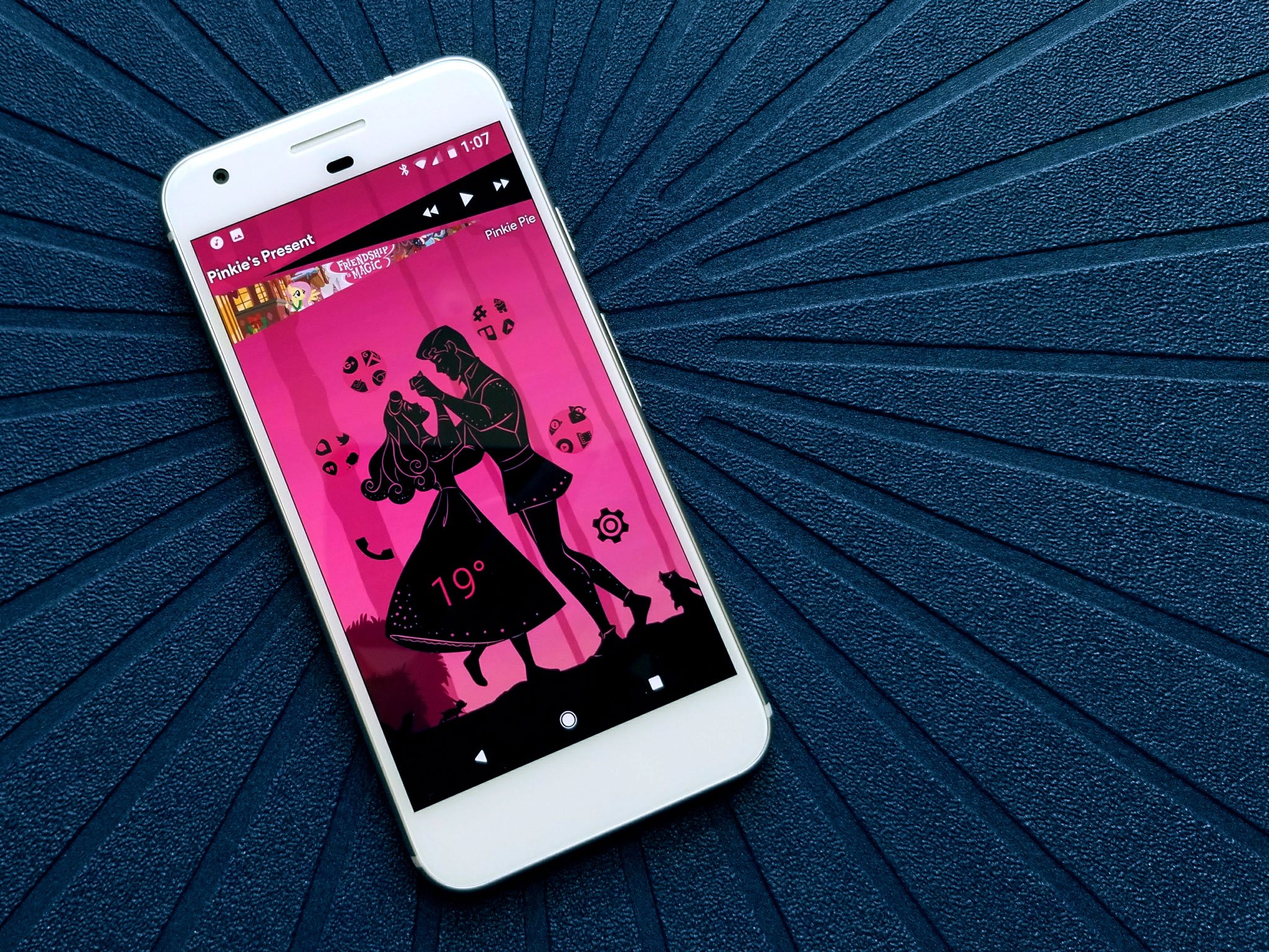
Whether you'll be spending Valentine's Day with your special someone or blissfully single, there's no denying that there's love in the air. In the dark and cold of February, we could all use a little warmth and sweetness in our lives, and we could some on our home screens, too! Put a little love in your heart and your Android with these wallpapers.
Heart wallpapers are available far and wide, but none attain quite the balance of beauty and brains as this Interstellar Heart series. The geometric, gradient-filled heart is overlaid with an algorithmic lattice, and the wallpaper's warm gradient is dotted with stars. On the whole, a beautiful piece, which makes it little wonder that it's available on Google's Wallpapers app under the Art category. There's also a darker version for those looking for something a little less pink.
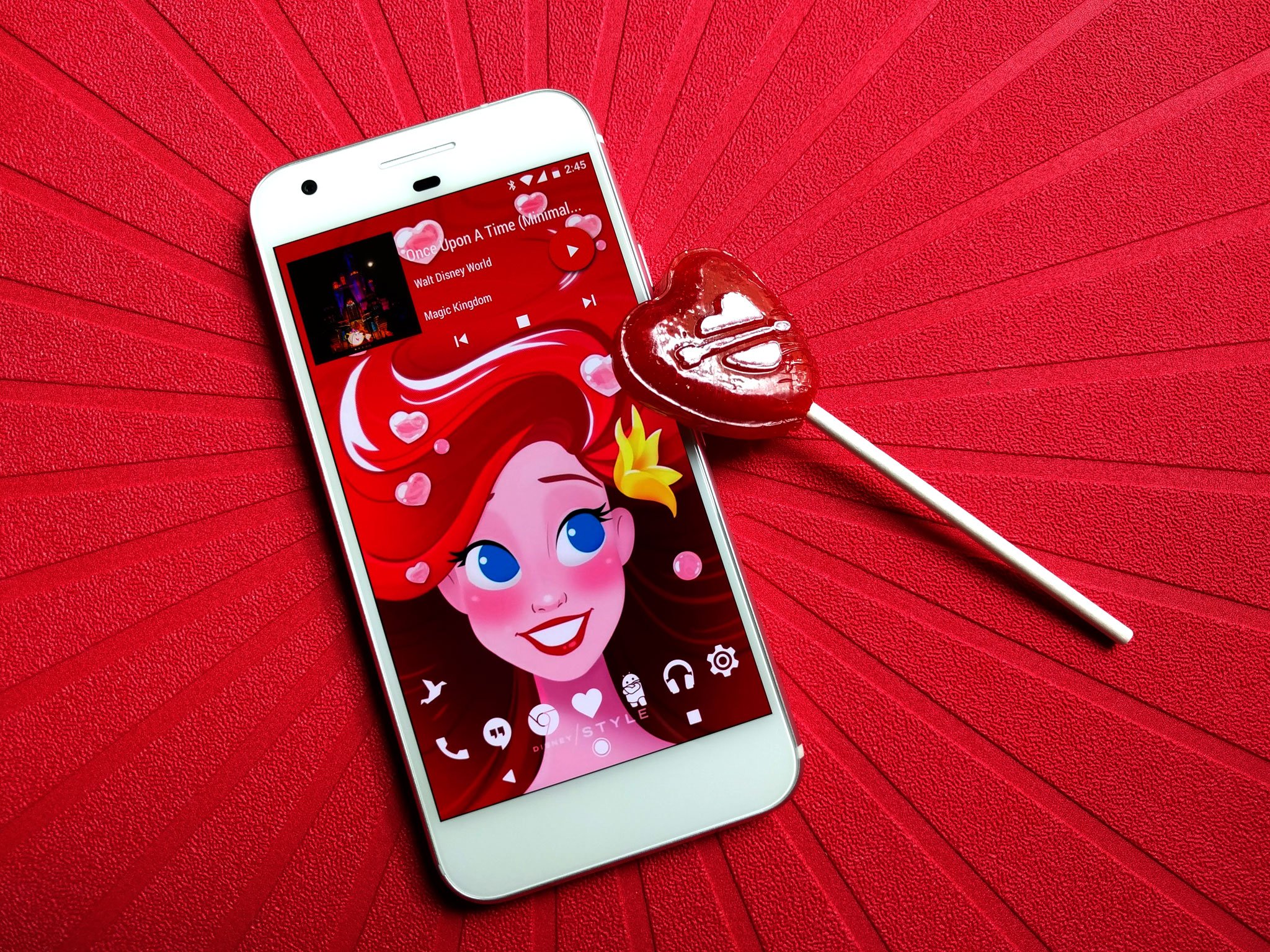
Valentine's Day is coming, and no one does Valentine's Day quite like Disney. The Disney Style blog has conjured up not one but five lovely wallpapers ready to grace your phone. From Tangled's Floating Lanterns to a love-struck Ariel, there's a wallpaper here for every kind of romance.
Howl and Sophie is a love story that resounds deeply with fans worldwide because it's a story that has depth. Howl is brash, he is vain, and even for all his magical know-how and tactical experience, he is at heart an idiot. And just as Sophie peels back the layers on Howl's life and begins to see and love him for what he truly is, Howl learns to see past the spell on Sophie and trust her and the feelings he has for her. Love is about acceptance, love is about trust, and love is about overcoming your own fear for them.
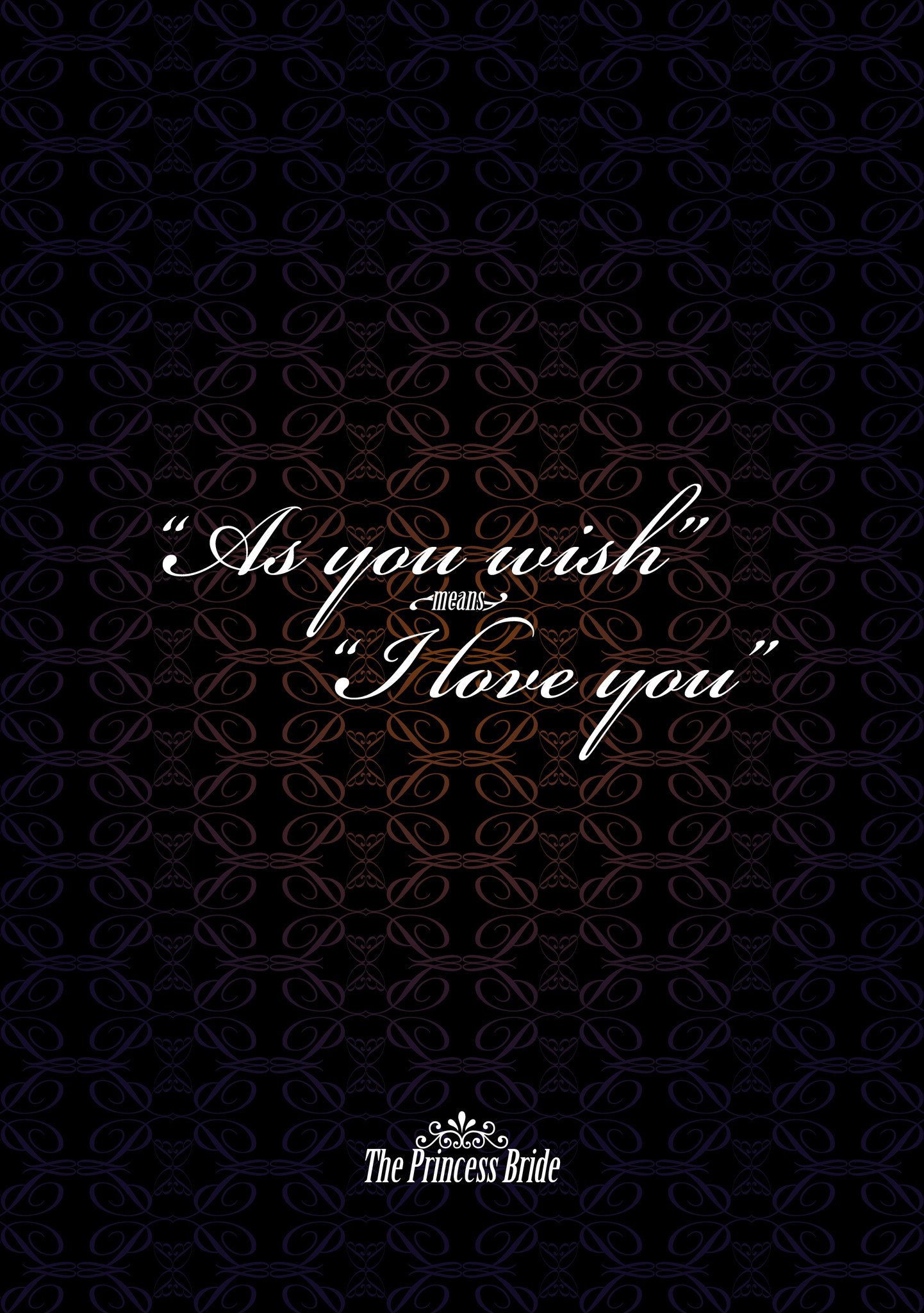
The Princess Bride is a kissing story, and y'know, we don't mind so much anymore. Buttercup and Wesley is also a love story that is as messed up as it is awesome and romantic, and Wesley's three word confession/affirmation of love is endearing, adorable, and makes every girl yearn for a pirate to order around.
This wallpaper is simple, elegant, and at the same time whisks us back to our childhoods dreaming of a true love that just won't quit. It's inconceivable how versatile a wallpaper it is!
"You keep using that word. I do not think it means what you think it means."
Roses are a symbol of love, of admiration, of affection, and while they may rise in popularity around Valentine's Day, I am here to tell you that roses rock every day of the year. They are beautiful, they are fragrant, they are also a wonderful metaphor for love.
They take lots of time, love, and care to maintain. They're prone to hurt you if you're not careful (and even if you are, sometimes). They usually take forever to bloom into something beautiful, and then that beauty can fade so quickly. They're susceptible to frost, heat waves, and all kinds of brights and beasties.
This may be one of the better pictures I've ever taken. Snapped alongside the rose path at Epcot, this yellow rose has the perfect kiss of sun on it. Yellow roses are a symbol of friendship, not romance, so this wallpaper can give your phone a festive air without being lovey-dovey. While this wallpaper is quite flexible when it comes to icon packs, Glim is what I've used with it.
Valentine's Day isn't just about roses and kissing. Oh, no, this holiday is known far and wide for the sweet treats that lovers and food-lovers whip up in order to show their affection with confection. These cupcakes may look simple, but that frosting job with the white roses marbling into red roses makes it a perfect wallpaper for those who want a Valentine's Day wallpaper that isn't quite as saccharine, but still makes you nostalgic.
Want a Valentine's Day theme for you phone fit for royalty? Head over to our Dark Disney Princess theme pack for some delectable themes with a dark flair and fresh new music widgets. Whether you're singing So This is Love or A Whole New World, we've got themes for the original OTPs!
If you load the Google Keep web interface this morning, you'll probably get a helpful blue update box at the top. This box informs you of a new feature in Keep for web and Android—centralized settings. Yes, this is something Keep did not have before, and technically the app still doesn't. We expect an update soon, but it's live online already.
Previously, you could change the list and reminder settings for individual notes by using the overflow menu and going to "List settings." Now these same options are available in the nav menu under the generic settings label.
Scientists are going to make a big announcement tomorrow that may confirm Einstein's last unproven theory. Many in the scientific community think that scientists at the Laser Interferometer Gravitational-Wave Observatory, or LIGO, collaboration are going to say that they've proven the existence of gravitational waves in our Universe. If they're right, it would be one of the biggest scientific discoveries in years — decades even.
Exactly 52 years after The Beatles made their historical debut on The Ed Sullivan Show, Sir Paul McCartney is bringing his musical talents to the world of emoji.
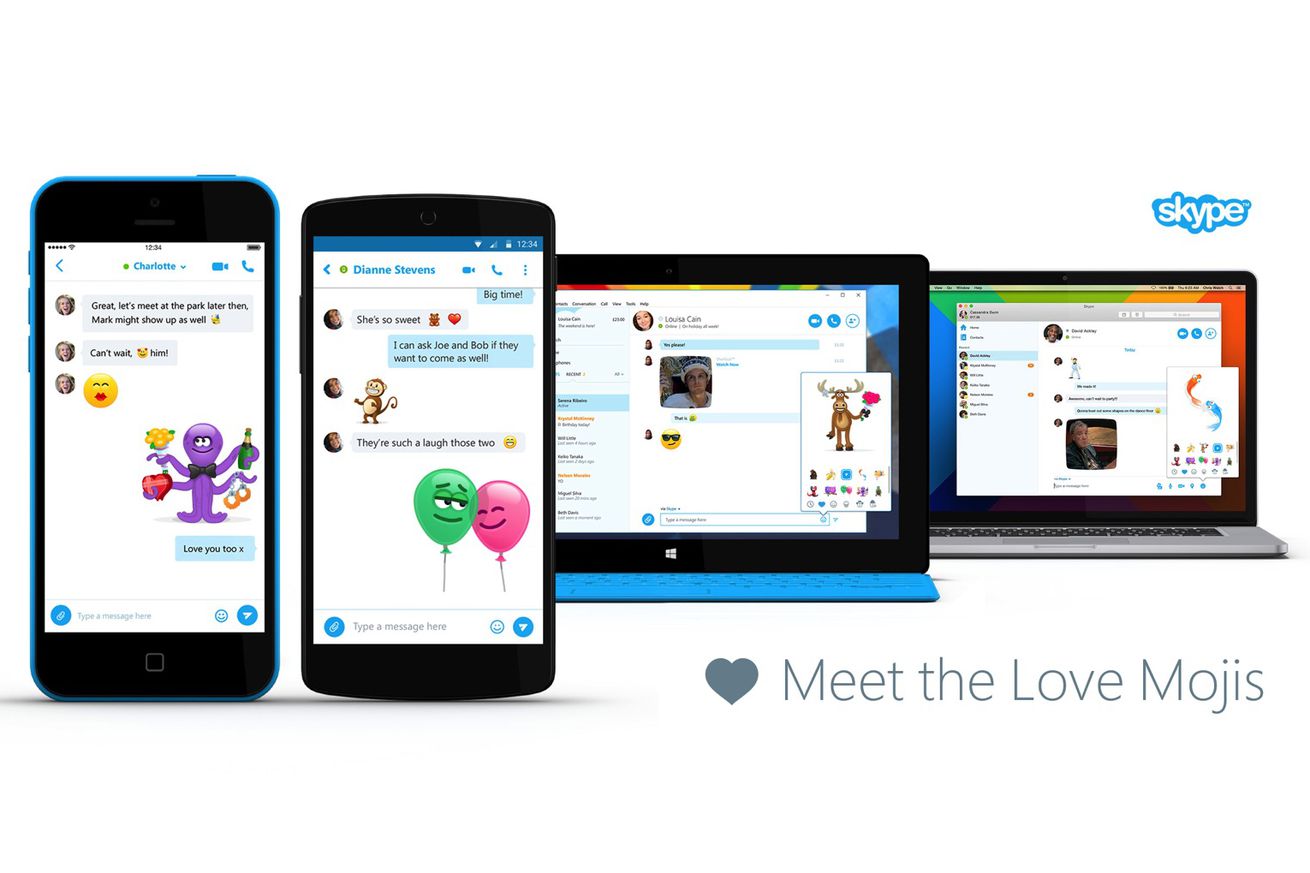
Microsoft-owned Skype has enlisted the help of McCartney to create a new group of 10 moving emoticons, which Skype calls Mojis, for the mobile and desktop versions of its app. The new "Love" Mojis include characters such as Sumo Cupid, Excited Octopus, and Flirting Banana.
These animated characters wiggle and gyrate to short chords of non-lyrical music or the occasional "doo dee doo deeeeee" from Sir Paul himself. They are clearly timed to Valentine’s Day, because who wouldn’t want to receive a flirtatious banana emoji that peels off its own fibrous skin on Valentine’s Day, am...
In order to publicize an upcoming exhibition on the domestic spaces painted by Vincent van Gogh, the Art Institute of Chicago has recreated one of van Gogh's most famous paintings — The Bedroom — as a rentable room on Airbnb. The room accommodates two from $10 a night (a steal frankly), and, well, it looks just like the goddamn painting. Right down to the copper-green streaks on the floor, the wicker-seated chairs, the pictures on the wall, and the bedside table with jugs, bowls, and brush. And, of course, it's just around the corner from the museum itself, if you feel inspired to visit.
Here's how it compares to the painting (one of three that van Gogh did of the room):
But what should you do in such a masterpiece of a room?...
In recent months Portuguese Internet providers have started to block hundreds of websites that allegedly link to copyright infringing content.
The voluntary blocking regime was formalized last summer through an agreement between several parties including the Ministry of Culture and the Association of Telecommunication Operators.
The agreement allows copyright holders to add new pirate sites without any intervention or oversight from a court, something which has now led to some unusual blocks in recent weeks.
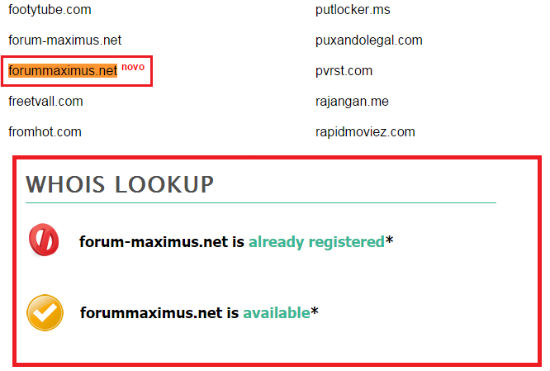
Aside from barring sites on questionable grounds, it appears that a simple typo can also get a website blocked. A few days ago a local news site spotted that one of the blocked domains is Forummaximus.net, which didn’t even exist at the time it was added.
Copyright holders were probably trying to block Forum-maximus.net, with a hyphen, but somewhere in the process someone made a mistake.
As a result, Portugal’s blocklist included a domain that wasn’t even registered at the time. After the news broke someone eventually registered the URL, but without any infringing purposes it seems.
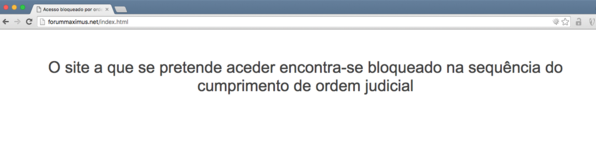
Still, visitors who try to reach the newly registered domain get the following error message (translated):
“The site that you’re trying to reach was blocked due to an order from the Regulator Agency.”
At the time of writing the correct site has been blocked as well, but the ‘typo’ error has yet to be corrected.
In this case the collateral damage is limited. However, it’s worrying that the lack of oversight from a court or third party organization can result in non-existent domain names being blocked.
It’s a fine example of how slippery the blocking slope can get.
TorrentFreak has reached out to local anti-piracy group MAPINET, who investigate the sites that are reported, to find out more about what went wrong. Thus far we haven’t heard back.
RootMetrics has published the latest performance rankings for UK's mobile networks, naming EE the fastest operator in the country. EE won at overall performance, network speeds, calls, text, and cellular data. Three came out on top in terms of overall reliability. The company collected data from over 875,000 samples, testing carrier performance during driving, at stationary outdoor locations, and over 1,400 indoor locations across the country.
From RootMetrics:
EE is the fastest and top overall operator: EE earned five out of six UK RootScore Awards for the UK as a whole. This included wins for Overall Performance, Network Speed, Mobile Internet, Call, and Text.
Three shined in reliability: Three narrowly pulled ahead of EE to rank first outright in Network Reliability for the first time. Three's reliable mobile internet and strong call and text performances helped the network retain its second place position for Overall Performance, despite finishing in last place for Network Speed.
O2 improved performance across calls, texts and speed: O2 moved up into third place for Speed and second place for Text, both at the expense of Three. O2 also tied for second place with Three for Call Performance. However, this was not enough to lift the network from the bottom of the Overall Performance rankings.
Vodafone claimed second place for network speed for second consecutive time: The operator earned the hotly contested second-place position for Network Speed and ranked third for Overall Performance.
Check out the report in its entirety from the link below.
Amazon is running a sale on its Fire range of tablets, with the 7-inch Fire tablet, which is now available for just $39 in the U.S. and £39 in the U.K. The Fire HD 10 has been discounted by $50 to $179, and the Fire HDX 8.9 is now available for $429.99.
The 7-inch Fire Kids Edition tablet is also on sale for $79, $20 off its retail price. Along with the Fire tablets, Amazon is also offering discounts on Kindle e-readers. Head to the retailer from the links below to check out all the devices currently on sale.
There’s been plenty of speculation around the future of browser maker Opera, and now that looks like it will soon be resolved. Today the Norway-headquartered company confirmed that it has received a $1.2 billion acquisition offer from a group fronted by Chinese consumer tech companies Kunlun Tech and Qihoo 360. Read More
LG's G5 is set to be a major departure from the company's previous flagship phones, with an entirely new design featuring an unusual accessory slot at the bottom. And LG just announced a new feature — according to a GIF posted to Facebook and reproduced below, the phone will have an "always-on" screen. "Never go asleep while others do," LG's message implores.
That doesn't mean that the phone's regular display will always be on, of course. It looks like the screen will display basic information like the time, date, and notification alerts in a black-and-white state. That's not a major departure from what Motorola has done with active notifications on phones since 2013's Moto X, but it does suggest that LG could switch to OLED screen...
Even Adobe is sick of Flash — the software's creator has started urging people to stop using it in favor of HTML5 — but the player still persists in web ads across the internet. Fortunately, that may soon be about to end. Google has announced that from June 30th this year, its widely used AdWords and DoubleClick advertizing services will no longer allow uploads of ads built in Flash, forcing users to code their display ads in HTML5 instead. From January 2nd next year, Flash ads won't run at all on DoubleClick or the Google Display Network.
Google has slowly shifted in favor of HTML5 in recent years, adopting the format as default on YouTube, and making it easier for ad creators to switch their campaigns from Flash to the newer format....
In a major milestone for Google's self-driving car efforts — and the entire autonomous car industry — the National Highway Transportation Safety Administration (NHTSA) has said in a letter that the computer inside Google's self-driving car can be considered the "driver" of the vehicle.
This has the potential to pave the way for Google's car, which has no steering wheel or pedals, to hit the streets in a broader capacity. The letter, which seems to struggle at times to adapt self-driving car technology to existing safety regulations, nonetheless largely interprets the regulations as to apply to "whatever (as opposed to whoever) is doing the driving." In the case of Google's car, a piece of the car itself — called the Self-Driving System...
Welcome to the roundup of the best new Android applications, games, and live wallpapers that went live in the Play Store or were spotted by us in the previous 2 weeks or so.
Please wait for this page to load in full in order to see the widgets, which include ratings and pricing info.
Looking for the previous roundup editions? Find them here.
Featured App
Internet Radio - PlayTime
This week's roundup is brought to you by Playtime Internet Radio from HandyApps.
Whether you’re reading a non-fiction book for school or for fun, it’s pretty common to want to breeze through them quickly. Non-fiction book aren’t typically structured like fiction books, and as the Harvard Business Review points out, they’re much easier to skim if you want to. Here’s how HBR suggests you do it.
The thought here is basically skim with intention, an idea we’ve mentioned before. Obviously, you’re not going to get the full set of information this way, but it’s a good way to cruise through a book when you have to:
Start with the author. Who wrote the book? Read his or her bio. If you can find a brief interview or article online about the author, read that quickly. It will give you a sense of the person’s bias and perspective.
Read the title, the subtitle, the front flap, and the table of contents What’s the big-picture argument of the book? How is that argument laid out...
Read the introduction and the conclusion. The author makes their case in the opening and closing argument of the book. Read these two sections word for word but quickly...
Read/skim each chapter. Read the title and anywhere from the first few paragraphs to the first few pages of the chapter to figure out how the author is using this chapter and where it fits into the argument of the book...
End with the table of contents again. Once you’ve finished the book, return to the table of contents and summarize it in your head...
It’s a pretty simple plan. Personally, I’d add that if you have the time to read, only skim through the chapters that don’t interest you. With non-fiction, it’s rarely a problem to ditch entire chapters when they aren’t appealing to you. Doing so can also help keep your interest level high enough that you’ll continue to enjoy reading, which is what really matters. Head over to Harvard Business Review for more details.
We knew a new Star Trek series was coming next year, but it just got incredibly more interesting: Hannibal and Pushing Daisies creator Bryan Fuller will be serving as showrunner and co-creator. It's a bit of a homecoming for Fuller, who actually started his career writing for Star Trek: Deep Space Nine and Voyager. His character-rich style of storytelling, as exemplified on shows like Heroes, Daisies, and Dead Like Me, would seem to be a perfect match for Trek, which at its very best has always been about the people on the ships first, and the pyrotechnics, second.
"My very first experience of Star Trek is my oldest brother turning off all the lights in the house and flying his model of a D7-Class Klingon Battle Cruiser through the...
An obvious but exciting development in the world of autonomous vehicles arrived today. As noted by Quartz, Google has been awarded a patent on self-driving delivery trucks that would bring packages to your door. The truck would be full of secure compartments that the waiting human can open with a pin number or credit card. The only real question is: will this be faster or cheaper than ordering from Amazon Prime Air or Uber's inevitable entry into the world of autonomous package delivery?
The patent explains that the truck would use a combination of sensors such as radar, video cameras, and range-finding lasers to see the road and traffic around it. Customers could request a delivery, choose the method they want for unlocking the secure...
One of the UK parliamentary committees that is scrutinizing proposed new surveillance legislation has published its report on the draft Investigatory Powers bill — and it makes for uncomfortable reading for the government. Read More
It’s Safer Internet Day, and when it comes to the security of your email, we don’t mess around. Gmail has always supported encryption in transit using TLS, and will automatically encrypt your incoming and outgoing emails if it can. We support industry-standard authentication to help combat email impersonation. And there are tons of other security measures running behind the scenes to keep your email safe.
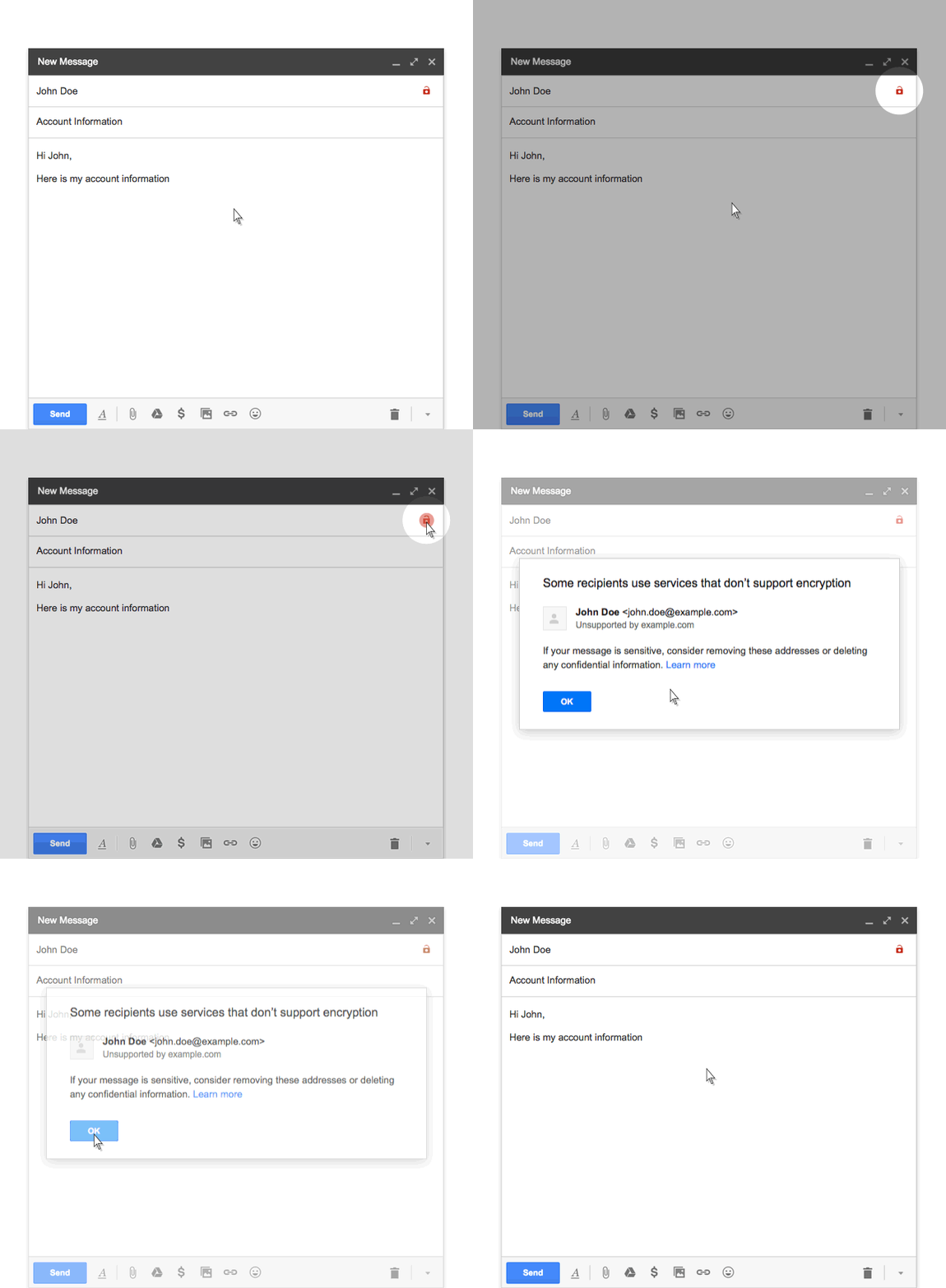
Of course, it takes at least two people to send and receive an email, so it’s really important that other services take similar measures to protect your messages---not just Gmail. Unfortunately, not all email services do. And that’s why, starting this week in Gmail on the web, you’ll see two changes that highlight any affected messages:
If you receive a message from, or are about to send a message to, someone whose email service doesn’t support TLS encryption, you’ll see a broken lock icon in the message.
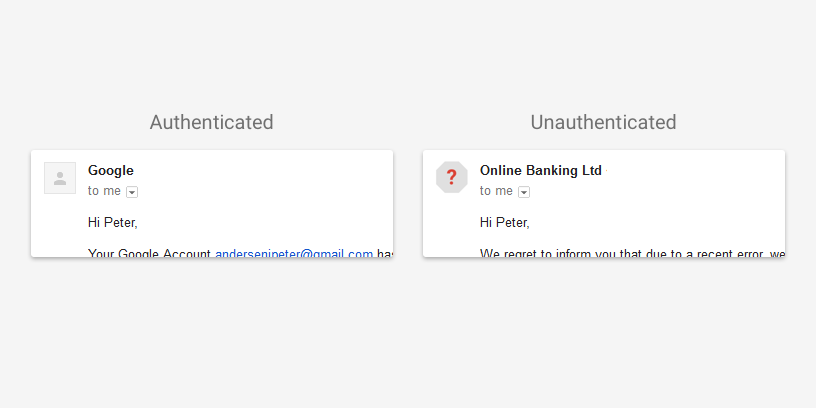
If you receive a message that can’t be authenticated, you’ll see a question mark in place of the sender’s profile photo, corporate logo, or avatar.
Not all affected email will necessarily be dangerous. But we encourage you to be extra careful about replying to, or clicking on links in messages that you’re not sure about. And with these updates, you’ll have the tools to make these kinds of decisions.
Bitcoin is in the midst of a civil war. It has been simmering for some time, though it remained largely out of view to the general public until last month, when a prominent Bitcoin developer announced that the cryptocurrency and the technology underlying were, in his opinion, a failed experiment.
The developer, a former Google engineer named Mike Hearn, believed that bitter infighting and intransigence among the core development team had paralyzed the system, which was facing growing pains that, unaddressed, would cripple the currency so badly it was unlikely to recover. Pundits piled on to pronounce Bitcoin dead, and even its staunchest advocates admitted it was unclear if the project would continue to thrive.
"Welcome to our bookstore," reads the blurb for Google's new Editions at Play initiative. "We sell books that cannot be printed."
It's a simple manifesto that marks an interesting foray into the digital arts for Google. Editions at Play is all about exploring the idea of "digital books" — not just ebooks, but books that simply can't exist on static, printed paper. The project launched last week with a pair of new titles: Entrances & Exits by Reif Larsen, and The Truth About Cats & Dogs by Sam Riviere and Joe Dunthorne. The first is essentially a point-and-click adventure game in Google Street View, while the second is a "failed collaboration" consisting of Riviere's and Dunthorne's diaries which readers can switch back and forth...
Microsoft's Windows 10 updates have been constant and regular since the operating system's release in July last year. While updates are always welcome, Windows 10 users don't really know what's changing when a patch gets applied. Microsoft rarely releases detailed release notes, and the updates are often applied automatically behind the scenes. To coincide with today's Patch Tuesday (the day Microsoft releases security fixes each month), Microsoft is creating a Windows 10 update history site.
With the amount that we do online, from working to learning, shopping to connecting, online security is a critical piece of our everyday life. That’s why we build multiple lines of defense in Android to make the internet safer for over a billions users. Even with these layers of protection, it still doesn’t hurt to take a couple of extra precautions to be super safe. In the spirit of Safer Internet Day, we want to share a few safety tips you can follow:
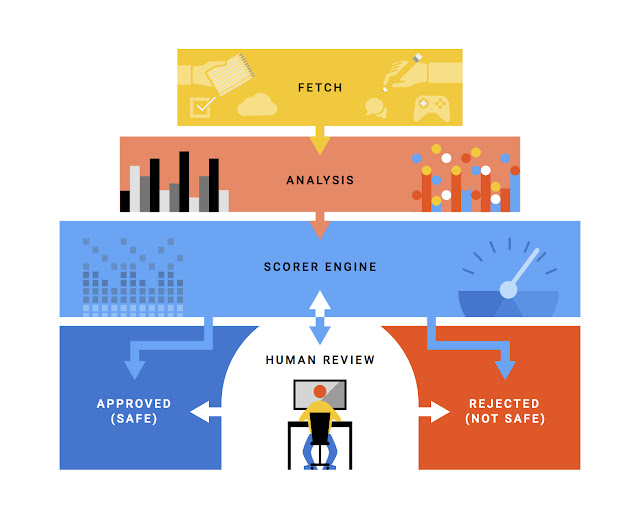
1. Use Google Play to find safe apps We do a lot behind the scenes to review apps before they can be published on Google Play, so even before you install an app, Google uses a variety of methods to check that developers are complying with our policies. If an app violates those policies, it is blocked from Play and sometimes the developer is too. Apps that are considered to be potentially harmful are blocked and flagged for a manual review by members of the Android Security Team. To learn more about this review process and how Android continues to keep your device safe even after you download an app, read our recently published whitepaper.
The app review process before it can be added to Google Play
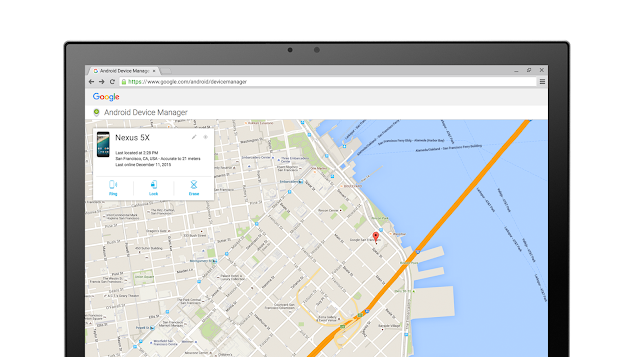
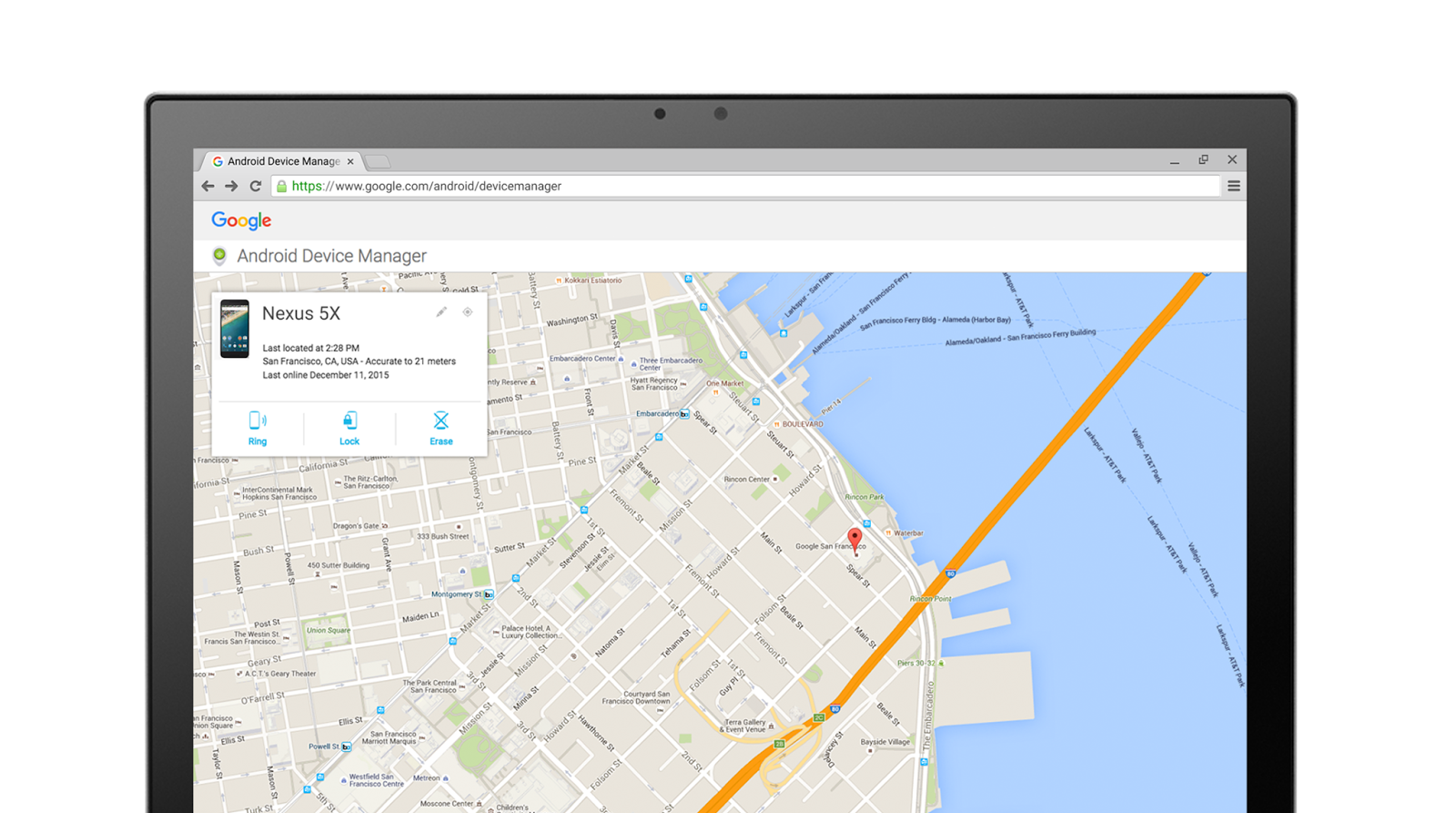
2. Set a screen lock and activate Android Device Manager Anybody can lose their phone, so it’s important to set a screen lock so a stranger can’t access what’s on your device. And should you ever lose your device, you can remotely locate, lock, or even wipe it with Android Device Manager. This feature comes preinstalled on all Android devices with the Play store, so you just need to activate it.
3. Check that your device is encrypted Encryption is important because it protects your data by storing it in an unreadable form, so if your device is lost or stolen your information remains protected. To ensure that your device is encrypted enter Settings, tap Security, and tap Encrypt phone (or Encrypt tablet) under Encryption. Newer Nexus devices, like the Nexus 5X and Nexus 6P, are encrypted by default.
4. Manage app permissions Each Android app is housed in a virtual sandbox. That means, unless you’ve given it additional permissions, the only data an app can use is the data that’s in it. For example, apps that you install aren’t able to access information like photos or your location unless you give them permission. On devices running Android 6.0 Marshmallow, you can control a given app’s permissions by entering Settings, tapping Apps and selecting an app from the list of installed apps surfaced. On the App info screen, you’ll see a Permissions category that lists all the permissions that app has access to. When you click on this you’ll be able to toggle on and off individual permissions.
To learn more about how Android keeps you safe, check out the Android Security website. Happy Safer Internet Day!
Posted by Eric Davis, Senior Program Manager, Android Security
You might see a new broken lock icon in Gmail messages starting today. It can warn you if you’re sending a message to an email service that doesn’t support encryption or if you received a message that wasn’t encrypted.
Although Gmail itself supports email authentication and encrypting emails in transit, not all email services do, hence the new warning icon. If you see it when composing your message, make sure your email doesn’t contain sensitive information. (But if you’re sending sensitive info over email, you should encrypt it yourself anyway.)
Also, if you get an email from a sender who can’t be authenticated, Gmail will replace the sender’s avatar with a question mark icon, so you can be more careful when replying to the sender or clicking on links in the message.
TL;DR: These two new icons are security warnings, so just be a bit more careful when you see them.
Trade agreements like TPP and the US-EU TTIP are notorious for their Investor State Dispute Settlement (ISDS) clauses, which let corporations sue governments in secret proceedings, in order to force them to get rid of environmental, safety and labor laws that reduce profits.
(more…)
 Twitter today reported its fourth-quarter earnings — one of the most important quarters of the company’s history — and basically fell flat on its face. Twitter’s monthly active user growth, on a quarterly basis, was flat, compared to a slight jump that what analysts were expecting. Last quarter, the company had 320 million monthly active users, and this quarter was… Read More













 If you load the Google Keep web interface this morning, you'll probably get a helpful blue update box at the top. This box informs you of a new feature in Keep for web and Android—centralized settings. Yes, this is something Keep did not have before, and technically the app still doesn't. We expect an update soon, but it's live online already.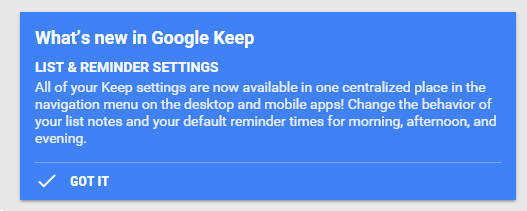




 In recent months Portuguese Internet providers have started to block hundreds of websites that allegedly link to copyright infringing content.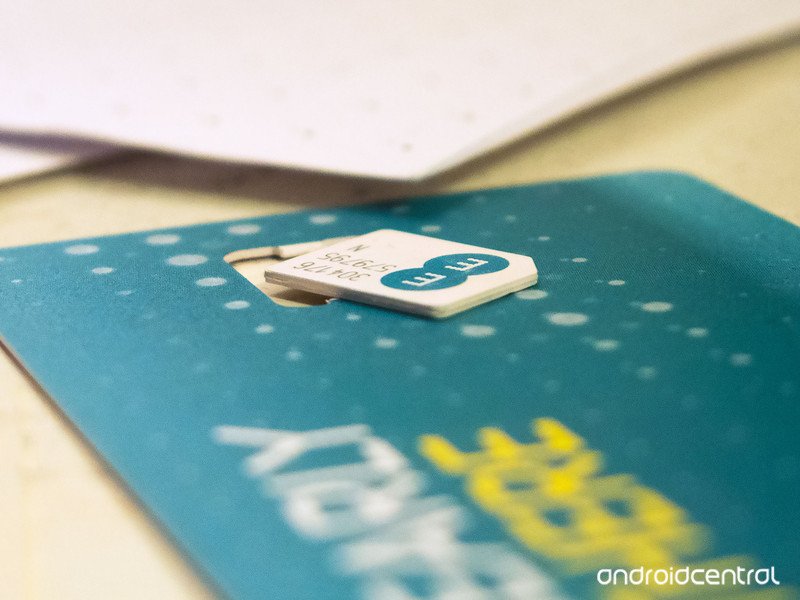

 There’s been plenty of speculation around the future of browser maker Opera, and now that looks like it will soon be resolved. Today the Norway-headquartered company confirmed that it has received a $1.2 billion acquisition offer from a group fronted by Chinese consumer tech companies Kunlun Tech and Qihoo 360. Read More





 Welcome to the roundup of the best new Android applications, games, and live wallpapers that went live in the Play Store or were spotted by us in the previous 2 weeks or so.



 One of the UK parliamentary committees that is scrutinizing proposed new surveillance legislation has published its report on the draft Investigatory Powers bill — and it makes for uncomfortable reading for the government. Read More