Google today is stepping up its battle with Venmo, Square Cash and other person-to-person payment applications with an update to its Google Wallet mobile app, which now allows for automatic transfers to your bank account. That is, transfers will no longer require you to cash out money from your Wallet balance first. This will speed up the time it takes for Wallet users to gain access to… Read More
When a tornado destroyed this Starbucks in Kokomo, Indiana on Wednesday, there were reportedly more than a dozen people inside. After store manager Kim McCartney called employee Angel Ramos to tell him about a texted tornado warning she'd received, he rushed everyone into the bathrooms. A few minutes later, a tornado destroyed the building leaving only the bathrooms intact. Amazingly, nobody was injured.
“I could see the sky from holes in the bathroom ceiling, so I figured there was some chunk of the store that would be missing,” Ramos said in a report posted on Starbucks.com. “I didn’t know it would be the whole thing.”
Our autonomic nervous system influences internal organs and governs key functions such as heart rate, digestion, and temperature regulation. Psychosomatic diseases are those without clear physical basis, and are presumed to have a mental component. They are often viewed with suspicion by modern medicine because a neural link between brain areas of cognitive function and the autonomic nervous system has been lacking. Until now.
In a paper appearing in Proceedings of the National Academy of Sciences, Dum et al. have identified a neural network linking the adrenal medulla to areas of the cerebral cortex in monkeys. These cortical areas are involved in motion planning and control, cognitive function, and emotional regulation. The authors believe this circuitry can provide top-down control of the adrenal gland's release of stress hormone which govern "fight or flight" responses. They state that:
Taken together, these findings raise the possibility that the areas of the cerebral cortex that influence the adrenal medulla also are key cortical nodes of a “stress and depression connectome.”
An approachable summary of this work can be found here.
Well that was fast. Just one day after WhatsApp revealed a sea-change in its attitude to user data, by detailing plans to share the mobile numbers and last seen status of its users with parent company Facebook for ad-targeting and marketing purposes, the UK’s data protection watchdog has fired a warning shot across Zuckerberg’s bows by announcing it intends to investigate the… Read More
President Barack Obama will expand the size of the Papahānaumokuākea Marine National Monument in the Pacific Ocean to over 580,000 square miles from 140,000 square miles. The sanctuary, which contains thousands of marine species, stretches across the Midway Atoll and Hawaii, and will become the world’s largest protected marine area, TheNew York Times reports.
Obama will travel to Midway Atoll next week to mark the vast expansion. First, he will address the Pacific Island Conference of Leaders and the IUCN World Conservation Congress in Hawaii, and then later in the week he will fly to Papahānaumokuākea to mark the designation and “highlight first-hand how the threat of climate change makes protecting our public lands and waters more...
by Tigrisan on Hackerspace, shared by Andy Orin to Lifehacker
Welcome to Hackerspace! The reader run community where, on Fridays, you can stop by and say hello, tell us about a hack you did this week or just chit chat the day away.
Since the theme this week is pets...you get to see my pets! These are my dogs. Frick and Frack, er...I mean Ciine (Coon-yeah which means dog in Romanian and don’t ask) the red one and Murphy, the rescued blue one. This is their usual dog pile except for those times when we have something like the next picture. That
would be the husband at the bottom of the pile. This is their second favorite way to sleep. All three of them!
Gotta love ‘em!
By now, most of you have experienced some fallout from the sale of Gawker and the fact that now, a lot of us are being followed by the sub-blogs of the main blogs we followed. I know, it sounds confusing and it is a bit. But I’m sure things will sort themselves out and am hoping the sub-blogs I love will remain. Many of you have also noticed that Kinja is not working correctly all the time. For me, it’s been freezing which for some odd reason also causes my Newsblur feed reader to freeze. Nothing else on any other site does so I know it’s Kinja. I have a theory but in the meantime, I’ll just wrap my laptop in aluminum foil and hope for the best ;) I do think it’s a great example of how not to hack things and sure hope it straightens itself out.
Let’s talk about anything that blows your skirt up today. Except politics. This is always a politics free zone. There are way too many places in the Kinjaverse to argue, um...discuss politics so if you’re inclined to want to talk that, please not here. Anything else today is fair game! Hacks, DIY’s, what’s happening to our Kinjaverse here, your pet’s latest cute, cars you love, food you nom on, what have you. Post pictures! I love pictures. Poems, music, videos, the weather...what have you. And because this was my yesterday and what my life revolves around with my job, I posted a few here: Pictures. Also, for those of you who missed it, this is one of my favorites... How to Give a Cat a Pill
You’ve seen my pets. Let’s see what you’ve got! :)
As always, today’s open thread is brought to you by Hackerspace, a band of ragamuffins living in squalor who run the blog you’re currently reading. If you’re a person who wants an audience for your ramblings, we’re willing to pair you with an opportunity. Leave a message in the comments and we’ll see what we can do.
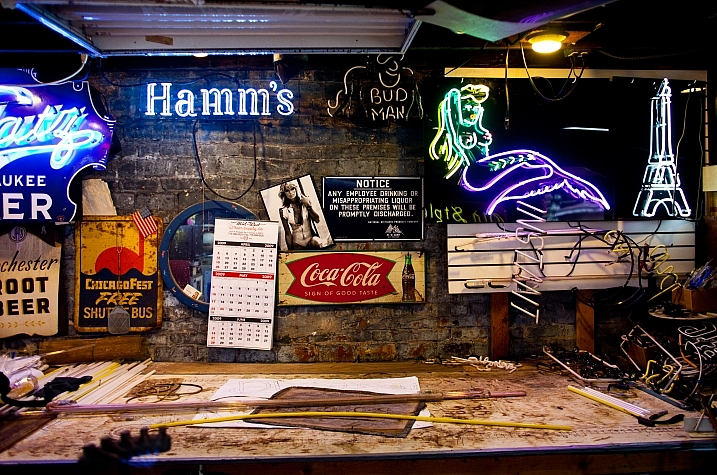
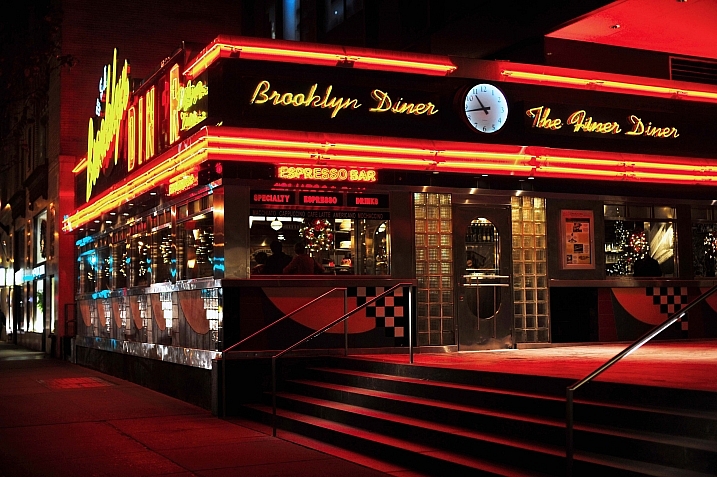
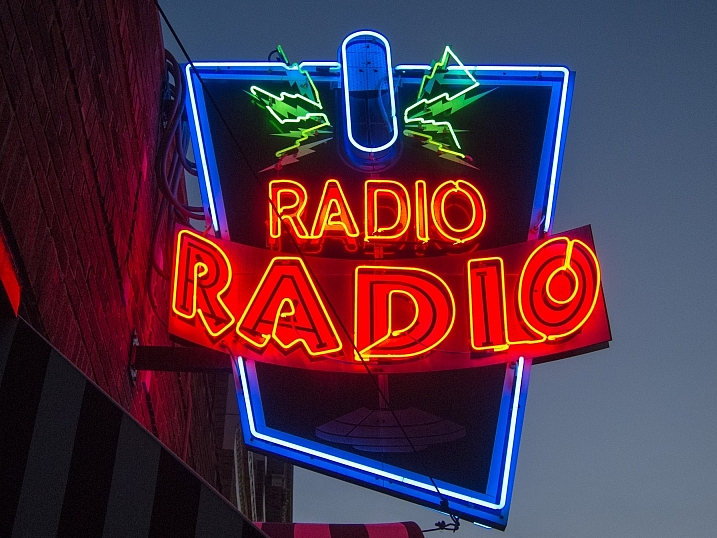
As the song goes, we are bombarded by signs on a daily basis. Traffic signs, store signs, window signs, it’s never ending. But what if those signs are extremely photogenic like neon ones?
See what these photographers have created by shooting some neon signs (some lit up, some not).
EMERGENCY came to Android more than 3 years ago in March of 2013. Back then, the Xperia Z was the hottest phone on the block, the Galaxy S4 was starting its pre-orders, and Holo was the coolest design language we could imagine. But EMERGENCY was rather well received thanks to its replay value. With 13 disaster scenarios and 18 units under your command, you could manage your resources differently to try to save as much lives and fight as many terrorists as you could, and thus control the situation better and faster.
If you’ve ever had a potted plant that seemed to bend and reach towards a sunny window or light, you know you should probably move it a little closer. Getting the plant to grow evenly though, once it’s already started to bend, is trickier without hurting it. Here’s how.
If you have a plant that starts growing towards sunlight, also called etiolation, slowly move your plant to more and more direct sunlight, and rotate the plant to even out the direction it grows. If you move it too quickly from shade to sun, you can scorch or sunburn a plant that’s not ready for that much sudden light, so make the change gradual. Then, even out the growth of the plant by turning the pot a little every few weeks so that the plant has even exposure on all sides to sunlight.
Summer’s the season for travel. If you’re hopping a plan out of the country or heading home, you could use some music to slip away into on the flight. This playlist will help you relax until you reach your destination.
This playlist, curated by Spotify, features nearly four hours of calm, relaxing music that you can put on while you nap. It features artists like Bon Iver, Elliot Smith, Arcade Fire, and a ton more. Just be sure to download it to your phone before your flight takes off.
Welcome to our Featured Playlist series. Each week, we’ll share a new themed playlist, embedded for your convenience! You can copy the track list to your service of choice, or listen right here. Have a sweet playlist of your own? Share it with us in the comments below!
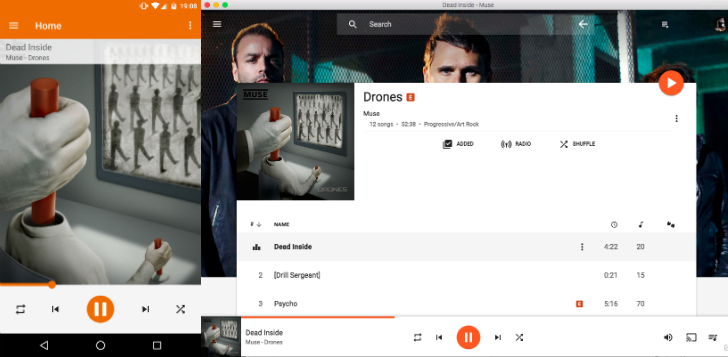
I've long dreamt of a way to control Play Music on my desktop with my phone. It's one of those things I'd basically given up on, until I found out about Desktop Remote, for Google Play Music. It uses a "wrapped" web Play Music interface so your phone can control the music playing on your desktop PC.
I've been using this today and I can say it works really well. Much like Radiant Player for macOS or the official Chrome extension, it controls the function keys so the play/pause/skip buttons work for Play Music.
One of the benefits of Google's Nexus devices is that you can flash full factory images if something goes wrong. Google makes these files available for download each time a new OTA update rolls out, and the first few devices now have Nougat images. This could be just what you need to get your device back on a stock build of Android in a single step.
So far, Google only has a few images live, all of which are build NRD90M.
Dropbox is requiring users who have not changed their passwords since mid-2012 to reset their passwords this afternoon.
The action appears to be related to continued fallout over the massive hack on LinkedIn in 2012 where credentials for 117 million accounts were posted online. In recent months, treasure troves of user credentials and passwords — in addition to a large MySpace hack… Read More
A committee of UK lawmakers this week said that Facebook, Google, and Twitter are "consciously failing" to combat terrorist propaganda and recruitment on their platforms, escalating an ongoing debate over the role of social media companies in curtailing online extremism. In a wide-ranging report on radicalization published Thursday, the UK Parliament's Home Affairs Committee said that social media platforms have become "the vehicle of choice in spreading propaganda and the recruiting platforms for terrorism." The Wall Street Journal first reported on the committee's findings on Wednesday.
Lawmakers in the US and Europe have called on social media companies to crack down on propaganda spread by ISIS and other extremist groups, following...
It doesn't look like Spotify will be getting into the album exclusive game anytime soon. In a recent interview with Billboard, Troy Carter, Spotify's global head of creator services, called exclusives "bad for artists, bad for consumers, and bad for the whole industry." He joked to Billboard that Spotify will only have "inclusives."
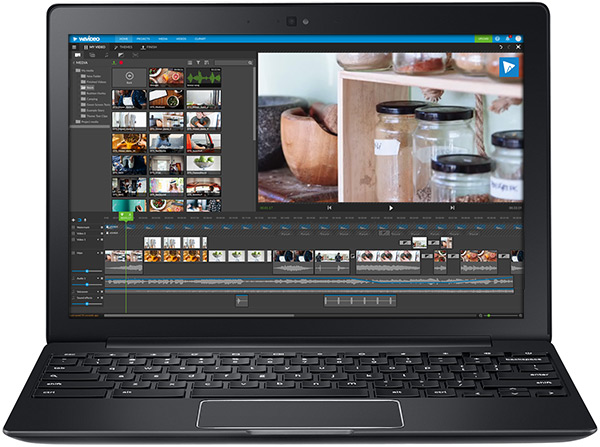
WeVideo has rebuilt its browser-based video editor using HTML5 instead of Flash. For many of you, the whole debate about HTML5 versus Flash may seem like a weird flashback to 2010. But Flash is taking a while to die completely — Google Chrome, for example, continues to phase out Flash gradually. CEO Krishna Menon said that in the case of WeVideo’s new editor (which launched… Read More
Prince’s legendary home and recording studio complex in Chanhassen, Minnesota, will likely open to public tours beginning in October, according to a report from Minnesota TV station KARE 11. In a statement released yesterday, the late musician’s siblings announced that the complex, called Paisley Park, will be transformed into a museum.
"Opening Paisley Park is something that Prince always wanted to do and was actively working on," Prince’s sister Tyka Nelson said. Only a few hundred people have ever been inside Paisley Park, Nelson said, but now fans from around the globe will be able to step into the world of Prince Rogers Nelson.
Paisley Park, built in 1987 for $10 million, spans 65,000 square feet on nine acres of land, according...
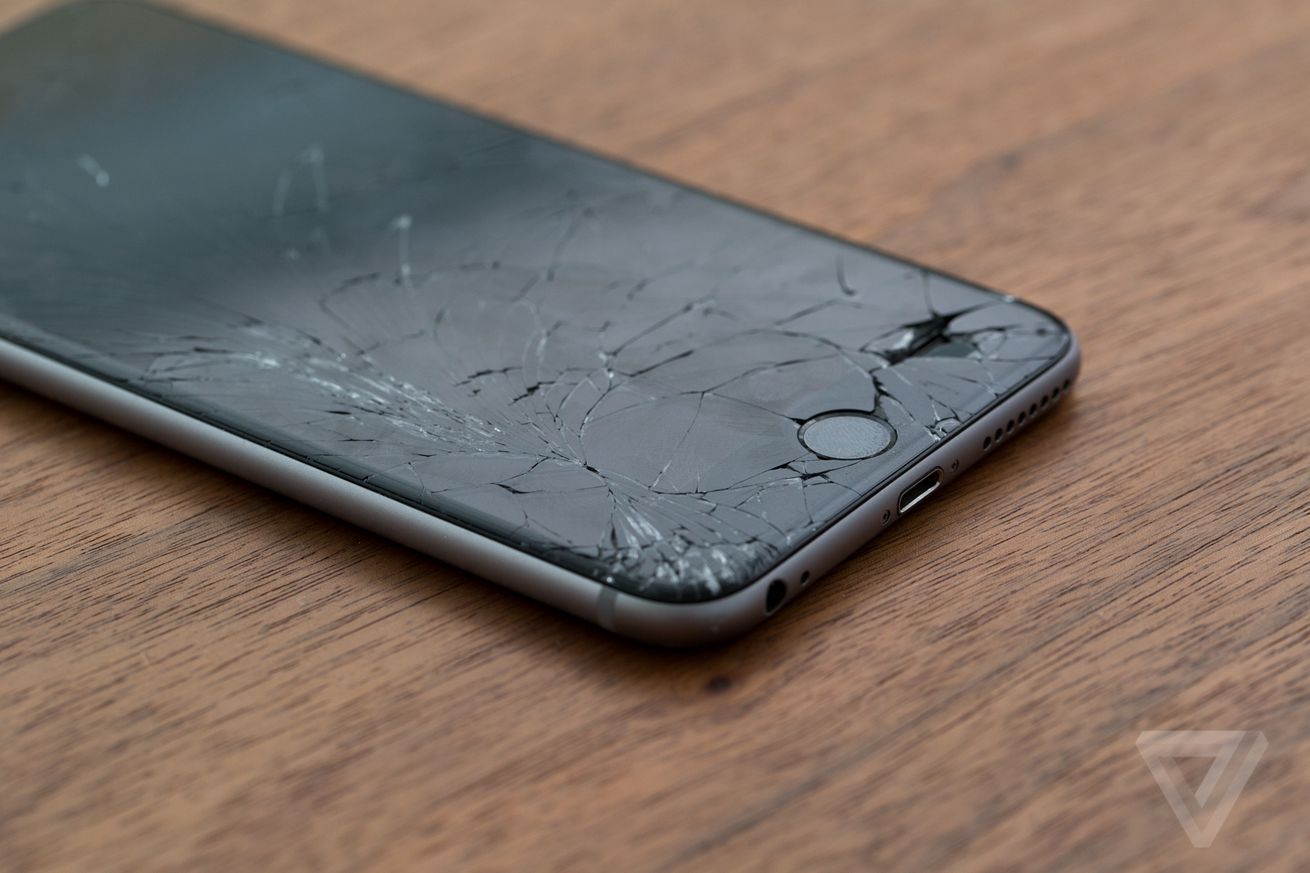
Security researchers have discovered an unprecedented exploit on iOS that was used by a “digital arms dealer” to spy on political dissidents and high-value targets.
Take your Android photography to the next level with these tips and tricks for capturing masterpieces with your smartphone.
Many Android phones come with a high-quality camera designed to capture your subject's tiniest details and features, and while they're not technically on the same level as a DSLR camera, you can still take the perfect picture with just your phone if you know how to use it. Even if you're a beginner, you can quickly learn how to capture amazing photos with your Android phone (and if you actually are a beginner, be sure to check out our top 10 Android photography tips for beginners!)
Here are some helpful tricks to help you take better photos with your Android device!
Get acquainted with your phone and all the camera settings before you start shooting, and you'll feel a lot more comfortable capturing your shots!
While shooting from your phone's stock camera is great for 99.9% of pictures — especially if you've got a recent Samsung, LG or HTC phone — playing around with the various modes and settings can really allow you to experiment and get creative.
Make sure your lens is clean
While this may seem like an obvious one, cleaning your phone lens can be a lot harder to remember than cleaning your DSLR lens. After all, there's no lens cap protecting your Android phone's camera from dirt and scratches like professional cameras have.
Carrying around a small lens cleaning cloth, or even having small micro fiber lens cleaning patches stitched to the inside of your purse or your jacket are simple ways to remind you to clean your phone lens and screen, so you're always ready to take the clearest shots with your phone.
When it's dark outside, it's a knee-jerk reaction to turn on the flash to light up your photos, but it's not always the best for picture quality. In fact, we'll go one further: Don't bother using your flash. Nearly ever.
Always try to find a natural light source when you're shooting your photos. If you're at a restaurant and want to snap a picture of your meal, try to get a seat by a window, so you can capture all the meal's details with the perfect lighting. If you're looking to take a selfie, try posing in front of a big window. This won't only make your face and features light up – even on a cloudy day – but it will darken the background and make you the center of attention.
If it's absolutely impossible to capture your picture without natural lighting (and sometimes that's the case), try your best to find another external light source, like a lamp or even a candle. While it may seem silly, almost any other lighting will look better than the flash, especially since you then have more control of what you choose to light and highlight in your photographs.
Crop, don't zoom
Just like your Android phone's flash, zoom is another readily available option for phoneographers that should be avoided like the photographic plague.
Zoom can lower the quality of your pictures, and you might actually be cutting out something you didn't notice in the photo that you may find amazing when you glance at the picture during editing.
It's hard to remember when you're shooting, but your Android device is not the same as a DSLR camera: you can't just zoom in on something and have the quality stay virtually the same. A lot of professional photographers avoid the zoom altogether and prefer to crop strategically in the editing process afterwards, so they don't miss out on anything they captured in the picture.
If you really need to get in close with your subject, pick yourself up and physically move closer to it rather than using your zoom. This is the best way to get creative control over your photo subject without using zoom to mess up the picture's overall quality.
Burst first, ask questions later
Bursting may seem like a lazy way to take pictures, but it's probably the most efficient way to capture your perfect shot!
Whether it be selfies, landscapes, or a masterpiece of a meal, using burst is a great way to take a bunch of photos without stress: just hold down the shutter button and your phone will take rapid-fire shots that you can browse through later to find the perfect one.
While a bunch of the pictures you take with burst will be terrible and totally unusable, there are bound to be a few gems hiding in there. Take the time to go through your burst shots and pick out the best ones, and always remember to delete the bad burst photos so they don't take up space on your phone.
Find a favorite photography editing app
After you're done shooting, you're going to want to up your photo game by editing your pictures with your favorite editing app.
There are plenty of photo editing apps to choose from out there, and all of them do their own unique things like overlay certain filters, allow you to edit brightness and contrast, and even add text or stickers to your photos.
Photo editing apps are also a great tool to have if you're not confident with the photos you've taken. You can even salvage some photographs through a little bit of editing and tweaking if you're worried about quality.
Follow your favorite photographers on social media
Sometimes taking the best pictures with your Android phone doesn't start with your camera app; it starts with a quick visit to social media to get motivated from Android phone photographers who are already taking beautiful pictures!
Following some of your favorite photographers on social media is an amazing way to get ideas, see what kind of art other people are creating, and get motivated to go out and start shooting. Some may even respond in the comments if you ask them how they shot a certain subject in a certain style or how they managed to edit a specific photograph to look a certain way.
Creep around the discover page on Instagram and see what other Android phone photographers have shot. Start by mimicking a style you're fond of, and it will eventually evolve into your own.
Some photographers on social media even share their own tips and tricks for shooting, so be sure to check out a bunch of different profiles for inspiration.
Your turn
Are there any tips and tricks for shooting amazing photos with your Android phone that we may have missed? Let us know in the comments below.
It would appear that Google is rolling out yet another tweak to the YouTube app's interface. This time, there's a new layout and a slick animation when you expand the video description. This is also where you'll find most of the video actions now.
You can see above the two states of the new UI. On the left, everything is collapsed (note, the thumbs down button isn't shown by default here). Tap the down arrow there, and the description expands along with larger buttons for thumbs up/down, share, save, and add to list.
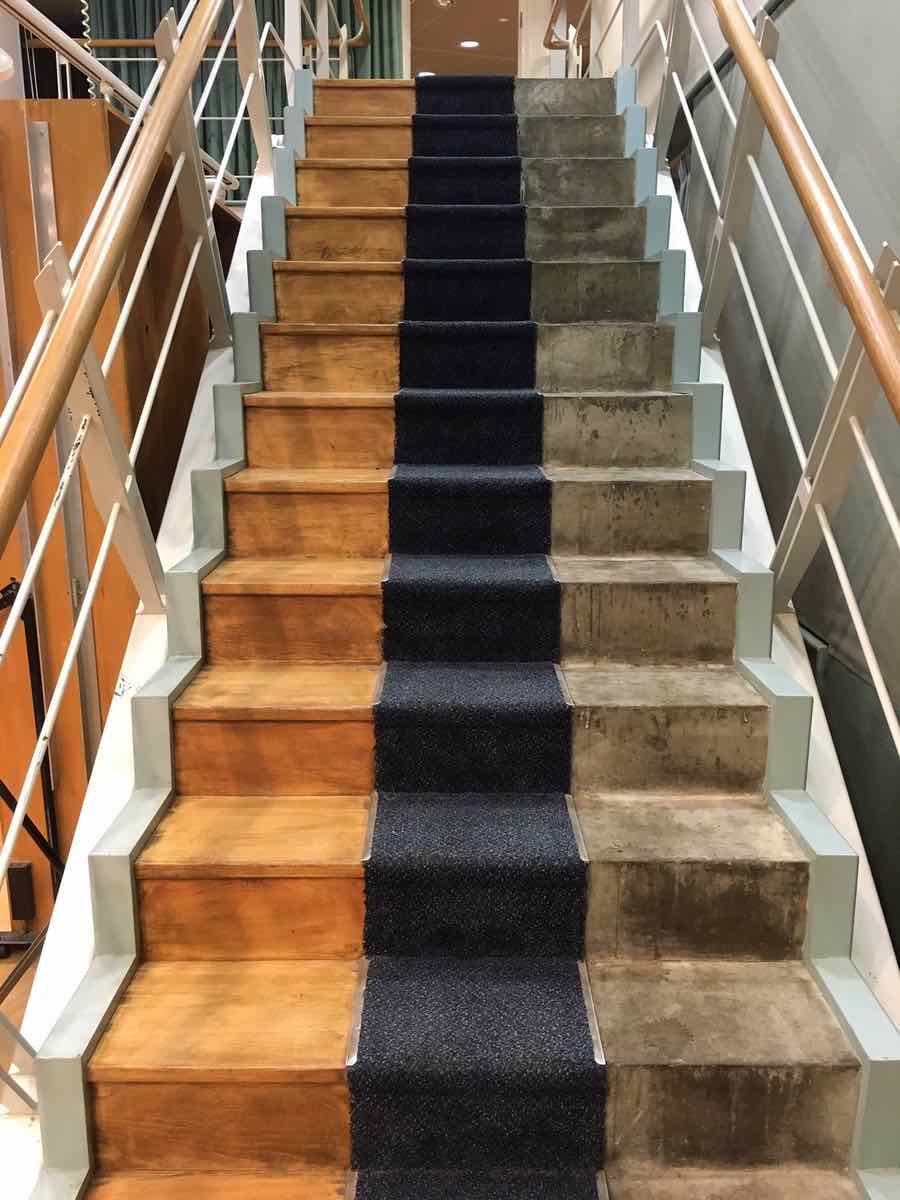
These unusual "radio drama staircases" are inside the BBC's sound studios. When an actor is recorded walking up or down the stairs, the different surfaces (wood, carpet, cement) give the acoustic impression of unique locations for the radio drama. Samuel West shot the image above at BBC's Maida Vale Studios. Apparently, they are actually functioning staircases that lead somewhere in the building.
Lancaster University's Aurora Watch issued an alert on Tuesday that the Northern Lights would be clearly visible in the United Kingdom. Unfortunately, the alert was cancelled after the scientists determined that the data from one of their magnetometers was spurious. A surge in geomagnetic energy is indicative of auroras but this particular spike was likely caused by a lawnmower.
"We believe the interference was caused by University staff mowing the grass on a sit-on mower," Aurora Watch stated. "We’ll work with the facilities team to try and avoid an incident such as this occuring in the future!"
by Stephanie Lee on Vitals, shared by Alan Henry to Lifehacker
You can do the most amazing warm-up, flexibility, and mobility routines, but you still spend a ton more time not doing those things, which could literally be a pain in the neck. Whether you’re sitting, standing, or lying on your side, Adam Bornstein of Born Fitness shares some tips to quickly right your posture.
With all the things we’ve written about sitting, it should be no surprise that the way most of us sit doesn’t do our body any favors, but according to Bornstein, there’s a preferred way to stand and lie down on your side, too:
Standing: Your weight is distributed across both feet, not shifted onto one foot. Feet should also be pointed straight ahead, or out slightly.
The fix: Jump up slightly three times to regain your balance, align your feet, and get something resembling the preferred posture.
Lying down on your side: Ideally, your knees and hips slightly bent, and have your ankles, hips, shoulders, and ears all in-line.
The fix: Try sleeping with a pillow squeezed between your legs.
Sitting: Your weight should be evenly distributed on both sides of your butt; your hips, shoulders, and ears are all in-line; and your face and eyes are looking straight ahead.
The fix: In your chair, raise your hands in the air and mimic a chin-up movement. This opens up your chest and stops you from hunching over.
These fixes aren’t permanent solutions per se, but they help you become more aware of your habits. Bornstein says the best thing you can do is avoid staying in one position for too long. If you’ve been sitting a while, get up and move, even if it’s just for a couple minutes. Heck, something like this super quick yoga stretching routine at your desk is perfect.
Garmin has just announced the Fenix Chronos, an amazingly elegant smartwatch with all the features of their standard GPS exercise watches – the Vivoactve, for example – with a case and aesthetic that would be at home in a fine watch shop. That’s right: this is the first fancy smartwatch that you could wear in the boardroom, bedroom, and gym. Oh, and it costs $1,499.99 for… Read More
Earlier this month, an Emirati human rights activist named Ahmed Mansoor got a suspicious text. It promised new details of torture in the country’s state prisons, along with a link to follow if he was interested. If Mansoor had followed the link, it would have jailbroken his phone on the spot and implanted it with malware, capable of logging encrypted messages, activating the microphone and secretly tracking its movements.
Facebook-owned messaging giant WhatsApp has announced a big change to its privacy policy which, once a user accepts its new T&Cs, will see it start to share some user data with its parent company, Facebook, including for ad-targeting purposes on the latter service. Read More
This morning when I woke up to the sound of the alarm I set on my Amazon Echo last night, I thought to myself "I wish more of my gadgets worked by me yelling things at them." Luckily, a few minutes later I was reading a PR email from SeeedStudio about its new product ReSpeaker which just launched on Kickstarter and promises to turn everything in your house into an Amazon Echo.
ReSpeaker is a hardware interface that lets you add voice control to anything, as long as you’re willing to put in the work. The project checks all of the usual Kickstarter boxes. It’s open source and runs a version of Linux. The hardware is modular and ready for add-ons. SeeedStudio also says it’s building a bunch of APIs and an open SDK for developers to make...
Seemingly emboldened by the temporary success of Deliveroo “riders” who held a series of protests in London over proposed changes to the formula by which they are paid, couriers working for rival on-demand food delivery service UberEATs are planning a “strike” of their own in the U.K. capital city. Read More
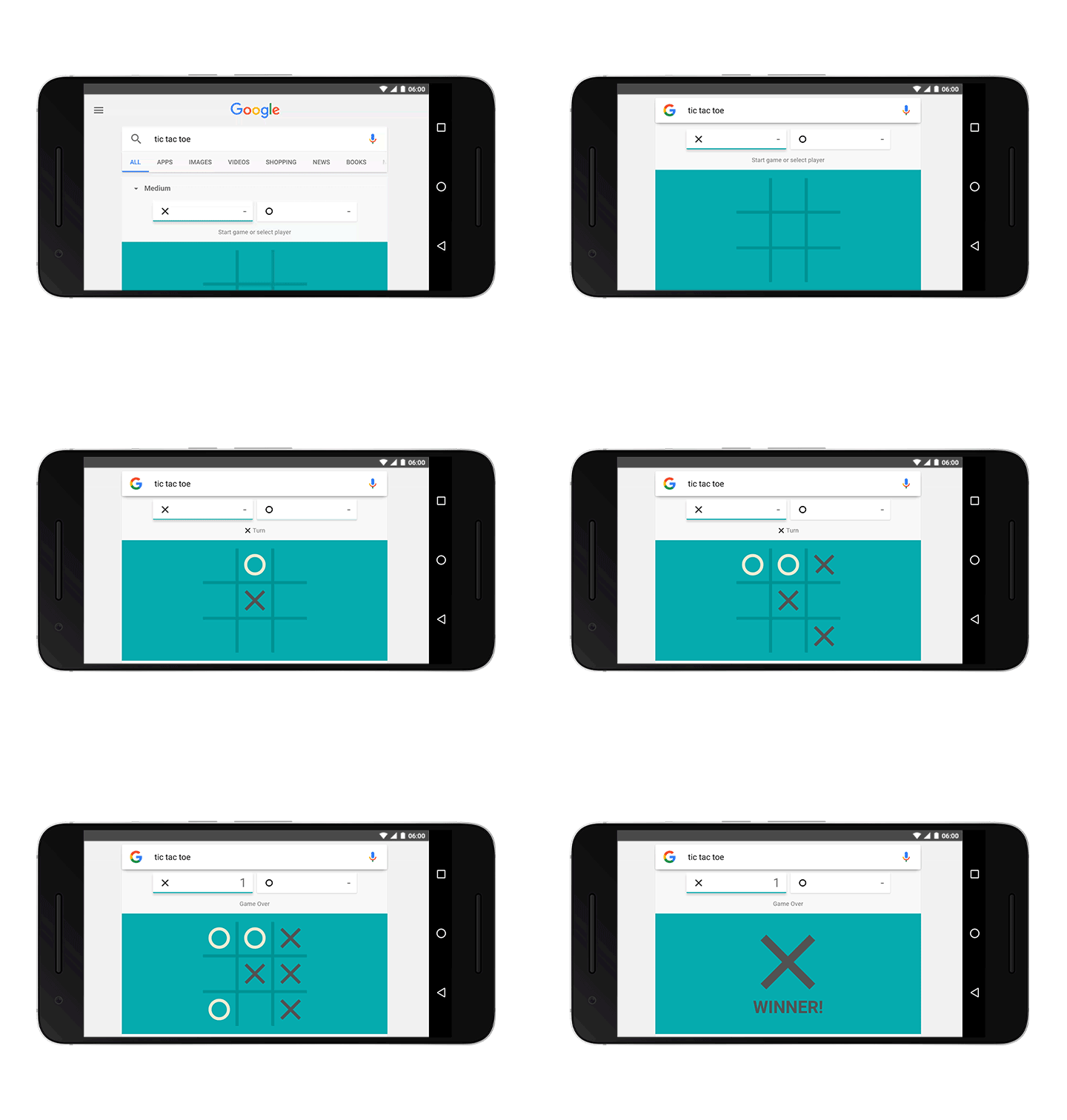
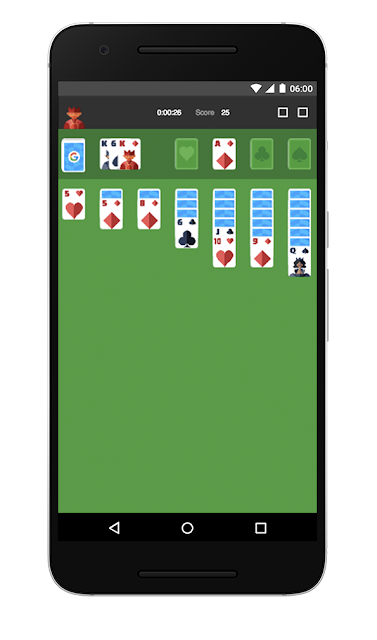
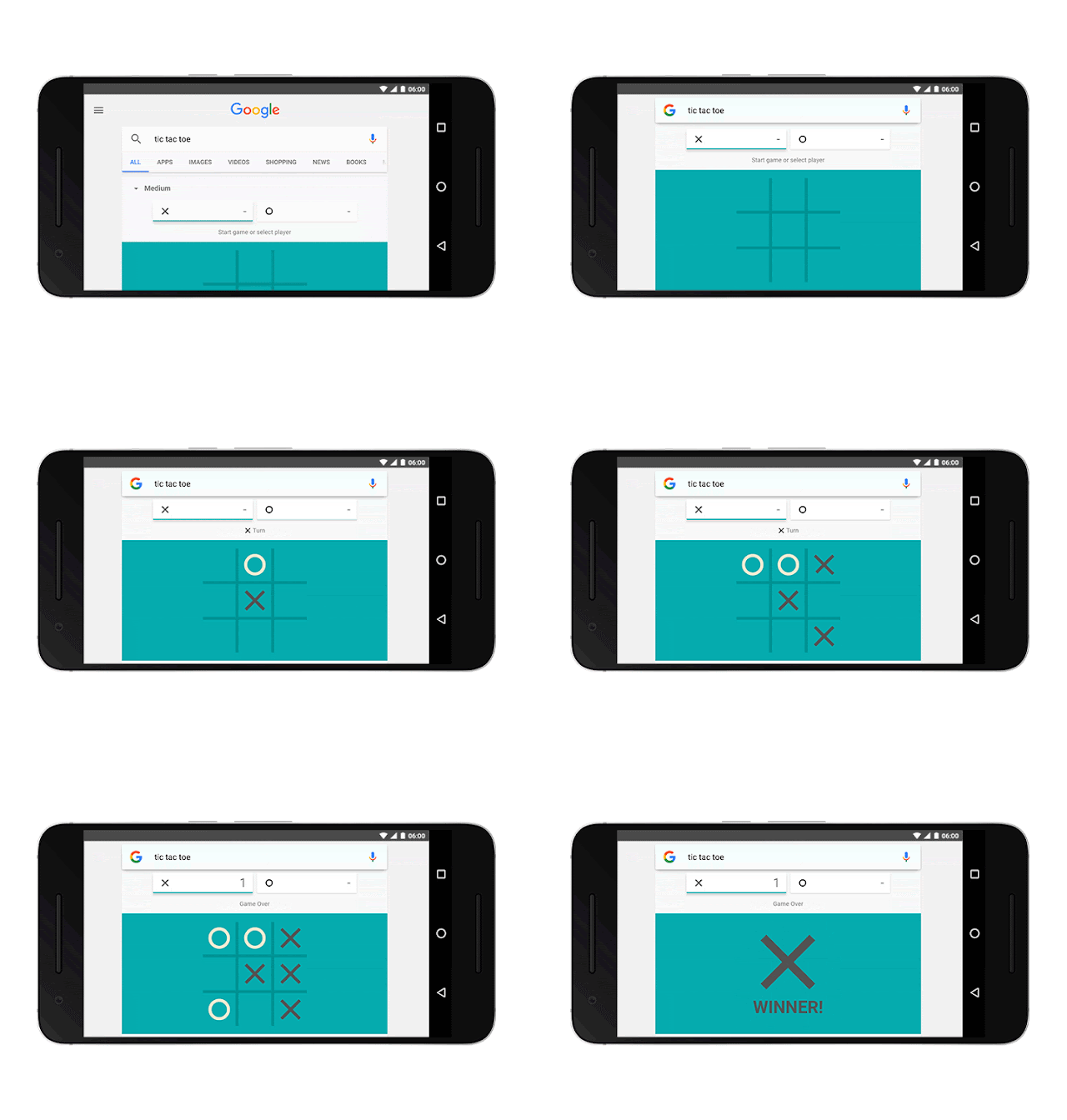
Today we’re dealing two new hands from the Google Search deck: solitaire and tic-tac-toe. Now you can play two of the oldest and most popular games for all ages, on desktop and in the Google app.
It’s been said solitaire’s roots are in fortune telling. If that’s true, today your fate rests on your quick wit and the luck of the draw. When you search for “solitaire” on Google, the familiar patience game may test yours!
If you’re looking for something a bit simpler, tic-tac-toe is your best bet. In this game of naughts and crosses, you can select your level of difficulty or even go head to head against a friend. Xs and Os to the winner (hugs and kisses, that is!).
For some other fun tips, try asking Google, “what sound does a pig make?” Or if you’re looking to settle a bet and feeling lucky, “flip a coin” may come in handy.
These are just a sample of the delightful surprises that await you on Google. After all, Search is for so much more than research and practical matters -- it’s for fun, too!
Posted by Stephen Cognetta https://2.bp.blogspot.com/-NkREXMwAQag/V8CYADahj6I/AAAAAAAAS1Q/rRCQ0IIpB28aZcll71MWIHYBrl3SRTMpQCLcB/s1600/Solitaire_hero.jpg Stephen Cognettan
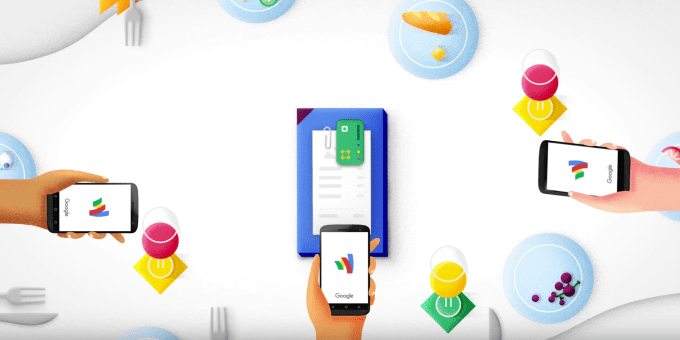 Google today is stepping up its battle with Venmo, Square Cash and other person-to-person payment applications with an update to its Google Wallet mobile app, which now allows for automatic transfers to your bank account. That is, transfers will no longer require you to cash out money from your Wallet balance first. This will speed up the time it takes for Wallet users to gain access to… Read More


 Well that was fast. Just one day after WhatsApp revealed a sea-change in its attitude to user data, by detailing plans to share the mobile numbers and last seen status of its users with parent company Facebook for ad-targeting and marketing purposes, the UK’s data protection watchdog has fired a warning shot across Zuckerberg’s bows by announcing it intends to investigate the… Read More



























 Dropbox is requiring users who have not changed their passwords since mid-2012 to reset their passwords this afternoon.
The action appears to be related to continued fallout over the massive hack on LinkedIn in 2012 where credentials for 117 million accounts were posted online. In recent months, treasure troves of user credentials and passwords — in addition to a large MySpace hack… Read More
Dropbox is requiring users who have not changed their passwords since mid-2012 to reset their passwords this afternoon.
The action appears to be related to continued fallout over the massive hack on LinkedIn in 2012 where credentials for 117 million accounts were posted online. In recent months, treasure troves of user credentials and passwords — in addition to a large MySpace hack… Read More


 WeVideo has rebuilt its browser-based video editor using HTML5 instead of Flash. For many of you, the whole debate about HTML5 versus Flash may seem like a weird flashback to 2010. But Flash is taking a while to die completely — Google Chrome, for example, continues to phase out Flash gradually. CEO Krishna Menon said that in the case of WeVideo’s new editor (which launched… Read More




 Garmin has just announced the Fenix Chronos, an amazingly elegant smartwatch with all the features of their standard GPS exercise watches – the Vivoactve, for example – with a case and aesthetic that would be at home in a fine watch shop. That’s right: this is the first fancy smartwatch that you could wear in the boardroom, bedroom, and gym. Oh, and it costs $1,499.99 for… Read More
 Facebook-owned messaging giant WhatsApp has announced a big change to its privacy policy which, once a user accepts its new T&Cs, will see it start to share some user data with its parent company, Facebook, including for ad-targeting purposes on the latter service. Read More

 Seemingly emboldened by the temporary success of Deliveroo “riders” who held a series of protests in London over proposed changes to the formula by which they are paid, couriers working for rival on-demand food delivery service UberEATs are planning a “strike” of their own in the U.K. capital city. Read More
 If you’re looking for something a bit simpler, tic-tac-toe is your best bet. In this game of naughts and crosses, you can select your level of difficulty or even go head to head against a friend. Xs and Os to the winner (hugs and kisses, that is!).
 For some other fun tips, try asking Google, “what sound does a pig make?” Or if you’re looking to settle a bet and feeling lucky, “flip a coin” may come in handy.