There may be hope for the First Amendment rights of new media journalists― a North Dakota judge has dismissed riot charges against Democracy Now! cofounder and investigative reporter Amy Goodman.
As TechCrunch reported this weekend, Goodman was charged for “participating in a riot” after she reported from the Standing Rock Sioux Reservation in North Dakota, on the… Read More
While it’s true we don’t all have the pleasure of hanging at the Hong Kong Ritz Carlton for this week’s 4G/5G Summit, we can still bask in the chipmaker’s news from afar. Arguably most fascinating among the San Diego company’s big announcements for the week are its plans to go big into the future of cross-platform camera hardware, but it wouldn’t be a… Read More
Late yesterday, the @wikileaks account tweeted "Julian Assange's internet link has been intentionally severed by a state party. We have activated the appropriate contingency plans."
(more…)
Lenovo, Samsung, LG, and Xiaomi are all reportedly working on bringing bendable phone screens to the public. We’ve seen some of these prototypes in-person, as well as in leaks online, and today we’re getting a look at Xiaomi’s idea for a bendable touchscreen. A 30-second video put online this past week seems to suggest Xiaomi created a real, tangible bendable phone IRL that also responds to touch. We don’t see the user bend it in multiple directions but it does seem to be bent in the person’s hand. We don’t have any details about a release or the phone itself.
Bloomberg reported earlier this year that Samsung might release two smartphones with bendable OLED screens in 2017. One model is said to fold in half, while another has a 5-inch...
Chrome Remote Desktop is a very useful tool, and with its Android app you can easily access your PC anywhere. However, there are some limits. The basic functionality has been there from the start, and now Google is boosting that up a bit with the addition of audio streaming through the app.
The oversight court for the UK’s intelligence and security agencies has ruled they operated unlawfully and breached domestic human rights law by harvesting bulk comms data and maintaining large databases of personal information on UK citizens for a decade and more. Read More
If nothing else, you can’t really argue with the price. Announced this morning, the latest version of Acer’s 15.6-inch Chromebook gets a couple of key upgrades over its predecessor, but none might be quite as welcome as the fact that the company has dropped its starting price by $50, down to $199. The other key feature here – as with all Chromebooks – is battery life.… Read More
Apple has been working on a not-so-secret car project for years. Project Titan, as it is called internally, has already gone through a bunch of leadership and roadmap changes. According to a new report from Bloomberg, the company is now scrapping plans to build an electric car. The car team is focusing on autonomous driving technology instead. Even more intriguing, it looks like Apple is… Read More
More than 22,000 police officers in London will be issued body cameras by summer 2017. The wide-scale deployment of the devices follows years of trials and evaluations, with the UK's police force claiming that the cameras will help deliver "speedier justice for victims."
The cameras are built by Taser, worn on the front of an officer's uniform, and activated manually. Police have to inform members of the public when they turn the camera on "as soon as practical," with a red light on the front of the device turning on when in use. When returned to its charging dock, the camera automatically uploads its footage to a police server. If police don't expressly ask to retain the footage for evidence then it's deleted in 31 days. Anyone can...
Google is making some big claims on the camera found on its new Pixel smartphones, and to complement the hardware, Google has added a few new tricks to its camera app on the Pixel. Google Camera v4.2 is found out of the box on the Pixel, and thanks to developers on XDA, a modified version of that new version is available for anyone using a Nexus 5X or Nexus 6P.
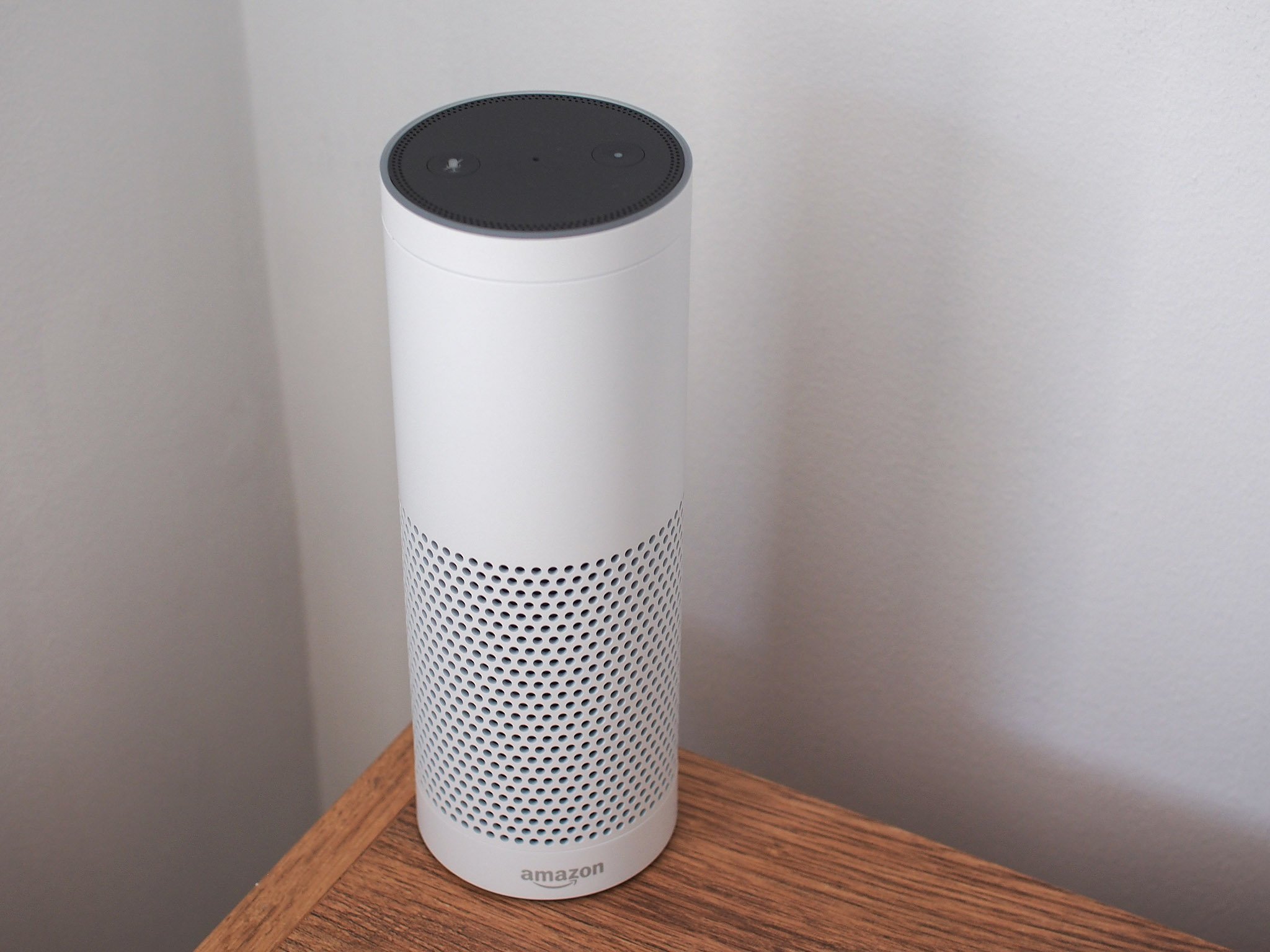
Which Amazon Echo is best for you? I have no idea. But here's how I'd approach each one.
I own too many Amazon Echo speakers. From the original Echo to the Echo Dot and the newfangled Echo Show with its screen and camera. Plus the Amazon Tap, and Echo Look, which you can't even buy without an invitation. (And you probably shouldn't but it, for reasons I'll get into in a second.)
This isn't a cookie-cutter list of all the Echo speakers and why you should buy them. Hell, a couple I think you probably should stay away from. This is a list of how I see things after having used them all for months and months. Hit the links below to jump on down to the Echo that tickles your fancy.
Start simple. If you're just not sure about this whole Alexa thing and really don't know how much you'll get out of an Amazon Echo, it's best to not spend a lot of money. Start with an Echo Dot.
The Echo Dot costs $49 retail, but it's not uncommon to see it on sale for as low as $30. And at that price it's kind of a no-brainer. Buy one and give it a go.
Another pro tip here is to buy more than one at a time. Amazon typically has deals if you buy multiple Echoes Dot at one time — $20 is the usual savings. So if you're like me and you know you'll want to stash a few of these around the house, save yourself a few bucks and take advantage.
The redesigned Amazon Echo: A great mid-range option
Amazon has completely redesigned the basic Echo for 2017. It's shorter than the original and more squat in stature. And you can get one clad in fabric for $99. That's not a bad buy, and it's what I'd recommend for someone who wants to get something better than the Dot, but still not spend more than a hundred bucks. The sound quality is decent for that price. Can you get something better? Yeah. But not for less money.
If you want to spend a little more, though, $119 will get you a new Echo with a wood veneer, or in matte plastic. I've found the fabric to be plenty good, though.
Amazon decided to keep the tried and true Echo design, but give it better internals. That gives us the $149 Echo Plus. It sounds a little better than the previous-generation Echo, and definitely better than the current 2017 model. It comes in the same matte plastic, but now you can get silver in addition to black and white.
Also new for the Echo Plus is the ability to serve as a smart home hub — if the devices you're looking to support use Zigbee to connect. (You're forgiven if you don't know what Zigbee is — it's not something an end user should ever have to worry about.) It likely won't solve all your smart home problems, but it's a nice little addition nonetheless.
Amazon Echo Spot: An expensive, but cool, bedside Echo
If you take the Echo Show and shrink it down, this is what you'd get. It's a $130 Echo clock with a decent (but not overly great) speaker and a 2.5-inch display. You'll get the time, of course, along with weather information and the same semi-useful headlines as on the Echo Show. Plus it'll make phone calls and video chat with other Spots or Shows. (Yes, that means there's a camera pointed into your bedroom.)
This is a great-looking device, but it's not inexpensive, and it's only $10 less than the much larger Echo Show, which will be better for the video it can still display.
For whatever reason, this isn't an "Echo" device. It's "Alexa-enabled." OK. (Maybe it's because the "Alexa" hotword isn't enabled by default, and instead you're supposed to push the microphone button.) But no matter. For all intents and purposes it's an Echo, and it's meant to be portable.
The Tap has a charging base that allows you to just pick up the speaker and take it wherever you want. And it sounds decent. Not great, but good. Good enough for $129 retail, though? Eh, now Amazon is starting to ask a lot — particularly when you can get a portable battery base for the original Echo for just $50 and get a much better speaker for your troubles. Or you could stick an Echo Dot in this little cordless speaker and get a decent experience — again, for just $50.
Personally, I don't really see the necessity of a portable Alexa speaker — especially since the speaker itself is going to need to be connected to the Internet at all times for the Alexa stuff to work. And hotspotting to your phone just isn't something I want to bother with.
Your money probably is better off with any other Echo — or just a traditional Bluetooth speaker.
I was an early fan of the Echo Show — the potential for an Alexa-enabled device with a large touchscreen is enormous. Unfortunately, it's yet to pan out in the first few months. The headlines you get are pure fluff, with very little actual news, if ever — and Amazon says it's done this on purpose.
Then Google decided to not let YouTube videos play on the Echo Show — likely because Amazon's implementation was doing so without advertising. That killed one of the few reasons I'd actually recommend the Echo Show.
And then there's the fact that very few Alexa Skills actually take advantage of the display in the first place. It's a novelty at this point, not a necessity — even though making video calls on the Echo Show is still a great experience.
Echo Look: How much do you care about what you wear?
There's a pretty good chance you shouldn't buy the Echo Look. Unless you really care about fashion — to the point that you want to take a picture of what you're wearing and send it to Amazon for cataloging and analysis — then you'll just want to ignore this. For that's what Echo Look is good at. It's got a camera and its own app for taking your picture from head to toe, and it does a nice job of highlighting you while downplaying everything else.
From there it lets you flip back through what you've worn day after day, and you can have it compare two outfits and decide which it thinks looks better on you. (To varying degrees of success, I found.)
You very much will get out of Echo Look what you put into it. I don't care so much about what I'm wearing, so this wasn't really $200 well spent for me. Your wardrobe mileage may vary.
And to be fair, you can't just go out and buy an Echo Look. You'll have to tell Amazon you're interested in it, and then wait for an invitation.
An under-the-radar court settlement could help curb mass-killing of wildlife by the United States government. Under the settlement, which was approved last week by a Nevada federal court, a division of the US Department of Agriculture called Wildlife Services is required to immediately stop killing predators in more than 6 million acres of Nevada’s public lands. Now, Wildlife Services will have to update the way it operates after conducting new scientific analyses.
Wildlife Services killed more than 3.2 million wild animals
Syfy’s The Expanse is one of the best, most diverse science-fiction shows on television, and we’ve been eagerly awaiting the next season. Last weekend, Syfy brought several of the writers and actors from the show to New York Comic Con, giving us our best glimpse yet of what’s to come when the show returns in 2017.
The Expanse is based off of a series of novels by James S.A. Corey (the pseudonym for Daniel Abraham and Ty Franck), set in an inhabited solar system two centuries from now. Political factions have sprung up between Earth, Mars, and the Outer Belt, and when a ship hauling water is destroyed by an unknown party, two men are put squarely in the middle of what could become an interplanetary war: Holden, a crewman on a water...
by Stephanie Lee on Vitals, shared by Andy Orin to Lifehacker
There are so many myths and strangely specific rules about when to eat to lose weight, but alone they do nothing to help. Eat a hearty breakfast and light all day.Eat small meals every few hours. Rules around when you eat are less important than you think, and even when they do help, they’re not for the reasons you think.
Myth: Eat a Hearty Breakfast, First Thing in the Morning
Sorry, there’s nothing special about eating breakfast. It’s not “the most important meal of the day.” At least, not for everyone. For years, people (especially cereal marketing companies) touted the benefits of breakfast because it supposedly kept you from overeating, jump-started your metabolism, or <insert any other reason to manage weight and obesity>.
But here’s the wrinkle: a majority of breakfast studies are biased. A study from TheAmerican Journal of Clinical Nutrition found that most research on skipping breakfast and weight gain was conducted with the explicit intent to force that correlation. Similarly, the argument that school-age children who skip breakfast are more likely to be overweight seems compelling, but the focus is more on the school’s breakfast program and whether a child eats enough at home, rather than breakfast itself being some game-changer.
What’s more, some of these breakfast studies are funded by the food industry, including cereal companies like Kellogg’s and General Mills, who have a vested interest in you eating their very breakfast-y foods. In other words, many of these nutrition studies were methodologically doomed from the get-go.
Personally, I flip-flop between eating breakfast and skipping it. Alone, eating breakfast or skipping it matters less than what you eat, how much of it you eat, and what your other lifestyle choices are. Bottom-line, people eat breakfast for a variety of reasons, but eating or skipping breakfast itself isn’t going to help you suddenly drop a pant size. Eat breakfast because you want to and punch anyone who makes you feel bad for skipping it, right in their breakfast-eating face.
Myth: You Need to Eat Small Meals Every 2-3 Hours
I used to work with people who—bless their heart—had every one of their daily six meals perfectly portioned out in crisp-looking plastic food containers. Every few hours they’d make a beeline for the fridge and joyfully nosh for all of five minutes. “Keeps my metabolism stoked,” they used to say. But like their sandwiches, that underlying principle was a load of baloney.
Say it with me: Eating many small meals does not “boost” your metabolism. In fact, for some people, the more they eat, the hungrier they feel, and they may end up eating more calories than they would with fewer, larger meals. On the opposite end, having more meals to look forward to throughout the day can benefit some people psychologically, especially when they find dieting to be difficult, and help them avoid binging after a long hangry day at the office. Plus, there are health reasons to both eat and avoid eating frequently, like managing blood sugar.
As this study in The British Journal of Nutritionnotes, your body will process all of those calories just the same whether they came in one or three big packages, or seven smaller ones. In essence, frequent meals are simply a key strategy in helping you manage your appetite and mindful consumption, so if more meals works for you, then you do you.
Myth: You Need to Eat Immediately After a Workout
There’s a popular notion among the lifting crowd that if you don’t have a protein shake and a good source of carbohydrates to replenish your energy reserves within 45 minutes to an hour of your workout, all of your hard work in the gym goes poof, just like that. Sincenobody wants to risk having their gains wasted, this fear of missing the all-important “post-workout anabolic window” was perpetuated by a “just in case” mentality.
Luckily, this review of the research in Journal of the International Society of Sports Nutrition clears things up a little: For most of us, when we eat after our workout doesn’t matter so much, as long as we eventually eat a substantial meal (that ideally contains both carbs and protein) at some point after. If you can’t sit down and eat a proper meal until hours after your workout, your muscles aren’t going to wither up and die like Internet forums will have you believe (whew!).
Not eating immediately after your workout might affect you only if you have another intense workout to do on the same day. Otherwise, you’ll be fine. The study’s authors share in an interview on Born Fitness that if you’ve already eaten before your workout, you can lag for up to 6 hours before not eating could start to hurt your recovery. While there’s no urgency to eat immediately, that Chipotle burrito is certainly a nice incentive to get your workout done, so if it helps get you to the finish line, by all means, enjoy. However, if you’re trying to maximize your benefits in the gym, it’s more important that you focus on getting enough protein and calories for the whole day and get enough rest.
Myth: You Need to Stop Eating a Few Hours Before Bedtime
You’ve probably heard the ill-advised saying to never eat after 6/7/8 at night, because if you do all of your calories will automatically be stored as fat calories and you’ll gain weight. The thing is, most diet-related rules of thumb, including those from crash and fad diets, are really just rituals to regulate your eating habits. That’s because for a lot of people nighttime eating often involves raids on ice cream, pizza, cookies, and all of the other high-calorie foods that actually can lead to weight gain. Telling you that you “can’t” eat after some arbitrarily established time simply helps you control your total calories, and avoids potentially self-destructive habits.
That said, it’s worth noting that this advice can certainlyapply to people who have digestive issues like gastroesophageal reflux disease (GERD). If that’s you, you should definitely avoid eating a couple hours before bedtime, because doing so can aggravate indigestion and heartburn.
Ultimately, all of these strategies can work as part of a weight loss plan, but for reasons that have nothing to do with what those diet guru magazines say. In most cases, they simply ritualize your eating so you manage your hunger and food cravings. However, that doesn’t make them somehow magical and guarantee they work for everyone, which is why you should look past the myth to the behavior that may help. Remember, if you want your jeans to fit looser, it comes down to total calories and the habits you personally develop around them. When you eat those calories has a smaller effect than you think.
Which talking speaker do you want controlling your home?
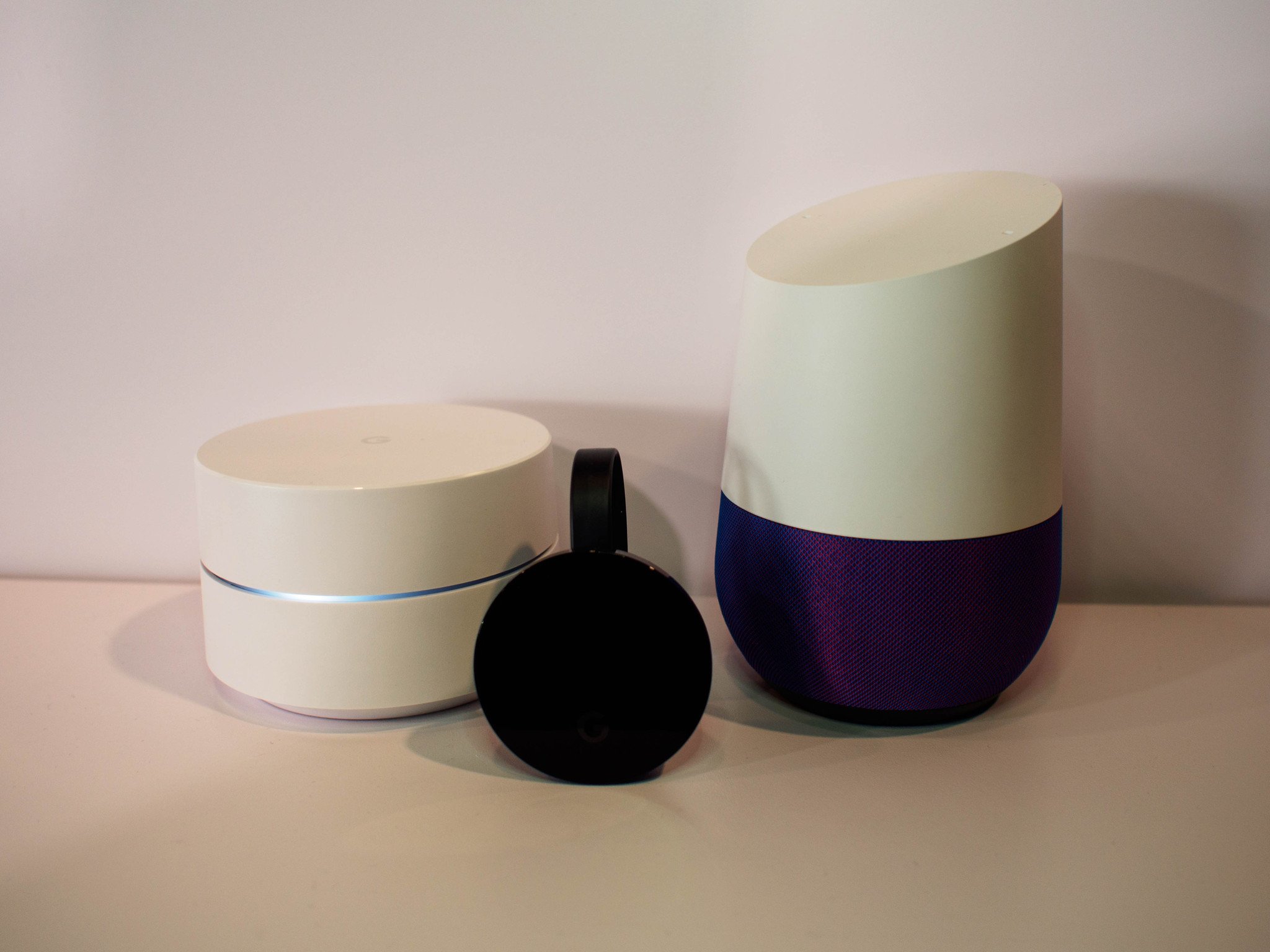
For over a year now, a lot of people have wanted Google to launch a product that competed directly with Amazon's Echo speaker. Something that you could call out to from across the room that connected to all of your Google services and gave commands to your other connected home accessories on your behalf. We finally got Google's answer to Echo, and it's called Home. Instead of being a feature for feature competitor with Amazon Echo, Google Home focuses on delivering Google Assistant in a convenient package. It seems like a smart product with some serious growth potential, but Amazon's two year lead means it has a lot of data Google doesn't have about how these connected speakers get used.
Setting aside whether you'd prefer to call out for Google or Alexa when you want something done in the house, the battle for control of your connected tech is on. Which of these chatty cylinders is going to do what you want?
Speak softly, and carry lots of cool tricks
The most important part of Amazon Echo and Google Home is what happens when you speak at one of these systems. Both are designed with high quality microphone arrays to hear you from a distance and respond when you call their hotword, but what happens next is more interesting.
Amazon has been working for almost two years to constantly add features to Echo. Some of these updates are new music and radio sources and new ways to gather answers to search questions, but a significant amount of those updates add services from partner apps and platforms. You can add items to a To-Do list with your voice, adjust your thermostat, control lights in your home, and get a quick unit conversion from cups to ounces if you need it. There's more here already than any one person will ever fully use, but the full list of available features is long and robust.
It's clear Amazon Echo is better positioned to offer something for everyone and Google Home is better positioned to be more in tune with your wants and needs over time.
Google is operating at a disadvantage at launch, with not nearly as many software and platform partners out of the box. Of course, Google makes up for this by tying the best of their own services into the mix. Control over Google Cast targets with your voice, access to your personal calendar and details about your daily commute are all things Alexa just plain can't do well by comparison. Google will need to rapidly add partners to Home after launch in order to appear competitive, but it's also important to see Google's objective is much larger than just a connected home accessory. Google Assistant is designed to go with you everywhere, which means Assistant will quickly have more details about your preferences and be able to adjust suggestions based on that information.
Keeping in mind the significant time gap between these two products, it's clear Amazon Echo is better positioned to offer something for everyone and Google Home is better positioned to be more in tune with your wants and needs over time. The big question to ask yourself is whether you want something like Assistant always listening, or if you just want a hub at home to obey your commands.
Conversations with depth and purpose
Being able to hear a single command and react with an acceptable result is the bare minimum right now. Alexa can hear you from across the room and has a fairly low failure rate. Google Home is similarly equipped out of the box with decent microphones and software that handles thick accents surprisingly well. In order to one-up Alexa, Google is using their knowledge graph to make sure conversations are not just one line long.
You can ask Google Home about the weather in Chicago, and then ask "What about Toronto?" and get the weather in Toronto. You can ask to have that weather report emailed or texted to someone immediately after, without needing to repeat any parts of the previous query. These are the building blocks of conversational interaction, which is something Google has promised is a big part of Home. Our early demonstrations revealed this feature to be functional, but a little limited right now. If Assistant isn't sure about an answer, you get search results spoken back at you, which is less than ideal.
Some extra steps are unnecessary, and quickly remind the user that they are speaking at a machine instead of with one.
Perhaps more important that the conversation format itself is not needing to go out of your way to use a particular service through your connected speaker. Requiring that the user specify Spotify in the command in order to get a song played through that service is tedious, especially if it's possible to establish favorites. Google Home is built to allow for default apps that are not Google based, where Amazon will choose its own services any time it is able. It's an extra step that is largely unnecessary, and quickly reminds the user that they are speaking at a machine instead of with one.
Controlling your home is about to get interesting
A big part of what slowed Amazon and Google in building these platforms over the last year has been the sudden and infuriating realization that so many connected home accessories weren't being particularly safe with your data. It has taken time for manufacturers to catch up and make encryption a priority, but that dry period has been slowly dealt with. This means the number of affordable connected home products that are also safe to use is on the rise, and all of them will be controllable through either an Amazon Echo or Google Home.
In many cases, we'll see support for both platforms for a while. Google and Amazon are about to become fiercely competitive when it comes to controlling your home, but Google's desire to have that helpful AI with you everywhere is going to be a considerable advantage. Not only is there currently no mechanism for bringing Alexa with you everywhere, Amazon doesn't currently have a list of services that justify such an experience. As we move into the next year, everyone interested in these platforms are going to be overwhelmed with constant updates as the two continue to grown and improve. That's a great thing for users, but it also means it'll be a while before we see a clear winner in this connected home arms race.
Yahoo has today reversed its decision to prevent Yahoo Mail users from being able to automatically forward their emails to another address – a key feature that makes leaving one email service for another an easier process. Earlier this month, Yahoo Mail disabled this now-standard feature for email services, claiming that it was “temporarily” disabled because the feature… Read More
Sony is set to jump into the iOS/Android mobile gaming space with the announcement five smartphone games slated to hit both platforms by mid 2018. The news comes on the heels of the success of Pokemon Go and Nintendo’s recent appearance at the 2016 Apple keynote with Mario Run. As console platforms drop to the third largest gaming market worldwide, it is clear the big Japanese companies are starting to take smartphone gaming seriously.
An analysis of five decades of police records by The Chicago Tribune found that a small group of Chicago police officers have racked up over 100 complaints each over the course of their respective careers, “including notoriously corrupt cops who wound up in prison but also others whose allegations of repeated wrongdoing were never before made public.”
Today, American songwriter Bob Dylan was awarded the Nobel Prize in Literature, becoming the first musician to receive the honor. So, it’s a perfect time to revisit his vastly influential work. You can start with this playlist.
The Swedish Academy credits Dylan for “having created new poetic expressions within the great American song tradition.” The playlist below, curated by Spotify, contains over six hours of Bob Dylan’s biggest songs, including Like a Rolling Stone, The Times They Are A-Changing, and Blowin’ In the Wind.
Welcome to our Featured Playlist series. Each week, we’ll share a new themed playlist, embedded for your convenience! You can copy the track list to your service of choice, or listen right here. Have a sweet playlist of your own? Share it with us in the comments below!
Facebook CEO Mark Zuckerberg sets an ambitious goal every year for himself, and this year it was to create an AI assistant for his home, modelled in part on Jarvis from Marvel’s Iron Man fictional universe. Jarvis gives Iron Man/Tony Stark basically any info he needs, and helps him fight crime, as well as mange his estate and run his business, and the virtual companion is voiced by… Read More
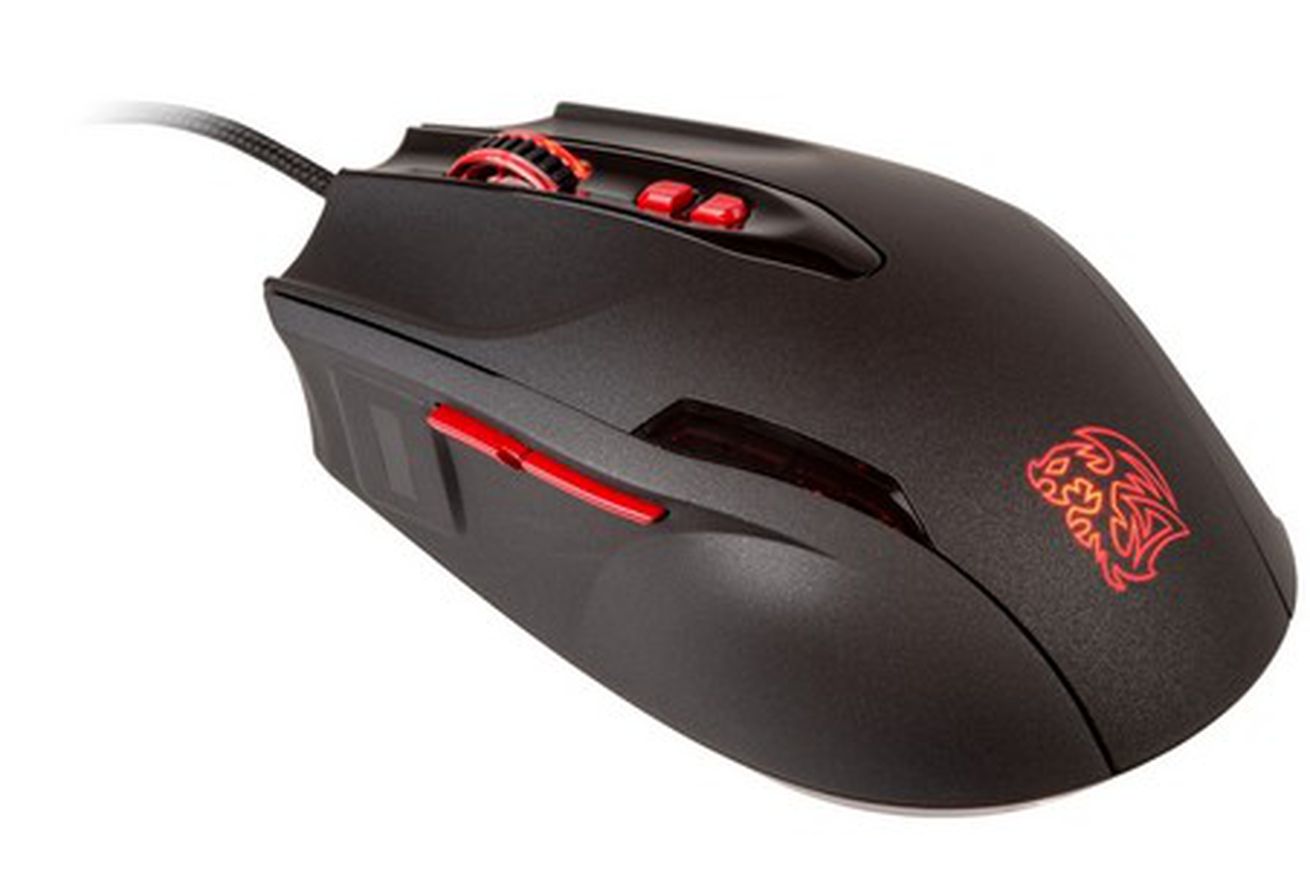
Fingerprint sensors in mice are nothing new, but most models haven’t been updated in years, or they look absolutely abysmal. A new mouse from Tt eSports changes it up a bit with a more modern gaming mouse look, along with a built-in fingerprint sensor that people can use to authenticate all their accounts. The Black FP comes with a FIDO-certified sensor, meaning it meets certain requirements for encryption and security procedures. The mouse can be programed with up to four profiles, can reach up to 5,700 DPI, and has a polling rate as fast as 1MS. Its IPS gets up to 150, and its acceleration reaches 30G. The Black FP definitely isn’t the best or cheapest mouse, but its got that fingerprint sensor, which is what you're paying for.
Over the last several years, fact checking has come into its own. Led by organizations like the International Fact-Checking Network, rigorous fact checks are now conducted by more than 100 active sites, according to the Duke University Reporter’s Lab. They collectively produce many thousands of fact-checks a year, examining claims around urban legends, politics, health, and the media itself.
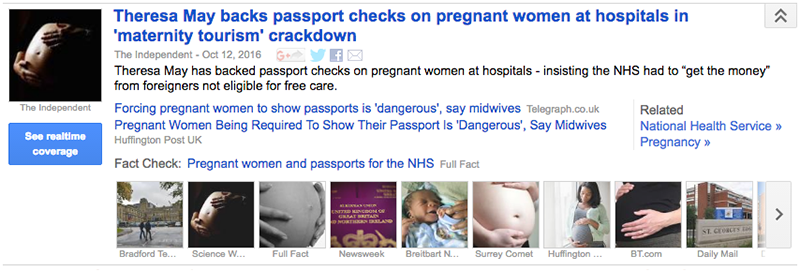
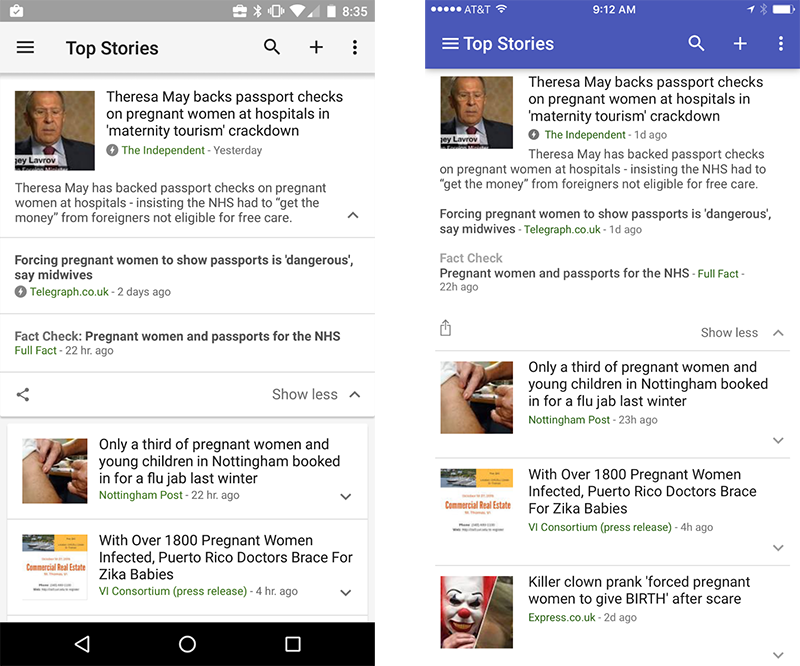
In the seven years since we started labeling types of articles in Google News (e.g., In-Depth, Opinion, Wikipedia), we’ve heard that many readers enjoy having easy access to a diverse range of content types. Earlier this year, we added a “Local Source” Tag to highlight local coverage of major stories. Today, we’re adding another new tag, “Fact check,” to help readers find fact checking in large news stories. You’ll see the tagged articles in the expanded story box on news.google.com and in the Google News & Weather iOS and Android apps, starting with the U.S. and the U.K.
Google News determines whether an article might contain fact checks in part by looking for the schema.org ClaimReview markup. We also look for sites that follow the commonly accepted criteria for fact checks. Publishers who create fact-checks and would like to see it appear with the “Fact check” tag should use that markup in fact-check articles. For more information, head on over to our help center.
We’re excited to see the growth of the Fact Check community and to shine a light on its efforts to divine fact from fiction, wisdom from spin.
You want your bedroom to be a relaxing retreat that you return to at the end of the day that encourages deep, restful sleep, and shields you from the blinding sun. We’ve talked about how to do this before, but this graphic wraps a few of those tips into a simple, easy to follow package.
From making sure your bed actually has plenty of room for you and anyone sleeping next to you to decorating lightly in your bedroom for a more serene, relaxing experience, the full graphic is full of tips that’ll help you keep your bedroom from straying too much into “college dorm” territory and stay firmly in the “relaxing retreat” category. They also make a few suggestions for types of fabrics to make your bed with that’ll keep you cool while you sleep, how to handle lighting in your bedroom that’ll give you the light you need without keeping you awake, and of course, how to keep everything nice and clean over the long haul. Check it out below, or hit the link below to see it in its natural habitat.
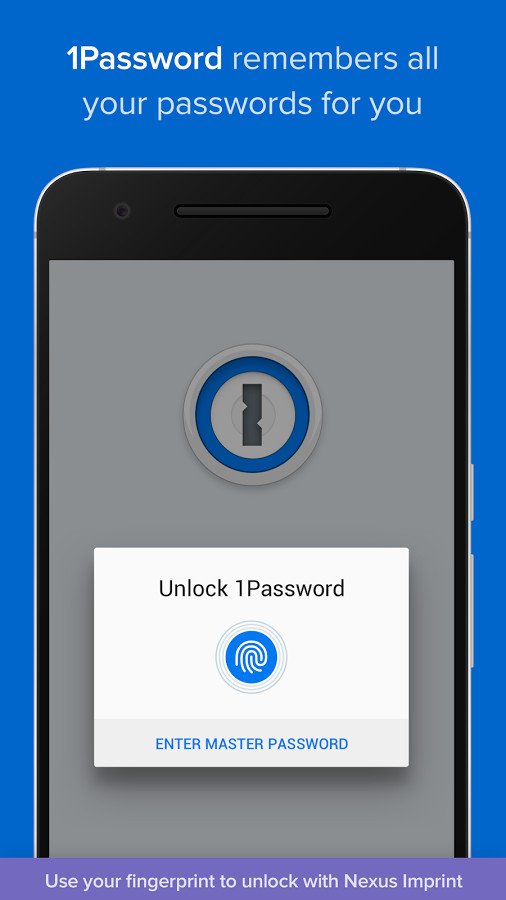
1Password hits all of the features we expect from this sort of app: AES 256-bit encryption, password generation, fingerprint security, storage for all kinds of information and cross-device syncing; all with a well-implemented Android keyboard that lets you quickly paste login and password details from your secure storage.
1Password gets really powerful when you pay to upgrade from the free version. For $2.99 per month (billed annually) 1Password keeps all of your secure information synced across devices and you don't have to configure a thing. You can also upgrade to a Family or Team plan ($4.99 per month, billed annually) to share important information between multiple 1Password users.
Bottom line: 1Password isn't cheap, but it is definitely the easiest to use and most full-featured password manager available.
One more thing: For teams or families that need to simply and securely share passwords, 1Password is definitely the best choice.
Why 1Password is the best
You get everything you need with a single service in 1Password.
1Password has become the gold standard for cross-platform password managers, and that starts for most of us with the Android app. The app is well designed and implements all of the features we want. That means you get easy ways to store logins and passwords, but also other personal information and notes securely. Everything is secured with top-end encryption and synced across all of your devices — phones, tablets, and computers — with no additional setup.
The app offers one-touch fingerprint login for compatible devices, and also offers a keyboard that lets you quickly paste login information right into apps without toggling over to the full 1Password app. It's simple, and it just works the way you expect.
For many, 1Password is the best choice simply because it offers the best multi-user experience available today. For $4.99 per month, everyone in your family can have shared passwords and access to specific information from other family members, which is invaluable for some. 1Password Teams does the same, but for businesses that need to store and share large numbers of passwords.
For just individuals, 1Password is hoping you'll choose its $2.99 personal plan that offers automatic cross-device syncing, web access and of course regular updates. There's still an option to pay upfront for an individual app license for 1Password, but you lose automatic syncing and web support, which are of course two key features of what makes 1Password so great.
With a simple, powerful app and great sharing options between families or large teams, 1Password really does it all — and that's worth the price for many.
LastPass offers the same general set of features as 1Password, including secure encrypted storage of your information, fingerprint unlocking, auto-filling of logins for browsers and apps, as well as free cross-device syncing (which used to be a premium feature).
For a subscription of $2 per month you can get a "family sharing" setup with access for five distinct users, extra two-factor authentication options, emergency access and 1GB of encrypted file storage.
Bottom line: For a full-featured password manager at a lower subscription price, LastPass should be considered.
One more thing: Most people will be happy enough with the basic free features of LastPass, but give the Premium subscription a look just in case.
Enpass is a simple app that integrates every password manager feature you could ask for. There's app auto-filling, a built-in browser, fingerprint sensor lock, password generation and the highest level of encryption. And of course apps for all of the big platforms.
The desktop apps are free, but you'll pay $9.99 for the mobile app to unlock all of its features. That's just a one-time purchase, though, because you can store your Enpass data for cross-device syncing on your own cloud service of choice. Data is still encrypted, so you control it, and you also don't have to pay a monthly fee to keep the service going.
Bottom line: Enpass is a great option for those who want to store passwords on their own cloud, without an additional monthly subscription.
One more thing: Enpass actually has a relatively functional free version if you want to cheap out for a bit before paying for the full feature set.
Dashlane offers industry-standard AES-256 bit encryption of your passwords, as well as secure cross-device syncing and on-device password generation. It's also able to store other sensitive non-password data such as IDs, credit card info, addresses, and secure notes.
Dashlane comes with its own browser that will auto-fill all of your accounts and passwords as you visit websites, but you can also elect to use its keyboard to easily insert passwords into other apps as well. The app blocks screenshots and offers several security measures to keep the app safe from unwanted users.
Bottom line: Dashlane is the best choice for someone who wants to use a full-featured password manager on one device for free, but isn't as good as 1Password for the paid version.
One more thing: When you download Dashlane you get 30 days of the premium features for free to give you a taste of everything it has to offer.
Conclusion
For those who want the absolute best password manager for their phone, tablet, and computers, 1Password is the way to go. It has every feature you (and your family or company) want, and you pay a bit extra for that complete package.
1Password hits all of the features we expect from this sort of app: AES 256-bit encryption, password generation, fingerprint security, storage for all kinds of information and cross-device syncing; all with a well-implemented Android keyboard that lets you quickly paste login and password details from your secure storage.
1Password gets really powerful when you pay to upgrade from the free version. For $2.99 per month (billed annually) 1Password keeps all of your secure information synced across devices and you don't have to configure a thing. You can also upgrade to a Family or Team plan ($4.99 per month, billed annually) to share important information between multiple 1Password users.
Bottom line: 1Password isn't cheap, but it is definitely the easiest to use and most full-featured password manager available.
One more thing: For teams or families that need to simply and securely share passwords, 1Password is definitely the best choice.
Update Septmeber 2017: The list stands unchanged from before, but we've updated small details on pricing and plans.
If you're looking for the best new games available in the Google Play Store, you've come to the right place. It's that time of the year when we look back at this past year and choose the very best games we discovered.
Whether you're new to Android and need some fresh, new games to start building out your Google Play library or simply looking for the latest trendy games that are worthy of your time and attention, these are the best Android games for 2017!
Stranger Things: The Game is the tie-in mobile game that other companies wish they could churn out. It's a full-fledged action adventure game with a full cast of playable characters, tons of collectibles, and a retro graphical style that fits into the show theme and setting.
The game presents the entire town of Hawkins, Indiana along with the adjacent Mirkwood Forest to be explored. It plays like a classic Zelda-style adventure game, with the ability to switch between characters lending itself to creating complex puzzles.
Credit Netflix's marketing team for spending the time to make sure the developers at BonusXP Inc. delivered something special for fans of the series. They've created a real winner here, and a true contender for game of the year — and I'm not even a huge fan of the source material.
The controls are optimized for mobile and there's great game design on display here. The overworld is vast and filled with secret areas to explore and familiar items from the show scattered throughout as collectibles.
There's just so much to appreciate here. Not only is it a faithful adaptation of the show, it's available for free with no in-app purchases or ads — although you can certainly count the game itself as being an ad for the second season of Stranger Things. Here's hoping it ushers in a new trend of substantial mobile games based on TV shows and movies.
In Reigns, you play as the monarch of the land and make decisions that affect four aspects of the kingdom: the church, the people, the army, and the royal wealth. Your goal is to keep all four in balance — if any meter fills to the max or is entirely depleted your reign is over… and a new reign begins!
The sequel plays nearly identically to the first game, except this time you play as the Queen instead of the King, complete with new characters to interact with and multiple branching storylines to discover. The gameplay is as easy as swiping left or right on cards and if it's anything like the first game there's a ton of great easter eggs to find along the way!
I would hate to spoil anything for this new game, but if you played the first one and are afraid that it's going to be too similar, I can assure you there are plenty of new mechanics to make this one of the best titles of 2017.
Highlighted as a finalist for the 2017 Google Play Indie Games contest back in February, The Battle of Polytopia is a great game for anyone who's a fan of turn-based strategy games, like the Civilization franchise. The game features multiple game modes, including the rarely seen pass-and-play option for playing against friends. With multiple tribes to choose from, this plays like a full-fledged strategy game packaged with cartoony graphics and scaled down perfectly for playing on a mobile device.
The turn-based gameplay against the AI is brisk and you can add more opponents or up the difficulty level if you're in need of a bigger challenge. Best of all, it's a free download from the Google Play Store!
This games feels perfect for your daily commute on public transit or really any time you got time to kill — if you start a Domination game (last tribe standing wins), you can save and resume your game at a later time as needed.
Death Road to Canada is a $10 game — I want to open with that just to get the sticker shock out of the way before I talk about how awesome this freaking game is. (It's currently on sale for a dollar, though, which makes it an even better purchase.)
Facing a zombie apocalypse, you must lead a scrappy squad of somewhat interesting characters on a deadly mission to the relative safety of Canada. Along the way, you'll need to explore and loot places for supplies, while also managing your team's health and morale.
Everything in Death Road to Canada is randomly generated, making every play-through a unique experience in this dynamic road trip action-RPG. You can randomly generate your character and buddy or custom design your starting characters with different attributes to help them stay alive, but you probably don't want to get too attached unless you're a really good shot.
The controls admittedly take some getting used to, and there's a pretty steep learning curve as you learn which weapons are most effective and which times it's better to fight or run. And you will die, early and often, although that's part of the fun of a zombie apocalypse, right?
There's a ridiculous amount of depth in this game, including 10 different game modes to unlock. The price might seem a little steep, but if you're a fan of rogue-like zombie games, it's well worth the investment!
Causality is a mind-blowing puzzle game that's all about manipulating time. This is just a brilliant game where you control time and make adjustments to the level and alter the sequence in such a way that you help your stranded astronauts reach their goals.
Set in simplistic-yet-beautiful alien landscapes, this stylish game will have you wracking your brain as you try to figure out how to guide each astronaut to their color-coded exit within the allotted time. Of course, you have full control over the timeline and can jump to any point in time and change an aspect of the level. There are 60 mind-bending puzzles to unlock and complete in this outstandingly polished and challenging game.
Get ready for more comic book stylized fun in Framed 2! This is a standalone prequel to groundbreaking mobile game Framed developed by Hideo Kojima back in 2014.
As the story unfolds, you control the action by rearranging the comic book panels to help your character make his way through each section. It's a totally unique way to play a game and is unlike anything else you've likely played on Android. It's got a cool noir look and feel to it, with an engaging story to keep you hooked.
If you love the format, you can pick up the first Framed game for just $3. Really worth your time if you're into unique puzzle games.
Animal Crossing: Pocket Camp is the latest Nintendo franchise to make the leap to mobile, and it's arguably the best transition we've seen yet.
If you've never played an Animal Crossing game on GameCube, Wii, or Nintendo DS, here it is in a nutshell: a relaxing casual game about collecting items, making friends, and building a little virtual life for yourself in a beautifully animated world. It's a super cute and fun concept that's been lovingly ported over to mobile.
In Animal Crossing: Pocket Camp you get to build out your very own campsite, which you can customize with furniture and decorations to entice other nearby campers to come and hang out. Your goal is to level up your friendships by fulfilling requests, which in turn help you to level up your character and unlocks new items to craft for your campsite. There's so much to explore and collect and while there are in-app purchases for buying in-game currency they can be disabled in settings and aren't required to enjoy the game.
Animal Crossing is a natural fit on mobile, as it's the type of game that's best played in casual bursts. Definitely worth checking out and a great pick for younger kids. Hop in your camper and get exploring!
Island Delta is a very stylish top-down action-adventure-puzzler developed by Mantisbite out of Finland. Explore the mysterious retro-futuristic island lair of Doctor Gunderson as our heroes, Zoe and Baxter.
Using your anti-gravity gun, you must work your way past mechanical minions, traps, and guards as you solve puzzles to make it through to the end of each level. At its best moments, Island Delta feels like a stripped down, third-person version Portal, which is something I wasn't aware I needed in my life. The cartoony graphics and outstanding level design will immediately draw you in.
You can read our full review here before deciding to buy it. It's available for $2.99 from the Google Play Store.
After the End: Forsaken Destiny is a really beautiful puzzle game set in a mysterious desert world. The story follows a father-son duo who are on parallel paths at different times and must work together across time to help each other progress past obstacles and puzzles.
The wonderful art style will draw you in. The controls are fairly simple to pick up: you use the left half of the screen to control your character, tap the button that appears on the right side of the screen to interact with switches and objects, and you will also need to frequently rotate the camera by swiping across the screen.
The puzzles here are varied and increase in difficulty as you progress further through the game. There are so many secret areas to explore and relics to collect throughout the game. It's a paid game, so there are no ads or in-app purchases to distract you from the beautiful graphics and challenging puzzles.
Will the father and son ever be reunited? There's only one way to find out.
Escape rooms are great fun for a group of friends, but getting a group together can be tricky and booking a room can get expensive.
Escape Team lets you enjoy the fun of solving escape room-style puzzles in the comfort of your own home using pen and paper. You download and print off missions from the Escape Team website and then load up the matching mission in the Android app. The app gives you your countdown clock and delivers a fictional backstory for the missions via audio clips. You can also use the app to request hints if your group gets stuck on a puzzle.
The game is recommended for groups of two to four people, and requires some outside-the-box thinking and teamwork if you're to be successful. You get the introduction and first mission for free then you can get the remaining four missions for just $1 — and that's the only in-app purchase or ad you'll see. The paid missions are each around a half hour to complete, so for $4 you can get a full afternoon's worth of good clean fun saving the world.
If you've ever tried an escape room or just love solving puzzles, you're going to fall in love with this game.
Fire Emblem: Heroes represents Nintendo's first foray into developing games for Android (ignoring last year's Miimoto app) and is the eighth title in the popular strategy-RPG franchise to be released on North American shores.
Heroes brings all of your favorite Fire Emblem characters together for a brand new story that pits the noble Askran Kingdom against the power-hungry Emblian Empire, which wishes to rule all worlds. You play the role of a mighty summoner who has the power to bring Fire Emblem's best heroes together to help defend the kingdom. Battle takes place in arenas where you must strategically move your Heroes around to attack and defend against your opponents.
Play through the Story Mode to unlock new game modes, including Special Maps, Arena Duels, and the Training Tower. Arena Duel is the multiplayer aspect of the game that will keep you busy beyond the single player campaign.
Heart Star is a cute puzzle platformer with a simple concept: you swap controls between two characters who can only walk on certain surfaces. You must use teamwork to make it through the 50 mind-bending levels.
Featuring wonderful retro graphics and an 8-bit soundtrack, this is just a really complete game that offers a decent challenge as you progress through the later levels. You will have to contend with the occasional ad that pops up when you fail or complete a level, but it's worth the minor distraction to play this fun little game for free.
Star Wars: Force Arena is arguably the best Star Wars game you can play on Android. Combining the card-casting mechanic from Clash Royale with MOBA-style gameplay, it's an extremely exciting game that couples fast-paced action with deep strategic elements as you step in as general for the Empire or the Rebellion.
Choose from your favorite Star Wars heroes and villains from the original trilogy and Rogue One and lead your army into battle against online opponents. There's a freemium model in play here, meaning you'll be tempted to spend real money to help unlock and upgrade new characters and troops more quickly — but you can move up the rankings just fine by being strategic in battle and patient opening card packs. You can battle one-on-one or team up with another hero for epic 2 vs. 2 skirmishes.
At its best, Star Wars: Force Arena lets you recreate your own epic battle scenes on your phone. Rally your troops and take down the enemy turrets on your way to victory!
Neon Chrome is a must-own game in 2017. It's a top-down twin-stick shooter with super-stylized visuals and procedurally generated levels. Initially released in 2016 on Steam and then later for the Xbox One and PlayStation 4, it arrived on Android earlier this year and is available for $6.99 from the Google Play Store.
This is a really polished game that's designed with replayability in mind. Each playthrough is going to present unique challenges and weapons, as you work your way through the compound on your quest to bring down the Overseer. Nearly everything you see is destroyable and there's a ton of loot to collect, which you can use to upgrade your character
If you're a fan of games with neon-futuristic cyberpunk aesthetics, like Far Cry 3: Blood Dragon, you are in for a treat with Neon Chrome. The game is super deep with upgrades and is just a blast to play, though be prepared for a real challenge here. If you need more convincing, check out Windows Central's review of the game for the Xbox One.
For those who love a great platforming challenge, you need to check out Penarium. Developed by Self Made Miracle and Team17 — the folks behind the celebrated Worms franchise — Penarium tells the tale of a simple farm boy, Willy, who is trapped in an evil circus forever.
This game looks and plays beautifully, with all the action contained within a single screen — all you have to do is follow the circus master's instruction and survive for as long as you can. Penarium features a story mode with 30 increasingly difficult levels to play through, along with an "endless mode", which tests your skills as you challenge yourself to see how long you can last while collecting coins, which can be spent on character upgrades to help you collect more coins in future playthroughs.
The touch controls are very simple and kept near the bottom of the screen so as to not distract from the action on screen. You'll need to develop lightning-fast reflexes to dodge everything this game throws at you. It's a paid app, so you never have to deal with ads or in-app purchases. It's a really polished game that's perfect for those who are gluttons for punishing platformers.
by Beth Skwarecki on Vitals, shared by Andy Orin to Lifehacker
Activity trackers and sleep tracking apps will happily give you stats on your sleep: How many hours you were in the sack, for example, and whether that sleep was good “quality.” But you can’t take those numbers at face value, and some of them are flat out wrong.
Sleep Trackers Don’t Really Analyze Your Sleep (Even If They Say They Do)
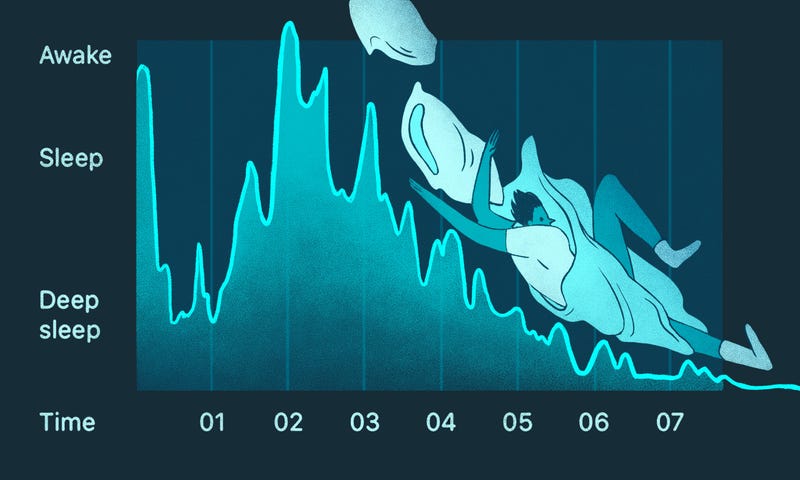
We talked to Dr. W. Christopher Winter, a specialist in sleep medicine and neurology and author of The Sleep Solution. Dr. Winter previously brought Fitbit, Jawbone, and phone-based trackers to his sleep lab, and strapped them all to his arm. All of the gadgets could tell when he went to bed and when he woke up, but none of them could reliably tell the different stages of sleep (like REM or dreaming sleep) from each other.
Wearable devices track sleep by movement, as do apps like Sleep Cycle and Sleep as Android, either by detecting when your bed moves or by listening for sounds during the night.
Movement is not the same thing as sleep, Dr. Winter emphasizes, but sleep labs do monitor movement—along with other body functions, like breathing, eye movement, and brain activity.
So you can ignore the number FitBit gives you for “sleep efficiency,” or Sleep as Android’s opinion on how much time you spent in “light” versus “deep” sleep. There’s no way they could possibly have a complete picture of when you were truly asleep, or what stage of sleep you were in.
It’s also normal to move during sleep, and to wake up a few times during the night. We usually don’t remember these movements or awakenings. So if you see them on your sleep tracker’s output, don’t worry. As long as you feel well-rested in the mornings, the movements aren’t a problem.
Sleep Trackers Are Great for Detecting Patterns Over Time
Where apps and trackers excel, on the other hand, is their ability to give you big picture data. “It’s very difficult to get 30 days of in-lab polysomnographic data,” says Dr. Winter, but easy to wear a FitBit or sleep next to your phone for that time.
If you’re worried that you don’t get enough sleep, the tracker can help you figure out whether that’s true. Dr. Winter told us the story of a lawyer who was convinced she never slept more than an hour a night, but her FitBit recorded six hours. She thought the FitBit was broken. A lab study showed that it was correct: she was getting a lot more sleep than she realized.
On the other hand, Dr. Winter decided to track his own sleep, and found that he stayed up later than he thought he did. “It told me very bluntly, ‘Hey man, you’re telling everybody you’re getting 7 hours of sleep, you’re a fuckin’ liar, you’re only getting 6 hours and 15 minutes, on average.’ That’s not enough.” He now puts more effort into making sure he gets to bed on time, instead of getting distracted with late night tasks and TV.
Sleep tracking can also help you spot patterns when something in your life changes: if you start a new job or exercise routine, the sleep tracker can help you make sure you’re still getting enough sleep. Similarly, some medications can make your sleep more restless, and your app will report more awakenings or movements during the night, so you can see if there’s a problem. If you end up feeling sleepy during the day, this data can help you track down the cause.
Experiment on Yourself and Focus on the Big Picture
Dr. Winter suggests one more benefit of sleep trackers: they let you test, for yourself, what really does and doesn’t affect your sleep.
If you don’t believe that alcohol can harm your sleep, you can compare how you sleep on nights you drink heavily with nights you don’t and see for yourself. Or if you can’t stand to put away your phone in the evenings, try it for a week and see if your sleep improves.
But if you don’t have a particular question or concern about your sleep, it may be best to ignore your sleep data for now, and there’s little reason to go invest in a sleep tracker “just because.” Just because it’s possible to measure a number doesn’t mean it’s a number worth worrying about, or even one that’s medically useful. Use your sleep tracker as a tool to address problems or questions that you have, not as an all-knowing judge of whether you’re sleeping the “right” way.
A year or so ago a new type of drone hit the (preorder) market. It was the self-flying camera drone – a device that promised to combine camera and AI technology to create a drone that you could essentially throw in the air to follow you around and take photos and videos. Some of these drones include Snap, Lily, Staaker and Hover. Most of these companies have raised tens of millions… Read More
 While it’s true we don’t all have the pleasure of hanging at the Hong Kong Ritz Carlton for this week’s 4G/5G Summit, we can still bask in the chipmaker’s news from afar. Arguably most fascinating among the San Diego company’s big announcements for the week are its plans to go big into the future of cross-platform camera hardware, but it wouldn’t be a… Read More
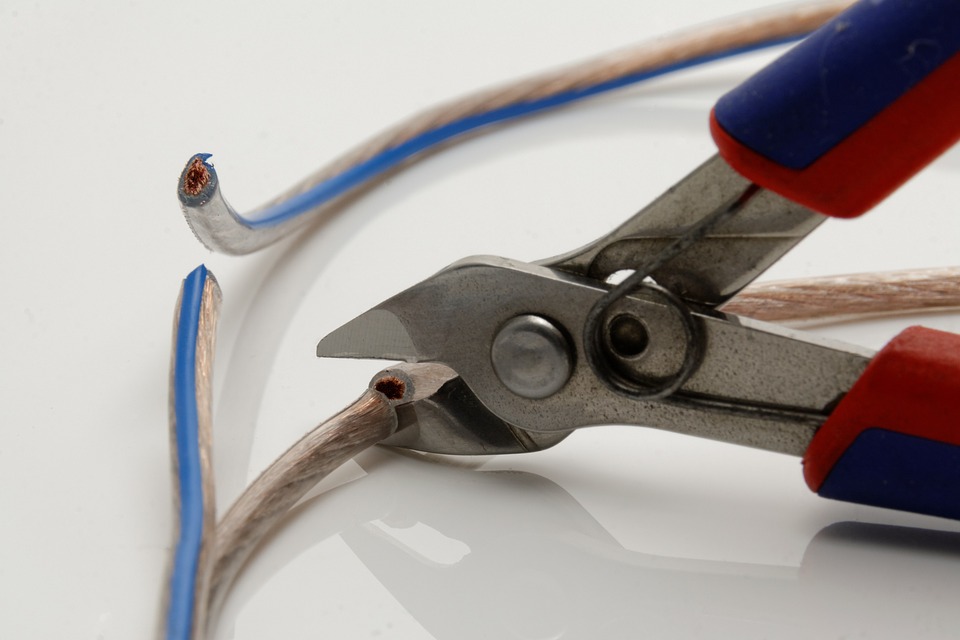


 The oversight court for the UK’s intelligence and security agencies has ruled they operated unlawfully and breached domestic human rights law by harvesting bulk comms data and maintaining large databases of personal information on UK citizens for a decade and more. Read More
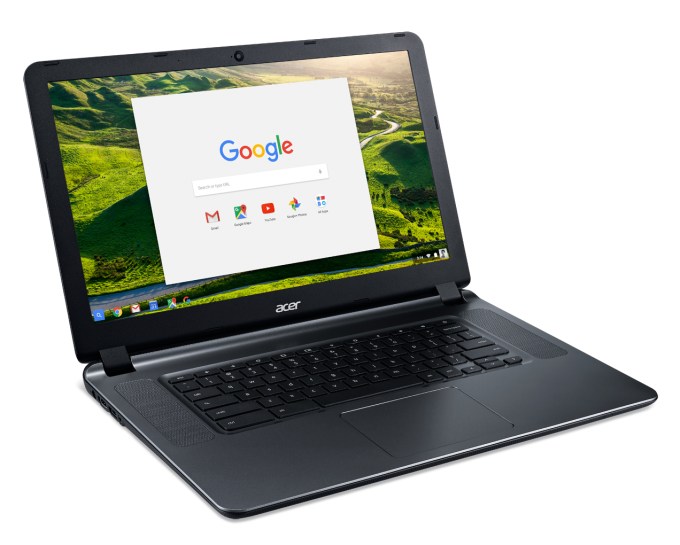 If nothing else, you can’t really argue with the price. Announced this morning, the latest version of Acer’s 15.6-inch Chromebook gets a couple of key upgrades over its predecessor, but none might be quite as welcome as the fact that the company has dropped its starting price by $50, down to $199. The other key feature here – as with all Chromebooks – is battery life.… Read More
 Apple has been working on a not-so-secret car project for years. Project Titan, as it is called internally, has already gone through a bunch of leadership and roadmap changes. According to a new report from Bloomberg, the company is now scrapping plans to build an electric car. The car team is focusing on autonomous driving technology instead. Even more intriguing, it looks like Apple is… Read More



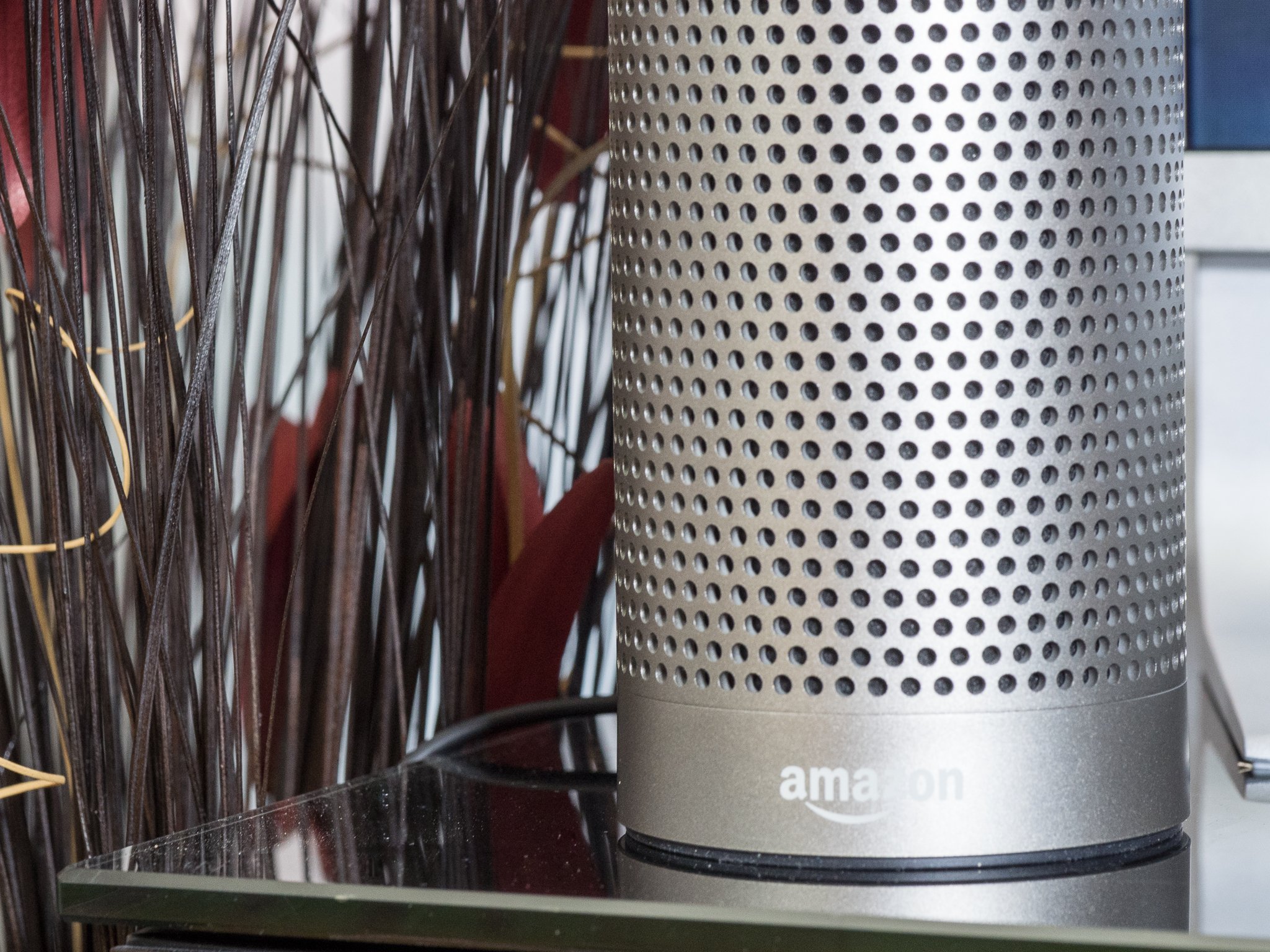




 Yahoo has today reversed its decision to prevent Yahoo Mail users from being able to automatically forward their emails to another address – a key feature that makes leaving one email service for another an easier process. Earlier this month, Yahoo Mail disabled this now-standard feature for email services, claiming that it was “temporarily” disabled because the feature… Read More


 Facebook CEO Mark Zuckerberg sets an ambitious goal every year for himself, and this year it was to create an AI assistant for his home, modelled in part on Jarvis from Marvel’s Iron Man fictional universe. Jarvis gives Iron Man/Tony Stark basically any info he needs, and helps him fight crime, as well as mange his estate and run his business, and the virtual companion is voiced by… Read More








 A year or so ago a new type of drone hit the (preorder) market. It was the self-flying camera drone – a device that promised to combine camera and AI technology to create a drone that you could essentially throw in the air to follow you around and take photos and videos. Some of these drones include Snap, Lily, Staaker and Hover. Most of these companies have raised tens of millions… Read More