Shared posts

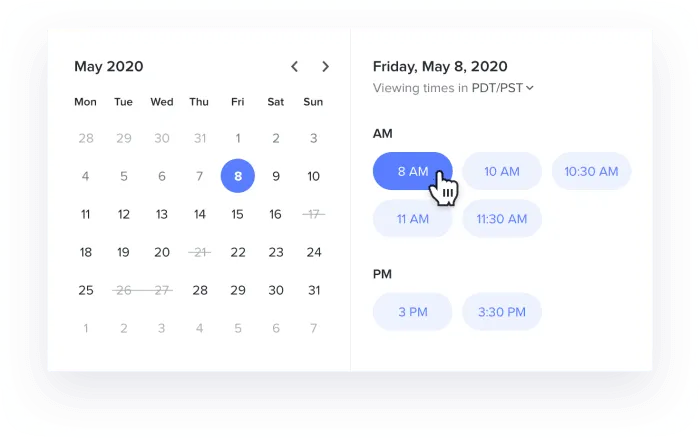
08 May 17:02

Sales email subject lines: 50+ tips, examples, and biggest mistakes

by steli@close.io (Steli Efti)
subject-lines-feature

When sending sales emails, make sure your subject line isn't foiling your efforts. Though the subject line is sometimes overlooked when sending cold emails, we think it's arguably the most important part, as it can determine whether or not your email will be opened at all.

Here’s how to craft the perfect subject lines, plus examples you can use for your own emails. Here’s an overview of everything we’ve included:

  • Essential questions to ask yourself when crafting sales email subject lines
  • 8 tips for making good subject lines for sales emails
  • 9 advanced email subject line hacks sales reps swear by
  • 22 killer email subject line examples for each sales type
  • 39 proven subject lines by industry: B2B, SaaS, startups, small business & more
  • How to set up subject line experiments to let data do the thinking for you


Let's dive into the first section - the starting point for creating your subject line.

Essential questions to ask yourself when crafting sales email subject lines

sales-email-subject-lines-questions

Before you even start a first draft, get into the right mindset to better relate to your prospects, and remind you of key points you can make with your email subjects for sales. Here are 9 questions to ask yourself before you begin:

  1. What are you selling? - Of course you know what your company has to offer, but think about the value it can bring to the potential customers you’ll be sending this email to.
  2. Who are you selling to? - Who are your potential customers? Why do they need your product or service? Put yourself in their shoes and think about their needs.
  3. What metrics are you aiming for (open rate % goal, reply rate goals, etc.)? - Knowing your targets may help you craft better subject lines so you can elicit the proper action from your email recipients.
  4. How can you best motivate them to respond? - Your goal is to lead the recipient to want to open, read, and reply to the email.
  5. Are they familiar with your company already? - Are you corresponding with someone who knows your company, or is this email going to be their first introduction to it? You want to make a good first impression.
  6. Do you have any mutual connections? - Maybe you have a mutual acquaintance, went to the same school, or are part of the same Facebook group. Finding common ground and hinting at it in your subject line may lead to more sales.
  7. Why should they want to open your email? - Think of this as a way to “hype up” the body of your email, in a sense. Make it sound good so they will be interested in reading the rest.
  8. Would you delete an email with this subject line if it appeared in your own inbox? - Think about your own experiences with receiving sales emails. How many of those do you delete and how many do you actually read? If you wouldn’t click on it yourself, your prospective customers probably won’t either.
  9. BONUS: How are you going to track which subject lines work best? - Once you start experimenting with different types of subject lines to see what your customers have engaged with most, it’s important to keep track of what’s working and what isn’t.

8 tips for making good subject lines for sales emails

Your subject line is perhaps the most important part of a sales email, as it’s the first impression you give to the recipient. To make the best first impression, here are 8 top tips to creating the best email subject lines for sales:

1. Keep it real

You don’t want your subject line to sound too much like you’re trying to expedite a sale. Craft them in a way that you would in a ‘real’ email, as you would to a friend or coworker. Communicate like a real human—not a pushy marketing expert trying to make some quick sales. Including things like slang and idioms (where appropriate) can be a great way to do this.

Good Example: Hey! Our [product/service] has your name all over it

Bad Example: What’s up, homie? Check out our [product/service]

2. Keep it short

Many people only check emails on their smartphones, so keeping your subject lines short and sweet is imperative. If they’re too long, they may overflow on to a second line, or worse—get cut off. Based on analysis by Leadium of over 40,000 sales emails, subject lines with 4 words or fewer seem to perform best. Try keeping them short and to-the-point and see how it goes.

Good Example: CRM with predictive dialer

Bad Example: Wasting too much time manually calling your sales leads? We’ve all been there! Our CRM with a built-in predictive dialer will help you!

3. Keep it personal

When you see a subject line that addresses you personally, or seems catered specifically to you, you’re more likely to want to open and read the email. Personalized subject lines are far more effective than a ‘universal’ sent to everybody on your list.

Good Example: How happy are you with [company Name]’s project management tool?

Bad Example: We can offer you [product/service]

4. Keep it relevant

Think about why this person needs your product or service. How does this sales email pertain to them? Also, keep it relevant to the body of the email. Putting unrelated text in the subject line may spark interest for some, but it could also make your email look “spammy.”

Good Example: Declining email deliverability rates with your current marketing automation solution

Bad Example: This could be a game changer for your marketing efforts!

keep-it-genuine-2

5. Keep it genuine

You should make it a goal to have the recipient of your email feel like you genuinely want to help them by providing this product or service to them. Maybe that means giving them a compliment, or commenting on an event you both attended. Try to build a genuine connection rather than trying to close the sale as quickly as possible.

Good Example: It was nice seeing you at [event you both attended], [name]!

Bad Example: Let’s get down to business. Are you interested in [product/service] or not?

6. Keep it casual (but not too casual)

If the recipient’s first impression of your email feels cold and too business-like, they might see it and think “ugh, no thanks.” Something a little more casual can be more appealing, and make your email feel more approachable. You don’t want to be too casual, though.

Good Example: Can we chat about [their company/your products/services/etc.]?

Bad Example: What’s up, [name]? Hit me up if you’re interested in [product/service]

7. Ask a question

Questions can spark interest and encourage someone to open an email. Whether you’re aiming to make them feel useful by asking for information, or making them consider their own needs and wants, sales questions are the key.

Good Example: What does [department] need at [their company]?

Bad Example: This is what you need: our [product/service]

8. Keep your promises

Whatever your subject line promises, make sure the body of your email lives up to that. Whether you’re promising to make their life easier, give them a good deal—or whatever else it may be—you need to follow through. Don’t make false promises or “click bait” your potential customers. That will only lead to you losing business.

Once you start getting creative with subject lines, it’s easy to get tempted to go too far. Certain subject lines might get you amazing open rates, but you need to look at more than just this one metric. Instead, consider the overall funnel. A lot of cold emailing nowadays is done with the “Re:" subject lines, implying that there’s been a previous conversation.

But your email body should deliver what your subject line promises. If you mislead people to get an email opened, they’ll read your email and delete it. Nothing is gained from that.

Here's an example of a clever subject line tricks prospects into opening the email, but irritates by being misleading: "Your meeting got cancelled."

And one of the most effective attention-getting emails I got was the subject line: “Steli, I’m disappointed.”

I immediately clicked on that email, and then, it went on, basically saying: “I’m disappointed that we weren’t able to connect. What we’re doing is … blah, blah, blah …,” and the email went straight into the pitch.

That email was like a guy running a marathon, sprinting the first three miles, being ahead of everyone else, and then collapsing and never making it to the finish line. It was the first email that I opened in my inbox, but once I saw that the subject line was just a clever trick and the sender wasn’t really disappointed, I didn’t bother responding.

Good example: I have a follow-up offer that you will want to consider.

Bad example: [First name], I’m disappointed

9 advanced email subject line hacks sales reps swear by

proven-hacks-3

Want to up your game even more? These nine tips are next-level. Experiment with them to see what gives you the most success!

1. Intentional misspellings

We know, this one sounds pretty weird. However, a tiny intentional spelling mistake can make your email come across as more human. A small mistake such as hitting the key beside the letter you would normally put in that word won’t make it seem like you don’t actually know how to spell the word, but rather that you may have typed and sent it in a hurry. This can create a sense of urgency and may actually entice the recipient to open your email more than if everything was spelled correctly.

2. Connect the dots

No, we’re not suggesting you create some sort of children’s art project—we’re talking about capitalizing on shared connections. If you have a mutual acquaintance or attended the same event, these connections may be able to help you secure a new client.

3. Check on deliverability

Ensure you’re not using any words that may trigger your recipients’ email services to sort your sales emails into their spam folder. Including words and phrases such as “bonus,” “click here,” and “winner” may send your emails straight to junk. You should also run a test on your DNS records to make sure there aren’t any issues.

4. Know your audience

Adjust the tone of your email based on the type of people you’re sending it to. If you’re sending an email to CEOs of large companies, your tone should be different than if you’re emailing free-spirited small business owners.

your-audience

5. Only use company names

Instead of addressing your recipients by their first name, experiment with only including their company name, or no personal/customized variables at all.

6. Use lowercase text

When sending an email to someone you know, you likely wouldn’t capitalize every word in your subject line. Only using capital letters where necessary can make you come across as more human and genuine.

7. Be creative!

Making use of your wit and sense of humor is a great way to create catchy email subject lines for sales. People may be intrigued if you use a pun or set up a joke, and it’s a unique way to make your emails stand out. We’d recommend giving this a shot.

8. First sentence of the email

While this isn’t actually a part of your subject line at all, we’d recommend also being mindful of the first sentence or two of body text in your email, as this part can sometimes be shown as a snippet, directly below the subject line, in an email inbox. If your snippet reveals that your subject was simply clickbait, or is full of junk like an unsubscribe button, this can deter your potential customers from opening your emails.

9. Subject-line-only emails

Send out emails with only a subject line and no email body text. Using EOM at the end of your subject line also works well. I know a sales team that’s killing it with this technique.

22 killer email subject line examples for each sales type

Need some guidance? Have a look at these examples for every kind of sales email you might be sending out and tweak them to suit your specific needs.

Sales Type Subject Line Examples
Cold Outreach Sales Emails
  • We can help!
  • X steps to achieve [goal they might have]
  • [mutual acquaintance] suggested we reach out!
Follow-up Sales Emails
  • The next steps
  • Here's that information you requested
Introduction Emails
  • Getting started with [product/service]
  • First steps to improving your [issue you're helping with]
  • Hi, we're [company name]. Nice to meet you!
Thank You Sales Emails
  • Thank you for our [date] meeting
  • It's been great doing business with you!
Pitch Emails
  • New [department] strategy for [company name]
  • Jam-packed schedule? Let us help you out.
Sales Prospecting Emails
  • X ways we can help you with [issue they might have]
  • Could you use one of these?
Sales Appointment Request Emails
  • Time to chat?
  • Free [day of the week] at 1:45?
Reminder Sales Emails
  • Have you thought about [topic/product/service]?
  • Last chance to snag this deal!
Post-transaction Sales Emails
  • It's been a pleasure!
  • Would love to work with you again.
Check-in Sales Emails
  • Interested in [related topic]?
  • We'd love your feedback

 
If you’re looking for something a little more specific, keep reading to get industry-specific tips for crafting your subject lines.

39 proven subject lines by industry: B2B, SaaS, startups, small business & more

Based on what industry you’re in, your target audience will be different, and the types of sales subject lines you use will vary as well. Here are 39 industry-specific subject line examples to get you started:

Industry Sales Email Subject Line
B2B
  • [your company] x [prospect's company]
  • Looking to outsource [service you can provide]?
Small Business
  • We'd love to help you grow your business!
  • From one small business to another...
Startup
  • You know you're running a startup when...
  • Could your startup use some help with [common issue]?
Enterprise
  • Regarding your [related department] needs
  • Large companies need [your service/product] too!
SaaS & Software
  • Looking to improve your software sales?
  • X ways our software can improve your life
IT
  • A must-have update for [their company]
  • Your site needs this
Tech
  • Could this go viral?
  • Ding! You don't want to miss this notification
Cloud
  • Are your employees' heads in the clouds? We can help.
  • We'll help you ditch external hard drives
PaaS
  • X benefits we can bring to your platform
  • We can help you build the app of your dreams!
IaaS
  • Improve your services with this tool
  • Let us do the groundwork for you!
IoT
  • Let's turn your ideas into reality
  • We can "smarten up" your home!
App
  • Want to be #1 on the app store? Let us help!
  • Get better app reviews with this one awesome tool
  • The best thing you'll download today
Real Estate
  • Sell more properties with help from [your company]
  • There's a smarter way to sell real estate...
Advertising
  • This deal deserves a billboard
  • 3 ways to make your next commercial a hit
  • Want to get more clicks on your Facebook ads?
Digital Media
  • X ideas for your next blog post
  • All content creators need this tool
Food Service
  • Bring in the foodies with [your company]
  • We have a delicious deal for you
  • Grab a bite of this!
Insurance
  • Check out our claims & we'll help you with yours
  • Risk Management: preparation is not having to gamble
Financial Services
  • Investment opportunity too good to pass up
  • Need help with financial planning?


These subject lines will be more relevant to your prospective customers than a more general example would.

How to set up subject line experiments to let data do the thinking for you

Have you been paying close attention to the performance of your sales emails? You might not have even thought to run experiments with your email tactics, but it can be a great way to improve your results. Here are some tips and advice for the best practices when setting up subject line experiments:

  1. Decide what you want to test - How are you going to measure what’s working and what isn’t? You might want to look at your open and response rates for starters.
  2. Have an idea of what metrics you’re aiming for - It’s important to set quantifiable goals when it comes to these tests. If you’re not seeing the results you want, it’s time to try something different.
  3. Pick how many variations you want to try out - What types of subject lines do you think will work best? Select a few types and decide how long you want to test them before having a look at your results for comparison.
  4. Don’t get caught up in your success - What’s working now won’t work forever. Always challenge your current techniques, because the time between realizing you’re losing leads and finding a new template that works could last months. Don’t stop experimenting altogether just because you’ve found one thing that works.
  5. Follow up with recipients - To get more information about your target audience, consider reaching out to those that opened or responded to your emails to get their feedback. Ask what made them want to open your email, what they liked about it, and what they didn’t like. This qualitative data can be used to your advantage when writing future emails.
gather-feedback-4

Following these guidelines, run some experiments to see what types of subject lines seem to resonate well with your target audience and generate the most engagement.To take it to the next level, learn how to run cold email experiments when you’re emailing smaller sets of leads and don’t have enough data to achieve statistically significant results.

Keep in mind that if you wouldn’t open an email with the subject line you’re using, your leads probably won’t either. Entice your prospects with great subject lines for sales emails that are short, relevant, to-the-point, and sometimes funny, and you’ll be improving your cold email response rate with new customers in no time.

Want more tips? Get your copy of the new Cold Email Hacks 2.0 e-book!

cold email hacks report

08 May 17:01

5 Top Sales Challenges for SMBs (and How Sales Navigator Helps Solve Them)

by Amanda Bulat
Small But Mighty

At LinkedIn Sales Solutions, we have the privilege of working with a wide range of small- and mid-sized businesses (SMB) that are creatively seeking ways to grow and expand their digital footprints. Through these experiences, we’ve noticed several common challenges, many of which can be addressed directly through LinkedIn and Sales Navigator.

Today, we’ll take a look at five of the most prevalent obstacles facing the SMB sector, and how forward-thinking companies are overcoming them through a modern selling approach powered by the world’s largest professional network.

How LinkedIn Helps SMBs Solve Top Sales Challenges

1. Lack of Awareness and Name Recognition in the Market
How can you stand out and get noticed in a niche that may already have several recognizable players? This is an almost universal dilemma for the SMB crowd, especially when it comes to creating awareness at the decision-maker level. There are no easy answers — it takes smart, clever, strategic thinking and execution — but LinkedIn offers some helpful ways to get your brand’s name out there.

Working with your marketing cohorts to develop a consistent and focused content strategy on your  company’s LinkedIn Page can make a big difference in this regard (and the LinkedIn Content Marketing Tactical Plan provides useful guidance on this front). But from a sales standpoint, perhaps the most important step you can take to lay groundwork is expanding your professional networks. Connect with key individuals in the specific areas where you operate — not just prospective customers but also influential voices. Building awareness with experts and authorities who are respected in the industry is a great way to credibly get in front of their audiences, which are likely very similar to yours.

Don’t just connect with people for the sake of doing so, though. You’ll always be more successful reaching out with relevance. Scour interests, skills, and backgrounds in LinkedIn profiles for commonalities that might spark a rapport. Use the TeamLink feature in Sales Navigator to get a full view of your organization’s extended network. The long-term benefits of a robust and wide-reaching sales network are immense.

2. Stalled or Limited Growth
Oftentimes, gaining that initial momentum isn’t the problem; maintaining it is. Once you’ve shored up your early opportunities, where to next? New geographic regions and business verticals can offer prime territory for expansion, but breaking into them is tough for a budding brand.

Sales Navigator can be extremely helpful when it comes to growing the collective networks of your sales team and forging relationships that open new doors. Features within the tool, like TeamLink and Lead Recommendations, make it easy to identify low-hanging fruits outside of your initial geography.

3. Lack of Balance and Coordination Between Inbound and Outbound Efforts
Finding the right balance between inbound and outbound sales is an ongoing challenge for companies of all sizes, but one that seems to weigh more heavily on SMBs. Recognizing that buyers are now more self-driven in the purchase journey, you want to promote smart practices that help them find their way to your brand. But there’s also an added level of urgency to actively seek out new business and fill the pipeline.

LinkedIn supports the pursuit of both these objectives simultaneously. When evangelizing a modern selling strategy, reps are encouraged to build their personal brands and engage in productive conversations on the platform, which helps gain targeted visibility for themselves and the brand. Meanwhile, they can use Sales Navigator to pinpoint qualified prospects, and leverage rich professional insights for intelligent outreach.

4. Difficult to Hire and Retain Quality Sales Talent
The bottom line is that quality employees are more likely to stick around if they are happy, productive, and successful. Sales Navigator users are empowered to proactively create their own opportunities, and develop them independently. And as mentioned before, modern selling approaches are geared toward personal brand-building as well as company growth, so there’s a higher level of inherent self-motivation.

Additionally, the centralized nature of Sales Navigator as a sales enablement platform makes it conducive to training and collaboration with managers. For example, Sales Navigator Deals provides a detailed, real-time, shared view of the pipeline, which many sales leaders use as focal points in their one-on-one meetings. As you probably know, employee engagement is one of the most vital factors in retention and managing churn.

5. Nascent Sales Processes Lack Structure and Refinement for Efficiency
Running an SMB sales operation requires a lot of foundational building. In many cases there isn’t a firmly established infrastructure, which can lead to aimless or duplicated efforts. Sales Navigator helps teams organize and coordinate. With Deals, you can integrate with your CRM, and changes within Sales Navigator will be written back to the CRM instantly.

Simply put, Sales Navigator gives managers visibility into each of their sellers’ activities, provides automated alerts to help push a rep into action at the right moment, and creates a structure to scale up more easily.

Sales Navigator Helps SMBs Think Big

Many people think of LinkedIn Sales Navigator as a scalable solution for enterprise teams with global reach. And it is that. But we’ve also placed a strong emphasis on making the product highly useful for smaller businesses that need an edge to move ahead of the pack in today’s competitive marketplace.

By helping advance your brand awareness, opening up new regions and verticals, bringing balance to your inbound/outbound mix, improving employee retention, and solidifying your sales infrastructure, Sales Navigator is a powerful tool for modern SMBs.
 

To learn more about how Sales Navigator can bring value to companies of all sizes, subscribe to the LinkedIn Sales Blog.


08 May 17:01

Why Would a Property Owner Oppose Neighborhood Improvements?

by Charles Marohn
images.jpeg

As an engineer, I worked for cities doing public improvement projects; building and maintaining streets, sewer pipes, water mains, and drainage systems. One project opened my eyes to a crazy world of perverse incentives I didn’t know existed.

It was a rehabilitation project in a struggling neighborhood, the kind of place filled with rental properties badly in need of some attention. The project I was working on would not only replace the underground utilities; it would fix the potholed street and broken sidewalks, restoring the streetscape to something seen only in the more affluent parts of town.

This work was being paid for mostly by a grant with some city funds thrown in, so the property owners weren’t expected to pay anything directly. I went to the public hearing to present the plans, expecting to be embraced as a hero. That is not what happened.

First, the “public” at this hearing was not the people I was expecting: the people who lived in the neighborhood. The neighborhood’s residents were almost all renters and, since the official public notice was mailed to the property owners, the renters didn’t even know.

The owners of the properties did know, and they were the ones out in force. They were mad. With each slide in my presentation, the tension in the room only grew. My cheerfulness about what we were doing for them only made them more irritated. Finally, courtesy drained from the room.

“We don’t want this.”

The ice was broken and now they all started to speak in succession. Whose idea was this? Why was this necessary? Did we have to do this project? The tone was accusatory where it wasn’t defensive.

It took some time for me to understand their central concern: they were worried this project would raise their taxes. In the narrow margins of the low-end rental business, they were worried that improving the street would improve their property values, and improved property values would mean increased taxes. They preferred the run-down street and the cracked sidewalks.

How Taxes Shape Human Behavior

My friend Joe Minicozzi, the founding principal of the consulting firm Urban3, is one of the most brilliant people I know when it comes to analyzing the consequences of tax policy for our cities. He frequently observes in his talks that what we tax—and what we don’t tax—has consequences. To recognize this, he says, we need only look at the way taxes on cigarettes are used to discourage smoking. They are tremendously effective at doing so. If you want less of something, tax it.

“When we line up what we say we want to accomplish, and then we line up the math, they’re almost always at odds with each other.”

So what message do cities send when they institute property taxes? By taxing the value of the buildings on a piece of land—the “improvements”—and not just the land itself, we indicate that we don’t want people to improve their land. We’re going to punish them with higher taxes for doing so.

The property owners in that struggling neighborhood I described weren’t short-sighted or irrational. They had a working business model: buy property in a poor neighborhood, do minimal maintenance, charge whatever rent they could get, and enjoy the benefits of low taxes. The project I was proposing—by improving the value of the properties in that neighborhood—was a threat to their business model.

A Better Alternative: The Land Value Tax

It doesn’t have to be this way. A few weeks ago, we at Strong Towns published an in-depth series about an alternative to taxing—and thus discouraging—property improvements. That alternative is a land value tax.

Under a land tax, you are taxed only on the value of the location you own. You thus have an incentive to improve that property and get the most out of your real estate. And your incentives are aligned with those of the community as a whole, which needs to get a return on its investment in the public infrastructure—streets, sidewalks, pipes, and so on—that serves your land and makes it developable.

I invited Joe Minicozzi to record a podcast with me on land value taxation and related issues. The genius of Joe and Urban3 is to look at tax revenue geospatially: they are able to map out a city’s expenses and sources of revenue and tell them, “Here’s where your money is coming from. Here’s where you’re bleeding it.” We can then have a conversation with eyes open about how to bring private incentives more into line with what we say we, as a community, want to accomplish—strong, financially solvent cities and neighborhoods.

Have a listen to our latest episode of the Strong Towns podcast to hear more from Joe, including:

  • How cities can recoup their investment in public amenities like access to lakes for recreation

  • How big-box chains operate like urban slumlords when it comes to property tax

  • What Pittsburgh did better than other Rust Belt cities during the late-20th century wave of deindustrialization

  • How we reconcile the moral questions around taxation—who pays their fair share?—with the cold hard math of local government solvency

(Cover photo: William Real via Flickr)

08 May 16:58

Time for Enablement or Training? Three Metrics Your Company Should be Tracking Today

by Jeff Hoffman

Bringing in outside training and/or building a sales enablement function is an expensive investment, yet it’s critical to the success of your sales organization.

But when do you do it?

Well as in life, timing is everything. Too early and your team won’t have the proper baseline or pipeline to measure the results of these efforts. Too late and they are locked into bad habits and poor practices that impact your scalability.

Regardless of your go-to-market strategy, arming your sales team with the tools, tactics and processes is paramount in their ability to execute. Here are three metrics that will indicate it’s time to pull the trigger.

1. The amount of deals that are ‘Closed Lost – No Decision’ has increased

Look at your ‘closed-lost’ deals. If you have more deals that have been lost to “no decision” rather than “competitor,” there is a high probability something isn’t working.

This specific metric indicates that your reps are either struggling with their closing techniques or with establishing value in the discovery phases of their pipeline. If you look at the pipeline across the organization, you’ll see a large bump in the middle of the funnel. This is because most of their deals will be stuck in that qualification or discovery stage. They won’t have many on the bookends of their pipeline, because they’re struggling with articulating your product’s value to their prospects.

So how do you fix this?

You’re not going to address this with a change of activity. You fix this with behavior training around the discovery and qualification stages. For example, a busy sales rep hears from a prospect –

“Thanks Kelly, this looks great, I just need to review the notes from the demo, share with my team, and I’ll get back to you.”

And now, because they’re so busy, your rep, Kelly, doesn’t get around to following up, and then pretty soon the deal, which was in Stage 2, is sitting there, collecting cobwebs. And this is not only happening to Kelly, but to all your other reps on the floor.

When your reps make discovery calls, they MUST CLOSE them. Most reps don’t do this because they are unsure what to close for. Build a playbook or arm them with training so that they know how to end a call with a close and a definitive next step. For example, that same prospect says to your rep, Kelly –

Prospect: “Thanks Kelly, this looks great, I just need to review the notes from the demo, share with my team, and I’ll get back to you.”

Kelly: “Well, what’s the easiest way for me to schedule 30 minutes with you so we can review yours and your colleague’s reactions to the notes from the demo?”

Now Kelly has set up another meeting with the prospect and can further qualify the opportunity. When your reps are closing discovery calls, you’ll see a decrease in ‘closed lost- no decision’ deals, and that bump in the middle of the pipeline will be evenly distributed throughout.

2. Your ‘Median Days in Sales Cycle’ is going up

As a sales organization matures, you should never see the median sales cycle go up – it should only go down. You have more market exposure and your reps should have a solid understanding of how to move their deals down the pipe.

We focus on the “mean” rather than the average so that we can best assess the time and days between each stage of the funnel.

So what does it mean when the mean goes up?

The most common culprits are that your reps are sending out proposals too early, and/or underqualifing their prospects. When you see that number go up, it indicates that there is a race to the proposal, without too much weight behind it.

These stages can be the fluffiest and murkiest in the sales process. Giving your sales team more structure, definition, and training will help them decrease the time in each stage.

3. Your Reps’ talk time decreases

Talk time – what does that mean?

High levels of talk time indicate reps building pipeline. Low levels of talk time indicate reps managing deals in the middle. Being aware of reps’ talk time is a good way to see if enablement is a reasonable investment for your organization.

A solid benchmark for talk time per rep is between 90 – 120 minutes per day. I’ve never seen any indication that a successful organization would have anything below 90 mins of talk time with their sales reps.

If you see this number start to dip below, that means that you have a lot of reps working on later deals, and are stuck in the middle of their pipeline.

Conclusion

The middle of the pipeline is a sticking point for many organizations, especially those who have a product-first strategy. Staying on top of these metrics will help you determine if/when it’s time to layer in training and enablement for your reps. It’s okay to rely on your product to drive your company’s success, but investing in your sales team can push your sales to the next level. Keep these key metrics in mind, and you’ll be able to judge when your reps need training, and where exactly in the pipeline could use improvement. You’ll see your reps crush their quota like never before.

The post Time for Enablement or Training? Three Metrics Your Company Should be Tracking Today appeared first on OpenView Labs.

08 May 16:58

How to Stop Playing “Target Market Roulette”: A new addition to the Lean toolset

by steveblank

Modern entrepreneurship began at the turn of this century with the observation that startups aren’t smaller versions of large companies – large companies at their core execute known business models, while startups search for scalable business models. Lean Methodology consists of three tools designed for entrepreneurs building new ventures:

These tools tell you how to rapidly find product/market fit inside a market, and how to pivot when your hypotheses are incorrect. However, they don’t help you figure out where to start the search for your new business.

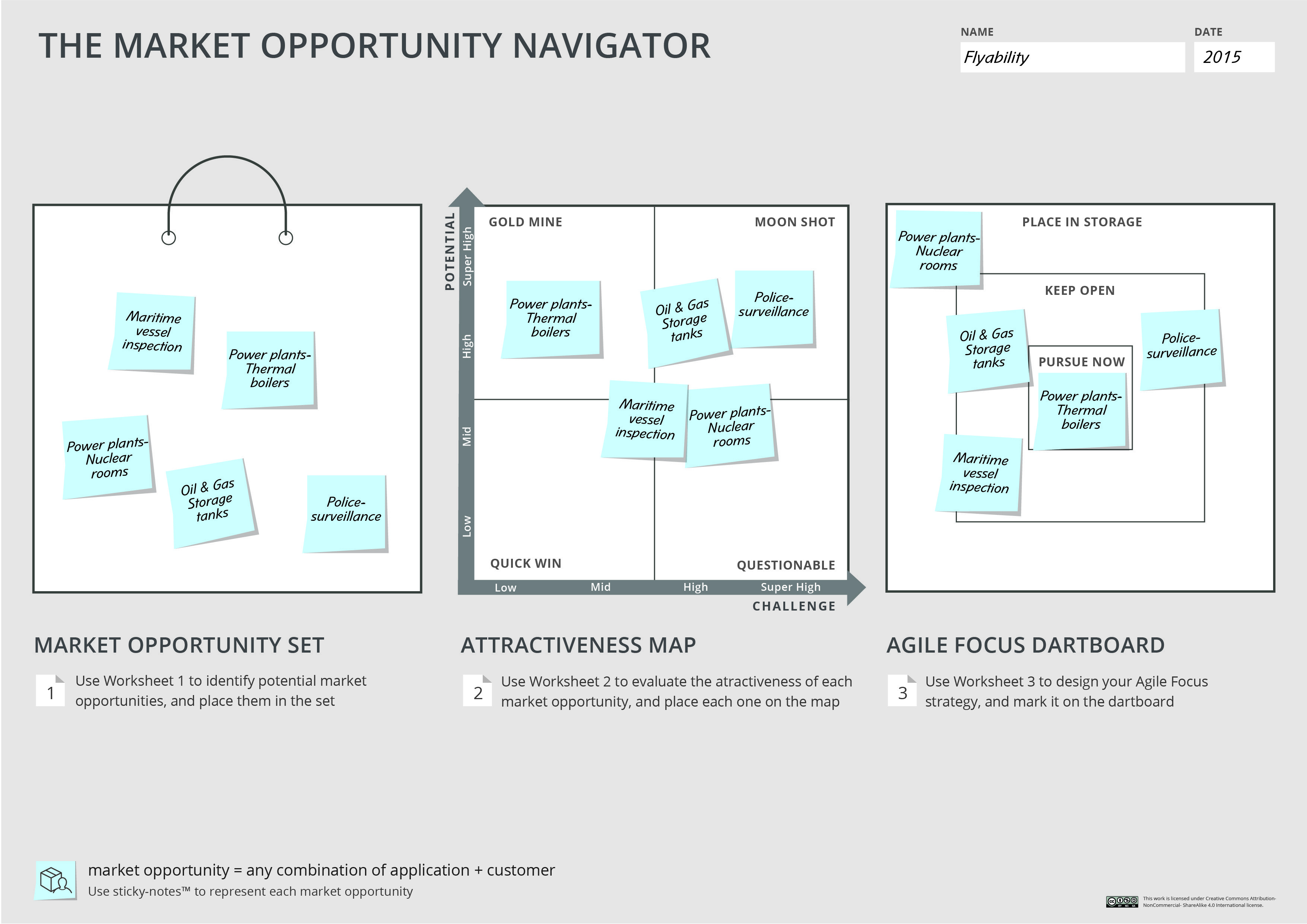
A new tool – the Market Opportunity Navigator – helps do just that. It provides a wide-lens perspective to find different potential market domains for your innovation, before you zoom in and design the business model or test your minimal viable products. This new framework can act as the front-end of Customer Development. It helps figure out the most promising starting position – market domain – for your customer development process. And it helps identify promising Plan B’s and new growth options if you have already embarked on your innovation journey.

Over the years, I have seen many startups and innovation projects perform a painful “re-start” to completely new market domains. With a little more thinking up front these entrepreneurs and innovators could have identified more promising business contexts to play in, and thus avoided this difficult pivot down the road. But while the academic literature is full of papers covering market selection and the literature has some popular books (Blue Ocean Strategy, et al.) there is a lack of easy-to-use tools to do so.

In large companies and government agencies the problem is even more acute. Where do we spend our limited time and resources on our next moves? While the Innovation Pipeline tells us how to go to from sourcing to delivery how do we prioritize our choices? The Market Opportunity Navigator is a useful adjunct to the curation and prioritization steps.

Just like the Business Model Canvas, the Market Opportunity Navigator has closed the gap between academic theory and books by offering a simple, visual way to navigate the process of how to select what market to start with. Developed by Prof. Marc Gruber and Dr. Sharon Tal and based on hundreds of cases they studied during their practical and academic work, the Market Opportunity Navigator is described in their new book, Where to Play.

In three simple steps the Market Opportunity Navigator can help you:

  • Identify a portfolio of market opportunities stemming from your technology or unique abilities
  • Reveal the most attractive domain(s) by evaluating the potential and challenges of each option
  • Prioritize market opportunities smartly to set the boundaries for your lean experimentations

I asked Sharon and Marc to summarize why market selection is important and describe an example of how to use it.


Different Playgrounds mean different Rules of the Game
There are many ways in which you may have identified a market for your business. Some of you may have identified a market need based on your own experience, or you may have been approached by potential customers, or if you are corporate innovator you may have applied an innovative solution to an existing target market. Yet, are you sure that this is the best opportunity? Could there be greener pastures (larger markets, more profitable markets, etc.) out there for commercializing your technology or unique abilities?

Taking the time to reveal the most promising market – the best starting position – before you engage in a focused customer development process is critical, because market domains vary in their value creation potential, competitive landscape, regulatory regime and risks associated with launching new products. In fact, by not asking “Where to Play” innovators risk choosing an inferior playground – one that does not allow the project to prosper. Beyond the possible loss of revenues, this early decision may be difficult to change, or even irreversible: it influences how you develop your technology going forward, raise money, write patents, recruit employees and pick a brand name. If re-start in another target market is required, such a pivot is painful, costly, and sometimes even impossible.

Finding the best starting position is a learning process that takes time and bandwidth – two scarce resources. So instead of taking a deliberate step back to understand their portfolio of opportunities, entrepreneurs and innovators often just start running. They make a bet and engage in customer development experiments – adopting “local” pivots in a relatively fixed context, until a scalable business model is (hopefully) revealed. This can be a big bet! The search for product/market fit and for a scalable, promising business model should therefore begin with uncovering and understanding the different market contexts in which you can play. In fact, by adopting a wider lens, the search process shifts from 2D (finding a product-market fit) to 3D (finding multiple product-market fits in different market contexts).

Academic research published in Management Science investigated 85 VC-backed startups and offered a conclusion that seems obvious in hindsight: “look before you leap.” The big idea was that experienced entrepreneurs tend to generate a portfolio of market opportunities before deciding where to play, thereby laying the ground for significant performance benefits. In other words, understanding your arena of opportunities is a key asset for entrepreneurs and innovators.

Identifying your Arena and Choosing Where to Play
The Market Opportunity Navigator provides a visual framework to discover, compare and prioritize different market domains and business contexts. It helps you to think about your arena, rather than your industry – a key mindset shift in today’s competitive landscape.

The Navigator walks you through a three-step process that helps you to make a more informed choice. It does so in a friendly, intuitive manner, with a visual design board and 3 worksheets to guide the process.

You can download the Navigator and its worksheets here.

Putting it all together: A Superset of Tools
Mapping out your market opportunities to understand your most promising starting position generates valuable insights for your innovation journey. In short, the big-picture view provided by the Navigator helps you zoom-out to understand “where to play,” while the detailed views of the lean approach and the Business Model and Value Proposition Canvases help you zoom-in and understand in detail “how to play.” Together, they create a superset of tools that supports you in an iterative learning process until you find a scalable, promising business.

Having a market opportunity portfolio to draw from offers an additional benefit. By having gamed out multiple markets, you can bake agility into the DNA of your venture – a key component in the Lean methodology. It allows you to carefully select and keep open backup and growth options.  If a “re-start” is eventually required, it will be less painful and less costly.

Let’s take a look at an example from the startup world to see how the Market Opportunity Navigator works.

We Can Fly Anywhere – but Where Do We Go First?
Flyability develops drones to inspect difficult-to-access locations. In theory, they can custom-build their drone to perform different jobs in completely different markets: industrial inspection, search and rescue, entertainment or surveillance – to name but a few. Each of these markets varies significantly in its business context and in its promise for growth. Furthermore, each market would require its own customer development process to reveal a scalable, repeatable business model – clearly a demanding process that is difficult to run simultaneously in multiple domains.

So how did Flyability find its best starting position – the initial market domain where the founders should engage in detailed customer discovery and build their business? They used the Navigator and its three worksheets to guide their process.

Worksheet 1: Generate your market opportunity set
The founders’ first idea was to use the drone for observing critical disasters, like the reactor meltdowns in Fukushima, Japan. Yet, by going through the first step of the Navigator, the team began to uncover alternative markets where their drone could add value for customers. Among others, they considered drone-based inspection of boilers in thermal power plants, the inspection of oil & gas storage tanks, and intelligence-gathering by police forces. Overall, five market domains seemed interesting and required further evaluation.

Worksheet 2: Evaluate market opportunity attractiveness
Using the second step of the Navigator, the team systematically examined the potential of each market and its unique challenges. This allowed Flyability to map out their options and visually compare their attractiveness. Gradually, it became clear that thermal power plants were a “gold mine” option worth playing in. They could now use the Business Model Canvas and the lean experimentation processes to design and validate a scalable business model within this market.

Worksheet 3: Design your agile focus strategy
Once the founders chose their primary market, they could leverage alternatives to create a more agile company by mitigating risk and avoiding locking-in. Specifically, using the third step of the Navigator, the founders designed a small portfolio of backup and growth options that they would keep open. This foresight laid the ground to early key decisions that have long-term consequences, like how they developed their drone or chose their brand name. In addition, it helped them clearly define which options they would place in storage for now (as focusing is about saying no more than anything else).

By employing the Market Opportunity Navigator, Flyability has not only figured out “Where to Play” it has mapped out an interesting growth path that is appealing to investors. To get a better sense of this process, you can view Flyability’s Navigator below, or read the full case study by clicking here.

Insights for VCs, Tech Transfer Officers, and Social Entrepreneurs
Identifying your arena of opportunities is not only key for startups and established firms, but for anyone dealing with technology commercialization. For VC’s, the macro-level perspective shows the market opportunities that can be addressed by a startup and lays out a clear monetization process over time. It also offers a portfolio perspective when screening initial or successive investments. If you are working for a Tech Transfer Office, a wide-lens perspective is essential for assessing the value of an invention, and for figuring out in which hands you should put it. Furthermore, if you are trying to address a social problem, the Navigator helps ensure you identify a market that allows you to generate an economic bottom-line in addition to your social impact.

Lessons Learned

  • Lean Startup tools offer the details of “how to play,” while the Market Opportunity Navigator helps you to zoom-out to understand “where to play”
    • There are multiple “starting positions” for your customer discovery journey
    • Each starting point has different challenges to overcome
  • What would be your most valuable domain?
  • The Market Opportunity Navigator is an easy-to-apply framework for this process
08 May 16:57

My Love for the Great Game of Sales

by Anthony Iannarino

It’s a challenge to gain a first meeting with a client. It’s an exercise in problem-solving. You have to develop some theory as to why your dream client may need to do something different. You have to figure out who to call, as well as what they might value enough from you in trade for their time. The “no” to your request isn’t rejection; it’s feedback that informs you that you haven’t yet solved the puzzle, that you need to try again. The “yes” is all the sweeter when you worked for it.

Stepping through the front door to meet what is almost always a complete stranger for a conversation is stepping into the unknown, one that requires you set an agenda that creates enough value to earn a next step, and open a conversation about business, and one that rarely avoids the personal. This is the art of the conversation, the art of a commercial conversation, and it’s always in some way unique. When you get things right, you end up with a new contact—and potentially a new opportunity.

As much as you’d rather not have any competition, what could be more challenging, more fun, and more meaningful than competing against a worthy opponent in a contest to see who can create the greater value and the greater preference? There is something about looking at the sign in sheet and knowing that you are in a contest that brings out your competitive spirit—and a good bit of fight and energy. A hard won contest is more interesting—and more satisfying.

The more people in a deal, the more challenging they tend to be. Managing a list of stakeholders is the sort of exercise that can stretch. First, you have to figure out who is involved, and then you have to figure out what they want, and at some point you have to create enough of a preference and consensus to choose you, your company, and your solution, something that can be challenging with a single person, and increasingly complex when there are fourteen people involved in the initiative.

The negotiation. The back and forth. Talking about the right decisions ands trade-offs. Matching the investments to the outcomes. The consequences of failure, and the results when you succeed. All of the give and take, timelines, and pressure, when it is real.

You have to love the lessons when you lose and the adjustments you make to improve from day to day and deal to deal.

Most of all, what competes with winning a client and helping them produce wildly better results than they were generating without you and your help. How can you not love the great game of sales?

Get the Free eBook!

Learn how to sell without a sales manager. Download my free eBook!

You need to make sales. You need help now. We’ve got you covered. This eBook will help you Seize Your Sales Destiny, with or without a manager.

Download Now

The post My Love for the Great Game of Sales appeared first on The Sales Blog.

08 May 16:57

7 highly successful leaders share the top advice they wish they could go back and tell their younger selves

by The Oracles, Contributor

ballpoint pen writing letter write

  • If you could send a short letter back in time to your younger self (at any age), what would it say and at what age would you want it delivered?
  • Seven successful business leaders were asked this question, and their candid answers reveal smart career advice we can all use.
  • For example, "Get serious about learning ... and don't be so arrogant," is the message that Dan Lok, a serial entrepreneur, best-selling author, and two-time TEDx opening speaker, would tell his younger self.
  • Visit Business Insider's homepage for more stories.

Imagine if you could send a letter back in time to your 18-, 20- or 25-year-old self. What would you say? What do you wish you would have known back then?

We asked seven successful business leaders and advisors in The Oracles just that. Here are the important lessons Dan Lok, Bedros Keuilian, and others would share with their younger selves.


SEE ALSO: Pinterest's 2nd employee ever explains why becoming an early startup employee is a 'terrible' idea if you want to get rich

1. Get serious about learning

There are three things I wish I'd known in my 20s. First, get serious about learning. For the cost of a $10 book, you can get the knowledge it took others a lifetime to accrue. Become obsessed with learning about business, sales, and marketing. I didn't do that until after one of my first business partners took advantage of me. You think education is expensive? Ignorance will cost you a fortune.

Which brings me to my second point: choose your business partners carefully. You can't do a good deal with a bad partner. I would rather do an average deal with a great partner because when you work well together, you can make it great.

Finally, don't be so arrogant. Once I started becoming successful, I felt like I was invincible and lost money on several investments as a result. Stay humble and be open-minded — because you can learn something from everyone.

Dan Lok, Chinese Canadian serial entrepreneur, global educator, and international best-selling author of "Unlock It!"; two-time TEDx opening speaker and founder of Closers.com, which connects companies to closers. Follow Dan on YouTube, Facebook, and Instagram.


2. Find a mentor and solve bigger problems

If I could send a letter to who I was a decade and a half ago, it would say two things. First, find a mentor. Then solve bigger, more sophisticated problems so you can make more money and have a bigger impact.

Invest in more mentors right away. They may even be free, though you'll need to put in some sweat equity. For example, when I was a personal trainer, one of my clients mentored me while I trained him in the gym. I got a lot of exposure to entrepreneurial lessons I would not have access to otherwise. Get coaching, join masterminds, and pay for a mentor if you must. Go to events where you can be mentored by those who are miles ahead of you and have done what you want to achieve. Collapse time and get an outcome faster, with less frustration and less money.  

Then solve bigger and more sophisticated problems for people, because that's how you make more money and have more of an impact on others' lives.

— Bedros Keuilian, founder of Fit Body Boot Camp, author of "Man Up," and host of "Empire Podcast Show." Read how Bedros built his dream life and connect with Bedros on Instagram, Facebook, and YouTube.


3. Learn to sell face-to-face

If I could write a letter to my 21-year-old self, this is what it would say: First, stop drinking so much. Develop sober social skills. Second, shed your introverted excuses and learn to sell in person, face-to-face. This is one of the most important skills that anyone can develop at any age. The sooner you use it, the faster you'll grow rich, find the love of your life, be a better conversationalist, and master your sober social skills.

Third, stop working for money and start working for experience. Find the most successful person who shares your morals and ethics, offer value so they agree to take you on as an apprentice, and never, ever let them down. These might be the three greatest investments you ever make in your life.

Craig Ballantyne, owner of Early to Rise and creator of The Perfect Day Formula and Social Story Selling System; author of the WSJ best-seller "Unstoppable"; read how Craig overcame entrepreneurial anxiety. Follow Craig on Instagram, Facebook, and LinkedIn.


See the rest of the story at Business Insider
08 May 16:55

How to Use Video in Your On-Site Engagement Strategy

by JJ Tyson

Free-Photos / Pixabay

You have A/B tested your copy. Your graphics are top notch. Your calls-to-action are clear and well placed. Now you’re thinking to yourself, “Why should I do on-site video too?” On-site video has experienced a surge in popularity recently years, and for good reason. Research shows it increases customer engagement, trust, and overall sales, making it a fantastic option for e-commerce sites looking to expand. In this article, we’ll take a deep dive into on-site video, starting first with the benefits it provides.

Increased Conversions

They’re the reason we’re all here, right?

Understandably, customers prefer to buy products they fully understand. A recent study found customers were 71% more likely to say they understood a product if they watched a video about it. The effect carries over into the purchasing phase; 73% of customers are more likely to buy a product after watching a video.

Enhanced Trustworthiness

Justly or unjustly, buying from an e-commerce site rather than a store requires more trust on the part of the consumer. Sites that use on-site video are considered 58% more trustworthy by consumers, likely because it emulates the experience of shopping in a physical store.

High Return on Investment

E-commerce marketing can occasionally feel like taking shots in the dark. Between optimizing keywords, maintaining a blog and purchasing placements, it can be hard to tell exactly what is creating your conversions. Research has found that marketers consider video to have the highest ROI of any kind of content.

When done right, video content is an excellent investment in your company’s short and long term marketing efforts. But before we delve into good on-site content, let’s address initial cost, one of the most common qualms marketers have with video.

Video Marketing and Your Budget

Although it has a reputation for being expensive, video marketing is more affordable than ever.

While some brands do spend tens of thousands of dollars on their content, it’s by no means necessary to do so. Reasonably high-quality HD camcorders can be purchased for less than $500; some businesses even record with their phones.

Besides a camera, it makes sense to pick up a standard 2-point lighting kit (under $200). Unless you’re planning to create special effect-heavy content, there’s no need to pay for Hollywood-tier editing software. You may even be able to use iMovie, which comes pre-loaded on most Apple devices.

Another huge upside to on-site video content is that there’s no placement cost. These videos live on your website, so you don’t have to pay Youtube or Facebook to promote them.

What kinds of content can you produce? While the sky really is the limit for this kind of content, product videos are an excellent place to start.

What Goes Into a Product Video?

In their simplest form, product videos succinctly demonstrate an item’s value prop. These videos don’t need to be long, 1-2 minutes is usually plenty.

A good product video should do 3 things.

  1. Introduce the product and its features
  2. Identify its differentiating factors
  3. Demonstrate the product in action

Beyond these 3 basic elements, product videos vary widely in content and style. This should largely be determined by your company’s voice and the product itself.

If your company sells a quirky product or uses a playful copy and imagery, feel free to utilize humor in your product video. Humor is proven to increase audience attention and recall, so long as its well utilized.

If your company tends to focus on straightforward, to-the-point messaging, your videos should complement that style. Keeping it simple is not a bad thing!

The Best Candidates for Product Videos

Most sites sell more than one product, with many selling thousands. In these cases, it’s highly impractical (and unnecessary) to make videos for everything you sell. Instead, reserve video for products that need an extra push. Generally, you should focus your video efforts on high-consideration, high priced items. This maximizes your ROI and ensures you aren’t spreading yourself too thin.

You may also want to consider creating videos for:

Your Flagship Products – Creating videos for your site’s signature products strengthen your brand identity, and create a more cohesive brand story. If you don’t have a specific “flagship,” pick several of your best-sellers and start there.

Newly Launched Products – In these videos, it’s key to ensure that your value prop is front and center. This ensures that customers understand what makes this product different than other offerings.

Complicated Products – If your product has a multitude of features, or perhaps fulfills a very specific need, a product video is your best friend. Information presented in the form of video is retained at a significantly higher level than text-based information. Product demonstration is especially important here since it elucidates the product’s purpose more clearly.

That’s a Wrap

On-site video is a powerful, versatile tool for informing customers and increasing conversions. No matter what you sell, a well-made video enhances customer trust and keeps them coming back for more.

08 May 16:54

Load up your bookshelf

by Drew McLellan

bookshelfI’ve been working in marketing and advertising since the mid-80s. When I started my career, I thought I had a lot to learn. It was nothing compared to what we all need to learn today. Technology is driving the rate of change, and even though it’s hard to believe, it’s going to get nothing but faster. No matter how long we’ve been in the business – if we want to stay relevant and effective, we have to commit to continual learning and experimenting. So, get ready to load up your bookshelf.

Given that we all have a long weekend coming up with Memorial Day, I thought it might be a good time for me to make some reading suggestions so you can load up your bookshelf, Kindle or Audible account, depending on how you like to read. No matter how loaded your calendar is over the long weekend, you can probably get a good jump on one or two of these.

Some of these suggestions are hot off the press, and others have earned their classic status over time. I’ve tried to give you a good blend of focus areas, points of view and authors.

Location is Still Everything by David Bell

This book is very research-based and looks at how location influences our buying decisions online and in our local market. It’s a much better read than it sounds because the data is demonstrated and explained through some wonderful storytelling.

Permission Marketing by Seth Godin

This golden oldie is remarkably on point today, twenty plus years after it was published. Godin preaches the idea of adding and offering value to earn trust, as opposed to post-sale. The concepts are ridiculously simple to grasp, and yet very few businesses can get out of their own way enough to implement them consistently.

Killing Marketing by Joe Pulizzi and Robert Rose

This book was published about a year or so ago and suggests that marketing can actually be a source of revenue versus an expense. There’s a catch to that equation of course, but this book creates a vision of what is possible and if they’re right, what is the inevitable future of marketing.

Crisis Ready by Melissa Agnes

Melissa Agnes draws from her experience in helping global brands, government organizations, and world leaders prevent and overcome a range of real-world, high-impact crises. No matter the size, type, or industry of your business, Crisis Ready will provide your team with insight into how to get prepped for a crisis and know how to handle it if/when it comes.

Talk Triggers by Jay Baer & Daniel Lemin

This book came out last October and this is a not to be missed read. Jay and Daniel have written a step-by-step tutorial on how to leverage word of mouth, ratings, and reviews to earn new customers and secure the ones you already have.

I Love You More Than My Dog by Jeanne Bliss

Bliss led the customer services teams at Land’s End, Allstate, and Coldwell Banker and in this book, she defines the five decisions that drive extreme customer loyalty that transcends good times and bad. Bliss is a master storyteller which makes this a fun and quick read.

If we want to be effective marketers, we can’t afford to stop learning. If reading isn’t your thing, then head to YouTube. Most of these authors also have their own YouTube channel and you can still benefit from their insights. But remember, just like Harry Potter, the movie can never cover everything that the book does. If you genuinely want to keep your saw sharp, crack open a book over the Memorial Day weekend and work your way through this list.

The post Load up your bookshelf appeared first on McLellan Marketing Group.

08 May 16:52

How to Find a Meeting Time That Works for Everyone [+ Tools]

by mhart@hubspot.com (Meredith Hart)

Last week, I spent nearly two hours trying to schedule a single meeting with team members across three time zones. After countless back-and-forth emails and calendar checks, I finally landed on a time that worked — only to have someone realize they had a conflict.

Finding a meeting time that works for everyone is a universal challenge that even the most organized professionals face daily. As someone who coordinates dozens of weekly meetings with prospects, clients, and colleagues, I've learned that scheduling can eat up hours of productive time without the right approach — and the right meeting scheduling tools.

In this comprehensive guide, I'll share the exact strategies and tools I use to find a meeting time that works for everyone. Spoiler: I really like HubSpot’s free meeting scheduler tool.

Get Started with Free Meeting Scheduling Software

Table of Contents

How to Find a Meeting Time That Works for Everyone

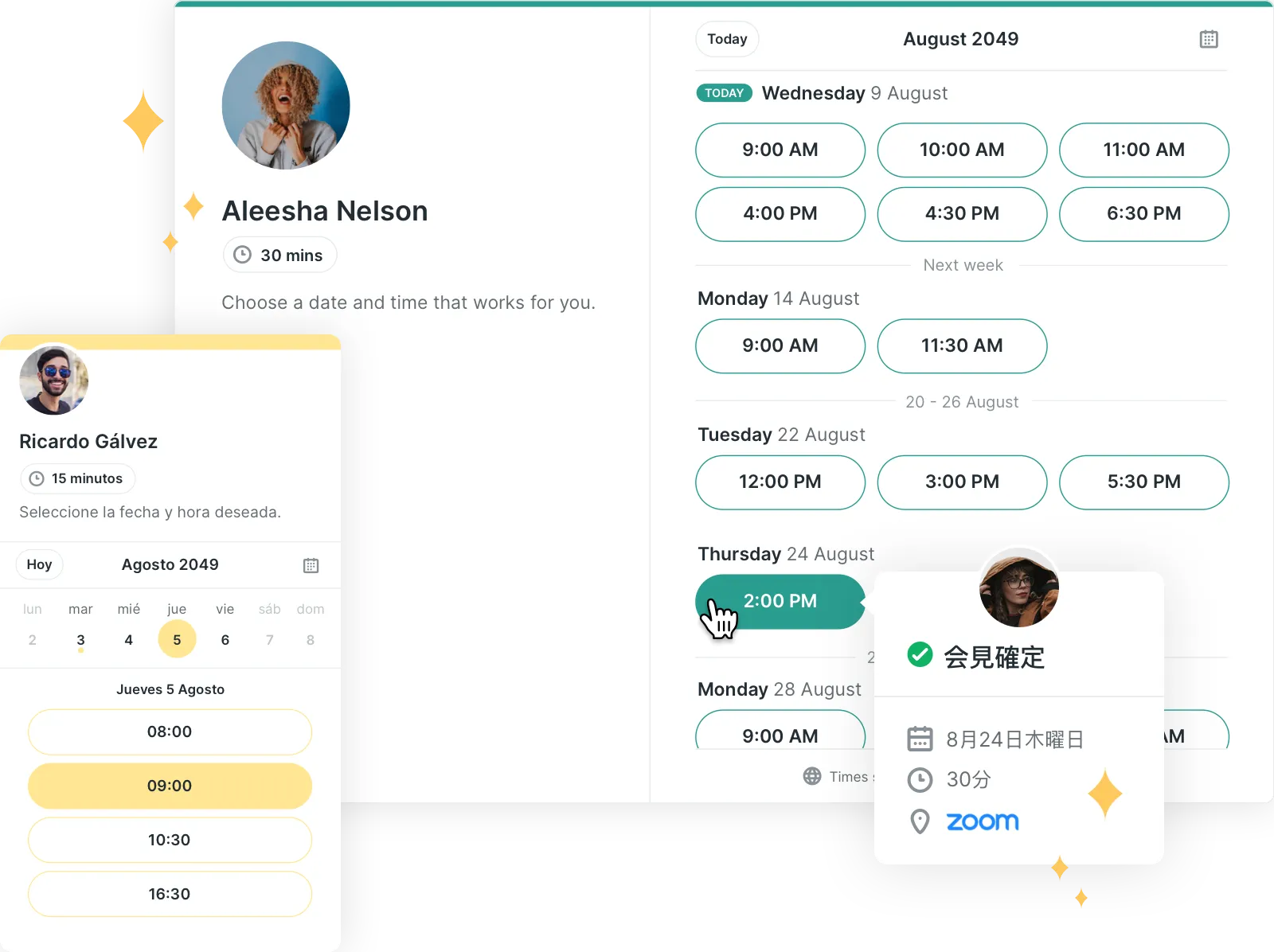
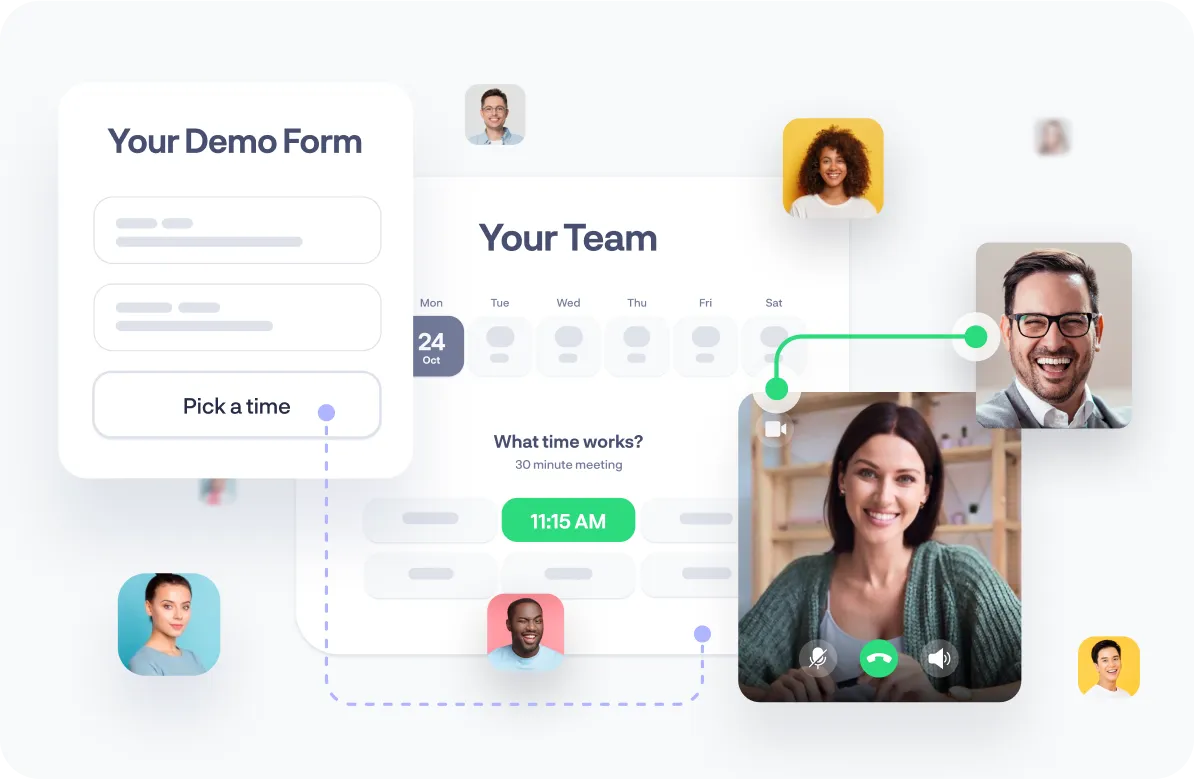
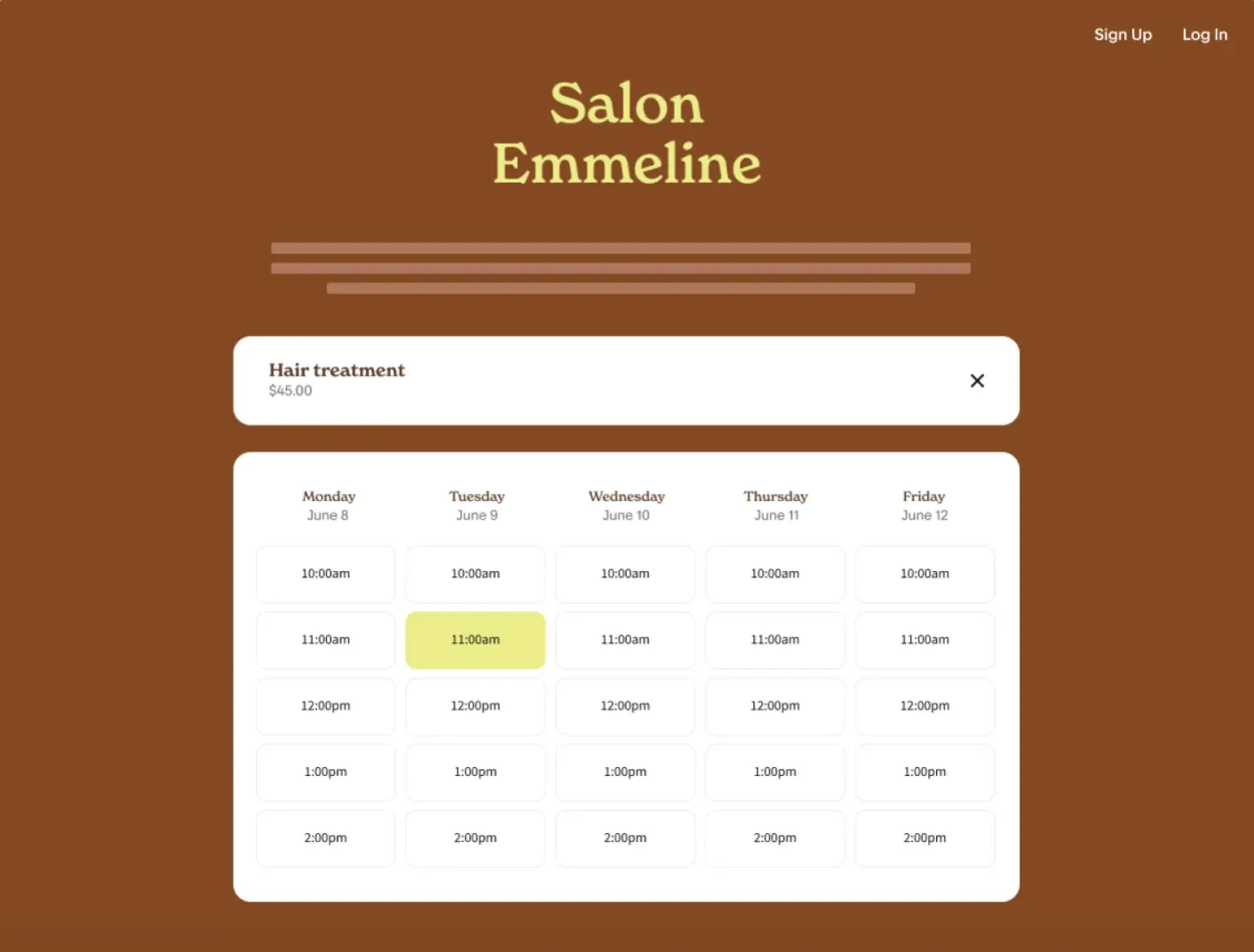
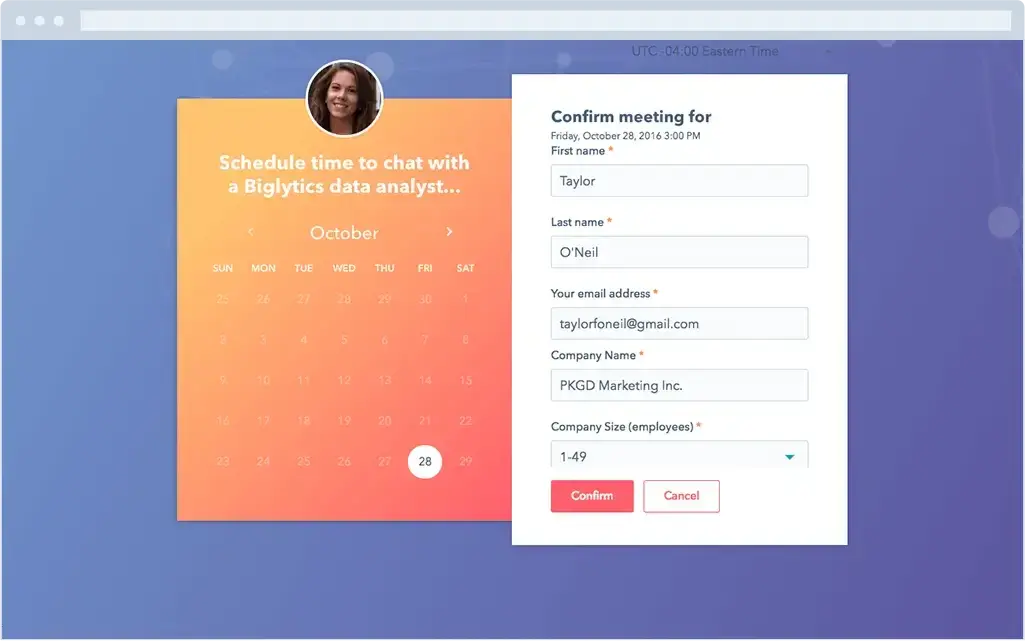
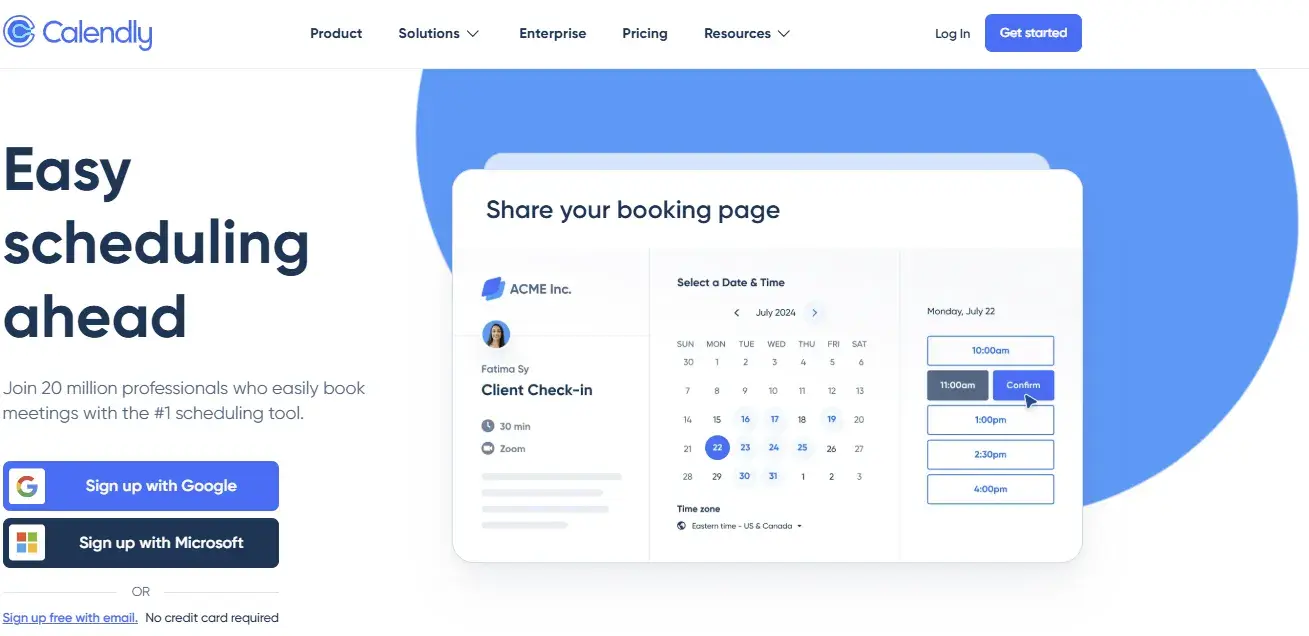
1. Use a meeting scheduling tool.

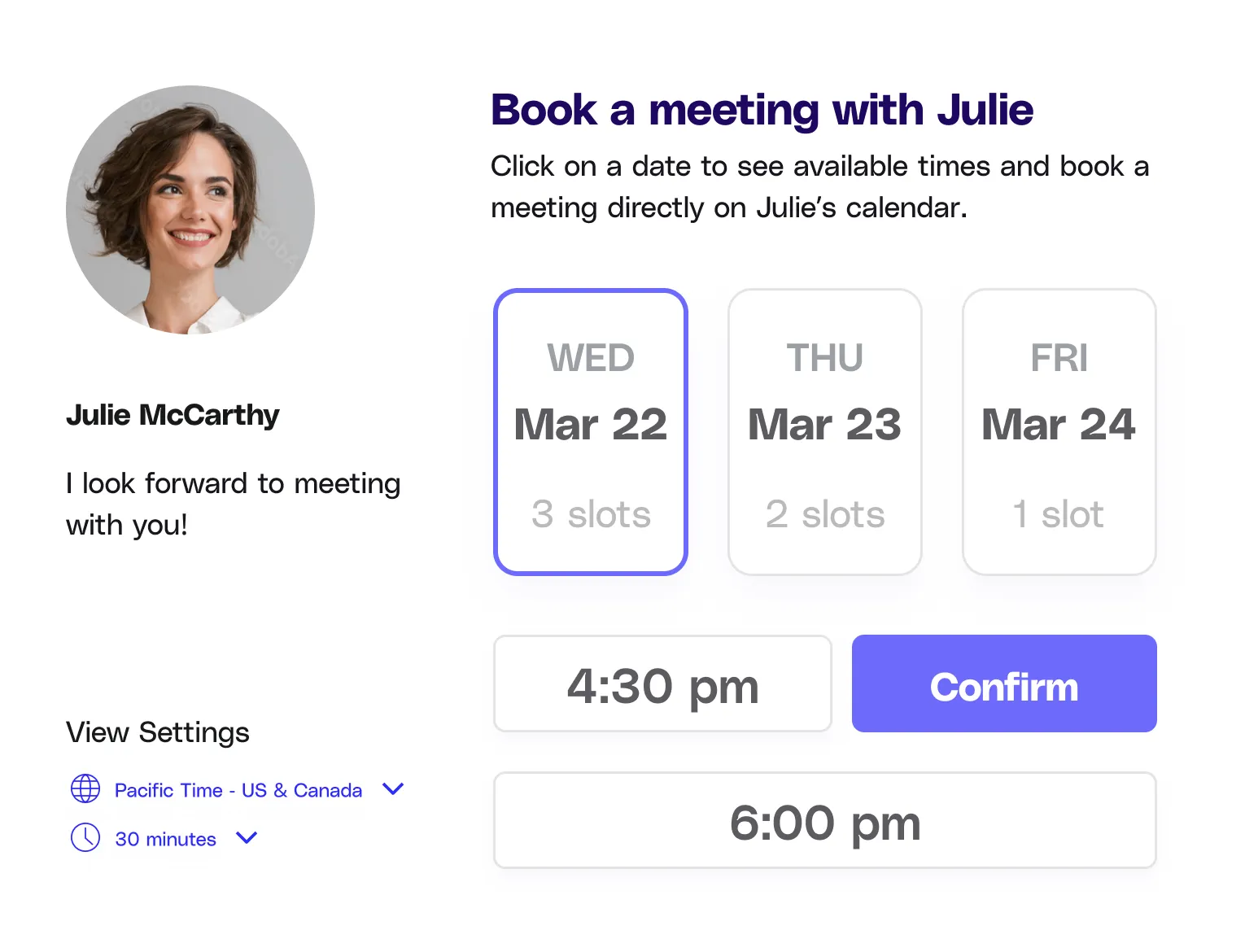
As someone who schedules 5+ meetings per week with clients across multiple time zones, I‘ve learned that automated scheduling tools are non-negotiable. After trying nearly every option on the market, I’ve found that meeting scheduling software cuts my coordination time from 15-20 minutes per meeting to just 2-3 minutes.

I personally use HubSpot's free meeting scheduler for most of my meetings. Here's my exact process:

  • I set my availability preferences once (9 AM - 5 PM EST; no meetings on Fridays).
  • I create different meeting types (30-min intro calls, 60-min deep dives).
  • I send my booking link to the attendees.
  • They pick a time that works for them.
  • The meeting automatically appears on both of our calendars.

What I love about this approach: It eliminates the back-and-forth emails completely. Plus, it automatically handles time zone conversions, which saved me from an embarrassing situation last month when I almost scheduled a 3 AM call with a client in Singapore.

Pro tip: I always customize my booking link settings for different types of meetings. For example, I add buffer time between sales calls to prepare, but keep my internal team meetings back-to-back to maximize efficiency.

2. Offer some multiple meeting time options via an email thread.

I‘ll be honest — I avoided email scheduling until last month when I had to coordinate with a client who preferred direct email communication for their executive team. While I’m a huge advocate for scheduling tools, I've learned that some senior executives and VIPs still prefer the personal touch of direct email coordination.

Here's what I learned works best:

  • Offer three time slots within the next five business days.
  • Include time zones for each option.
  • Give a clear deadline for responses.

Here's my tested email template below.

Hi [Name],

I'd love to connect about [specific topic]. Would any of these times work for you?

  • Tuesday, Jan. 23 at 10 AM EST / 3 PM GMT
  • Wednesday, Jan. 24 at 2 PM EST / 7 PM GMT
  • Thursday, Jan. 25 at 11 AM EST / 4 PM GMT

Please let me know by end of day Monday which time works best, or if you need additional options.

Best,

[Name]

Pro tip: I always add a calendar reminder to follow up if I don't hear back within 24 hours. This simple step has increased my response rate by 40%.

What I've learned to avoid: Sending more than three options or asking an open-ended “When are you free?” These approaches typically double the number of emails needed to finalize a time.

3. Leverage a meeting poll resource.

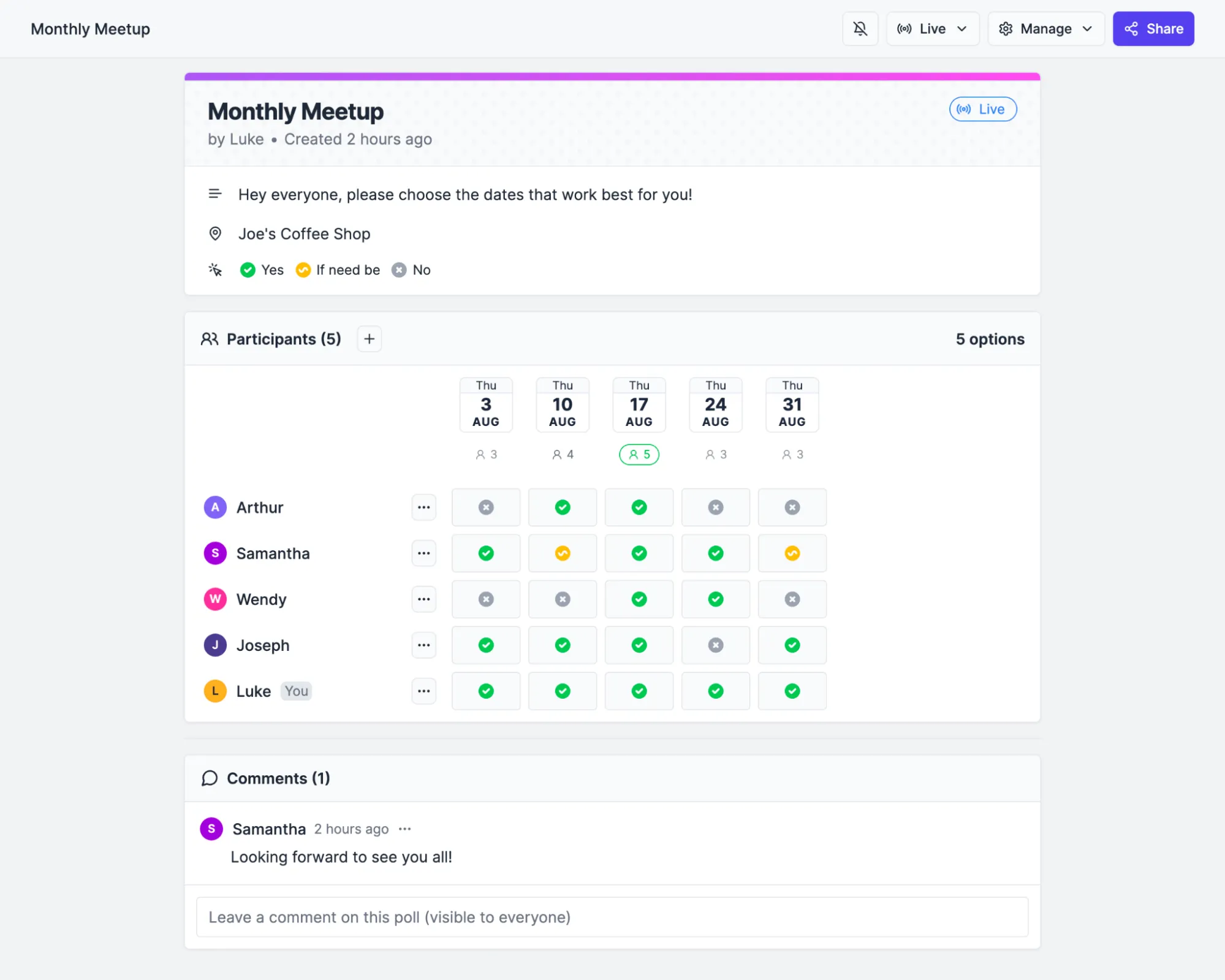
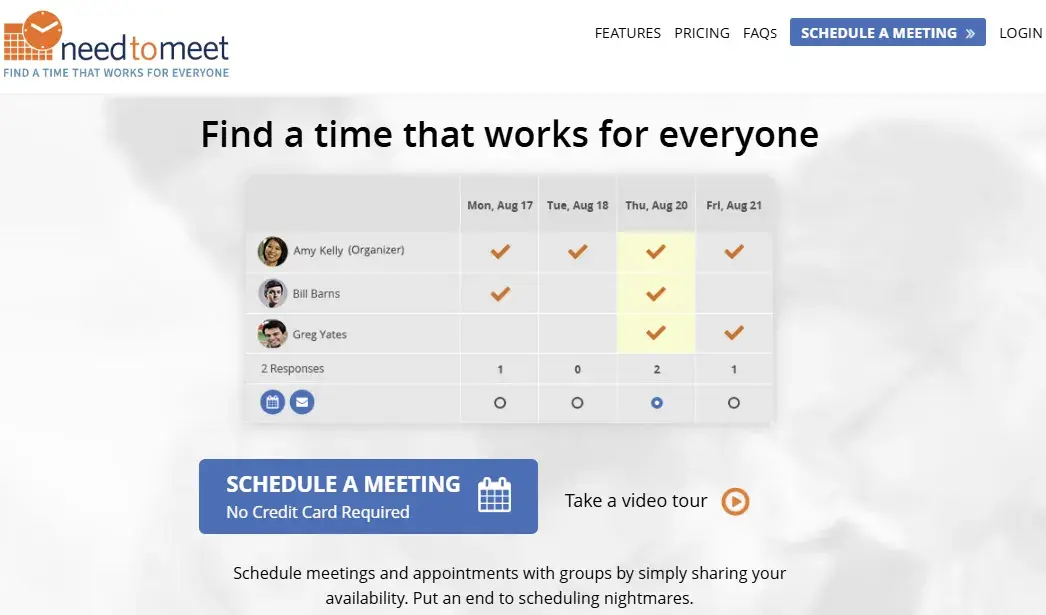
When I‘m coordinating meetings with more than three people, I’ve found that polling tools like Doodle are a lifesaver. Last quarter, I needed to schedule a quarterly planning session with team members across three departments. Instead of dealing with 15+ reply-all emails, I created a poll that aligned us in under an hour.

Here’s how this may look on Doodle:

doodle polling tool, doodle meeting polls

Source

What I've found works best:

  • Share no more than 5-6 time slots.
  • Set a clear poll deadline (I usually give 24-48 hours).
  • Include a note about the meeting length and any prep work needed.

I always block off the proposed times on my calendar while the poll is active. Nothing's worse than restarting the process because your top-voted time slot is no longer available!

Best for:

  • Team meetings with 4+ people.
  • Recurring meetings that need to be rescheduled.
  • Cross-departmental coordination.
  • Event planning with external stakeholders.

4. Find common free time on Google Calendar.

I occasionally manage a remote team across multiple time zones, so I‘ve become a power user of Google Calendar’s “Find a Time” feature. This tool has become my secret weapon for internal meetings, saving me hours each month in coordination time. (Psst: More instructions on this later on!)

What I love about this method:

  • You can see everyone's availability in a single view.
  • It automatically accounts for time zones.
  • You can quickly spot common free times.
  • It respects people's working hours and busy/free settings.

Pro tip: I‘ve found the most success using the "week" view rather than "day" view when scheduling team meetings. It gives me a broader picture of everyone’s availability and helps me spot patterns (like when team members typically block focus time).

Best practices I've learned:

  • Always check the time zone indicator for each participant.
  • Look for at least 15 minutes of buffer on either side of the meeting.
  • Double-check against holidays in different regions.
  • Consider setting up working hours in your calendar to make scheduling even easier.

example of google calendar “find a time” feature

Source

5. Record a meeting or async video and send it to stakeholders who couldn't make it.

After struggling to find meeting times that worked for our APAC team members, I've become a huge advocate for async video recordings. I estimate this approach saves our team about 10 hours per month in coordination time, while ensuring everyone stays informed.

My async video workflow:

  • Record a 5-10 minute video covering key points.
  • Add timestamps in the description for easy navigation.
  • Share the recording with a brief written summary.
  • Set a clear deadline for questions or feedback.

What I've found most effective:

  • Keep videos under 10 minutes (engagement drops significantly after that).
  • Start with the most important information.
  • Use screen sharing for visual demonstrations.
  • Enable video playback speed options.

Best for:

  • Status updates
  • Product demonstrations
  • Training sessions
  • Project kickoffs
  • Team announcements

Pro tip: I use Loom for most recordings because it automatically generates transcripts and allows viewers to leave time-stamped comments. This has increased our team's engagement with async updates by roughly 60%.

Here's what that can look like:

loom videos, loom video library

Source

6. Book a recurring meeting time.

After years of scheduling headaches, I've found that recurring meetings are the ultimate “set it and forget it” solution. When I took over managing our content team last year, I replaced ad hoc meetings with strategic recurring slots, reducing our scheduling-related emails.

My framework for recurring meetings:

  • Weekly. Team standups and 1:1s.
  • Bi-weekly. Project check-ins and sprint planning.
  • Monthly. All-hands and strategy reviews.
  • Quarterly. Planning sessions and reviews.

Pro tip: I always schedule recurring meetings for 25 or 50 minutes instead of 30 or 60. This built-in buffer prevents back-to-back meeting fatigue and gives everyone time to prepare for their next call.

What I've learned works best:

  • Pick a consistent day and time (e.g., “Marketing Sync every Tuesday at 10 AM”).
  • Set clear cancellation policies (we cancel if 50% of key stakeholders can't attend).
  • Review and adjust recurring meetings quarterly.
  • Include a standard agenda template in the recurring invite.

After coordinating hundreds of meetings across multiple time zones, I've developed a reliable system that works consistently. Here are my top tips, refined through real-world experience:

1. Provide meeting details.

I‘ve learned that clear meeting details are essential — nobody likes that awkward moment where everyone spends the first few minutes figuring out the meeting’s purpose.

I always include a quick objective statement in the invitation to avoid confusion and get things moving efficiently. For example, I might write: “During this meeting, we're going to cover key adjustments in our tech stack we're making in Q1 — specifically our new CRM and conversation intelligence platform.”

Pro tip: I keep a common meeting objective template in my notes for quick reference. This saves time while ensuring I maintain consistency in how I communicate meeting purposes.

2. Prepare an agenda.

As 13-time World Series champion Yogi Berra wisely said, “If you don't know where you're going, you'll end up someplace else.” I've found this especially true in business meetings — without a clear agenda, even the most promising meeting can go off track.

We all know tangents happen, but you need a framework that allows you to bring things back on topic when the conversation starts to go off the rails. It‘s the best way to respect everyone’s time, avoid irrelevant talking points, and remind everyone of the most pressing matters at hand.

Pro tip: I create my agendas with clear time allocations for each topic. For a 30-minute meeting, I typically reserve five minutes for updates, 20 minutes for core discussion, and five minutes for next steps.

Every meeting should have a purpose, and a thoughtfully constructed agenda is the best way to clearly outline what that looks like. Agendas also let you dictate the preferred pace of your meeting — you can allocate certain amounts of time for specific action items, ensuring that things stay buttoned-up and timely.

3. Communicate value.

Every meeting you schedule needs to have a purpose — otherwise, you‘re just wasting everyone’s time. I always ask myself, “What will the other stakeholders get out of this?” before sending any calendar invite. If I can't identify clear value, I know the meeting should probably be an email.

Before scheduling, I make sure I can articulate the specific outcome we‘re working toward, whether it’s:

  • Revealing a new process.
  • Developing a strategy.
  • Welcoming a new team member.
  • Making a key decision.

Pro tip: I include a clear “Meeting Outcome” section in my invites. For example: “Outcome: By the end of this meeting, we'll have our Q1 content calendar finalized and responsibilities assigned.”

Regardless of what the “why” behind a meeting might be, make sure it‘s actually worth everyone’s time. I've learned the hard way that being known as the person who calls unnecessary meetings can damage team relationships and effectiveness.

4. Determine the meeting type.

Will the meeting be a conference call, a video chat, or in-person? I've found that having this information clearly stated in the invite prevents confusion and helps everyone prepare appropriately.

What I include in every invite:

  • Meeting format (video, phone, or in-person).
  • Connection details (video link or dial-in number).
  • Location details (conference room or virtual meeting link).

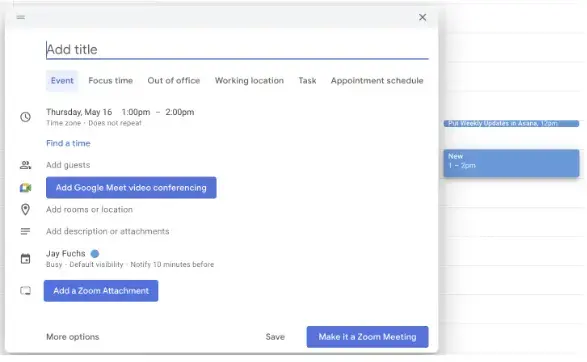
If you're using Google Calendar, you can easily add a video link to the meeting by pressing the “Add Google Meet video conferencing” button. I also regularly use other platforms like Zoom and Microsoft Teams, which integrate smoothly with Google Calendar.

Pro tip: For in-person meetings, I always double-check room availability and include the floor number or room location in the invite. This small detail has saved countless minutes of people wandering around looking for the right space.

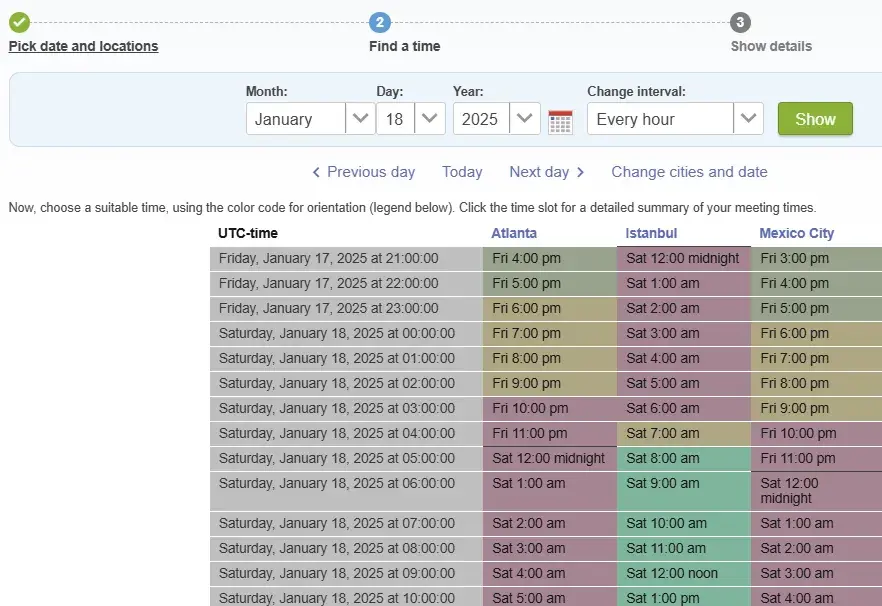
5. Consider all time zones.

Working with global teams has taught me the importance of time zone coordination. I learned this lesson after accidentally scheduling an 11 PM meeting for our Australian team members. Now, I rely on a combination of tools to get it right:

  • Google Calendar's built-in time zone display.
  • Slack's local time indicators.
  • My go-to time zone converter for complex scheduling.

Pro tip: I maintain a simple document listing my regular collaborators' time zones and preferred meeting hours. For example, I know our APAC team prefers early morning EST meetings, which align well with their afternoon hours.

the world clock meeting planner, time zone meeting planner

Source

6. Schedule the meeting in advance.

Fun fact: Exactly zero people on planet Earth like being notified of a meeting without enough time to prepare for or plan around it — I learned this lesson quickly after seeing the panicked responses to my same-day meeting requests when I first started managing projects.

Here are my advance scheduling guidelines:

  • Regular team meetings - At least 1 week's notice.
  • Strategic planning sessions - 2-3 weeks’ notice.
  • Client presentations - Minimum 3-5 business days.
  • Quick updates - 24 hours when possible.

Pro tip: I've found that sending a meeting invite with a draft agenda at least 48 hours in advance increases participation and leads to more thoughtful discussion points from attendees.

That‘s not just for their benefit — if you give meeting attendees preparation time, they’ll likely make more meaningful contributions and ask better questions. I always include any pre-reading materials in the initial invite to give everyone time to review.

7. Block off “no meeting” time on your calendar.

If you‘re the one getting invited to a ton of meetings, you’ll find it helpful to block time off of your calendar where meetings can‘t be scheduled. I’ve made this a non-negotiable part of my week, blocking off my most productive morning hours (9-11 AM) for focused work.

Some organizations even have weekly no-meeting days to provide uninterrupted focus time and reduce fatigue. At HubSpot, we have “No Internal Meeting Fridays” to combat burnout, which I've found dramatically improves my end-of-week productivity.

Pro tip: I color-code my blocked time differently from regular meetings, making it easier to spot my dedicated focus periods at a glance. This visual cue helps me protect these time blocks more effectively.

8. Don't schedule a meeting when an email will do.

We‘ve all heard the phrase, "This meeting could’ve been an email," and I’ve made it my mission to prevent my team from saying this about my meetings. Before scheduling any meeting, I ask myself: “Could I communicate this effectively in writing?”

When I choose email over meetings:

  • Sharing status updates.
  • Distributing reports or metrics.
  • Providing straightforward instructions.
  • Announcing minor changes.

Pro tip: When I need to explain something visually but don't need real-time discussion, I use Loom to record a quick video walkthrough. This approach cut our team's meeting time while maintaining clear communication.

After testing dozens of scheduling tools over the years, here are the ones I consistently recommend to my team and clients. Each has unique strengths for different scheduling scenarios.

1. HubSpot Meetings Tool

Price: Free

HubSpot’s free meeting scheduler connects with your calendar to automate meeting scheduling. Sales teams can create booking links for prospects, manage team availability, and track all scheduling activity in the CRM.

hubspot meeting scheduler tool interface example

Start using HubSpot's Meeting Tool

The meetings tool integrates directly with the free CRM to manage contact details and see who has booked a meeting with you.

What I love about it:

  • Seamless integration with both Google Calendar and Office 365.
  • Group scheduling capabilities for team coordination.
  • Round-robin meeting distribution for sales teams.
  • Direct integration with HubSpot CRM.
  • Automated booking confirmation emails.
  • Custom meeting duration options.
  • Meeting buffer time settings.

Best for: Sales teams who need to coordinate multiple calendars and want CRM integration. I use this daily for client meetings and find the automatic availability sync particularly reliable.

Pro tip: Set up different meeting types with custom questions to gather information before the meeting. I've found this reduces follow-up emails by about 40%.

2. Doodle

Price: Free for individuals, $14.95/month per user (Pro), $19.95/month per user (Team)

Doodle is a polling tool designed specifically for finding meeting times. The host of the meeting suggests possible times for the meetings and sends the poll to the meeting participants. From there, they'll enter their availability, and the meeting host selects the best meeting date and time based on the responses.

Doodle also has booking pages that allow you to send your availability to clients and have them book time on your calendar based on your shared availability. This feature also allows you to limit the amount of meetings that people can add to your calendar, block off times you don't want booked, and send out meeting reminders to prevent no-shows.

doodle meeting scheduler to find a meeting time that works for everyone

Source

What I love about it:

  • Simple, intuitive polling interface.
  • Calendar integration for automatic availability checks.
  • Customizable booking pages.
  • Built-in reminder system.

Doodle has become my go-to tool for coordinating large group meetings. The polling feature is straightforward. I suggest possible times, participants indicate their availability, and I can quickly spot the best time slot for everyone.

Best for: Team meetings and events with multiple participants. I primarily use it for monthly all-hands meetings with 20+ attendees across departments.

Pro tip: I've found that limiting polls to 3-4 time options gets faster responses than offering too many choices. Plus, the booking page feature helps me control my calendar by setting buffer times between meetings.

3. NeedToMeet

Price: Free (Standard), $12/year/user (Advanced), $19/year/user (Premium)

NeedToMeet is a budget-friendly polling tool that doesn't require participants to create accounts. Ideal for quick, simple scheduling across organizations.

needtomeet meeting scheduler, needtomeet meeting tool

Source

What I love about it:

  • Simple, no-registration-required polling.
  • Custom URLs for each meeting.
  • Consolidated comment viewing.
  • Real-time email notifications.

Best for: Teams looking for a straightforward, cost-effective polling solution without requiring participants to create accounts.

Pro tip: The free version works well for basic scheduling needs, while the Premium tier adds features like calendar integration and recurring meetings that benefit regular users.

4. Notta (formerly Airgram)

Price: Free plan available; Pro plans start at $14.99/month

Here's something exciting: Airgram and Notta merged in late 2024 to solve a common frustration — switching between different apps to schedule, record, and document meetings.

The result? A single platform that handles everything from finding the perfect meeting time to creating detailed, AI-powered summaries of your conversations.

What makes this tool particularly interesting is how it learns from your meeting habits. As you use it, the AI gets better at suggesting meeting times, identifying key discussion points, and helping you stay organized.

For teams drowning in meeting coordination and documentation, this combination of smart scheduling and automatic note-taking is a game-changer.

notta ai meeting tool, notta ai meeting notetaker

Source

What I love about it:

  • Advanced AI transcription and summarization.
  • Calendar integration with Google and Outlook.
  • Meeting scheduling and recording in one platform.
  • Real-time collaborative note-taking.

Best for: Teams who want an all-in-one solution for scheduling, recording, and documenting meetings. Particularly valuable for remote teams who need to maintain detailed meeting records.

Pro tip: The AI-powered meeting summaries can help determine if a follow-up meeting is necessary, potentially reducing unnecessary scheduling.

5. SurveyMonkey

Price: $30/user/month (Team Advantage), $92/user/month (Team Premier), Contact for details (Enterprise)

With SurveyMonkey, you can choose a meeting date and time, create a poll, and send the link to the poll to meeting participants via email. The poll can also be embedded on a website or Facebook page to reach even more people. If they don't respond to the poll within a certain timeframe, SurveyMonkey will send a reminder email.

SurveyMonkey can help you plan out team schedules, too. For instance, if you manage a large team with multiple shifts, creating a scheduling poll can help you view everyone's availability all in one place.

surveymonkey meeting polling, surveymonkey meeting polls

Source

What I love about it:

  • Versatile polling capabilities beyond just scheduling.
  • Website and social media poll embedding.
  • Automated reminder system.
  • Advanced analytics for response tracking.

Best for: Large organizations managing complex schedules, especially teams with shift workers or multiple departments needing coordination.

Pro tip: The ability to embed polls on internal websites or intranets makes it particularly effective for company-wide event planning or training session scheduling.

6. Calendly

Price: Free (Basic), $12/seat/month (Standard), $20/seat/month (Teams), and Enterprise starts at $15K/year

Calendly is a meeting scheduling tool that connects to your calendar. It even lets you set your availability and send a meeting link to contacts. Meeting invitees can book a meeting at a time that's convenient for them and that time is automatically scheduled on your calendar.

Calendly's meeting poll feature helps you find the best time for team meetings. Plus, the workflows feature allows you to automate routine communications, like event reminders and follow-up meetings.

calendly meeting scheduler, calendly meeting tool

Source

What I love about it:

  • Clean, professional booking interface.
  • Automated workflows for reminders and follow-ups.
  • Multiple meeting type configurations.
  • Robust calendar integration options.

I use Calendly to manage my freelance client meetings, and it's been a game-changer for professional scheduling. The automated reminders and follow-ups keep everything organized without the back-and-forth emails.

Best for: Freelancers, consultants, and small businesses who want to present a professional scheduling experience to clients.

Pro tip: Create different meeting types for initial consultations versus project check-ins, each with its own duration and buffer times, to better manage your freelance workflow.

Find a Meeting Time With Google Calendar

Want to meet with one person or multiple people? You can find a time that works for everyone using Google Calendar. Here’s how.

1. Navigate to Google Calendar.

Start out by logging into your Google Calendar account.

how to find a meeting time with google calendar, step 1

Pro tip: Make sure you‘re using the Google Workspace account associated with your organization to see your colleagues’ calendars.

2. Create a new event or edit an existing event.

To create a new event, click Create and a pop-up will appear. Then click the More options button to add your meeting details.

To edit an existing event, click on the event you want to update, and select the pencil icon to edit it.

how to find a meeting time with google calendar, step 2

Pro tip: Use keyboard shortcuts (press Shift + ? to see them all) to speed up your calendar management.

3. Add guests to the invite.

In the Guests field, enter email addresses for all participants. Google Calendar will automatically check their availability as you add them.

how to find a meeting time with google calendar, add guest button

Best practice: Add required attendees first, then optional ones. This helps prioritize scheduling around key participants' availability.

4. Click the “Find a Time” tab.

Select the Find a Time tab at the top of your event details. This view shows everyone's availability in a convenient grid format.

how to find a meeting time with google calendar, find a time button

Key features to use:

  • Toggle between Day and Week views for different planning perspectives.
  • Look for white spaces that indicate mutual availability.
  • Check the time zone indicator for each participant.
  • Use the scheduling grid to visualize conflicts.

5. Select a time.

Click on an available time slot in the grid to select it. The time will automatically populate in your event details. Click Save to send the invitation to all participants.

Pro tip: Before finalizing, check for adjacent meetings and consider adding buffer time to prevent back-to-back scheduling.

Schedule Meetings Hassle-Free

Finding the perfect meeting time for everyone doesn't have to be a headache. I hope you’re convinced that with the right combination of tools and strategies, you can speed up your scheduling process and focus on what really matters: productive conversations that move projects forward.

Key takeaways to remember:

  • Choose the right scheduling tool for your specific needs.
  • Always consider time zones and participant preferences.
  • Use clear agendas and meeting objectives.
  • Respect everyone's time with proper advance notice.
  • When in doubt, ask yourself if it really needs to be a meeting.

Remember: The goal isn‘t just to find a time that works — it’s to create the conditions for effective collaboration and communication.

Editor's note: This post was originally published in April 2020 and has been updated for comprehensiveness.

08 May 16:50

The Best 24 Appointment Scheduling Apps and Booking Software

by mhart@hubspot.com (Meredith Hart)

Coordinating emails and appointment scheduling can be a long-suffering task without the proper app or software. Unnecessary email coordinating takes up a lot of time for little return, as only about 20% of emails that are sent get opened.

Tools like appointment scheduling apps and booking software help automate the process of scheduling meetings with potential and existing customers without relying on email replies to nail down a good time.

So, I set out to find the best appointment-scheduling apps and booking software in today’s tech market. Read more to hear about the pros and cons, pricing, and features of the software and apps I tried.

Get Started with Free Meeting Scheduling Software

Table of Contents

Why use an appointment scheduling app?

Reducing your sales cycle length is the primary benefit of scheduling apps from an ROI perspective. But for your own peace of mind, they reduce administrative tasks that can be a burden to complete. Here are three characteristics of a great scheduling app that you’ll want to keep in mind:

  • It should reduce the number of emails you send to schedule a meeting.
  • It should sync with your calendar.
  • It should send reminders for your appointments.

Scheduling apps speed up your sales process by allowing prospects to book meetings when it’s best for them. And it makes it easier for people to schedule time with you by eliminating unnecessary back-and-forth emails.

Plus, many of these tools sync directly with your calendar and send out meeting reminders automatically, so neither you nor your client miss a great opportunity.

Ready to see the best scheduling app for you? Below, we’ll discuss both free meeting scheduling apps and premium ones. Let’s get started.

Free Scheduling Apps

Here are the best scheduling apps with free options.

1. HubSpot Meetings Tool

Best for Small Businesses

Get Started With HubSpot Meetings

Recommended for: Sales representatives, marketers, and customer support team scheduling.

Not recommended for: Businesses with limited client or customer contact.

I like that the HubSpot Meetings Tool is easy to use. It lets you sync your Google Calendar or Office 365 calendar, set your availability, and have prospects and customers book time with you.

Another cool feature I found is the ability to add form fields to your meeting page to capture contact information like name, phone number, email address, and more. You can send the meeting page as a link in an email or embedded on a website or landing page.

When they book time with you, this free tool blocks the time off on your online calendar and sends a confirmation email to the prospect or client who booked. This simplifies the scheduling process so you can book more meetings in less time.

Plus, it integrates directly with the CRM so you can keep track of your contacts and meetings. As prospects schedule meetings, HubSpot automatically creates records for new people.

Payment Integrations
  • Stripe
  • Square
Calendar Integrations
  • Google Calendar
  • Office 365
Features
  • 1000+ integrations with business tools, including HubSpot CRM
  • Personalized booking links
  • Customizable meeting forms
  • Automated meeting reminders and time zone detection
  • Reporting dashboard

Pricing: Free, with paid plan options for payments, lead tracking, and more.

2. Calendly

Best for Ease of Use

Check Out Calendly

Recommended for: Professionals looking for streamlined scheduling.

Not recommended for: Teams with complex scheduling needs.

I have frequently used Calendly in the past, primarily for scheduling job interviews. What I appreciate about Calendly is that the free version still allows you to connect one calendar, book unlimited meetings, create a custom Calendly link, and send out automatic email notifications and reminders to invitees who book with you.

The paid version of Calendly provides multiple meeting types like one-on-one, round-robin, collective, and group meetings. It’s great for teams and provides team pages, metrics and reporting, and administrative features to manage bookings.

There are also plenty of Calendly alternatives you can try and test out depending on your use case.

Payment Integrations
  • Stripe
  • PayPal
Calendar Integrations
  • Google Calendar
  • Office 365
  • Outlook
  • iCloud
Features
  • Intuitive interface for booking without back-and-forth emails
  • Range of scheduling types
  • Automatic email notifications and reminders

Pricing: Basic plans are free. Standard plans cost $10 per user a month. Teams plans cost $16 per user a month. Contact Calendly for enterprise pricing.

3. Calendar

Best for Executives

Explore Calendar App

Recommended for: Business teams and professionals.

Not recommended for: Advanced scheduling needs, like team availability management.

Calendar is an AI-enabled digital calendar, scheduling, and time management solution for individuals and teams. In my opinion, its best feature is its ability to mesh together your Google Calendar, iCal (Apple Calendar), and Outlook Calendar into one dashboard view that you can customize and share.

I like that the digital calendar syncs across my devices. It also offers a virtual assistant that can learn your schedule and begin taking over meeting planning, invitations, and scheduling changes.

The paid versions add meeting transcriptions and a wide range of analytics so you can see how you spend your time in meetings and with people. At the time that this article was written, Calendar was running a 50% off promotion which is reflected in the prices below.

Payment Integrations
  • Stripe
Calendar Integrations
  • Google Calendar
  • Outlook
  • Office 365
  • iCloud
Features
  • AI scheduling assistant
  • Automatic time zone detection
  • Confirmation and reminder notifications for appointments
  • Meeting analytics

Pricing: Basic plans are free. Standard plans cost $10 a month. Pro plans cost $12 a month. Request a quote to get enterprise pricing.

4. Setmore

Best for Mobile Teams

Explore Setmore

Recommended for: Services and small retail businesses

Not recommended for: Service businesses that need more customization and features for appointment scheduling.

Setmore is a free appointment scheduling and payments platform that allows you to create a public-facing booking page. I think it’s pretty useful because the free account supports up to 20 staff calendars and logins so your team can begin booking meetings. You can also send automatic appointment notifications to people who book time with you.

I like how simple the interface is, with minimalistic design. If you’re a larger business, Setmore will likely be too simple for you as it limits customization.

At the time that this article was written, Setmore was running a 50% off promotion, which is reflected in the prices below.

Payment Integrations
  • Square
  • Stripe
  • PayPal
  • Cash App
  • Digital Wallet
Calendar Integrations
  • Google Calendar
  • Office 365
  • Exchange
Features
  • Mobile appointment scheduling app for iOS and Android
  • Customizable booking pages
  • Appointment reminders
  • Social media integrations for Facebook and Instagram

Pricing: Free plans are available. Pro plans cost $5 per user a month. Team plans cost $5 per user per month. Contact the Setmore team for enterprise pricing.

5. Square Appointments

Best for Integrations

Check Out Square Appointments

Recommended for: Service businesses who are looking for the best scheduling app for appointments and accepting payments.

Not recommended for: Enterprises with department-specific scheduling needs.

If you’re looking for a flexible booking and payment platform, Square Appointments is worth your consideration. Through Square Appointments, you can:

  • Set up a free customer booking website.
  • Activate automated text and email reminders.
  • Charge cancellation fees for no-shows.
  • Accept integrated payments from within one platform.

I like that the payment aspect of setting appointments is super easy with Square Appointments, especially if your organization already uses Square payment processing. I do, however, think it lacks when it comes to internal scheduling and mostly works as a customer-facing appointment scheduler.

Payment Integrations
  • Square
  • Apple Pay
  • Google Pay
Calendar Integrations
  • Google Calendar
Features
  • 30+ integrations for ecommerce, accounting, forms, marketing, and team management
  • Customizable email and SMS reminders
  • Recurring appointments and appointment packages

Pricing: Free plans are available. Plus plans cost $29 a month per location. Request a custom quote for premium plans.

6. Appointlet

Best for Unlimited Appointments

Discover Appointlet

Recommended for: Teams who want simple and affordable appointment scheduling.

Not recommended for: Businesses looking for team scheduling or payment processing.

What I like about Appointlet is the sheer volume of appointments it can handle and simplify by making it easy to manage them. This appointment booking software allows salespeople to customize their availability, create booking pages, and send them to prospects and customers. The booking page can integrate into your website, landing pages, and emails.

While Appointlet does offer a paid pricing tier, the free version is free forever. This software is great for industries that are known for no-show appointments, with automatic reminders to ensure customers show up. Appointlet includes unlimited bookings, meeting types, and form fields.

Payment Integrations
  • Stripe
  • PayPal
Calendar Integrations
  • Google Calendar
  • Outlook
  • Office 365
Features
  • Easy URLs you can add to websites, email, and social media profiles
  • Appointment types with custom durations and pricing
  • Email and SMS appointment notifications
  • Appointment metric tracking

Pricing: Free plans are available. Premium plans cost $8 a user per month. Contact Appointlet for enterprise pricing.

7. CalendarHero

Best for User-Friendly Scheduling

Learn More About CalendarHero

Recommended for: Busy professionals who want efficient scheduling while reducing email.

Not recommended for: Businesses looking for complex scheduling features.

CalendarHero offers all the common meeting scheduler features, such as scheduling links and internal group scheduling. But its advantage is the powerful connections it has with your tech stack. Its notification system and smart time settings for meeting buffers make sure that you never run late to another meeting.

I also appreciate CalendarHero’s attendee insights feature, making it easy to keep track of who’s who and what their credentials are.

Calendar Integrations
  • Google Calendar
  • Microsoft Outlook
  • iCloud
Features
  • AI-powered scheduling assistant for virtual and in-person meetings
  • Automatic time zone detection
  • Customizable branding
  • Group meeting options

Pricing: Free plans are available. Pro plans cost $8 a month (Pro). Team plans cost $12 a user per month.

8. SimplyBook

Best for Payment Processing

Explore SimplyBook

Recommended for: Small to medium-sized businesses scheduling appointments and accepting payments online.

Not recommended for: Businesses looking for limited scheduling features.

SimplyBook is an online scheduling system specifically designed for service-based companies. You can integrate SimplyBook with your existing website, or you can create a custom booking page within the platform.

In my opinion, one of their best features is their social media integration that allows you to accept bookings directly from Facebook and Instagram. This makes choosing SimplyBook an excellent choice for businesses that operate mostly off of social media.

Payment Integrations
  • Stripe
  • Square
  • PayPal
  • SimplyPay.me
  • Blockchain
  • 2Checkout
  • Many international payment apps
Calendar Integrations
  • Google Calendar
  • Apple Calendar
  • Outlook
Features
  • Booking page widgets for scheduling from your website or blog
  • Automatic email and SMS reminders
  • Multi-language support

Pricing: Free plans are available. Basic plans cost $8.25 a month. Standard plans cost $24.90 a month. Premium plans cost $49.90 a month.

9. Appointment Booking Plugin by MotoPress

Best for Solopreneurs and Small Businesses
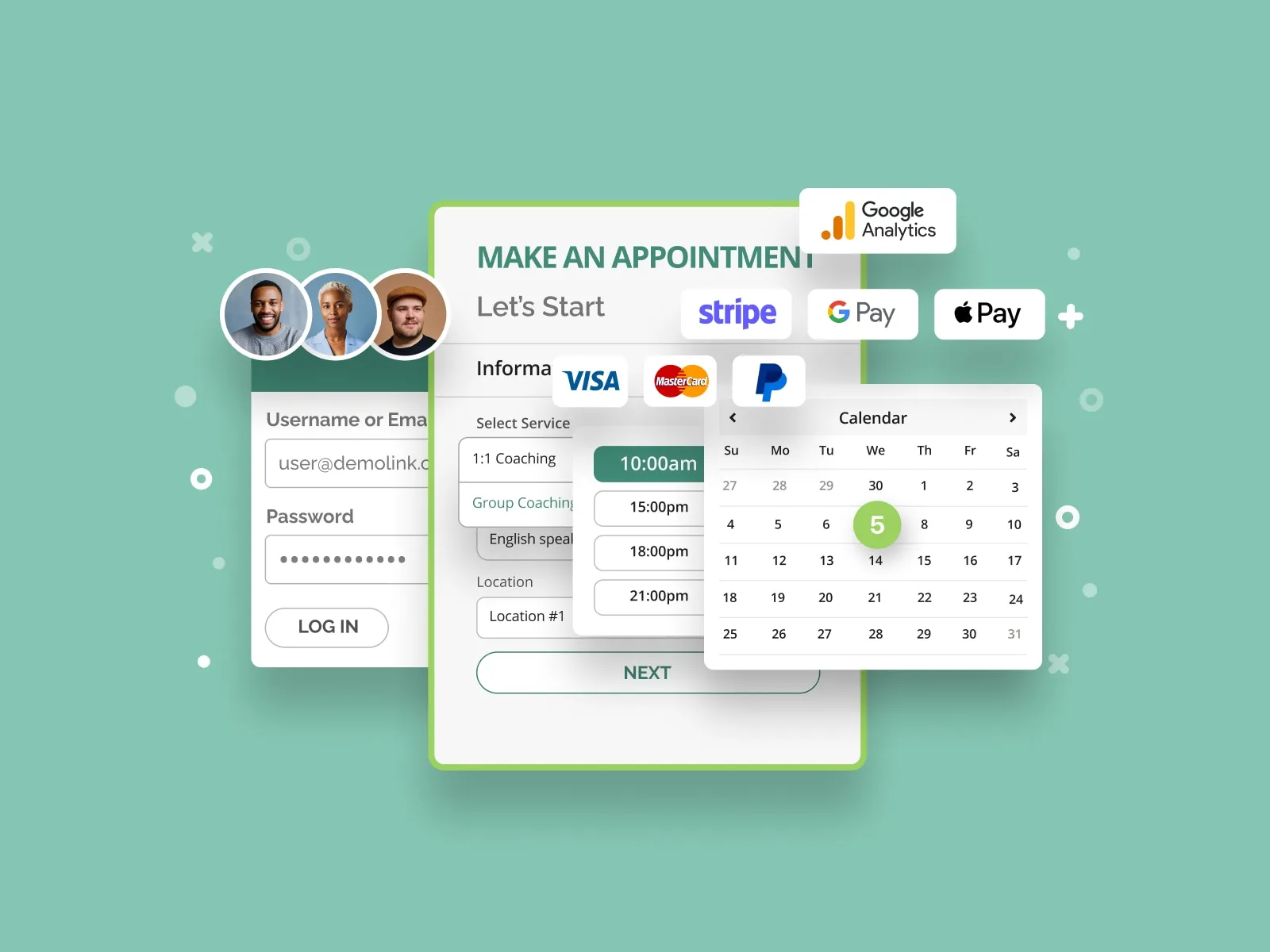
Discover MotoPress Booking PlugIn

Recommended for: Solopreneurs and appointment-based businesses to manage unlimited services and enable online payments.

Not recommended for: Businesses looking for event scheduling with multiple independent participants.

The WordPress Appointment Booking plugin by MotoPress is a scheduling tool for websites to handle any number of staff members and custom services.

In my small business, I use WordPress to host my website, and so I was interested to see how their appointment booking plugin would work with my website. I like that MotoPress allows clients to make an online appointment via a mobile-friendly booking widget directly on my website.

You can create personal timetables for employees and sync them with their Google Calendar accounts.

It’s possible to accept online and on-site payments and even provide discounts via coupon codes. There is a centralized admin calendar to view and manage bookings from one place.

It’s worth mentioning that the free version of the MotoPress scheduler plugin offers a wide range of features, so users can test its functionality on their websites.

Payment Integrations

  • PayPal
  • Stripe
  • Apple Pay
  • Google Pay
  • Square
  • WooCommerce

Calendar Integrations

  • Google Calendar

Features

  • Flexible schedules
  • Client accounts registration
  • Multiple service booking
  • Appointment reminders and email notifications
  • Admin and customer email notifications on the booking status changes
  • Twilio SMS notifications
  • Integration with Google Analytics

Pricing: Free versions are available (Appointment Booking Lite). A single site costs $59. You can also pay $199 for unlimited sites.

10. Doodle

Best for Coordinating Teams

Check Out Doodle

Recommended for: Cost-effective scheduling for interviews, appointments, or meetings.

Not recommended for: Organizations that need detailed scheduling features.

Doodle has some cool features, like letting you create meeting polls to send to clients and prospects, suggesting meeting dates and times, and allowing voting on dates that work — all with Doodle’s free version. In my opinion, the free version of Doodle is a little too simple for teams that don’t have enough participation to nail down a great meeting time by using the poll feature.

While the free version might be helpful enough for most individuals, you'll need to upgrade to the premium pricing tier to:

  • Remove ads from your polls.
  • Set a deadline for the poll.
  • Collect contact information from meeting guests.

The paid version of Doodle’s scheduling software helps you find a time to meet that works for all attendees. The meeting host suggests meeting times and invites participants to indicate their availability. Then, the meeting host picks a final time.

When you finalize your meeting, this scheduling app adds a calendar event to the host and meeting invitees’ calendars. Plus, there’s a dashboard feature where you can manage your meetings.

Calendar Integrations
  • Google Calendar
  • Outlook
  • Office 365
  • iCloud
Features
  • Meeting polls to avoid scheduling conflicts
  • Customizable meeting invitations

Pricing: Free plans are available. Pro plans cost $6.95 a user per month. Team plans cost $8.95 a user per month. Contact the team for enterprise pricing.

11. Arrangr

Best for Frequent Scheduling

Learn More About Arrangr

Recommended for: Busy professionals and teams with constant high-value meetings.

Not recommended for: Teams that need detailed scheduling processes.

Arrangr is an intelligent scheduling platform that allows users to book a meeting in under 30 seconds. Besides helping users find the best time to meet, Arrangr simplifies communication by letting contacts choose where and how to meet within the platform. I personally dig the low price point, if I’m going to upgrade to Pro or Pro+.

Bonus: Arrangr is a part of the HubSpot ecosystem, so you can launch and send invitations to contacts from directly within HubSpot.

Calendar Integrations
  • Google Calendar
  • Outlook
  • Office365
  • iCal
Features
  • Automation suggests meeting times based on your availability and priorities
  • Pre-set meeting preferences for quick scheduling time
  • Customizable invite templates
  • Integrations with Slack, UberConference, and more

Pricing: Free plans are available. Pro plans cost $5 a month per user. Enterprise and team plans vary from $1-8 per user a month.

12. Rallly

Best for Group Meetings

Get Started With Rallly

Recommended for: Scheduling group meetings or team events.

Not recommended for: Organizations that need to combine group scheduling with payment processing.

Rallly (with three Ls) is an appointment scheduler with classic polling functionality where the members of your group can vote on the best times for the meeting or event. I like that Rallly’s voting feature is different than a poll, letting you see exact times that work for each member.

It also supports chat and messaging within the interface so that meeting attendees can discuss the best time to connect. Rallly might also be a good choice for initial meetings where you don’t want members to have to make an account, because no login is required.

Features
  • Easy-to-use event creation and scheduling tools
  • Voting feature to find the right time for large groups
  • Zapier integration can connect Rallly to popular calendar options
  • Shared event pages

Pricing: Free plans are available. Pro costs $3.50 a month.

13. OnceHub

Best for Collaboration

Explore OnceHub

Recommended for: Organizations that need advance scheduling for events, meetings, and complex processes.

Not recommended for: Smaller businesses that don’t need extensive tools or collaboration features.

OnceHub is a comprehensive tool that allows you to create nearly any scheduling scenario you can think of. You can book everything from group sessions to one-on-one calls to in-person meetings through this scheduling app.

You can also directly connect OnceHub with your website, email provider, and payment system. One feature I like is OnceHub’s meeting limiter feature, where you can limit the number of hours you spend in meetings during your workday, so you have time to focus on projects.

Forget the back-and-forth and choose the meeting scheduler that makes the most sense for your situation. This scheduling and booking software can save time, increasing your productivity on the tasks that actually matter.

Payment Integrations
  • PayPal
  • Stripe
  • Square
Calendar Integrations
  • Google Calendar
  • Microsoft Outlook
  • Office 365
  • iCloud
Features
  • Automated scheduling
  • Time zone detection for scheduling across time zones
  • Multiple currency options for payments
  • Advanced reporting

Pricing: Free plans are available. Schedule plans cost $10 per user a month. Rout plans cost $19 per user a month. Engage plans cost $39 per user a month. Contact the team for enterprise pricing.

14. Appointy

Best for Businesses With Multiple Time Zones
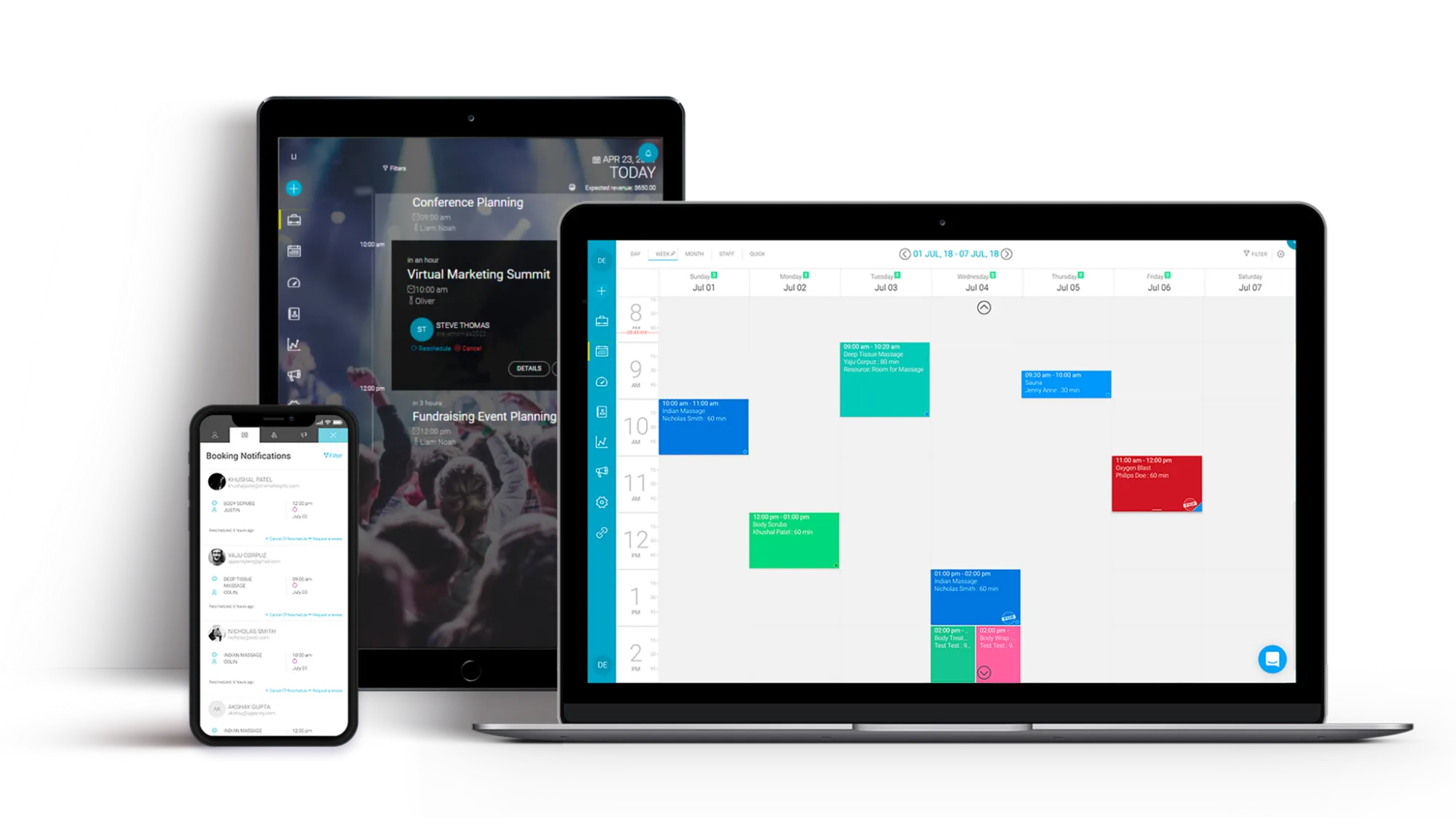
Check Out Appointy

Recommended for: Businesses that need simple scheduling software to manage multiple locations and staff schedules.

Not recommended for: Enterprises that need extensive scheduling features, like online invoicing.

If you’re running a business in more than one location, Appointy is the app for you. Appointy goes beyond scheduling meetings as it manages occupancy, too. Whether you need to book consultations, classes, or appointments, this scheduling app will ensure your business meets regulations with every appointment.

I think the ability to schedule online is one of Appointy’s stronger features. This allows customers to open up your scheduling tool without leaving their browser page, letting them book directly with you.

Payment Integrations
  • PayPal
  • Stripe
  • Square
  • Authorize.net
Calendar Integrations
  • Google Calendar
  • iCal
  • Microsoft Outlook
Features
  • Appointment reminder automation that works with email or SMS
  • Support for 20+ languages
  • Integrates with Zapier and other productivity tools

Pricing: Free plans are available. Growth plans costs $19.99 per month. Professional plans cost $49.99 per month. Enterprise plans cost $79.99 per month.

15. Visibook

Best for Simple Set-up

Discover Visibook

Recommended for: Professionals who want a simple scheduling app that also offers analytics and reminders.

Not recommended for: Large teams that need collaboration tools and advanced scheduling features.

Visibook works as a phone app, instead of a browser software or plug in. Appointment reminders and calendar synchronization are among the basic must-haves Visibook offers in their scheduling app. But their platform offers much more.

If you accept deposits or booking fees from customers before confirming appointments, Visibook supports this feature with payment processing integration. I appreciate Visibook’s automatic reminder feature, reminding clients of their appointments in the way they prefer (email, text, etc.). You can also use the app to chat with customers directly, removing the risk of incurring costs for texts on the customer.

I think this app will work best for companies that want to get their scheduling up and running immediately, as there is no downtime once you have the app downloaded.

Payment Integrations
  • WePay
Calendar Integrations
  • Google Calendar
Features
  • Real-time online appointment scheduling
  • Centralized customer communications
  • Reporting and analytics tools

Pricing: Free plans are available. Basic plans cost $6.99 a month. Standard plans cost $13.99 a month. Unlimited plans cost $19.99 a month.

16. YouCanBook.me

Best for Automation

Learn More About YouCanBookMe

Recommended for: Businesses seeking an automated scheduling app and combining scheduling with payment processing.

Not recommended for: Companies with complex scheduling or reporting needs.

YouCanBookMe automates your scheduling tasks by letting all parties involved sync their calendars to set up availability. You can also customize and create a booking grid. Add custom styling, use unlimited fields, and manage your bookings using advanced tools.

I like that it’s easy to share the booking grid on your website, Facebook page, or via email. They also boast “award-winning customer support” and “enterprise-grade security,” which should give you added peace of mind.

Payment Integrations
  • Stripe
Calendar Integrations
  • Google Calendar
  • Office 365
  • Outlook
Features
  • Availability settings to help avoid double booking
  • Workshop and group event scheduling
  • Customizable booking pages to highlight your branding

Pricing: Free plans are available. Paid plans cost $10.80 a calendar per month.

17. Bookafy

Best for Event or Course-Based Businesses
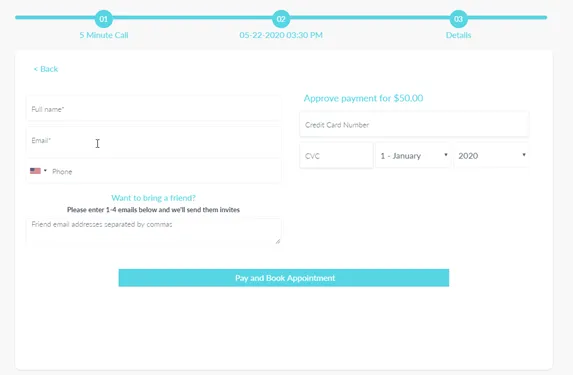
Learn About Bookafy

Recommended for: Businesses with more than one focus or location, working at a scale that needs automation and payment processing.

Not recommended for: Companies with a high volume of appointments or complex scheduling needs.

Bookafy is an appointment scheduling tool for meetings, calls, sales demonstrations, and service appointments. Bookafy appears to be popular with universities and schools that need to schedule with students. I thought it was great that onboarding with Bookafy is as easy as a simple, one-time setup.

With Bookafy, you can generate a meeting link for various meeting tools ranging from Zoom, GoToMeeting, and more. Bookafy’s skill-based scheduling feature makes it easier to prioritize and schedule your meetings.

Payment Integrations
  • PayPal
  • Stripe
Calendar Integrations
  • Google Calendar
  • Outlook
  • Apple iOS Calendar
Features
  • Booking page widgets for scheduling on your website or blog
  • In-appointment promo codes and discount offers
  • Form and survey submission
  • Integrates with Zapier and other productivity tools
  • Customizable booking pages, emails, and notifications

Pricing: Free plans are available. Pro plans cost $9 a month (Pro). Pro+ plans cost $13 a month (Pro+). Custom plans are available for enterprise.


Paid Meeting Scheduling Apps

Ready for more advanced features? Check out these paid options. Each tool includes the following features:

  • Meeting scheduling tool that can be viewed, managed, and edited by multiple users and administrators
  • Multiple calendar views
  • Contact information can be gathered from those who book meetings

18. Chili Piper

Best for Sales Teams

Learn About Chili Piper

Recommended for: Professionals looking for simple scheduling automation, reporting, and CRM integrations.

Not recommended for: Businesses that need complex scheduling features for a variety of users.

Chili Piper is an inbound conversion platform built for revenue teams, with features that help reps close deals faster. Chili Piper is perfect for sales teams with 5+ people. It’s for teams who are looking to book sales meetings faster, whether it be:

  • SDRs or BDRs booking on behalf of AEs
  • Inbound demo requests
  • Handoffs from your AEs to your customer success team

I know I mentioned that back-and-forth emails to schedule or reschedule meetings aren’t the most efficient previously in this article — Chili Piper’s scheduling widget is the exception to this rule. Rather than sending your prospect to a landing page with your online calendar, you can place convenient buttons at the end of an email to get a meeting booked in one click.

Calendar Integrations
  • Google Calendar
  • Outlook
Features
  • Data analysis and reporting
  • Automated real-time lead routing and waitlisting for busy sales teams
  • Live meeting options

Pricing: Instant Booker costs $15 per user a month. Handoff plans cost $25 per user a month. Form Concierge plans cost $30 per user a month, plus a platform fee. Distro plans cost $30 per user a month.

19. Acuity Scheduling

Best for Service Businesses

Discover Acuity

Recommended for: Scheduling with payments or service-specific communication.

Not recommended for: Enterprise-level scheduling needs, like data analytics.

Acuity Scheduling makes it easy to book appointments with clients and prospects. It’s an online assistant where prospects, customers, and clients can see your real-time availability and book their own appointments. The tool allows you to send customized confirmations that reflect your branding. And you can send appointment reminders and follow-up messages by email or text.

I think Acuity will work best for those in the wellness or beauty industry. Acuity lets you block off times you don’t want to be scheduled, as well as hosting virtual appointments.

Payment Integrations
  • PayPal
  • Square
  • Stripe
Calendar Integrations
  • Google Calendar
  • Outlook
  • iCloud
Features
  • Quick and easy to schedule classes, workshops, or group appointments
  • Client accounts for simple client management
  • Accounting and other useful integrations

Pricing: Emerging plans cost $16 a month for one calendar. Growing plans cost $27 a month for six calendars. Powerhouse plans cost $49 a month for 36 calendars.

20. Booknetic

Best for Freelancers and Service Providers
Get Started With Booknetic

Recommended for: Small service businesses and solopreneurs.

Not recommended for: Individuals on the go

Booknetic is a comprehensive scheduling solution that seamlessly integrates into your website, accepts bookings, and creates appointments on your behalf. As a small business owner, I’ve used this app to let customers book their own time slot for appointments. A feature of Booknetic that’s nice is it’s programmed to automatically insert new appointments into your calender and notify any other staff you want to be aware.

When customers book a time slot for their appointments, it automatically slides into your calendar and notifies the staff members. People can also register for a waiting list if the service is highly-demanded.

A great advantage of Booknetic is its business-side automation options. You can easily configure workflows, create funnels from your web pages, and track the efficiency of your website with enhanced analytics.

While I don’t love that Booknetic doesn’t offer a free version of their product, I do appreciate that their pricing is a one-time fee instead of a subscription model.

Payment Integrations
  • Stripe
  • Square
  • PayPal
  • Mollie
  • Razorpay
Features
  • Email, SMS, Telegram, and WhatsApp notifications
  • Appointment analytics
  • Booking forms with conditional fields
  • Custom durations for appointment sessions

Pricing: This app is a $79 one-time payment.

21. Schedulicity

Best for Hair and Beauty Professionals
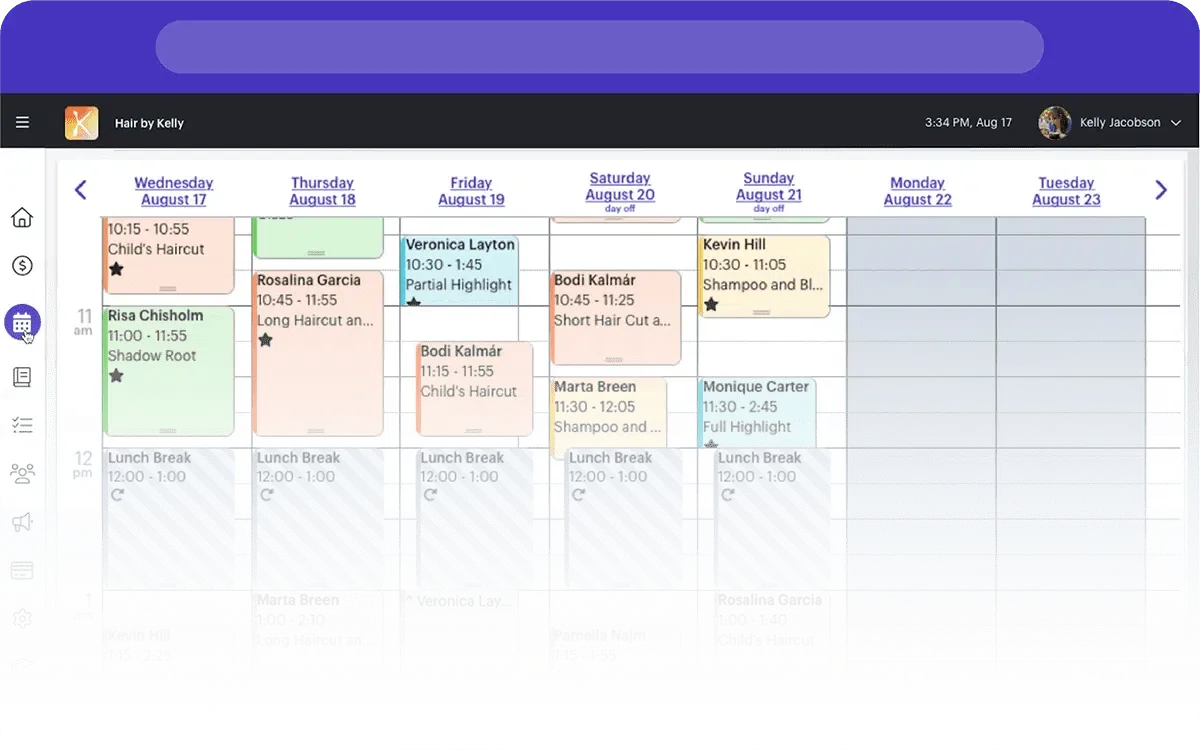
Check Out Schedulicity

Recommended for: Service professionals and small businesses in hair and beauty

Not recommended for: Large enterprises and franchises

I’ve used Schedulicity a bunch in the past when scheduling my hair appointments and also for massages. Schedulicity is an easy-to-use appointment scheduler for service providers like hair stylists, barbers, cosmetologists, and estheticians.

With a color-coordinated calendar, you can keep track of daily and weekly appointments with clients. You can also set recurring appointments for repeat customers — or they can book their own appointments online for free. Schedulicity comes with client and provider notifications, email marketing tools, and customizable policies. You can block clients who repeatedly no-show, set personal time off, and ask clients to sign waivers when they book online.

On the customer side, clients can look at multiple calendars and choose dates and times that work for them. I appreciate the reminder emails that Schedulicity sends out leading up to an appointment.

You can also get built-in payment processing, which includes pay-by-text, and access to free customer support via email, chat, and phone.

Schedulicity doesn’t offer a free version of their software, but you can choose a 14-day free trial.

Payment Integrations
  • Stripe
  • Apple Pay
  • Google Pay
  • Schedulicity Pay, a built-in payment processor
Calendar Integrations
  • Apple Calendar
  • Google Calendar
  • Hotmail/MSN/Windows Live
  • iPhone and iPad (iOS 9-12)
  • Yahoo
Features
  • Free client booking, including multiple services or providers in a single appointment
  • Automatic appointment reminder texts and confirmation emails
  • Book Now button integration for Instagram, Wix, WordPress, and Squarespace
  • Customizable policies, waivers, client notes, and schedule
  • Mobile appointment scheduling app for iOS and Android

Pricing: Solo provider plancs cost $34.99 a month, plus $10 for each additional provider.

22. Booksy

Best for Services Professionals

Learn More About Booksy

Recommended for: Service businesses with potential for no-shows and cancellations.

Not recommended for: Businesses with complex booking or feature needs.

Businesses in the beauty and personal care industries often need to schedule several meetings and manage multiple calendars. Booksy offers an affordable scheduling app and booking solution. This app is great for small to medium-sized businesses looking to manage bookings, client management, inventory, and payments all from one app.

Booksy doesn’t offer a free version but does offer a free trial to see if it’s the right fit for you. One con I found is the micro-transaction of 30 cents when accepting online mobile payments, but this is a feature you can add on.

Payment Integrations
  • Square
  • PayPal
Calendar Integrations
  • Google Calendar
Features
  • Mobile booking app for clients
  • Mobile app for service providers to manage their schedules, accept online payments, and send appointment reminders
  • Option to create custom services, durations, and prices

Pricing: Plans start at $29.99 a month, plus $20 a user per month for each additional user. Mobile payments cost $0.30 per transaction.

23. HoneyBook

Best for Creative Professionals

Check Out HoneyBook

Recommended for: Professionals looking for a single platform for scheduling and project management.

Not recommended for: Quickly scaling businesses.

HoneyBook allows you to manage bookings throughout the entire sales process. You can book initial meetings with prospects and even send proposals, contracts, and invoices when they’re ready. It helps you manage your clients and integrates with other useful tools to simplify business processes.

I like that HoneyBook offers so much on one platform, including letting clients sign contracts and agreements. I think that while HoneyBook doesn’t offer a free version (but does have a free trial), its low-cost point is appealing. At the time that this article was written, they were offering 50% off their products, which is reflected in the prices below.

Payment Integrations
  • PayPal
  • Stripe
Calendar Integrations
  • Google Calendar
  • iCalendar
  • Outlook
Features
  • Project pipeline features help you see all user stages in one place
  • Added management features like contract, proposal, and invoice templates
  • Custom invoicing, project tracking, and reminders

Pricing: Starter plans cost $8 a month. Essential plans cost $16 a month. Premium plans cost $33 a month.

24. Bookeo Appointments

Best for Upselling

Learn More About Bookeo

Recommended for: Managing internal scheduling and team availability, and businesses where upselling is a focus.

Not recommended for: Large businesses with multiple locations.

If you’re looking for a tool that provides appointment setting and advanced tracking for how your meeting contacts move through the sales pipeline, Bookeo Appointments is the tool for you. This platform automatically updates your schedule in real time for optimal booking. It integrates directly with HubSpot to keep your contact list up-to-date based on booking reservations.

I think Bookeo works great for those who are less tech-savvy and might need to print off a physical copy of their schedule to refer to. You can also print off Bookeo’s reporting to show executives who want to see how full schedules are and rates of cancellations and no-shows.

Payment Integrations
  • PayPal
  • Stripe
Calendar Integrations
  • Google Calendar
  • iCal
  • Outlook
  • Office 365
Features
  • Mobile scheduling app for Android and iOS
  • In-app gift voucher, discount, and package offers
  • Waiting lists
  • Integrates with Zapier, Google Reserve, and other business and productivity tools
  • Customizable themes for booking pages, emails, and notifications

Pricing: Solo plans cost $14.95 per user a month. Small plans cost $29.95 per user a month. Standard plans cost $39.95 per user a month. Large plans cost $79.95 per user a month.

Get More Done With Scheduling Apps

Whether you choose a free option or a paid one with more features, scheduling apps cut out the hassle of managing clients, meetings, and bookings. Get more done in less time with the efficient solution these scheduling apps provide in managing your calendar.

Editor's note: This post was originally published in November 2020 and has been updated for comprehensiveness.
meetign scheduler

08 May 16:50

Lola’s Mike Volpe on Pricing to Win in Competitive Markets [Podcast]

by Kyle Poyar

Mike Volpe is no stranger to competitive markets. He was part of HubSpot’s founding team, then moved into the world of cybersecurity with Cybereason and is now CEO of Lola.com, a travel management tool. In this episode, he explains the relationship between pricing and brand, his perception of freemium and the importance of looking closely at your happiest customers for growth opportunities.


Prefer to listen on iTunes? Click here.

The post Lola’s Mike Volpe on Pricing to Win in Competitive Markets [Podcast] appeared first on OpenView Labs.

08 May 16:49

Determining Market Demand for New Products or Services: Four Questions Answered

by Christa Tuttle

rawpixel / Pixabay

Understanding the true desire or demand for your prospective new product or service is vital before you move “full speed ahead” to bring it to market. It’s important to set the stage for a successful and sustainable future for your new offering, but it can be equally valuable to learn that the demand isn’t there or that considerable shifts need to be made so that more dollars, time and energy are not wasted.

We sat down with Launch Marketing’s executive team (Christa Tuttle – CEO, Shawna Boyce – Executive Director, Jeff Raymond – Executive Director) for their insights into best practices to qualify a market need for new products or services.

1. What are some best practices for evaluating demand or need for a new product or service?

Christa: Research, research, research. There’s really no replacement for an objective perspective of how realistic your demand is. I typically recommend a comprehensive approach of secondary research combined with primary research, such as talking to would-be prospects or others who operate in a different niche within the same market. A great source of secondary research are fellow industry contacts you may be connected with via local or national association groups.

Shawna: If you’re an established organization, customers are another great source of firsthand insight. Customers that are big advocates for your organization are a great, often untapped, resource for guiding new product or service decisions. User focus groups are another way to solicit input and can eliminate the guesswork from targeting potential demographics that aren’t a guaranteed match for your solution. Also, make use of the ongoing conversations your customer relationship managers are having so you’re attuned with any holes or potential add-on opportunities for your current product or service. Oftentimes customers can provide ideas for new product or service roadmaps you may not have even considered, and they’ll be the first to recognize any gaps in your current solution that could be addressed with a new product.

Jeff: It’s also important to have a clear picture of what specifically you want to learn in your research. That means having a core set of questions already prepared and an understanding of how long it will take to collect, compile and analyze the data. For something as important as a product or service launch, you don’t want to wing it.

2. Are there specific technologies or tools that can help in the research and evaluation process?

Shawna: There are a ton! I know of quite a few online market research organizations that let you specify the types of people and demographics you’re looking for so you can poll targets on everything from ideal or appealing product features to the market need of your prospective solution. Another approach I’ve used, if you already know the people you want to poll, is Survey Monkey. It has both free and paid options that let you poll large groups of people and analyze their feedback both holistically and individually.

Jeff: In the case that you don’t have contact information for folks, there are several online communities you can engage with while still targeting specific opportunities or industries. LinkedIn Groups, Reddits and Subreddits are just a few examples that offer surprisingly direct ways for you to engage with a particular audience. Your website can be another great platform to solicit feedback, especially if your new product is some sort of add-on or upgrade to offer current customers or prospects. For instance, you can add a quick exit poll on your site of three “yes” or “no” questions. Keep these exit polls short and easy for users so that they don’t detract from the online experience.

Christa: Great point Jeff, and ideally these customer feedback loops should be an ongoing piece of your overall customer experience strategy to keep them satisfied and heard throughout the entire lifecycle. Some of their feedback might even inform future product or service roadmaps and spark ideas to consider later on!

3. What are some key indicators that signal whether there is indeed a market for your solution?

Jeff: First and foremost, does your research definitively show common pain points or wishes that your product addresses? If yes, you’ll also want to evaluate whether there’s a feasible path to successful market entry against other factors- depth and ferocity of competition in the space, attractiveness of price point, total cost of ownership for your product/solution vs. alternatives, ease of implementation, etc.

Shawna: I totally agree. Again, really diving in on feedback you’re getting from users, prospects or even shoppers of your product on what is or isn’t working, or what features it may be lacking is key for getting the new solution engines running. From there, you’re operating off a solid foundation of valuable input that you can leverage to develop the complete, improved solution.

4. What are some common missteps in B2B product or service launches that can be avoided?

Jeff: A big one is avoiding or managing bias. Bias is inherent in all of us so we can’t avoid it completely, but managing those inclinations when it comes to interpreting data or objective signals that might indicate whether or not now is the ideal time for launch is vital for approaching your launch with a realistic mindset, and giving yourself the best chance of launch success.

Shawna: A common misstep I see is launching prematurely. It’s easy to get so excited about going to market with a new product or service that you overlook crucial pre-steps such as qualifying your market need or ensuring you have some level of marketing support to generate hype around your launch. Educating your target buyers early on is really important so that they know what your product is and what value it will bring for them individually.

Christa: Looking at this question from more of a macro perspective, I’ve seen organizations neglect what happens after launch. For instance, do you have a marketing plan set up to continue moving new launch leads through the sales pipeline? How will you keep that launch momentum going for the next six to twelve months? Being cognizant of your post-launch strategy, as well as the long-term vision for your offering and your company, is equally as important as the steps leading up to launch day.

08 May 16:47

Why you need a Vision Story and a Value Story

by bob@inflexion-point.com (Bob Apollo)

ValueThe best sales people and the best content marketers are often great storytellers. They have the ability to craft compelling narratives that persuade their potential customers to want to buy.

But can the same story architecture work at both the macro (market-wide vision) and micro (specific customer value) level? The two story types clearly need to be related but my experience suggests that there are some important differences...

Your vision story is a consistently-communicated message that is intended to resonate with your target audience, and to articulate how your approach to solving that market’s most common challenges sets you apart from their other options. It is intended to attract suitable prospects, and to make them want to engage with you.

Your value story, on the other hand, needs to be tailored to the particular circumstances of specific prospects, and can only be effectively told after you have undertaken one or a series of discovery and validation conversations. It is intended to confirm how you intend to deliver specifically relevant value to them via your solution.

Let’s look at the structure of these two story types:

Vision story structure

Andy Raskin is widely regarded as the leading exponent of the modern vision story and has helped many rapidly growing companies to nail their distinctive and compelling message. His clients have enjoyed great success with the following structure:

1: Start by naming a big, relevant change in the world

The last thing you want to do is to start your vision presentation by talking about your product, company, office locations, clients, awards or anything about yourself. Whilst these validations will ultimately be important if and when the prospect gets around to seriously evaluating your suitability as a supplier, they are boring barriers to initial engagement.

Instead, start by homing in on and naming an undeniable shift in your prospective customer’s world that - once the implications are fully understood - will cause them to recognise that they need to take urgent action. The change you have chosen will inevitably have consequences and create both threats and opportunities.

2: Show that there will be winners and losers

These threats and opportunities will in turn create winners and losers. You need to focus your prospect’s attention on the idea that the way in which they choose to deal with the identified change will have significant implications for their current and future business success.

It’s worth starting with the threats. According to leading behavioural economist Daniel Kahneman, all potential buyers suffer from “loss aversion”. They are 2-3 times more likely to respond to the fear of a threat than they are to the hope of a future opportunity. The more contrast you can create, the more likely they are to recognise the need for action.

3: Tease the Promised Land

You need to avoid the temptation to pitch your product or service at this stage. Instead, you need to introduce a vision of the Promised Land - what the prospect can achieve by dealing with the change in an effective way. You need to lead towards, rather than with, your solution.

The Promised Land represents their Desired Future State, not your solution - but it needs to be difficult to achieve without the sort of external help, experience and expertise you can provide. Creating a strong and credible contrast between their current situation and this desired future state further reinforces the case for action.

4: Introduce key capabilities as obstacle busters

You have now established the perfect platform to introduce your product or service. You need to carefully position a few of your most powerful (and preferably unique) capabilities as ways of eliminating the obstacles that would otherwise prevent or delay your customer from reaching the promised land.

By focusing on a few key themes, rather than on a long list of product features, you can differentiate your approach from the other options your customer may be considering - and position your competition as anchors that are more likely to hold their customers back in the past than to lead them towards your prospect’s desired future state.

5: Present evidence you can make the story come true

You’ve accurately and realistically identified the path to the promised land as being strewn with obstacles, so your prospect will justifiably be sceptical about any organisation’s ability to deliver. This is where testimonials and references from your existing customers can be so powerful.

And even if - given the early stage of your market - these references are thin on the ground, demonstrating your solution as a series of “before and after” scenarios (rather than showcasing a list of unrelated features) can help to powerfully establish your credibility.

Everybody needs to sing from the same hymnbook

For this approach to be most effective, everyone in your organisation - whether communicating to the market or responding to a “what do you do?” question - needs to be able to articulate and reinforce the same common vision. Whether in the form of your website, your demand generation campaigns, your CEO’s presentation at a conference or an individual sales person’s conversation with a customer, everyone needs to be on the same page.

Let’s imagine (not too hard to do, I hope) that your consistent and compelling vision story has attracted the active interest of a prospect who is a good fit against your ideal customer profile criteria. How can you make the story specifically relevant to them?

Value story structure

That’s where your value story structure comes in. Unlike your high-level vision story, which is consistently told to a wide audience of prospective customers - perhaps with suitable modifications for their particular vertical markets, your customer-specific value story is designed to help a particular potential customer to he how you can create value that is specifically relevant to their situation.

As you would expect, many of the themes are consistent with your high-level vision story, but they are structured in a slightly different way so that you can customise the elements to reflect your specific prospect’s current situation and desired future state.

Customerised Value Story 2

1: Catalysts

What are the catalysts for change in the customer’s specific environment? They are likely to include the big, relevant changes in their world, but will also probably include external triggers which may include new legislation or regulation, competitive activity and other changes in the markets they are focused on.

The catalysts may also be internal, such as a recent change in executive leadership, new corporate priorities or initiatives, or the recognition that an existing initiative is not achieving its desired objectives. The key here is to identify one or a number of customer-specific (and customer-acknowledged) catalysts for change.

2: Challenges

These customer-specific catalysts will create customer-specific challenges. These can take the form of problems, issues, opportunities or threats that - if not successfully addressed - have the potential to do harm to the business.

Some of these challenges will already be obvious to the prospect, but they may be underestimating them. We can help guide their thinking by introducing additional challenges that our accumulated experience suggests may also be relevant to them.

3: Consequences

These challenges inevitably carry consequences. They may expose the prospective customer to lost revenue, unnecessary cost, wasting precious time, failing to achieve key goals, avoidable risk, reduced productivity and/or reputational damage.

We need to identify (and get the customer to acknowledge) the most serious consequences - which could be at the organisational level, at the departmental or functional level, and/or at the key individual stakeholder level.

Together, these catalysts, challenges and consequences provide the justification for taking action, and allow us to pivot to explaining how we can create specific relevant value for the customer whilst helping them evolve from their current situation to a clearly-defined desired future state.

4: Capabilities

This is now a great place to introduce (and help the customer to acknowledge) the key capabilities that any credible solution will need to deliver. Of course, we are choosing to highlight capabilities that we are particularly good at delivering and which their other options will find difficult to provide.

Effectively, we are seeking to shape their “vision of a solution”, and with good reason. Research by Forrester and others has shown that the vendor that does the most to shape the prospect’s vision of a solution has a win rate that is at least 3 times higher than the other options under consideration.

5: Contrast

We’re now in a position to really nail down the contrast between our approach and all the other options they may be considering in the context of the prospect’s specific current situation and desired future state.

And while we are at it, we might as well reinforce the contrast between the consequences of sticking with their current and the potential benefits of moving to their desired future state.

6: Proof

Finally, our prospective customer will be looking for proof - but rather than our general success stories, we will want to show them how our approach is going to deliver specific positive outcomes for them, as it has done for other similar organisations facing similar challenges

In conclusion

I hope you’ll agree with me that we need both a widely-told vision story and a framework for creating a customer-specific value story. The latter requires that we invest in excellent discovery, but it means that our carefully-tailored story is going to be that much more relevant to each specific customer.

At least that’s my story, and my experience. What’s your perspective?


ABOUT THE AUTHOR

bob_apollo-online-1Bob Apollo is a Fellow of the Association of Professional Sales, a member of the Sales Enablement Society, a regular contributor to the International Journal of Sales Transformation and the Sales Experts Channel and the founder of Inflexion-Point Strategy Partners, the leading UK-based B2B value-selling experts.

Following a successful corporate career spanning start-ups, scale-ups and market leaders, Bob is now relishing his role as a pro-active advisor, coach and trainer to high-potential B2B-focused sales organisations, systematically enabling them to transform their sales effectiveness by adopting the proven principles of value-based selling.

08 May 16:47

If You Had These 30 Attributes, You Would Be the Best Salesperson in the World

by Laura Hall

Want a blueprint for how to become the best salesperson in the world? Or how about a yardstick by which to measure your leadership abilities? The good news is that you don’t need a career counselor or full 360 to get that additional insight.

All you need is to be self-aware.

Be honest with yourself about where you’re really strong and where you can struggle. It’s okay not to be great at everything! You can use it to become a better, more well-rounded sales professional. The ability to be self-aware is an invaluable skill that will serve you throughout your career.

Tony Hughes explores the 30 best qualities to have in sales in his book, The Joshua Principle.  We’ve expanded on them below with 30 questions to ask yourself to self-assess.

1. Persistence

Do you keep on going in spite of opposition, obstacles, and discouragement?

Gaining traction in an account takes persistence. There’s a reason it’s listed first here – persistence the main ingredient for sales success. Studies have shown that it takes at least 8 touches in a sales process to reach a prospect.
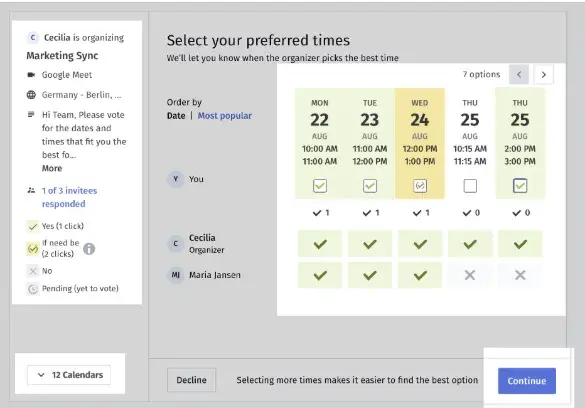
Vince Lombardi on winning

2. Honesty

Are you honorable in your principles, intentions, and actions?

The empathy-lacking, money-hungry stereotype of a salesperson doesn’t work in 2019. Buyers are looking for someone who will be a trustworthy partner and help them find a solution that addresses a particular pain point.

3. Confidence

Do you have a strong belief and full assurance in yourself?

Much like dogs can smell fear, prospects can smell a lack of confidence. Confidence isn’t arrogance. It’s a belief in your offering and the value it can add to your buyer’s organization. Managing objections in a way that transfers confidence to your prospect.

4. Fun

Do you provide your clients with amusement, enjoyment, and playfulness?

Sales is a fun profession. You get to meet with people all day long and help them find solutions to their problems. Share that with them! There’s no need for a sales interaction to be boring. Discovering a solution is fun and exciting – for both parties.
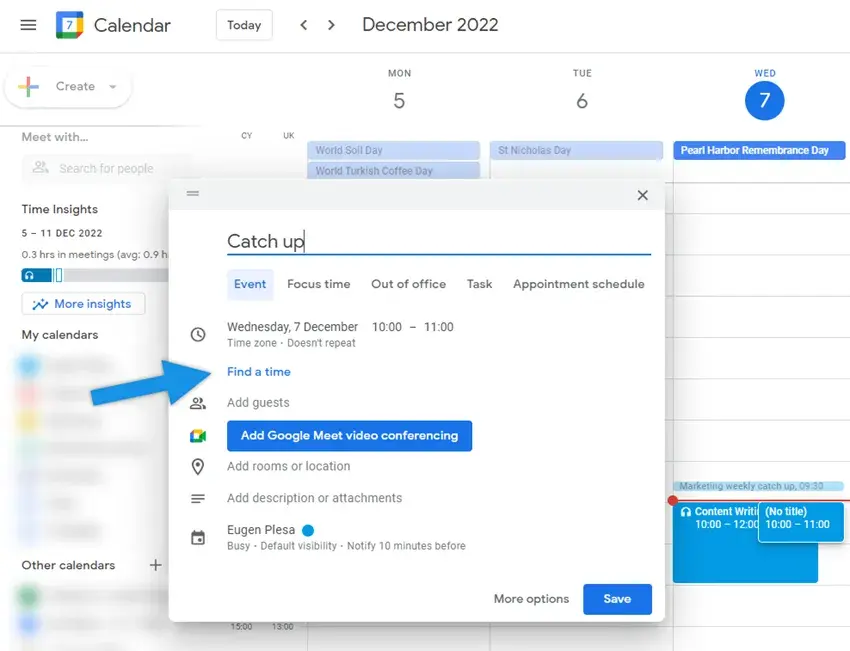
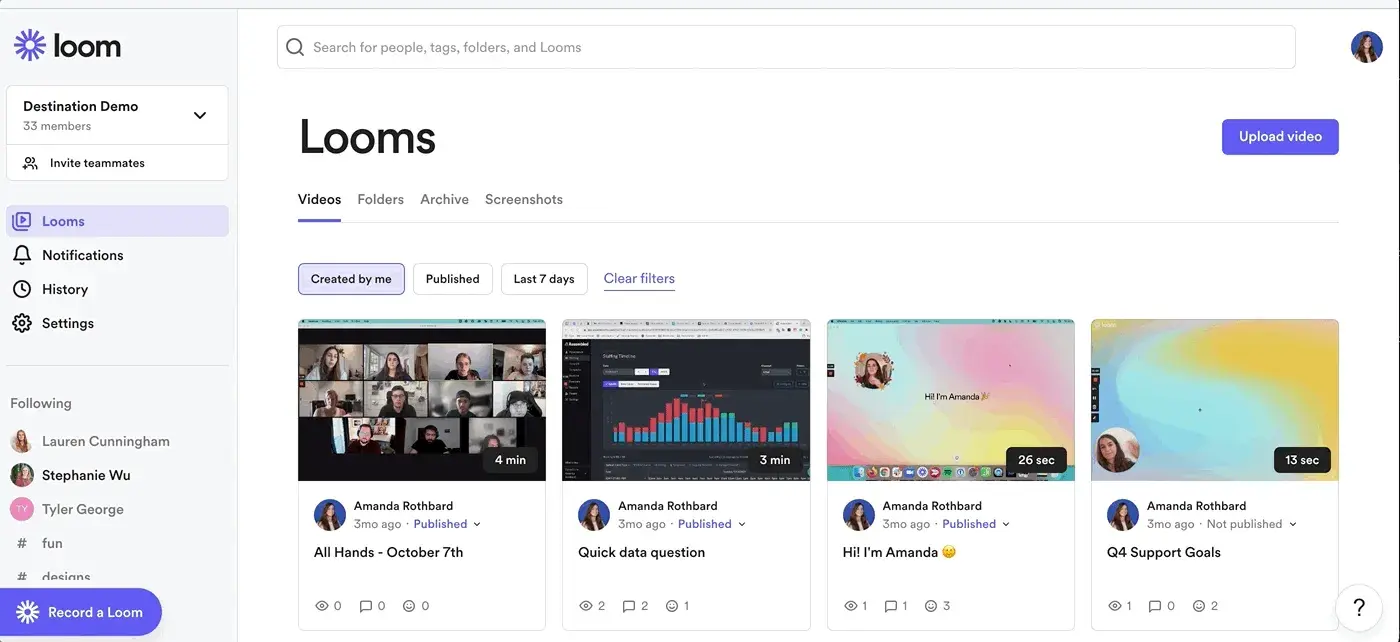
5. Teachability

Are you capable of continually being taught by your clients, your company, and your profession?

Study after study will tell you that lifelong learning is critical for success. It can be easy to fall into a routine and find yourself going through the motions. When you find yourself doing that, do something to inspire growth – find a conference, have a drink with your mentor, or sit down with a customer to talk about what they’re seeing in the market. You’ll both be better for it!

6. Work Ethic

Do you believe in the moral benefit and importance of work and its inherent ability to strengthen character?

A strong work ethic and the standards behind the work are necessary for long-term success. Sales is a funny profession – not many of us set out to be in sales. Even fewer of us went to school for it. Being exceptional requires sweat equity and – much like Tiger – sheer drive.

7. Passion

Are you able to express your feelings of excitement clearly and confidently to prospects and clients?

If you aren’t passionate about your solution and how it can benefit a prospect or customer, how can you expect them to get excited? Moreover, why would you want to sell a thing you don’t believe in? Tap into what turned you on to your company on day one, and transfer it to your prospects.

8. Team Player

Do you willingly work and cooperate with other sales reps and disciplines?

Being a team player ties into every other point on this list. When you work with your team, you are inspired to learn more and do more. They are your people, your tribe… and you need them to succeed. In the words of Michael Jordan, “Talent wins games, but teamwork and intelligence win championships.”

9. Accountability

Are you capable of answering for your choices and decisions?

I’m sure we all got tired of hearing about it growing up, but taking responsibility for your actions – accountability – is critical to any relationship. Accountability is good for your own development, your team dynamics, and for your customer relationships.

10. Friendly

Are you kind and helpful in every sales relationship and supportive of your team?

Let’s be real – part of your job in sales is getting people to like you. Who would buy from someone they didn’t like? Who would help a teammate that was a jerk? People like friendly people.

11. Discipline

Are you capable of following a routine and keeping people on track?

One of the fun parts about sales is the freedom you have in your day. Don’t confuse that with a lack of discipline. There are a lot of ebbs and flows in the sales process, but with discipline (and proper planning), you can turn those ups and downs into consistent success. Execute your cadence, follow up when you say you will, and you won’t have that “oh man… it’s the end of the quarter, and I’m wayyyy behind on quota” feeling of regret.

12. Optimism

Do you expect favorable outcomes and work towards them in every sale?

It sounds cheesy, but there is power in positive thinking. We even called out being “competitively optimistic” in a post on ways to be a successful Account Executive. In short, winners don’t win by giving energy to the thought that they might lose.

13. Empathy

Can you easily understand buyer’s situations and help solve their problems?

Don’t underestimate the role of empathy in finding the right solution for a prospect. Today’s buyers are more independent than ever but are willing to give time to sellers who are empathetic and informed about their business needs.

14. Competitive Spirit

Do you have a strong desire to succeed and outperform your competition?

Business is no different than sports in that they’re both driven by healthy competition. Like an athlete, the drive the salespeople have to always be working towards a win enables success. Don’t get complacent and forget to feed it.

15. Stability

Can you provide consistency to your team and customers?

Have you ever heard the analogy about a duck looking peaceful on top of the water but below their feet are moving like mad to keep them going? Your customers should see the peaceful side of you that shows above the water. That consistent calm inspires confidence and trust.

duck paddling and calm

16. Energy

Are you full of energy and have the ability to translate that energy to your buyers?

Energy begets energy. Can you imagine watching a football game where the announcers weren’t screaming into the mics? It gets you fired up, too!

17. Vision

Do you have the perception to visualize new strategies and create new opportunities?

Visualization is a real thing. Jim Carrey is a great example. Before he was famous, he was flat broke. One day, he wrote a $10 million check to himself for acting services rendered and dated it Thanksgiving 1995. Five years later, he earned $10 million making the movie “Dumb and Dumber.” That’s the power of visualizing success.

18. Leadership

Do people naturally listen to you and follow what you say?

Are you the type of person who creates pressure? Or are you able to provide focus and energy? Being a leader means being able to encourage and inspire people to action.

19. Maturity

Are you able to handle difficult situations with ease and face pressure collectedly?

This isn’t the kind of maturity that comes with age. Emotional maturity is an important part of what enables managers to become leaders. Maturity in the context of leadership is what allows managers to put their team ahead of themselves.

20. Sincerity

Do you operate free of pretense or deceit and share your genuine feelings with your clients?

You can’t fake sincerity. Without sincerity and belief in your offering, there is no way to form trust during the sale process. Build lasting relationships by understanding your buyer and providing them with something they genuinely need.

21. Thorough

Do you have full command and mastery of your actions?

Don’t enter a meeting without having done your due diligence in advance. Being thorough demonstrates command of a subject, which inspires trust, helps you create value… and prevents mistakes.

22. Consistency

Are you capable of delivering quality results to your team time and time again?

It’s too easy to focus on quantity at the expense of quality. If you consistently deliver quality results, it gives everyone – your customers, your leaders, and your teammates – confidence in that you will continue to execute in a way that is best for all parties.

23. Listening Skills

Can you actively pay attention when others are speaking and respond to their needs appropriately?

There’s a world of difference between listening for your turn to speak and listening to understand. If you really listen, you can ask better, more insightful questions that demonstrate empathy and understanding.

Pretending to listen funny

24. Competence

Do you have suitable skills necessary to adapt to a variety of scenarios?

Competence typically refers to the base-level skills required to do a job. It can also refer to competence in interacting with others. Does your attitude differentiate you as a leader?

25. Thoughtful

Do you show consideration for buyers to help them get value from your interactions?

Don’t fall into the trap of mindless action. Every buyer and every interaction is unique. Take the time to put some thought behind what they’re looking for and how you can personalize their experience.

26. Experience

Are you wise and skillful in each buyer conversation?

Experience is something to be leveraged in every conversation. Buyers are looking to you for guidance. Use past interactions and sales successes to provide best practices and words of wisdom that will help your current buyers.

27. Integrity

Do you adhere to ethical behaviors by striving to provide honest solutions to your prospects?

Professional integrity is arguably the most important asset you can possess. It should inform every action you take if you are to have lasting success.

28. Committed Mindset

Are you constantly engaged and self-motivated to achieve your business and personal goals?

None of these traits on this list are possible without commitment. The best, more respected leaders in history committed themselves to behave in a way that demonstrates all of these qualities.

29. Enthusiasm

Are you eager to come to work each day with a smile on your face regardless of current events?

Get excited about what you are doing, how you can help buyers, and the opportunities ahead of you. Enthusiasm is contagious. It’s a kind of fire-power that, when used wisely, motivates people and expands ideas.

30. Engagement

Are you deeply involved in conversations and able to identify the implicit needs of your clients?

Engagement consists of the various interactions we have all day long. Your level of engagement is up to you. Leaders will align every engagement they have with the qualities we’ve listed here to ensure interactions are of the highest quality possible.


Nobody in the world can be all these things at all times, but the best mimic them more than everyone else. Where can you improve? What can you do to get to the next level in your career?

Write down the areas you excel in and take a moment to congratulate yourself. Then, note the ones you need to improve upon most. Set a clear goal for each and seek help from a mentor or someone who demonstrates the quality in a way that you admire.

Also, check out this study about how top performing sales reps are getting it done.

Best Practices of Top Performing Sales Reps

08 May 16:45

Pricing in the context of strategic choices

by Steven Forth
190506.png

Pricing is often seen as tactical, something that can be left to pricing experts with input from marketing and sales. Research has shown that many CEOs spend little time on pricing, until it becomes a crisis that is. (See research by Stephen Liozu and Andreas Hinterhuber on this theme).

CEOs and other business leaders often do not approach us until pricing has become a problem for their organization. In many cases, the pricing problem is a symptom of some deeper issue. Underlying causes of pricing symptoms can include a lack of alignment on goals, no real market segmentation or customer targeting, weak differentiation or a failure to connect price to value. The root cause though, is a failure to take a strategic approach to pricing.

Simple survey for the C-Suite: Value, Innovation & Pricing Insights from CEOs

Playing to Win Lafley and Martin

One of the most powerful strategic frameworks is the one developed by Roger Martin over the years, originally known as cascading choices, it is also referred to as structured choice making and even your ‘playing to win choices.’ The latter comes from the fullest presentation of this approach in the book Roger co-authored with A.G. Lafley of Procter & Gamble. Roger also has several good articles exploring different aspects of strategic choice making on the Harvard Business Review, such as Pricing Needs to Reflect Who People Want to Be, Not Just What They Want.

The basic framework cascades down (and back up) though five steps: Winning Aspirations, Where to Play, How to Win, Capabilities, Systems. One needs to work on each of these steps in parallel, as there are dependencies between them, but the higher steps fame decisions made lower down the cascade. For example, if one’s winning aspirations include being the category leader then this will frame ones where to play choices. It will help define what one means by ‘category,’ if it is too broadly defined there will be no category leader, if it is too narrowly defined it devalues the aspiration. One cannot make how to win choices (setting pricing levels, deciding when to compete on price) if one does not know where to play.

Cascading Choices

How do we put this in the context of pricing choices?

One cannot meaningfully help people with pricing if one does not know their pricing goals. We try to ascertain these during the early stages of our work and include our understanding of goals in the situation summary (a document we create for prospective customers before we make a proposal). As we work through the pricing challenges we continually go back to these and validate them. In some cases we also do an internal survey early on in our process to see if there is alignment on pricing goals at the executive level and across different business functions. If you are interested in doing this on your own, try having different people in your organization use our pricing assessment tool and then compare the results.

Try the Ibbaka Pricing Assessment Tool

Some common pricing goals include …

  • Revenue growth

  • Gross profit growth

  • Gross profit margin improvement

  • Category growth

  • Category share

  • Maintaining capacity utilization

  • Unit economics - Lifetime Customer Value, Net Value to Customer, Customer Acquisition Costs

It is also useful to think about how your own pricing goals align with those of your key customers. Thinking through this can bring your own goals into sharper focus.

Pricing strategy often skips over where to play choices, but in fact this is one of the most important things to get right.

Cascading Choices in the Context of Pricing

The critical where to play choices are how you segment your market and which segments you choose to target. A meaningful market segment for pricing strategy is one that gets value in the same way and that buys in the same way. In a value-based market segmentation process you dig into how customers get economic and emotional value from your offer relative to the alternatives. This requires primary research, but it is necessary. Your market segmentation is the foundation on which your pricing strategy and the rest of your go-to-market plan will be built.

From a pricing perspective, the critical choices are around pricing model design. A good pricing model connects your value metrics (the unit of consumption by which your customer gets value) to your pricing metric (the unit by which you charged) and is designed for your target segments to achieve your winning aspirations. How to win choices are also where pricing tactics are engaged, from discounting plans to how you will respond to competitor actions (remembering that your responses are conditioned by your where to play choices and winning aspirations.

You will not be successful in pricing without some real skills. A competency model for pricing can help your business identify the key roles in pricing and the associated skills. In our research with our affiliate TeamFit.co, we have found for key roles in the pricing function.

  • Pricing strategist - works with C-level executives on the intersection of pricing and strategy, often leads the pricing function

  • Pricing designer - works with product and service designers to align price with strategic goals and value, sometimes outsourced to a company like Ibbaka

  • Pricing coach - works primarily with sales on pricing, but also with other functions that need to understand pricing concepts, how they have been applied at the company, how value and price are related and how to negotiate pricing

  • Pricing analyst - the number cruncher, who looks for patterns in the data and works towards optimization

Pricing skills should not be confined to pricing experts. To build a true strategic pricing capability some knowledge is needed in finance, sales, offer development, customer success and of course on the executive team. Going all the way back up to winning aspirations, the executives are also accountable for alignment on pricing goals.

Pricing also touches a number of systems that most companies use. The customer relationship management system (CRM) should both contain pricing information for the sales force and collect information from prospects that can be used to evolve the segmentation, choose targets and evaluate value messaging. Pricing will also be an important part of the configure, price quote (CPQ) system and will link in to the financial software. Understanding the connection between pricing models and revenue recognition can be an especially important area (see Pricing and Revenue Recognition). For larger companies, with many SKUs and lots of transactions, one of the large pricing platforms like PROS and Vendavo may be needed, or a newer alternative like Pricef(x). Managing these platforms requires a whole new set of capabilities so once you are large enough to go down this path a new role Pricing Platform Manager emerges.

Another connection between pricing and systems is around data collection. Ideally, your pricing model will be coupled with a value model and your application will collect the data needed to inform your data model. If you are using an ROI calculator you are already on the way to this.

Pricing touches strategy on many different levels, from getting alignment on winning aspirations all the way down to how systems are used and configuration is done. It is one of those things that integrates a company.

Permalink

08 May 16:45

5 Signs It’s Time for a New Marketing Strategy

by Justine Jahnke

There’s a question that keeps business owners and their marketing people up at night:

“Is our marketing strategy doing what we need it to do?”

Sometimes the answer to that question is a solid: “nope.” Other times the answer is not as clear. It can be hard to know when to stick with what you’re doing, and when it’s time to blow things up and start over. To help, we’ve put together a list of 5 sure signs that it’s time for a new marketing strategy. Read on to see if they apply to you.

1.You’re not seeing results from your current marketing efforts

Most of our industrial marketing clients have this popular goal: Generate More Leads.

Take your goal (generating leads) then look at the data over the last year and ask questions like:

  • How many leads have you brought in through your digital marketing efforts?
  • How many users did you convert to leads?
  • How much of your company’s revenue was influenced by your marketing activity?
  • What does your sales and marketing funnel look like? (ratio of leads to MQLS to SQLs to customers)

Not tracking marketing data? You need to create a new strategy that includes regular and frequent tracking of marketing and website performance.

Pro tip: We use multiple tools concurrently to track our marketing performance; Google Analytics, HubSpot, HotJar, Raven Tools, and more.

2.Your marketing strategy is 2-3 years old

Just like 1 year to a human is 7 years to a dog – 1 year of business is like 3 years to your marketing strategy.

Your buyers are changing, technology is changing, as are Google’s search rank algorithms.

Sometimes, the tried and true things “just work”, but odds are you need to revisit (or create) your buyer personas and your buyer’s journeys and then recalibrate your digital marketing strategy to support what you’ve learned. Then you’ll need to update critical pieces of digital infrastructure like your website.

Pro tip: It takes a village to deliver effective digital marketing. Do you have the people and skillsets you need? Use this checklist.

3.You’re launching a new product or tapping a new market

Introducing a new product requires educating your prospects and customers. The same holds true if you’re bringing an existing or new product to a new market.

New markets mean market research including persona interviews and creation of new target personas and buyer’s journeys. Then you’ll need to develop a content marketing strategy to reach them.

New products need a Go-to-Market strategy that includes a business plan (things like pricing and packaging, scalability), a sales plan (target audience, geography, sales cycle), and a marketing plan (messaging and positioning).

Pro Tip: A marketing strategy and a go-to-market (GTM) strategy are slightly different in that a GTM is a one-time effort used to launch a product or service. A marketing strategy is a part of the GTM and is the ongoing tactical effort to market that product or service.

4.Your buyers are changing

We recently spoke to a manufacturer who was frustrated that his customer base was changing and that he needed to figure out how to ‘reach millennials.’ He knew they consumed information and made purchasing decisions differently than their Boomer and Gen X counterparts.

You could try referencing avocado toast everywhere on your website, but we’d recommend evaluating your marketing strategy. Start from the foundation up – who is the ideal buyer, what are their pain points, and how are they searching and engaging online? These answers will point you toward marketing tactics, likely ones you have not used before.

5.You’re only doing one type of marketing

There are two types of marketing: inbound and outbound.

Inbound is anything digital (think podcasts, banner ads, downloadable content, video) and outbound is anything physical (think trade shows, billboards, radio, print advertising, etc.)

A successful marketing strategy uses both inbound and outbound tactics. You should be supporting your outbound efforts with digital content and vise versa. If you’re only focusing on one space to reach buyers (online or in-the-world) you’re missing out on engaging with the other half.

Keeping Your Marketing Strategy Up To Date

Things move fast. Watch for constant changes in:

  • Search Engine Optimization strategies
  • Facebook or other social media best practices
  • Google search rank algorithms
  • Website Best Practices

Once a quarter, stop what you are doing and ask tough questions like: is this working and is there a better (or new) way to do this? How have our business goals changed? How has our audience changed?

Get started by requesting a free website and marketing SWOT Analysis; our digital marketing experts will take a look under your hood and help you identify your gaps and priorities.

08 May 16:44

The Complete Salesperson

by Tibor Shanto

I know we’re not supposed to stare at people’s peculiarities, but at times it is hard not to.  For instance, at the gym, where you see someone with a well-developed upper body, standing on two twigs.  While the first instinct may be to snicker, but having worked with salespeople, I see this type of oddity almost daily.

Selective Training

You know those people in the gym who have made a choice to concentrate only on specific parts of their body. When you ask them straight up, they always have a reason or excuse. But when their guard is down, the conversation more casual, you find out the real deal. What you hear is that they don’t like to work the legs, “it’s hard work man!” then they redouble their efforts, only to further accentuate their twigs.

Salespeople are no different. Few if any, want to make an effort to become the complete salesperson. While many work real hard at given stages of the cycle, they ignore, or under learn and practice other stages. This leads to their success standing on twiggy legs.

The skinny legs for many sellers are prospecting.

Only The Shell Has Changed

Not much new in that, sales people have always preferred almost any other sales activity to prospecting. Specifically, direct prospecting,  not indirect, not merely answering an inbound call generated by marketing. Salespeople have always been at their most creative when it comes to avoidance, rather than mastering prospecting. I remember a rep about two years in the territory, telling me he has earned the right not to prospect.

With few exceptions, this has always been a critical factor in limiting salespeople to the 80% also-rans. The 20% who consistently deliver quota, usually point to their focus on filling the funnel, not just clearing it, as the source of their success.

What may make it seem different today is the model used by many today. Proponents call it specialization, others, disintermediating sales, whatever the label, it goes somewhat counter to being a complete salesperson. I am not sure it is by design, but that is the effect. Salespeople are enticed to join the organization with the promise of career progression. Given the shortage of bodies and turnover, many moving from the entry role to that of an AE. The prize promised when hired. I don’t think it is common, but I have heard interviews for the SDR role, where they were told to put in minimal time, then they’ll be promoted.

Manager To Boot

As I chronicled in the May edition of Top Sales Magazine, what is different today is the path and speed of development or more accurately advancement. With rapid advancement, there is a thinner and thinner layer of tribal knowledge and experience to support the effort. Not only are people getting less experience in core prospecting, but they are also rushed into positions they do not have the grey matter to deal with. Which then blows up as inexperienced people are left to lead newer less experienced people in a crucial sales task, i.e. prospecting.

Complete The Sales Person

Whether you see the “specialized” model as the way to go or not, building complete salespeople is vital. Customers have not disintermediated their buying approach if anything they doubled down on consensus and adding people to the decision. esThis almost requires a complete salesperson to succeed.

There sales leaders who grew up as complete cycle reps and continue to lead that way even when encouraging specialization. One organization I worked with selling tech and services, had a model worth exploring. While they plan to develop reps with a specific focus, both product and stages of the sale, they also insist that they form knowledge and comfort in all role relating to revenue. The outcome is a more stable team of complete salespeople, and as she tells me, it allows the team to “specialize in customer satisfaction.” Something she feels, only a complete salesperson can do — someone who has strength in all areas of sales, not just some.

At times this discussion gets bogged down in methodologies or schools of thought when it comes to selling style. The issue is less about style and more about market view. Witness the recent B2B Sales Handbook from the folks at Autoklose. The book states, your team needs to be as complete as your stack, if not, it’s like selling with one hand tied behind your back. You want to bring your complete sales person game, fully stacked, and not on skinny legs they can’t stand on.


08 May 16:44

Igniting Results: How One SMB Sparked Fast Growth with Sales Navigator

by Amanda Bulat
Small and Mighty

When Eve Griffin joined Sparq Designs as a senior marketing specialist in early 2018, she was adamant about one thing: the sales team needed to adopt Sales Navigator. The success she’d seen with this tool in a previous job left no doubt in her mind.

Vice president Jim Blundo was hesitant. Sparq was a fledgling young marketing and design agency that needed to scrutinize every dollar spent. Would licensing this sales enablement software really offer enough ROI to justify the cost?

“It was definitely something we didn’t say ‘yes’ to right away,” Blundo explains. “But when you believe in the person who is presenting it to you, as we do with Eve, we trusted that if this was her advice, then this was something that was worth a chance.”

Leadership approved a one-month trial for Sales Navigator. They haven’t looked back since.

Overcoming Small Business Challenges

Like many small or mid-sized businesses (SMBs), Sparq Designs faced a number of challenges in growing brand awareness and bolstering its customer base. Based on her past experience, Griffin recognized Sales Navigator as a vehicle for tackling some of these hurdles — especially angling for bigger fish.

“A huge goal of ours is to work with clients that have a higher revenue,” she explains. “I thought that Sales Navigator was just an easier way in the door to bypass some of the gatekeepers and to have higher-level conversations with the right people. I wasn't wasting time just spinning my wheels, getting through the red tape and through gatekeepers.”

Within her first few months using Sales Navigator, she was able to connect with the VP of marketing for a large local brewery, turning a relationship that was “cold, for lack of a better word” (per Griffin) into a recurring client. This was her first big win with the software, but far from the last.

“Since then, I would say the bulk of my day is spent on Sales Navigator, and it's where the majority of my correspondence is,” she says. “We've added five clients this year, large clients that we've been targeting with correspondence from LinkedIn.”

As new opportunities and deals continued to materialize, any lingering doubts from the executive team vanished. “My skepticism was pretty much put aside right away,” Blundo says.

In 2019, Sparq’s first full year with Sales Navigator, the business development team is forecasting $445K in revenue from contracts sourced to the tool.

Maximizing Sales Navigator in the SMB Space

How can other companies in a similar position get the most out of Sales Navigator? Here are a few applicable tips from Sparq’s success.

Start Your Day the Right Way
Pour a cup of coffee, check the news, and scroll through your Sales Navigator feeds. Griffin says that perusing her updates and alerts is part of the morning routine. She then has her CRM and Sales Navigator open throughout the day and consults both of them often. She’ll scan her saved leads for any posts or content shares that might indicate an actionable opportunity. Additionally, she regularly keeps an eye on the Discover tab for new recommended leads and accounts to pursue.

Look for Common Connections and Who’s Viewed Your Profile
Familiarity and recognition are important for any sales engagement, but can be trickier for smaller brands that may not have a well established name in the market yet. Because of this, it’s especially important to find pathways for warm connections that don’t seem out-of-the-blue.

When Griffin sees a mutual connection with a prospect she’d like to reach, that provides a way in. And when she notices that someone of interest checked out her profile, that serves as a prompt.

“If I see somebody new that opened my page, I send them a really quick, ‘Hey, thanks for connecting with me. Please let me know if you need anything, we're here to help you.’ Just kind of like a non-pressure, non-salesy type email just to let them know that I'm here.”

Divide and Conquer
Timeliness is always a major factor in sales. For Sparq Designs, which serves a multitude of different business niches, certain verticals tend to be more ripe at different times of year. For instance, one industry might have a major conference in the spring, or a key business renewal period at year’s end.

Griffin builds out custom lists in Sales Navigator based on the verticals her agency targets. This helps her stay organized and focused with her efforts.

Take Advantage of InMail
“InMail is the number one way that I'm corresponding and doing prospecting and outreach with potential clients,” Griffing says, adding that the response rates are “exponentially better” than email. When it comes to reaching decision makers within an organization, Griffin notes that simply tracking down an email address can be vexing, not to mention getting noticed in a crowded inbox. She finds it much more fruitful to craft personalized messages with LinkedIn’s messaging tool, incorporating personal or company insights that are readily at hand.

“We're in business where canned emails really don't do anything, not for the type of people we're trying to speak with,” she explains. “It pays off to take the time to write a nice little InMail and send it that way … It’s almost like a little sales secretary for you.”

For SMBs, Sales Navigator Is a Smart Bet

After seeing the software’s sizable impact, Blundo and Sparq Design were quick to acquire additional licenses, with hopes of scaling up their business development efforts. They tabbed Griffin to train in two more business developers on Sales Navigator. This is another advisable practice for young companies looking to get a modern selling strategy up and running. While LinkedIn offers plenty of resources and onboarding support, nothing is quite as helpful as a colleague sharing her own personal recipe for success.

Going forward, Sparq’s leadership has no uncertainty about the value of Sales Navigator. “We've made a commitment to making it a part of our sales process and a part of our sales prospecting process,” Blundo says.
 

Check out the full Sparq Designs customer story to learn more about how this SMB leveraged Sales Navigator to ignite its sales strategy.

08 May 16:44

7 Great Tips to Improve LinkedIn Leads

by Michael Shannon

From its very beginning, one of the preliminary purposes of the internet was to connect people and make stronger bonds in diverse communities. Soon enough this feature was taken into active use by the business and huzzah – we’ve got a more organized and convenient way of connecting with people in the form of social networks.

Of all the social networks that emerged over the past decade, there are only a couple that can be really considered as a viable tool.

One of them was LinkedIn.

Launched as an elaborate “digital CV” platform, LinkedIn had slowly but surely evolved into a full-fledged social network aimed at professionals and companies. LinkedIn is good not only for presenting yourself online but also for:

  • Maintaining routine business communications (less formal than correspondence);
  • Developing credibility and trustworthiness of the brand via content;
  • Gathering information regarding persons of interest;
  • Providing a productive backdrop for making deals.

Here are several tips on how to improve LinkedIn Leads.

How to Improve LinkedIn Leads?

1 Keep track of who was watching your profile

“Someone has viewed your profile” is one of those things that can make your day if you know how to use it. This thing is a surefire way of building the network of contact by grasping the initial interest and developing it into something more productive – a professional connection.

In order to make that happen – you need to keep an eye on those who watch your profile. First of all, you need to check who those people are and determine whether they are relevant to your cause in some way (potential clients, employees, nice guys, experts, etc) by scanning the profile, checking the external resources and the environment surrounding the person.

Your next step is to contact them. You can just send the friend request and start the conversation after the approval. However, it is far more effective to include a short and intriguing cover letter with the request. This way the chances of forging the connection are much higher.

2 Make your profile discoverable for Search Engines

Visibility is the name of the game when it comes to lead generation. Search Engine Optimization is one of the main methods of attaining it. While SEO is usually referred to general search engines like Google, its methodologies are also relevant for social networks like LinkedIn.

With the goal of being discoverable – you just need to tweak a couple of toggles to make the equation working and the flow running. Basically, you’re making it easier for the LinkedIn leads to find you.

Here’s what you need to nail down:

  1. Make your profile 100 percent complete. This will give you an “All-star” status. How to do it? Cover everything relevant to the work – projects, studies, publications, promotions, accomplishments and so on and so forth.
  2. Check the relevant keywords for your cause and implement them to the page. Don’t forget to do the same for the Pulse Content. This step also includes all the relevant but low-volume buzzwords.
  3. Add anchor texts to the links in the profile. Basically, what you need to do is sign-off the purpose of every link. Name official blog an “official blog” and so on. This is good for internal and external search engines as they scrape the text parts as a basis of the search.
  4. Add recommendations. While the primary purpose of this is to build the credibility and confirm the expertise – recommendations also add to the karma in the eyes of the search engines.

3 Use LinkedIn Pulse

Pulse is an internal blogging platform of LinkedIn. While it can’t fully substitute your company’s official blog – it can be a good outlet for presenting your brand directly on the platform.

In the context of lead generation, this publishing outlet is a weapon of showcasing your expertise and building up your credibility.

In a way, Pulse content can serve as a landing page showoff. You can post news reports, case studies, explainers, discussions and many other things that may contribute to further developing of your image.

The good thing about LinkedIn Pulse is that UX-wise it is very similar to Medium. You don’t need to wonder how to format an article and bend over backward to make the whole thing appealing to an eye.

4 Engage employees to post the company’s content

One of the surefire methods of generating more leads from the LinkedIn profile is by making it more visible. While there are several tricks in the book of SEO that can make things tick tick tick, you also need to secure so-called personalized visibility.

What does it mean? You need to have mentions of your companies from different people. One of the more foolproof ways of attaining that is by engaging your employees to post the company’s content.

On one hand, it is the promotion of the employer’s brand. On the other hand, this increases the visibility of your platform and makes your company more credible in the eyes of the almighty algorithm.

5 Use Plugins

There are several ways you can generate leads on LinkedIn. You can do it manually – culling information from different sources and building connections one by one. It is a long and winding process that is often dubious and frustrating. That’s an old way of doing things.

However, you can also weaponize LinkedIn’s wide library of plugins. Here’s why this is a good idea. Plugins streamline the working process, cut off the routine and let you concentrate on the stuff that matters.

Let’s look at five of them:

  • Rapportive – this tool is really good at scraping the available information based on the email address of the contact. It is able to find LinkedIn Profiles, Twitter handles Skype nicknames, other connections with the email. This, in turn, may come in handy when you need to study the potential client and establish a more confident mode of communication. It is also good to just build up your network of contacts on the platform.
  • LinkedIn Connection Revealer – this tool is good when it comes to understanding the big picture surrounding this or that person. It is especially important when it comes to looking for well-connected users. The thing is you can’t tell how many connections users have. You get 500+ and that’s not really helpful. This plugin shows how many connections this or that user really has and whether or not it is worthy to proceed with him.
  • Headliner – this tool is good for content optimization. Since content is one of the most effective ways of establishing a credible and trustworthy reputation on the platform – it makes sense to have this goodness visible organically. This tool can help you to come up with the catchy headline that will surely grab the audience’s attention and probably even more.
  • LinMailPro – this extension automatically sends invite to every person who had viewed your profile. You can also send personalized emails with its help. The good thing about this plugin is that it makes sense of all the stuff that happens around your profile. You can tag connections and manage the whole thing on one small dashboard.
  • LinkedIn ProFinder – this is the new toy available on LinkedIn. Based on Upwork and Fiverr, ProFinder is designed to manage numerous CV according to set requirement so that only the relevant stuff will remain. It is good both for freelancers and for companies.

6 Create Showcase Page

Showcase page is an additional profile page that presents a specific part of your business operation. It can be a separate branch of the company or specialized development team or it may be one of your projects. Either way, it is an expansion and elaboration of the presentation of the company.

This contributes to your image and makes you more convincing in the eyes of potential customers.

Showcase pages work best with the narrowed down targeted audience. Those who are very interested in very specific niche subjects. And they’re looking for someone who can handle this kind of stuff without sleight of hand and cunning stunts.

In Conclusion

When used right – LinkedIn can be a powerful weapon of lead generation. And the subsequent development and maintaining of the business relationships.

These tips can help you to lay down a firm foundation that will play up to your strengths and represent you in an intriguing but convincing way.

08 May 16:43

Your Competitor is Not Who You Think It Is

by Mark Hunter

You probably think your competitor is the big evil company that just came out with a more superior product than yours. No! That big evil company is not your primary competitor. Your two biggest competitors are:

1. Your own self-limiting doubts about what you can’t do.

2. The “no decision” response that too many customers ultimately decide on.

I think far too much time is wasted on thinking that the answer to a sales slump and to even finding great prospects is developing a solution to beat a competitor. Skip the effort and first focus on your own mindset. Second, think about the number of sales that simply die due to a decision never being made.

You might think that both of these reasons are unique, but let me share how both are intertwined more than you realize. When a customer fails to make a decision, they are only doing so because they haven’t found a good enough reason to buy. Furthermore, the reason why they haven’t found a good enough reason to buy is because of two things: they were not the right prospect or you didn’t create enough value for them to see.

Let’s now link what I just shared back to the big issue of your mindset. When we don’t have the right mindset, we can’t see or even think clearly. Ask yourself: would you want to go into surgery with a doctor who does not have the right mindset? Absolutely not! You want your doctor to have the right mindset about what needs to be done. A doctor never reaches that decision until first making an accurate diagnosis. Your customers should be no different. The last thing you want is to be laying on the operating table and hear the people looking over you say, “I think we have this all wrong.”

Your customers want to make the right decision and for them, that sometimes means making no decision. Let’s now go back to your mindset. The first thing a doctor knows they need to do is to have you, the patient, be confident in their work and skills. Second, the doctor knows that he or she needs you to feel confident in the outcome. Now, most doctors do not even want to entertain surgery if they don’t think the patient is a good fit.  There’s a reason why often doctors will not perform a complicated surgery on an older person; the risks far outweigh the reward.

Are you beginning to see how this all fits together? The doctor has to have a clear mindset to make the right decision and when they do, the right outcome is achieved for them and the patient. Your job in sales is no different. If you have the right mindset, you will be able to select the right prospects. The right mindset will allow you to properly diagnose the prospect. In turn, that will  create maximum value and turn that prospect into a customer.

You’re probably now asking how you get the right mindset. I’ll boil it down to two things: first, you must absolutely believe that you are capable of making a difference. You know you can because of the impact you’ve had on other customers. If you’ve done it once, you can do it again! Second, you must know that it IS your job to help others and to help them get to a better place, whatever or wherever that may be. When you are certain that you can make a difference, it is amazing how intentional your questions and the entire conversation becomes. The more intentional you are, the more of an impact you will make. The bigger your impact, the more value your prospects will see and ultimately, the more customers you will have.

It’s time to quit focusing on the big evil competitor. Instead, focus on yourself and the difference you can make.

Copyright 2019, Mark Hunter “The Sales Hunter.” Sales Motivation Blog. Mark Hunter is the author of High-Profit Prospecting: Powerful Strategies to Find the Best Leads and Drive Breakthrough Sales Results

08 May 16:43

Creating Self-Service Customer Success That Works for Everyone (Part 3)

by Lynn Tsoflias

Editor’s Note: This article is Part 3 of a 3-part series. You can read Part 1 here and Part 2 here

So far we’ve looked at the first six of seven elements that make up a self-service customer success model that can work for businesses of all sizes. When it’s done well, this model deepens your customer’s engagement while empowering your Customer Service Managers (CSMs) to provide much greater value to all of their accounts.

Each of the seven components is important, and while you may not need all of them, you will need to choose the ones that suit your users and that serve as many learning styles as possible. When you do this well, you drive deep adoption of your solution. Your customers become engaged and they stay in the flow. You create a buzz around your product. All of this can happen here in the seventh element, Epic Community.

How To Build An Epic Community

Prospects and customers like to connect with each other and to learn from each other. They want to share their challenges and their best practices, often by role and industry. So, if users can connect with each other, they’ll learn from each other. They often value this as much or even more than their connection with their CSM or your company. Your community can enable all of this.

To orchestrate it, you need to define the main goals your community will achieve. Sometimes communities are only for support and Q/A, which is fine. Other times, communities are about driving engagement, converting your prospects to customers, getting product feedback and branding. As with anything, clear goals and metrics enable success.

To help you plan out your community and think it through, we’ll look at eight steps.

Step 1: Hire Your Community Manager

Your Community Manager (CM) has a big and important job. They’re going to oversee your community, a part of your company that can have a massive impact on your success. This person will lay out clear goals to attain and clear metrics to hit.

Your goals will be unique to your business. When it comes to metrics that measure progress, there are a great many. Here are just a few examples:

  1. Engagement – The number of questions posted and answered
  2. Retention – Total number of users and returning users
  3. Duration – Average time spent in help center
  4. Frequency – Most viewed help articles and videos
  5. Participation – Number of Product Suggestion posts and upvotes

Step 2: Select Your Community Platform

Experienced Community Managers will select the appropriate solution that supports your goals and your vision for your community. They will make sure that the platform you use will scale with the variety of uses you plan to build out and support later. And obviously, they will need to be able to implement it and to train others hows to use it.

Step 3: Add Your Knowledgebase and Self-service Content

In the second article of this series, we went into some detail about how important the Knowledgebase is to your Customer Success Model. It can stand alone, and many do, but if you decide to build a Community, your Knowledgebase belongs inside of it. Every time your user wants to find a self-service resource, you want them to discover everything else in your community.

In the elements Awesome Webinars and Killer Knowledge Base & Videos we created a great deal of self-service, self-help content. This content serves as the bedrock foundation of the content in your community.

You can leverage all of your onboarding and customer journey content in the Community. When they go there to consume this content, you want them to realize that there are many other good reasons to be there. That way, they keep coming back.

To accomplish this, you need a great deal of fresh content on your product and about your category. You want this content to be relevant, fun, engaging and interesting. That’s why your CM’s metrics are all about engagement with it.

Step 4: Train Your Company

One of the most significant things your CM does is orchestrate any interaction between company team members and users in your community.

Everyone—engineers, customer support, CSMs, even the CEO—who plans to participate in the community needs to be trained so their interactions are on-point and successful.

First, they need to know why they are being asked to participate in the first place. They need to understand the goals and purpose of your community, and they need to see how their presence helps you achieve them.

Then, they need to know the basics about how to participate: how to use the community platform and what the community’s guidelines and policies are.

And finally, they need to be taught how to participate well within their role in the community and they need to practice how to respond to customers and how to help them.

Step 5: Recruit Heroes

Now that your staff is ready, it’s time to invite your power users in! Your Heroes will be recruited from your power users, and you need to identify them, contact them and ask them to join your Community before any other customers arrive.

You need to create a program – a Heroes program – for those interested. Ask them to spend five to ten hours a month answering questions in the community. In return, give them swag, give them a free month, highlight them in a case study and/or invite them to invitation-only product previews.

Heroes become your extended support team, which is why you need to have them involved before you open the doors for everyone else. They need training similar to what you did for your internal staff. Your heroes not only need to be trained on how to answer questions, they also need to be encouraged to be thought leaders who drive engagement.

Heroes can be super impactful in your community. They need to be identified as Heroes, so others can find them and learn to trust them. The easiest way to do this is with “badges” that identify them as such in your community.

Step 6: Create and Curate Content

Product content is great, but you need much more than that to create an Epic Community. You’ll want to share success stories about your customers, and/or share your own in-house experience using your own application.

Create an Ask An Insider series and invite interesting guests, like the CEO of your company, Heroes, or C-suite executives from customers. What your guests bring to your audience is hands-on, real-world, real-time knowledge. Let them share their wisdom because that’s the real benefit you’re providing to your customer.

In your Ask An Expert series, you can be product-focused. These are great for when you launch a new feature or see a “sticky” or complicated feature that is not being used by a lot of users. These sessions are deep dives into your solution – they should include Q&A sessions run by a Customer Success or Support person.

Step 7: Build Your Vote-Up Area

This is key for your product team. You harness the voice of the customer and use it for your product roadmap. Feature requests are posted for all to see, and users upvote the ones they want.

This is a great place for your product managers and engineers to see what customers are asking for—and why. Ultimately, it will positively influence your product roadmap by ensuring that your product meets your customer’s needs and helps you retain them.

Step 8: Everyone Loves a Contest

Contests bring people into your community often, first to participate, then to see progress, then to vote for the winner and finally to see if they won. They’re fun, and people love them. Your Community Manager will come up with great ideas, but you can start with ones like:

      • “Here’s How To Get the Most Out of [your solution].”
      • “[Your solution] Gives Me Time to…” (For this, you expect answers to be entertaining, like, “spend time with my family” or “go to Paris.”)

You want people to want to get into the competition and win prizes. Swag is always great—it’s amazing how much people love t-shirts, case study and mugs (or kiva.org cards).

Epic Community for Everyone

All of your customers, from enterprise to SMB, will participate in a great community. They’ll learn from it, and they’ll become better users of your solution.

An Epic Community can drive deep engagement, and because of that, it’s an extremely powerful part of your Customer Success Model. It frees your CSMs to focus on the high-value conversations that make your customers even more successful.

And of course, the more successful your customers are, the more successful you will be, too.

Author’s Note: I’d like to give a shout out to Brenda Law, who taught me much of what I know about creating community and who is the best Community Manager ever.

The post Creating Self-Service Customer Success That Works for Everyone (Part 3) appeared first on OpenView Labs.

08 May 16:43

Demand Generation Marketing: A Five-Minute Guide

by kniemisto

If you’ve landed here, it’s safe to say you probably have some questions about demand generation. Most likely, the first one is “What exactly is it?”

The common misconception is that demand generation is all about creating demand for a product. The clue’s in the name, right? Well, demand generation is actually far more than that.

In an industry where creating better brand-to-customer relationships is everything, demand generation is an umbrella term for a range of marketing activities that drive long-term engagement—including lead generation, demand capture, and pipeline acceleration.

It includes a series of touchpoints designed to raise awareness of customer challenges, position your brand as a trusted advisor, generate leads, sell your solution, and—if done correctly—foster genuine brand loyalty.

The “long-term” element is essential. Demand generation isn’t a quick fix. It’s a gradual, comprehensive, holistic approach to engagement that comprises dedicated inbound marketing tactics, social interactions, ebook campaigns, weekly newsletters, pop-up events, webinars, and more.

Done properly, demand generation can create awareness around the issues most relevant to your business, provide sales the qualified leads it need to close deals, and position marketing as a revenue generator instead of a cost center.

So, how does Marketo define demand generation?

The three pillars of demand

Demand generation can be easily split into three key pillars:

1. Lead generation

Before any other stages of demand generation can happen, you need to have leads to deliver your strategy to. Lead generation involves gaining the interest of potential customers and adding them to your marketable database. Once captured through a nurture program, these leads can then be handed to sales development to guide them through the sales funnel.

2. Demand capture

If there is existing demand in the market, you can capture it and guide potential customers to your products and services. This process involves a range of lower funnel content that will establish your brand proposition, such as PPC advertisements, SEO optimizations, and 3rd party intent data.

3. Pipeline acceleration

Once you’ve succeeded at generating or capturing demand as opportunities, you can speed up the sales process using pipeline acceleration techniques. These can be as simple as engaging in conversation with potential customers or creating highly targeted content that meets your leads’ pain points and is appropriate to their position in the sales funnel. Field marketing events are also a very common tactic for pipeline acceleration.

The five stages of demand generation

Because demand generation is so comprehensive, the hardest part can be knowing where to start.

In later posts in this blog series, we’ll take a deep dive into the stages of a successful campaign. But for now, here’s an overview of the five key components:

1. Goals

The best place to start planning a demand generation campaign? At the end, of course.

By identifying the end goals of your campaign up front, you can plan the rest of your strategy around them.

For instance, if you pin down your booking revenue goals, you can then work backward to figure out how many opportunities, SQLs, and MQLs you’ll need to hit that target.

And that will dictate how many marketing programs you undertake to generate these leads.

2. Audience

Of course, before you decide what the programs entail, you need to know who you’re targeting.

Understanding your audience and building customer profiles will help you target your marketing more precisely. You can develop personas based on the roles, needs, and objectives of your target audience. And the more details you can include, the better.

Because consumers today are so overloaded with information, strategic audience marketing is more crucial than ever. Ad blockers, email opt-outs, and even new laws, like GDPR, have given consumers more control over which brands they engage with—and they can easily reject brands that fail to respect their communication preferences.

3. Content

Once you cement your goals and audience, it’s time to plan and produce content for each stage of the marketing funnel.

The pre-purchase, top-of-funnel stage should include “light” thought-leadership content that builds brand awareness, highlights a need, and drives desire.

In the mid-funnel, research-and-consideration stage, your job is to educate buyers of the challenges they face and help them solve their issues with things like whitepapers, buying guides, analyst reports, and ROI calculators.

Finally, at the bottom of the funnel, you’ll deliver company-specific information, like demo offers, case studies, and third-party reviews, to reinforce that your product is the best choice.

4. Distribution

Creating great content is important. But you also need to understand the best way to get it to your audience.

Delivering content to your prospects and directing them to the right place will involve a robust mix of programs covering a variety of channels—email, social, direct mail, even live events.

The distribution method will change based on the stage of the funnel. At the top, you’ll likely use display networks, remarketing, and social channels to cast your net.

At the bottom of the funnel, you’ll leverage paid search and email to drive direct response and convert prospects into qualified leads.

5. Measurement

You can’t understand how your programs perform unless you measure everything they do.

Remember when we recommended starting your campaign by identifying your end goals? Well, that’s only half the equation. The other half is determining and tracking your key performance indicators (KPIs) to see if your demand generation program is achieving its goals.

This includes early-, mid-, and late-stage metrics that cover everything from the program cost, new targets, and cost-per-target to the number of opportunities your campaign has generated and how much revenue you can attribute to it.

Analytics and operations are two of the fastest-growing areas in marketing—largely because marketers are eager to show the results of their campaigns. Understanding what KPIs you need to track and having the reporting infrastructure in place to track them enables you to easily illustrate ROI.

Three tips for demand generation success

Demand generation can be complicated. But our experience has taught us a few things that can help ensure success. Here are three top tips for making sure your campaigns hit the mark:

1. Give your prospects something great

Whether it’s your weekly email newsletter, an ebook, or a product demo, make sure the things you put out into the world are valuable.

By providing something truly useful, you make a prospect more likely to part with the coveted contact information that helps you qualify them as a lead. Plus, they’ll be much more likely to remember your brand and come back to it in the future.

2 Be original

Content marketing is a crucial element of demand generation. And doing it well requires two things: investment and originality.

There’s no point in regurgitating what’s already out there. In fact, it’s a surefire way to get lost in the crowd. Instead, pepper your content with original insights, research, and expert takes on emerging trends—it’s the best way to make sure your brand stands out.

3. Never stop testing

Let’s face it: marketing is sometimes one big hypothesis. We think we know what messaging resonates and what content our audience wants. And digital data has certainly given us some confidence here. But at the end of the day, we can’t get inside our audience’s head, so there will always be an element of the unknown.

The key to all successful marketing is knowing what your audience responds to—and A/B testing gives you the answers you need.

Do it correctly, and you can increase engagements, improve effectiveness, and raise the bar for your campaigns.

The post Demand Generation Marketing: A Five-Minute Guide appeared first on Marketo Marketing Blog - Best Practices and Thought Leadership.

08 May 16:43

3 Steps to go From Total Addressable Market to ABM With Intent Data

by Nicole Bernier

janeb13 / Pixabay

The term “total addressable market” is a bit misleading.

In theory, your total addressable market (TAM) is the high-level demand for products or services in your market — the maximum potential revenue you could generate from the market.

However, even the world’s biggest companies can’t actually capture their total addressable markets. Amazon doesn’t own the entire eCommerce market and Apple doesn’t own the entire smartphone market.

Even though your TAM might technically be several-billion dollars, strategizing around that figure can lead to significant waste.

Instead of diving straight into your ABM strategy with an impractical view of your TAM, take the necessary steps to narrow your focus and find the true buyers in your market.

Don’t Let TAM Lead to Wasted Resources

“Just because you can make Excel say anything doesn’t mean you’ll actually be able to generate leads from 90 percent of your entire market! So basing the entire model on what can actually be engaged seems fundamental, but is surprisingly missing from many marketing organizations.” Matt Heinz

One of the many benefits of an ABM program is that it keeps you from blindly pursuing every single lead that enters your CRM.

Traditional lead-centric marketing programs pit sales and marketing against one another. You’re focused on filling the top of the funnel with individual leads while sales is trying to close broader accounts.

When you use broad TAM figures for ABM, you risk falling back into the same old lead-centric marketing activities that led you to ABM in the first place. Worse yet, even minor mistakes in TAM calculations can lead to wasted resources:

  • Including too many accounts and contacts in your TAM calculation can lead sales to waste resources trying to close accounts that aren’t actually in the market for your products and services.
  • Failing to identify the right size of your TAM can limit your revenue opportunities, leading to a frustrated sales team because you couldn’t fill your funnel.

Knowing your total addressable market may be a good starting point in your ABM planning process. But once you start to get deeper into strategic planning, you need a more targeted list of accounts you can pursue — ones that are actually available and in search of the products and services you offer.

That’s why you can’t stop short with a TAM calculation. Instead, build your ABM strategy around total active demand.

3 Steps to a More Practical View of TAM

The key to making practical use of TAM calculations is to gather the right data before trying to execute an ABM strategy. You might be eager to align with sales and start targeting accounts more efficiently, but you won’t be able to achieve business results if your strategy is built on a faulty foundation.

Taking the following 3 steps can help you go beyond TAM to gain deep insight into the total active demand for your products and services.

1. Define Your Ideal Target Accounts

Before you can even get a vague idea of your total addressable market, you need to have a clear picture of your ideal customer. That means creating a profile for ideal demographics, firmographics, contact titles, and more.

Just because a company has purchased from one of your competitors in the past doesn’t mean they’re a fit for your ABM strategy. Eliminating accounts that don’t fit your ideal profile from the start sets you on the right path to a practical TAM calculation.

2. Calculate Your Broad Total Addressable Market

Once you have your ideal target profile down, you can start to evaluate the white space that makes up your broad TAM. By working with a third-party data provider, you can obtain an accurate list of accounts in your market that match your target profile.

Having that data lets you come up with the revenue opportunity from your total addressable market. To calculate the broad TAM, you multiply the total number of customers in your market by the average annual revenue you expect from a customer.

3. Use Intent Data to See Total Active Demand

The most important step of this process is when you use intent data to narrow the focus of your total addressable market. It’s not enough to recognize that an account matches your ideal characteristics. What if they just purchased from your competitor a month ago and have no interest in going through the buying process again? They might be a good fit, but you’ll waste valuable time and resources pursuing an account you can’t close.

Quality intent data gives you specific insight into which target accounts are actively in your market. When you and your sales team work together to pursue these accounts, you can be confident that you have a chance of closing the deal. Not only that, but intent data also helps inform your marketing activities so that you can personalize both content and conversations to increase the likelihood of a sale.

Intent data is the key from turning vague TAM calculations into a practical component of your ABM tool—but only if you make the most of it.


Do you know which specific companies are currently in-market to buy your product? Wouldn’t it be easier to sell to them if you already knew who they were, what they thought of you, and what they thought of your competitors? Good news – It is now possible to know this, with up to 91% accuracy. Check out Aberdeen’s comprehensive report Demystifying B2B Purchase Intent Data to learn more.

08 May 16:42

Is it Worth it to Upgrade to a Paid LinkedIn Account?

by Virginia Franco

LinkedIn changes its offerings quite frequently, which means it’s time for an updated review of free versus premium accounts!

What You Get with a Free Account

A basic account lets you build a full profile. You can build a network that includes colleagues, classmates and even strangers by sending out LinkedIn connection requests. You also don’t have to pay to make or request a recommendation or to read or receive an InMail messages that come your way.

With the free account, you can save up to 3 customized searches and set up weekly alerts on them.

Several years ago, when I first started writing analyses of free v. premium accounts, free account holders had access to more features. While it appears that slowly but surely the free version offers less comparatively speaking, that does not mean that premium offerings are for everyone.

LinkedIn’s 3 Paid Plans

LinkedIn today sells 3 premium plans. The first is Business Premium on LinkedIn.com – the same platform as the free version – but with more features and functionality.

The 2 others are Sales Navigator, designed to be used by sales professionals for lead generation, and Recruiter Lite, used for talent professionals (recruiters, HR managers, etc.) to scour the site for candidates.

While those in healthcare sales may want to explore using LinkedIn Sales Navigator to identify leads (your company may even pay for it), I will focus on Business Premium on LinkedIn.com to help those launching a medical device or pharma sales job search for purposes of this article.

7 Features that Come with Business Premium (and the Free Account Workaround)

When you pay for $47.99/month for Premium, here’s what you’ll get:

#1 Unlimited People Browsing and Expanded Search Results

Premium members have access to view any profile (as far back as third-degree connections) in search results.

The Workaround for Free Account Holders: None that I can find.

#2 Who’s Viewed Your Profile

If you have set your profile viewing options to display your name and headline when viewing profiles,

Premium members will see EVERYONE who has viewed their profile in the past 90 days. In addition, as well as trends and insights on how they found you.

In addition to the fabulous intel that comes from knowing if someone checks out your profile (you can reach out, send them a connection request, shoot them an InMail, and thank them for checking out your profile!)

LinkedIn will also measure an increase or decline in weekly viewership. For job seekers that incorporate LinkedIn engagement as part of their job search, this is a valuable piece of information that tells them if whatever they are doing is (or isn’t) working!

For both free and paid, depending on the privacy settings of those who are checking you out, you could see where they work, their job titles and how they found you.

The Workaround for Free Account Holders: Free account holders only see the 5 most recent viewers in the last 90 days. There is no real workaround that I can find.

#3 Expanded Profile Viewing

With Premium, “Open Profile” is the default mode, which means any LinkedIn member will automatically see your full profile (unless you change your privacy settings) and can reach out to you – even if they are not in your network and don’t have InMail credits.

For job seekers who want to cast as wide a net as possible and can benefit from their full profile getting seen by those outside their network, this is a huge plus.

The Workaround for Free Account Holders: None that I can find.

#4 Potential Job Notifications

Those who pay for Premium get directed to open positions that are identified as a potential fit based on the skills, experience, salary requirements and education you include in your profile and settings.

The Workaround for Free Account Holders: Through use of job boards and by setting up alerts for companies of interest, this perk may not be necessary.

#5 Continuous Learning

LinkedIn purchased Lynda.com in 2015 and rebranded it LinkedIn Learning. This massive open online course website offers video courses taught by industry experts in software, creative and business skills. Before the acquisition, subscription fees were approximately $30/month.

The Workaround for Free Account Holders: To date, free account holders cannot pay to access LinkedIn Learning. Should you need to upskill or close a knowledge gap, you will have to pay or search for other free learnings.

#6 InMail Messages

Premium members get 15 InMail credits per month. Unused credits are accumulated (they are not “use or lose”) and you can even recover a credit if the person to whom you send ignores or ghosts you.

Free members do not have access to InMail, which means they cannot message anyone through the platform.

The Workaround for Free Account Holders: Avoid using InMail altogether by sending a brief note as part of a connection request and holding off on outreach until the person has accepted the request. Other workarounds include online sleuthing to find the person’s email and/or reaching out on other social media platforms.

#7 Business Insights

Paid account holders have access to growth rates, hiring trends and even hyperlinks to CrunchBase data if the company is PE or VC funded.

The Workaround for Free Account Holders: Most of the information provided via Business Insights is readily available through internet sleuthing. If you are willing to dig, this perk may not be worth the expense.

My Recommendation

If you’re searching for a medical sales job, Premium Career’s InMail credits, insight into who looked at your profile, and additional information on roles for which you are well suited may prove useful. If your network is small, then the ability for those outside your network to see your full profile is SUPER useful.

My advice? Try the free account, then try a premium subscription (it’s free for one month). See for yourself and go with what works for you!

The great thing is that you can pay month-to-month, which means you can upgrade, downgrade or change your mind almost at any time (you won’t lose any paid or premium features until your billing cycle ends).

Previously appeared on MedReps

06 May 16:42

Hiring a Sales Rep: Best Practices For Interviewing Candidates

by Josh Bean

Tumisu / Pixabay

The interview process leaves a distinct impression on candidates — whether good or bad. No matter what happens, candidates will evaluate your company based on how the interview process goes.

Nearly 60% of job seekers say they’ve had a poor candidate experience. Not only that, 72% of candidates share their experience online, for example, through Glassdoor.com. It’s important to make sure that your interview process is up to par before causing irreversible damage with candidates.

Whether you’re hiring for an entry-level salesperson or an account executive, create the best interview process/sales interview questions AND select the perfect sales candidate by following these three steps.

1. Respond to all applicants

Some companies only contact applicants who have been selected for the interview. But 80% of job seekers say “they would be discouraged to consider other relevant job openings at a company that failed to notify them of their application status.” Stand out from the crowd, and let all applicants know the result of their application.

Time is also of the essence. Whether it’s a “Yes,” “No,” or “Maybe,” don’t wait too long before responding. Your “Yes” applicants are likely interviewing for other positions — don’t miss out on top talent. For “No” and “Maybe” applicants, a response demonstrates common courtesy from your company.

Need help getting started? Here are email response templates for each type of candidate:

Dear [Applicant Name],

Thank you for your interest in the Business Development Representative position with ABC Sales. We received many applications for this position. I’m sorry to let you know that we have decided not to proceed with your application.

We do appreciate the time you took to invest in applying for this position. Please consider applying for any future openings that match your qualifications.

We wish you the best in your job search. Thank you, again, for your interest in our company.

Best,

[Name of Hiring Manager]

Rejection email – keep it short and polite but open to future applications.

Dear [Applicant Name],

Thank you for your interest in the Business Development Representative position with ABC Sales! We are reviewing your application and will let you know within 7-14 days if you’re a good fit for the position.

Again, thank you for your interest. We’ll be in touch soon.

Best,

[Name of Hiring Manager]

You might need backup if your “Yes” candidates fall short during the phone screening process.

Dear [Applicant Name],

Thanks for your application and for your interest in the Business Development Representative position with ABC Sales!

We were impressed with your resume and would like to invite you to proceed with our interview process. First, let me give you a quick overview of our process so you know what to expect.

1. Initial interview: This is a half an hour phone interview where our <Team Member Name> talks about your background, experience, and skills.

2. Final interview: A one-hour interview with <Team Member> to talk about our sales process and expectations, the culture at ABC Sales, and team development. You’ll also have the opportunity to ask any questions you may still have.

We aim to complete the entire process in 2-3 weeks. For the initial interview, here are a few day and time options:

– [Monday, date, time]
– [Tuesday, date, time]
– [Wednesday, date, time]
– [Thursday, date, time]
– [Friday, date, time]

If none of these times work for you, suggest another time and we’ll see if we can adjust. Looking forward to chatting with you.

Best,

[Name of Hiring Manager

Let candidates know what to expect during the process and how long it will take.

For “Yes” emails, consider using a tool like Calendly, which lets candidates easily schedule their own interview.

2. Start the phone screen process

Consider the phone screening of sales candidates as your second vetting process. You should be able to cull down candidates even further to find out who is actually worth interviewing.

At this stage, you’re looking more at the qualifications of each candidate and their overall manner rather than their cultural fit. You want to make sure they can back up their statements on their resumes. The more preparation you put into the phone screening, the higher the chances that you’ll have a great candidate for the final interview.

Phone Screen Best Practices:

  • Keep it short. Spend 15-30 minutes (or less) asking basic phone screen questions. Try not to deviate too much from your list of questions. You can go more in-depth if the candidate makes it to the next stage.
  • Take detailed notes. What is your impression of the candidate over the phone? How are their communication skills? Are they enthusiastic? Also, note the amount of time they spend answering a certain question. For example, are they focused on salary or on company culture?
  • Ask about any concerns. Bring up anything that concerned you about the candidate’s resume. For example, do the dates of their selling experience line up with their former position?
  • Review your notes. Directly after the phone interview is complete, add any additional impressions to your notes about the candidate to determine if they can move on to the next stage.

Phone Screen Questions:

Here’s a list of phone screen questions that you can draw from. These questions cover basic candidate information and interest in your company and the sales position.

  • Tell me briefly about your responsibilities at your past jobs.
  • Where are you in your current job search?
  • What are your salary expectations?
  • Why did you leave (or are leaving) your current position?
  • Why did you apply to our company?

Once you have your final list of candidates, send a timely email no later than three days after the screening to each candidate thanking them for their time.

For definite rejections, send a short email letting them know that they didn’t make it to the next step. Give the reasons why, so applicants will know how to do better with their next phone interview. Place these applications into your “No” pile. Some of the phone interviewees might become “Maybe,” so let them know that you’ll get back to them soon.

3. Questions for the interview

Select at least three candidates to interview from your phone screen shortlist. Now it’s time to get organized for the final interviews.

Be prepared to ask questions that are relevant to the position and your company. Six out of ten employees feel that the job they’ve chosen doesn’t match with what they actually interviewed for. Make sure the questions you ask fit the actual position, so you don’t risk employee turnover later on.

Get organized:

To make the best impression on interviewees, create an interview system that’s organized and efficient. Ask yourself the following questions:

  • Who will the interview moderator be?
  • How many people will be on the interview?
  • How long will each interview last?
  • Where will you conduct the interviews?
  • What criteria is the hiring team using to evaluate the candidate?
  • Will your team work from a structured list of interview questions or bring their own?

Once you have an interview structure in place, contact chosen candidates via email or phone. Schedule an interview time and let them know what to expect.

Interview Best Practices:

  • Create a scorecard. Just as you may have done with the application process, use a scorecard to quantify candidate skills and rank applicants. Based on your application scorecard, create interview criteria to discuss with the hiring team. Discussing the scorecard results as a team after the final interviews assists with individual and collective accuracy. It also reduces bias.

[Source]

  • Ask the right questions. Get past the surface level and learn more about a candidate’s traits, cultural fit, time management skills, and negotiation capabilities. You should already know basic information about the candidate from the phone screen. Ask questions that directly relate to the position.
  • Observe the soft skills. Carefully observe body language and tone of voice. Are they holding eye contact? Is their body stiff, or are they relaxed? Are they enthusiastic or bored? Ask yourself: Do I want this person selling to my customers?
  • Be honest. Especially with sales (an often stressful job), it’s important to be transparent about the role and its responsibilities. Talk with your current sales team about an average workday. It’s better that a candidate knows what’s expected up front rather than get shell-shocked later when they’re working 60 hours a week.
  • Optimize your time. A structured list of questions or at least a general guideline helps you and your team stay on track and not run overtime. For a better idea of how long each interview should take, see the chart below:

sales interview

[Source]

  • Gauge interest. Did the interviewee do their research on your company aside from basic website info? What type of follow-up questions did they ask? For example, a question like “What kind of targets will I be expected to hit in the first year?” shows that the candidate is interested in whether they’ll be a good fit for the role.
  • Give the candidates feedback. Review your notes and provide feedback to candidates. Just because they’re not a great fit now doesn’t mean that they won’t be in the future. Talent is four times more likely to consider your company for a future opportunity when you offer them constructive feedback.

Let’s now take a look at possible interview questions for both an entry-level sales position and a higher-level sales position.

Sales Development Representative

As this is an entry-level position, focus on identifying problem-solving skills and determine if the candidate can actually sell. For example, what past projects demonstrate that they are coachable and persistent?

  • Tell me about your responsibilities at your last company.
  • When have you been required to complete cold calls?
  • How do you use social media in your selling process?
  • Which is more important: Meeting quota or customer satisfaction?
  • How do you approach customer objections?
  • What values do you believe are important to being a successful sales rep?
  • Explain the steps you take in your own sales process.

Also, look for a good cultural fit when asking questions. For example, do they work well with others?

Account Executive

For an upper-level position, ask questions that provide insight into the candidate’s relevant work experience and ability to meet targets. Prospecting, communication, past sales performance, and selling approach are all crucial areas to cover in your interview questions.

Here are a few examples:

  • Describe your role at your previous company and how success was measured.
  • Give me an example of a successful cold call you’ve made.
  • What arguments would you use to persuade a Director or VP-level leader to consider our company?
  • What is your average deal size?
  • Tell us more about your expertise with CRM software.

Use these questions as a jumping point for your interview process. For even more sales interview questions, Peak Sales Recruiting offers a list aimed directly at reps and managers.

Wrap up your interview process

The sales interview process is not only the candidate selling their skills — you have to convince candidates that your company is right for them. 83% of talent say a negative interview experience can change their mind about a role or company they once liked. From phone screening to the actual interview, be prepared and take the time to do it right.

Stay tuned for our next “Hiring a sales rep” installment where we take a look at how to make the best hiring decision for your sales job.

06 May 16:37

How Startup Founders Survive the First Year Without a Paycheck

by Peter Daisyme

Free-Photos / Pixabay

For most startup founders, it takes a while for the business to become profitable enough to pull out a substantial paycheck – enough to live on, that is. But in the meantime, what do these entrepreneurs do to pay the bills and keep food on the table?

The Uphill Climb to Profitability

Anyone can start a business – that’s the easy part. Reaching profitability – that’s an entirely different story. As you know by now, you can’t expect to quit your day job, launch a business with a bunch of fanfare, and rake in piles of cash the next month. It rarely, if ever, works this way.

Instead, building a profitable startup is an uphill climb on a slippery slope where you always feel as if you’re one bad move from falling to a premature demise. It’s treacherous, finicky, and painstaking. It takes guts, intestinal fortitude, and a willingness to make sacrifices.

Assuming you don’t have a Silicon Valley venture capital firm infusing your startup with a seven-figure sum of money, it’ll take a while for your business to become profitable enough for you to take a salary of any substance. In fact, there’s a general consensus in the industry – and plenty of anecdotal proof – that it’ll take you about three years.

“Why it has to take three years is something that I have absolutely no idea about,” entrepreneur Jacques Mattheij explains, “but it seems to be about right, based on countless observations of people that start out to create a business and how long it takes them to gain enough traction that they can rightfully say their business is on the way to being successful. One-man consultancy shops, airlines and everything in between. Three years. Sometimes a bit less, sometimes a bit more.”

There’s obviously no hard and fast rule on the time it takes to become profitable, but it’s amazing how many startups – at least of the ones that survive – take roughly 36 months to get the cash flow equation right. According to entrepreneur Gene Marks, this same rule holds true for existing businesses launching new products.

“A new product doesn’t take hold for a thousand days,” Marks says. “That’s three years – about how long it takes to get it to a level of profitability. If you think you’re going to launch a new product and bank profits anytime before then you’re kidding yourself.”

For fresh startups, the first 12 months are generally a scramble. Businesses lose money during this introductory phase, and founders question whether they’re doing the right thing. At some point during the second year, there’s usually a break-even point where the company stops bleeding cash. Then somewhere between month 25 and 36, the accounting statement turns from red to black.

During the first few months of profitability, you’ll likely put all of the profits back into the business to either pay down debt or build up an emergency fund. It’s only after six to nine months of profitability that most startup founders are comfortable taking a modest salary. (Modest is the key word.)

There’s nothing wrong with launching a business with the aspirations of one day becoming wealthy, but it’s important to maintain some perspective. The majority of startups fail within the first couple of years. And of those that do survive, it takes months – if not years – for the cash flow to reach a point that the business is profitable enough to pull a comfortable salary for you and your family. How you manage these first few years will determine your sanity and longevity.

Tips for Startup Founders to Survive the First year Without a Paycheck

Three years might not sound like a long time when you read an exposé on an entrepreneur who started a business from scratch and built it into a multi-million dollar corporation, but it feels a whole lot longer when you’re the one in the weeds. And if you stand any chance of one day becoming profitable enough to pull out a healthy salary, you have to find a way to survive the first few years and stay afloat (personally).

Here’s a look at some ideas, tips, hacks, and techniques that other entrepreneurs have used to tackle this challenge:

  1. Rely on an Emergency Fund

This is really a tip that you need to take into account before quitting your day job and launching a startup. Nevertheless, it’s important. Your experience as a startup founder will be much smoother if you’ve taken the time to give yourself a long runway before takeoff.

A typical emergency for a normal household is commonly three to six month’s worth of expenses. Thus, if your bare minimum monthly expenses are $4,000, you should have $12,000 to $24,000 in the bank. But as an entrepreneur who is indefinitely forgoing a paycheck, this probably isn’t enough. It’s recommended that you have a minimum of 12 month’s worth of household expenses in cash (and ideally 24-plus months). Using the previous illustration, a comfortable emergency fund would be $48,000 to $96,000.

  1. Strip Down Your Expenses

The next step is to reevaluate your household budget and figure out which expenses are essential and which ones are non-essential. Remember that a dollar saved is as good as a dollar earned and strip your budget down to the basics.

As you evaluate expenses and figure out what’s worth spending on, come to terms with the differences between needs and wants. You’ll find that almost everything outside of food, shelter, utilities, basic healthcare, transpiration, and insurance is a want. With a little discipline and a willingness to sacrifice, you can live on a lot less than you’ve lived on in the past. (Especially when you maintain the perspective that this is a temporary period.

  1. Pick Up a Flexible Side Gig

Most of your waking hours will be consumed by your startup, but a flexible side gig can bring in some extra money each month and help you pay the bills. Even if it’s just a couple hundred dollars per month, every trickle of income helps.

The key is to find a side gig that’s flexible and allows you to control your hours and earnings. If you can find a way to make money online doing something like website testing, market research, or freelance writing, this is ideal. You may also be able to drive for Uber or host your home as an Airbnb rental on the weekends while you crash at a friend’s house. Get creative!

  1. Rely On Your Spouse

If you’re married, you have a distinct advantage over single entrepreneurs who are 100 percent reliant on their own income. Even if your spouse is only able to work part-time, having any income is better than none.

Try to get to a place where your spouse’s income can at least pay for the top two expenses on your budget. If your mortgage payment is $1,200 and groceries are $800 per month, this means your spouse’s target income should be $2,000 per month. At the very least, you know you’ve got these bills covered. The rest can come from your emergency fund or other sources of income.

  1. Take Out Strategic Loans

If you’re planning to use credit cards to cash flow you through the first year or two, you’re playing with fire. While they do have a time and place, entrepreneurs must manage personal credit card debt with very specific boundaries. The same goes for other types of loans.

Whether it’s a home equity line of credit, a personal line of credit, or a reverse mortgage, you have to be careful not to put yourself in a position where high interest rates compound your situation and leave you in an unmanageable situation. The more you’re able to cash flow your personal expenses and survive without debt, the better off you’ll be in the long run.

  1. Take a Reasonable Salary

Once you reach a point of profitability, it’s imperative that you don’t immediately pull out a six-figure salary and parade through the streets like you’ve made it. A modest, reasonable salary is important in the first few months. You should still be putting most of the profits back into the business to cultivate additional growth.

At some point after profitability, it should be your goal to replace your previous salary from whatever job you were working before. Then, after reaching this goal and living off of a replacement salary for a few months or years, develop a plan that incentivizes you for performance. For example, you may feel like it’s reasonable to take a 12 percent pay increase each year in which revenues increase by 15 percent or more. (These are just arbitrary numbers – you’ll have to set your own thresholds.)

The point is this: The hunt for profitability is an uphill slog that takes months and months of hard work and discipline. Professionally, this is a difficult idea to embrace. Personally, it can be even harder to keep things in perspective when money is tight. But the more you plan ahead – and the more willing you are to be creative with how you manage these gap years – the greater success you’ll experience. Stay the course!

06 May 16:32

How to Mitigate Risk When Expanding Into World Markets

by Matthew Debbage

With big opportunities, there’s always heightened risk. Nowhere is this more obvious than with companies that are looking to expand internationally. Being aware of local marketing conditions can be the difference between successful growth and painful failure.

For example, Germany is currently ranked as the best country in Europe for startup expansions, but that doesn’t mean taking your business there is friction-free by any means. German laws on bank account creation and Know Your Customer guidelines require companies to do serious due diligence in their financial organization, business registration, and tax documentation processes. They must also provide written documents detailing their legal structures, business plans, profit forecasts, and other key pieces of information.

Once established, obtaining credit is relatively straightforward for foreign companies, but there are a number of obstacles to face before getting started. Hurdles exist in every market, but opportunities exist in abundance as well. With careful strategic analysis, the benefits to be gained from taking part in international commerce can far outweigh the administrative effort.

Assessing Credit Risks in Foreign Markets

Naturally, there are a number of risks associated with foreign expansion. For starters, companies have to be careful when considering moving into volatile or emerging markets. Take Venezuela, where the opposition leader Juan Guaidó wants to entice foreign investors to the country’s oil market. Historically, though, foreign companies in this market saw their assets seized under late president Hugo Chávez. While the answer is not to avoid unstable markets entirely, companies have to evaluate the risks they might pose to business. Every market carries risks to one degree or another, but it pays to be aware of how those risks might matter to your specific company.

You’ll also want to consider that your company must be paid on time. More than that, make sure your company will get paid at all. It’s critical to understand payment culture in different places, as it’s incredibly nuanced.

Data can help you understand the average time it takes to be paid in each country and differences based on location. Another way to assess this risk of non-payment is by looking at the rate of bankruptcies in a given market compared to the number of businesses there. Take what you find into consideration, especially before you begin extending credit to overseas customers. Gain a view of the economy as a whole to gauge your odds of success.

The political environment in certain markets might affect your compliance obligations, too. Regulations have tightened since 9/11, so it’s critical that you know who you’re extending credit to and who you’re working with. Cross-reference potential clients with sanctioned lists to ensure your company won’t be involved with politically volatile or criminal groups.

It’s also prudent to consider the relationship each country has with the U.S. Because some can be considered red flags, they might require added scrutiny, especially when it comes to businesses based in places like Russia and Iran. Any companies that deal with sanctioned countries, for example, face massive fines. For example, Iran’s soccer team accused Nike of not delivering on a promise to supply it with cleats. In reality, though, Nike was complying with legal requirements that limited its ability to do so because of sanctions against the country. It’s key to be aware of these restrictions, or your company might face trouble it didn’t see coming.

A Step-by-Step Guide to Evaluate Expansion

Now that you know some risks, follow these steps before committing to a foreign expansion:

1. Understand the market.

Review available business information, such as credit reports, for your prospective competitors, suppliers, and clients to give you a sense of how big the market is and how similar companies have performed in it. You can conduct this analysis in-house or hire an external firm to do a deep dive on your behalf. Whichever route you choose, it’s important to identify the market size, whether or not your company would have a viable customer base in it, and your projected timeline to reach profitability.

2. Gauge whether your product or service fills a need.

Once you’ve determined the market size, gather intel on the products your competitors are selling. Then, determine whether your offering is unique enough in terms of actual product or pricing structure. Ideally, you’ll follow up on this by speaking directly with your competitors’ current clients to learn whether they’re open to exploring alternatives. Coming into an established market can be difficult if domestic brands have strong customer loyalty, so be sure to tailor your pitch to that country’s standards and see what you find.

3. Assess policy and regulation.

You can gain a sense of how welcoming the government is to foreign business by looking at policies toward companies that want to expand. Does the government offer grants or assistance to companies looking to set up in that market? How easy is it to move money out of the country? What taxes would you have to pay once you’re established?

Further, consider the financial stability of the nation itself to predict whether companies there will be able to make good on any credit you extend to them. This goes back to comparing bankruptcies and default rates to gain a comprehensive analysis before making any moves of your own.

4. Determine whether there’s a cultural fit.

An expansion should make sense not only from a financial perspective, but also from a brand perspective. Just because a market is hot doesn’t necessarily mean you should rush there. There should be a synergy between your current location and the one you are considering moving into.

For instance, a U.K. company expanding into Ireland makes sense because it’s a natural next move geographically, demographically, and culturally. The shared language and similar cost structures make for low barriers to entry, increasing the likelihood of a successful expansion. Every international growth strategy should take factors like these into account.

If you choose to expand into a market where the language and culture are substantially different, though, be serious and intentional about it. Invest in translators, bilingual staff, and consultants who can bridge the possible gaps between you and your clients. By doing everything in your power to be thoughtful regarding different cultures and ideas, you’ll set yourself up for stronger entry into your new market.

Success in world markets largely comes down to preparation. Understanding the place into which you want to expand is vital for making educated decisions about where and when to commit your resources. Do this, and you’ll start out on the right foot when boldly taking your business to new locations.

5. Identify potential customers.

Business information providers can supply data that helps you target customers who fit your company’s needs. While the profile will differ depending on the company, you can look at certain attributes to tailor your expansion to fit the needs of this group of customers. Consider, for example, the region they’re in to move forward with context and understanding. You’ll also want to know whether your potential customer can — and will — pay you. By analyzing the credit report of your target, you can determine this and much more.

Knowledge is power and can mitigate risk. If your company is considering foreign expansion, keep these things in mind so you can do so as smoothly and successfully as possible.

06 May 16:31

The Persuasive Power of a Mutual Action Plan

by bob@inflexion-point.com (Bob Apollo)

MAP OverviewAs Gartner and others have frequently pointed out, B2B buying decisions are often complicated. If the problem to be solved is a new one, rather than a familiar repetitive purchase, the buyer (or, more likely, buying group) may not be completely clear about what they want to achieve, or how they need to achieve it.
Many sales methodologies define a series of steps in the form of a close plan that needs to be completed by the sales person in order to move the sale forward. But unless the prospective customer is engaged in the exercise, these often drive sales activity without guaranteeing any significant progress from the buying side.

This is why Mutual Action Plans are such a powerful concept: they establish mutual agreement between the buyer and seller about the steps they intend to take - individually and jointly - in order to progress the buying journey and make the best possible purchase decision...

But it’s important that we don’t regard the Mutual Action Plan [MAP] as nothing more than a flimsily disguised sales close plan. For the MAP to be effective, it must be structured in a way that enables the customer to complete a successful decision process and - this point is critical - to successfully address the issue that got them interested in the first place.

Stephen R Covey, in his best-selling “Seven Habits of Highly Effective People” promoted the merits of starting with the end in mind - and that’s where any discussion about an effective Mutual Action Plan needs to start.

A Mutual Action Plan - unlike a sales close plan - does not end with the raising of an order. It only ends when the customer acknowledges that that the problem they intended to solve has been addressed and the projected business value has been achieved.

Current Situation and Desired Future State

Before we delve into the detailed activities that underpin an effective Mutual Action Plan, we first need to work with the customer to capture both their current situation and their desired future state and to project the tangible business value that they expect to generate from successfully implementing the solution.

This - in part at least - is an exercise in contrast. We want to help the customer to establish the strongest possible reason for change by identifying their current challenges and defining the consequences of sticking with the status quo on the customer’s organisation, on key functions and departments, and on the key stakeholders who will need to approve the project.

And then we want to compare this to the customer’s desired future state: what would success look like, and how will they measure and justify the business value of achieving it? If - despite our help - our customer cannot clearly articulate the contrast between their current situation and their desired future state, there is strong possibility that they will be unable to make a strong enough internal business case to get the project approved.

Helping them make the best possible decision

Starting with their end in mind also helps to demonstrate that our primary interest is not (unlike “traditional” sales people) to get their order as quickly as possible through fair means or foul, but to help them to make the best possible decision when it comes to solving their problem - even if that means doing something else.

By working backwards from the delivery of value, and by making evidence-driven assumptions about which intermediate steps need to be completed in order for these targets to be met, we also help to bring a sense of urgency to their decision-making process (or prove that their initial hopes and assumptions are way off the mark).

We can then work with them to fill in the detail - stage by stage - of what needs to be accomplished, by when and by whom, in order for these goals to be met. Some of these activities will be done on a joint basis, some will be led by us and some by the customer - but they all need clear ownership and timeframes.

Sharing our experience

Every customer will have their preferences or procedures for the steps that need to be covered, and these of course need to be incorporated into the plan. But it’s also very useful - particularly for relatively inexperienced buyers - for us to introduce key elements that in our experience are necessary in order to ensure that the decision-making process is as effective as possible, and that potential constraints or pitfalls are flushed out as early as possible, rather than emerging as late-breaking impediments to progress.

Mutual Action Plan - overview

A flexible, editable, jointly agreed and regularly framework seems to work best. The overview page of the Mutual Action Plan should:

  • Contrast their current situation and desired future state
  • Identify the key project milestones working backwards from the confirmation of expected value
  • Establish the relationship between this project and the customer’s key corporate priorities and initiatives

MAP Overview

Mutual Action Plan - details

The details of the Mutual Action Plan then need to cover:

  • Key activities and outcomes by buying phase
  • Who will participate from the vendor and customer
  • When the activity needs to be completed
  • The current status of the activity
  • All key members of the customer’s and the vendor’s teams

MAP Details

Leading towards, not with, your plan...

I don't recommend that you start the exercise by introducing and expecting to complete the Mutual Action Plan at the start of a conversation - if launched prematurely, prospects (particularly if they are not existing customers) can see the process as intimidatingly complex, intrusive or impertinent.

Instead, I suggest that you initiate a conversation around the guiding principles of the Mutual Action Plan, for example:

  • What they are hoping to achieve, and by when
  • How they would contrast their current situation and desired future state
  • How and when they plan to make the decision
  • What they see as their key steps along the way
  • Who they expect to be part of the decision group

You can respond by sharing your organisation's experience of observing hundreds and thousands of similar buying journeys. Remember, they may be buying this class of solution for the first time - you are experts in how effective decisions have been made.

Without in any way forcing the conversation, you might for example:

  • Ask them how they plan to deal with this or that factor
  • Explore what arrangements they need to make for (for example) a data security review
  • Share what you have learned from other similar buying journeys

It's critically important that you don't come across as manipulative or self serving. Much (but not necessarily all) of your advice ought to be applicable regardless of which other options they might be considering.

Like any other interaction, you will want them to emerge from the conversation feeling that they have learned something valuable. Without forcing them into anything they don't feel comfortable doing, formally capturing these considerations in a documented Mutual Action Plan may then seem like the natural thing to do...

In conclusion

I’ve seen remarkable success from implementing Mutual Action Plans. If customers are inexperienced buyers (for the current type of solution at least) they often appreciate the insights. The idea of starting from the delivery of value and working backwards can help them to establish a realistic timeframe.

Incorporating their current situation and desired future state can help bring focus to why the project is important. And when customers struggle to define these things, it can be a sign that either the business case is weak, or that our current prime contact will probably struggle to get approval for the project.

And whilst a customer's outright refusal to work together on a Mutual Action Plan is not an automatic disqualifier, it should at least cause us to carefully evaluate whether the opportunity is real, whether we have a realistic chance of winning, and whether the effort required will be worth it.

What’s your experience? By the way, if you see a potential role for the persuasive power of Mutual Action Plans within your own sales organisation, please drop me a line.


ABOUT THE AUTHOR

bob_apollo-online-1Bob Apollo is a Fellow of the Association of Professional Sales, a member of the Sales Enablement Society, a regular contributor to the International Journal of Sales Transformation and the Sales Experts Channel and the founder of Inflexion-Point Strategy Partners, the leading UK-based B2B value-selling experts.

Following a successful corporate career spanning start-ups, scale-ups and market leaders, Bob is now relishing his role as a pro-active advisor, coach and trainer to high-potential B2B-focused sales organisations, systematically enabling them to transform their sales effectiveness by adopting the proven principles of value-based selling.

06 May 16:31

More Sellers Than Buyers

by Fred Wilson

I worked for a VC named Bliss McCrum early in my career. He had been on wall street for about twenty five years before getting into VC mid/late career. He loved investing. He taught me technical analysis/charting and a lot of other things about stocks.

I used to ask him “why did that stock go down yesterday?” and he would always respond “more sellers than buyers.”

I loved that response and sometimes would ask him the question just to hear that answer.

What I really wanted to know was the underlying reason for more sellers than buyers. Did the company post weak earnings? Did a competitor enter their market? Was the CFO fired?

But Bliss would never take the bait.

Just “more sellers than buyers.”

His point, I think looking back after thirty years, was that markets are markets and you need to treat them as such and respect them as such. They are not always rational but the supply/demand for the stock doesn’t lie.

This week we are finally getting an Uber IPO. Its competitor Lyft’s stock has been weak post its recent IPO.

I don’t have a view on either stock but we will get to see if there are more buyers than sellers or the other way around.

I think this is a good thing, for those companies, for their shareholders, and for the entire tech and startup sector. We should let markets work. They do their job very well.